|
VOOZH | about |
|
VOOZH | about |
11 min
read
Compare Zapier vs Nintex across 11 key factors like automation, integrations, security, and ease of use to find the best platform for your business
By
Jesus Vargas
Updated on
May 29, 2026
.
Reviewed by
Real-World Experience with No-Code Tools: With over 320 apps built, we know firsthand what works—and what doesn't—when using no-code platforms like Glide, Bubble, FlutterFlow and Webflow.
Expert Team with 40+ Years of Combined Experience: Our team has deep technical knowledge, with experts who use no-code tools to solve real-world problems for clients every day, ensuring our advice is actionable and reliable.
Detailed Guides Based on Actual Projects: We don’t just talk about no-code; we use it daily to solve real business problems for our clients, from MVPs to complex automations.
Take a deeper look at our editorial guidelines
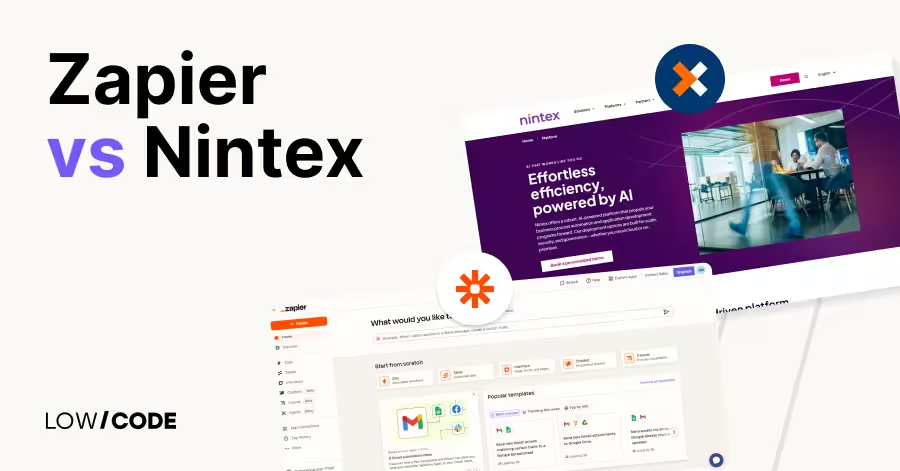
Zapier and Nintex are two leading automation platforms used by millions worldwide. Zapier connects over 8,000 apps and is praised for its easy-to-use, no-code automation and AI tools that scale across an enterprise. It helps users automate tasks and build systems quickly without technical expertise.
Nintex, on the other hand, serves regulated industries, even offering robotic process automation (RPA). Nintex focuses on regulated, complex business processes, compliance, and secure deployment options.
Both platforms offer powerful automation but target different audiences. In this guide, we’ll compare Zapier and Nintex across key factors to help you choose the best solution for your automation needs.
| Feature | Zapier | Nintex |
|---|---|---|
| Target Users | Businesses of all sizes, including enterprises | Large enterprises, regulated industries |
| Automation Complexity | Can handle anything from simple to complex | Advanced, complex workflows |
| App Integrations | 8,000+ apps | Enterprise systems like SharePoint, Salesforce |
| Deployment | Fully cloud-based | Cloud, on-premise, and hybrid options |
| Ease of Use | Intuitive, beginner-friendly | Powerful but steeper learning curve |
| Advanced Features | Multi-step, filters, paths, looping, error handling, Interfaces, Tables, MCP, Chatbots, Agents | RPA, process mapping, document generation |
| Security & Compliance | GDPR, CCPA, SOC 2 compliant | HIPAA, FedRAMP, GDPR compliant |
| Support | Live chat, community, tutorials, email support, dedicated enterprise support with SLAs and technical account managers | Dedicated enterprise support with SLAs |
Zapier and Nintex are both automation platforms but serve different types of users and needs. Zapier connects over 8,000 apps, allowing users to create workflows that automate repetitive tasks without technical skills. As your needs scale, Zapier can orchestrate complex workflows across your entire organization and tech stack.
Nintex only targets larger organizations with complex business process automation needs. It offers advanced workflow design, process mapping, and document generation, often integrating deeply with enterprise systems like SharePoint and Salesforce. Nintex requires more setup and technical knowledge but provides powerful tools for automating large-scale, regulated, and multi-step business processes.
In short, Zapier is great for ease of use and scaling across an enterprise, while Nintex is better suited for regulated or RPA-focused workflows.
Let’s explore how Zapier and Nintex manage automation and the complexity of workflows they support.
Zapier offers user-friendly automation with a simple drag-and-drop interface. It connects thousands of apps to create workflows called “Zaps” that trigger actions based on events. This ease of use means it scales well across an entire enterprise.
Zapier also supports multi-step workflows, conditional paths, delays, filters, looping, and a built-in formatter. You can create smart automations starting with “if a new lead is added in Typeform, send a Slack alert and update a CRM” and extending into complex workflows across departments.
You can also add AI into your workflows to add more intelligence to the logic. With built-in AI, you don't need a separate ChatGPT or Claude account to make it happen.
Nintex offers advanced workflow design with drag-and-drop and visual process mapping. Nintex supports multi-step approvals, document generation, and integrations with systems like SharePoint, Salesforce, and Microsoft Teams.
It’s ideal for automating large-scale business processes that require compliance and detailed controls. Though powerful, Nintex requires more technical expertise and setup time compared to Zapier. It excels where deep customization and governance are essential.
Let’s compare how many apps each platform connects with and the type of integrations they support.
Zapier supports over 8,000 apps — including nearly 500 AI apps — making it one of the largest no-code automation ecosystems. It connects popular tools like Gmail, Slack, Google Sheets, Trello, and thousands more across categories like marketing, sales, support, RevOps, IT, HR, and productivity.
Zapier’s wide range of integrations lets users easily automate business tasks without coding. Its ecosystem is designed for flexibility and accessibility, helping businesses connect almost any app they use daily.
Nintex focuses on deep integration with enterprise systems. It connects well with platforms like SharePoint, Microsoft 365, Salesforce, and SAP. Nintex also supports APIs and custom connectors for specialized business systems.
Its integrations cater to complex workflows in regulated industries requiring secure, compliant data handling. Though smaller in number compared to Zapier, Nintex’s ecosystem is tailored to large organizations needing robust, scalable automation across multiple departments and legacy systems.
Read more about:
User experience plays a big role in how quickly you can build and manage automations.
Zapier offers a clean, intuitive interface that makes building automations easy, even for beginners. Its step-by-step workflow builder uses drag-and-drop actions and clear labels. The platform guides users through setting up triggers and actions without requiring coding knowledge.
Zapier’s dashboard is straightforward, helping users monitor and manage their automations with ease. Overall, it’s designed for speed of deployment, making it ideal for businesses that want quick results without technical complexity.
Nintex provides a powerful visual workflow designer that supports complex process mapping. While its drag-and-drop interface is robust, it has a steeper learning curve due to the platform’s customization options.
The interface includes advanced tools for compliance, approvals, and detailed workflow controls. Nintex is designed for business users and IT professionals comfortable with technical setups. It offers strong documentation and support, but users may need training to fully leverage its capabilities.
Customization options and advanced tools determine how deeply you can tailor automations to your needs.
Zapier supports multi-step workflows, allowing you to chain dozens of actions from one trigger. You can add filters, delays, and conditional logic to customize your automation paths. Zapier also enables connecting apps through webhooks and supports custom code steps with JavaScript and Python. And with Zapier Canvas, you can map the entire process before deploying.
Zapier lacks robotic process automation (RPA) found in enterprise tools.
Nintex provides advanced automation capabilities like process mapping, document generation, and robotic process automation (RPA). It allows you to visually design end-to-end workflows with detailed approval processes and complex business rules.
Nintex’s RPA bots automate repetitive manual tasks across applications, improving efficiency and accuracy. These advanced features make Nintex ideal for large enterprises needing scalable, compliant, and highly customized automation solutions.
How a platform deploys and integrates with existing systems is key to business use.
Zapier is a fully cloud-based platform, meaning all automations run on Zapier’s servers. This makes setup quick and easy with no hardware or software installation needed. Users access Zapier through a web browser, and updates are automatic.
Nintex offers flexible deployment models, including cloud, on-premise, and hybrid setups. This allows large organizations to keep sensitive workflows and data within their own infrastructure if required for compliance or security.
Hybrid deployment supports integrating with cloud services while maintaining control over critical processes. Nintex’s enterprise-focused deployment options provide the scalability and security that regulated industries demand, making it a versatile choice for complex IT environments.
Let’s examine how each platform handles growth and performance in bigger businesses.
Zapier scales well for businesses with increasing automation needs. It supports multi-step workflows and team collaboration features that grow with your organization. Plus, error handling, approvals, and validation ensure that workflows are reliable at scale.
Nintex is built to handle large-scale, complex workflows across multiple departments in enterprise environments. It offers high reliability, robust security, and the ability to automate regulated processes. Nintex supports thousands of users and processes simultaneously without performance loss.
Its architecture is designed for scalability and integrates deeply with enterprise systems.
Security and compliance are crucial for protecting sensitive business data.
Zapier uses enterprise-standard security measures like encryption for data in transit and at rest. It supports two-factor authentication (2FA) and offers detailed user permission controls. Zapier complies with major regulations such as GDPR, CCPA, and SOC 2 Type II, ensuring data privacy and protection.
While it’s secure for most businesses, its cloud-only model means sensitive data is stored off-site, which may require extra precautions for highly regulated industries.
Nintex meets rigorous enterprise security and compliance standards, including GDPR, HIPAA, and FedRAMP. It offers role-based access control, encryption, and audit trails for accountability.
Nintex’s on-premise and hybrid deployment options give organizations more control over data location and security policies. These features make Nintex well-suited for industries like healthcare, finance, and government that require strict compliance and data privacy.
Effective teamwork and insight tracking are essential for successful automation projects.
Zapier offers collaboration features, allowing team members to share workflows, organize them into folders, and manage permissions at a granular level. Users can view task history, receive notifications about automation status, set up automatic error handling, and use approval workflows.
With SSO (SAML), SCIM, and domain capture, it's simple to deploy Zapier across an organization. And with detailed audit logs, users can track every click and change for compliance.
Nintex provides robust collaboration tools with role-based access, approval workflows, and detailed audit trails. It includes comprehensive reporting and analytics dashboards that track process performance, bottlenecks, and compliance.
These insights help teams optimize workflows and ensure accountability. Nintex’s strong team management features support complex organizational structures, making it ideal for large enterprises needing detailed oversight and data-driven decision-making.
Access to developer tools and reliable support ensures your automation runs smoothly and can grow with your needs.
Zapier offers a developer platform with APIs that allow building custom integrations and apps. Developers can create private or public Zapier apps using Zapier’s CLI and REST hooks. The platform provides thorough documentation, tutorials, and a developer community for support.
Power users can also access webhooks, Code by Zapier (JavaScript or Python snippets), and Functions (configure triggers and define an entire workflow in a web IDE).
Zapier’s easy-to-use interface and extensive resources make it accessible for developers of all levels, helping businesses extend automation beyond standard app connections. But Enterprise users also get SLAs and technical account managers to help with complex setup.
Nintex provides advanced developer tools, including APIs, SDKs, and connectors for integrating with enterprise systems. It supports custom workflow components and extensive process automation features. Nintex offers dedicated customer support with personalized onboarding, training, and technical assistance.
Their support is designed to meet enterprise needs, including SLAs and priority help. This combination of developer resources and strong support makes Nintex suitable for organizations requiring complex, customized automation solutions.
Read more about:
Custom Automation Solutions
Save Hours Every Week
We automate your daily operations, save you 100+ hours a month, and position your business to scale effortlessly.
Knowing when to pick each platform helps you get the right automation for your business.
Zapier is ideal if you need to scale automation across your organization without technical complexity. It works for businesses of all sizes, including enterprises, especially teams that have a broad tech stack (because of its 8,000+ integrations). If you want a no-code tool with a vast app ecosystem and simple workflow building, Zapier is a great fit.
Nintex is the better choice for organizations with regulated workflows requiring deep control. It excels in automating regulated processes, RPA, and document generation in industries like finance, healthcare, or government.
If you need an on-premise deployment, Nintex provides the tools and support necessary to manage your automation projects.
Last updated on
May 29, 2026
.
Jesus Vargas
-
Founder
Jesus is a visionary entrepreneur and tech expert. After nearly a decade working in web development, he founded LowCode Agency to help businesses optimize their operations through custom software solutions.
Custom Automation Solutions
Save Hours Every Week
We automate your daily operations, save you 100+ hours a month, and position your business to scale effortlessly.
Our AI — trained on 300+ shipped products — tells you what to build, what to skip, and what it'll actually cost. No fluff.
Assess My Idea"Working with LowCode Agency was the best decision I made in 2025"
Franklin Frith
CEO at HRM
Yes, Zapier is very beginner-friendly with a simple drag-and-drop interface and many tutorials, making it easy to automate tasks without coding experience.
Absolutely, Nintex is designed for complex, multi-step workflows, process mapping, and enterprise-level automation with strong compliance features.
Yes, Zapier allows multi-step workflows with conditional logic, filters, and delays to customize your automation sequences.
Yes, Nintex offers flexible deployment options including cloud, on-premise, and hybrid models to meet enterprise security and compliance needs.
Zapier integrates with over 7,000 popular apps, including Gmail, Slack, Trello, Salesforce, and many others.
Yes, Nintex provides dedicated enterprise support, including onboarding, training, and technical assistance with service level agreements (SLAs).
Business Automation
When to Build Custom Integrations vs Using Zapier
Learn when to choose custom integrations over Zapier for better control, scalability, and complex workflows in your business automation.
Business Automation
Zapier Pricing Plans: Find the Best Fit for Your Business
Explore Zapier pricing options to choose the right plan for your business needs and automation goals.
Business Automation
Automate NPS Analysis with AI for Actionable Insights
Learn how to use AI to automate NPS analysis and convert customer feedback into effective business actions quickly and efficiently.
Business Automation
How to Automate Full Project Kickoff Workflow
Learn how to trigger a full project kickoff workflow automatically to streamline project starts and improve team coordination.
Business Automation
How to Auto-Generate Process Documentation with AI
Learn how to use AI tools to automatically create accurate process documentation efficiently and reduce manual effort.
Business Automation
Automate Business Expense Categorization with AI
Learn how AI can automatically categorize business expenses to save time and improve accuracy in financial management.