 |
VOOZH | about |
|
VOOZH | about |
We use cookies to improve your experience on our site. By using our site, you are agreeing to the collection and use of data as described in our Privacy Policy.
Cookie Settings×Table of contents
Freshservice, an AI-powered ITSM for managing employee issues, requests, workflows, and more, offers a variety of valuable features and capabilities out-of-the-box.
While the platform’s features and capabilities are already powerful, they can provide even more value when you integrate Freshservice to your other internal applications or when you connect your product to customers' instances of the application.
Regardless of your integration use case(s) with Freshservice, you’ll need to get your API key in the platform. We’ll help you do just that below!
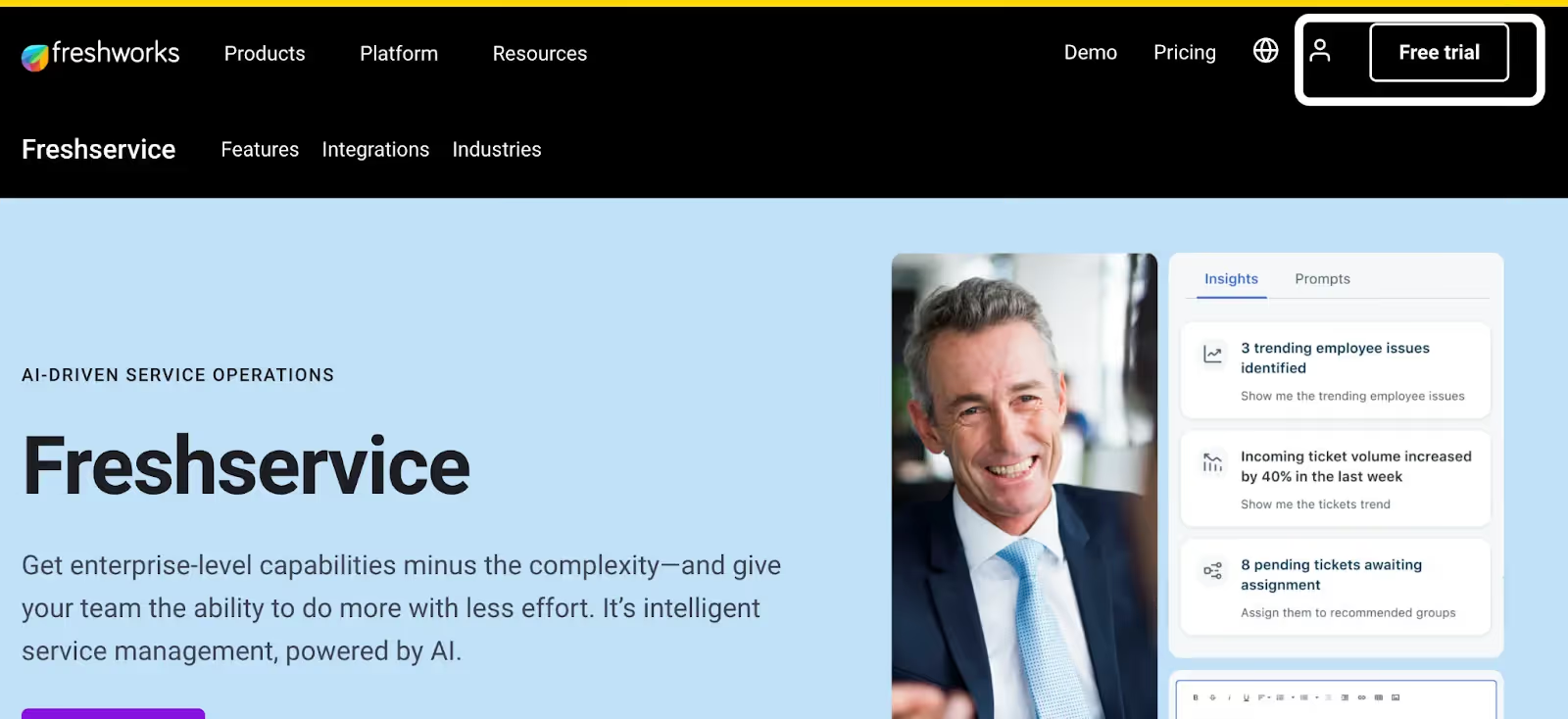
On the top right corner of Freshservice’s homepage, you should see a “Free trial” button alongside an icon of a person to sign in.
You can go ahead and click on whichever option is relevant to you and complete the subsequent steps.
{{this-blog-only-cta}}
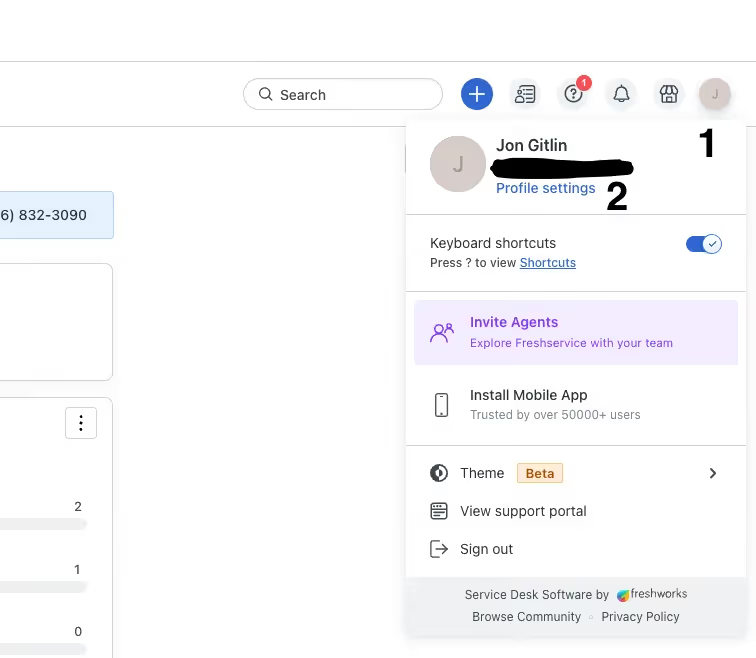
Once you’ve logged in, you should see the initial of your first name on the top right corner. If you click on it, you should then see a “Profile settings” button under your email address.
Related: How to generate a personal access token in GitLab
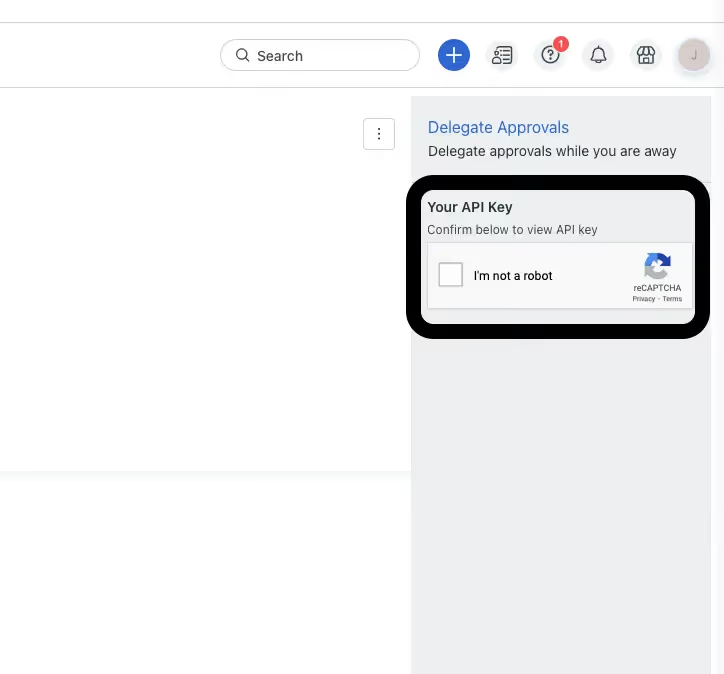
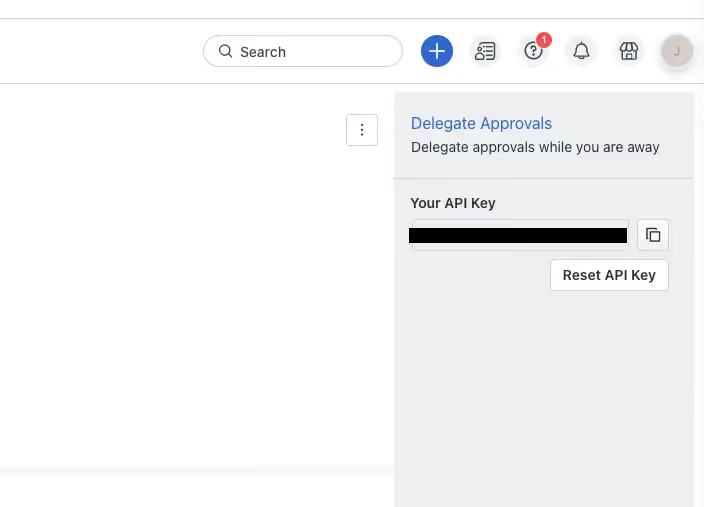
You should now see a CAPTCHA on the right-hand side of the screen, under “Delegate Approvals.” Go ahead and complete it.
Your API key should now appear where the CAPTCHA was previously shown!
Make sure to copy it and keep it in a safe place, as it won’t be shown again and can potentially be used by malicious actors to access sensitive information.
Related: A guide to getting your API key in Freshdesk
Before building to Freshservice’s API, it’s worth familiarizing yourself with the following areas.
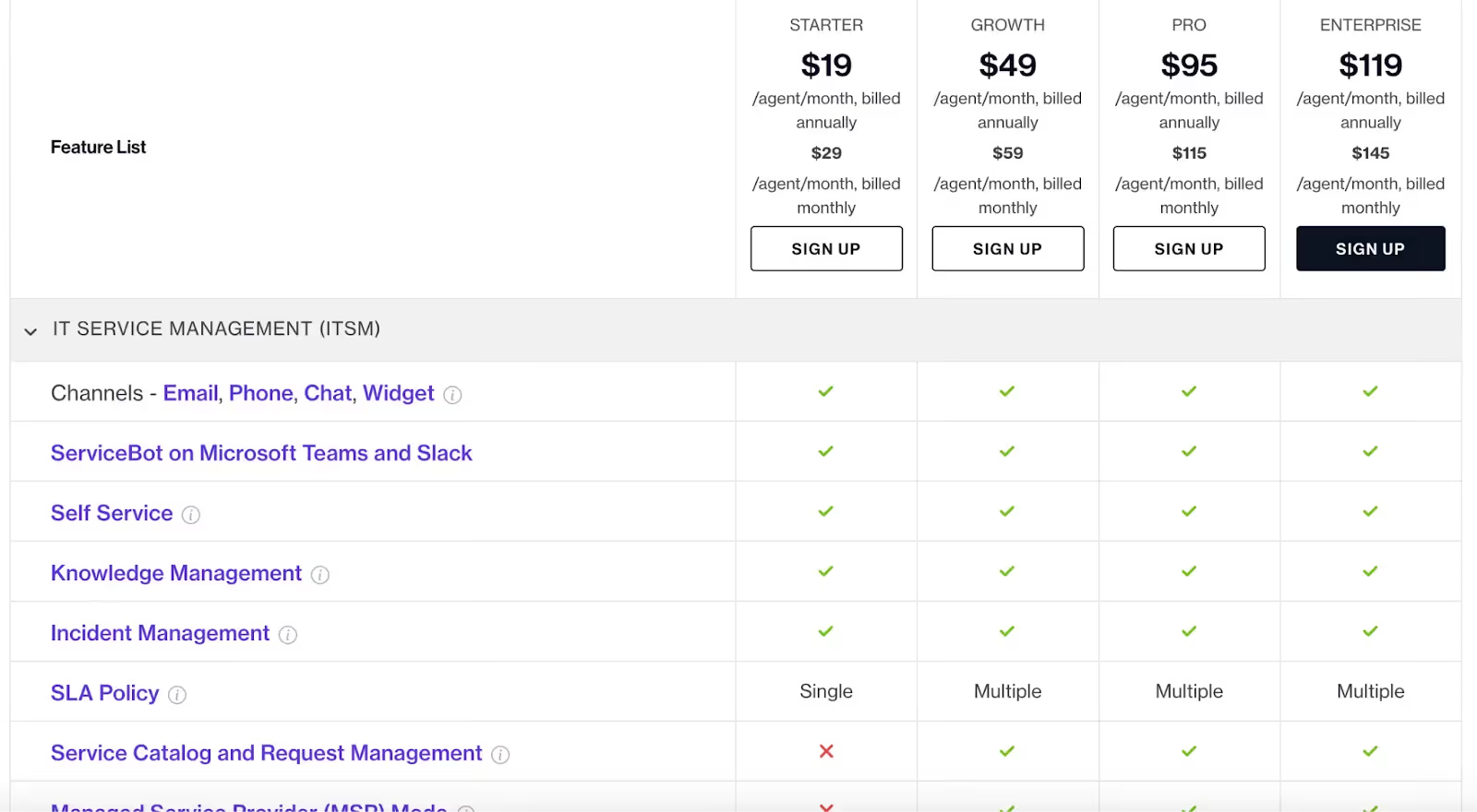
Freshworks offers 4 pricing plans—Starter, Growth, Pro, and Enterprise.
They all come with specific features and levels of support, such as Knowledge Management, Service Bot on Microsoft Teams and Slack, 24/7 email and phone support, and more.
However, there are also significant differences across the plans. For instance, only Pro and Enterprise plans provide 24/7 chat support, project portfolio management features, and most of the AI add-ons.
Learn more about Freshservice’s pricing plans.
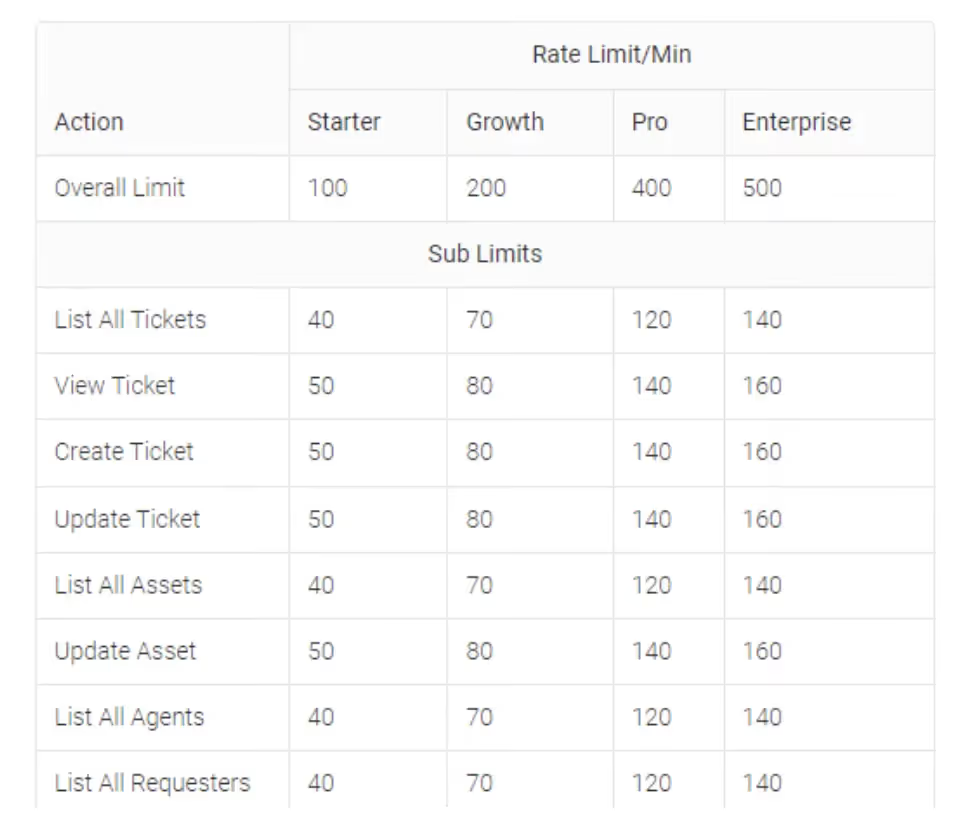
Freshservice uses minute-based rate limits that vary according to the plan you’re on and even the specific resources and methods included in your requests.
For instance, you have an overall rate limit of 100 on the Starter plan, 200 on Growth, 400 on Pro, and 500 on Enterprise. And API requests for listing all tickets have certain rate limits across all plans that vary from viewing tickets, creating tickets, etc.
Learn more about Freshservice’s API rate limits.
While you can receive any combination of error codes and messages over time, here are a few common ones:
Learn more about popular error codes from Freshservice’s API.
Freshservice is a popular ITSM solution, but it isn’t the only one your customers use. They may also be using ticketing tools like Trello, GitLab, or GitHub—among countless others.
You can offer integrations with any of the tickets solutions your clients have by building to Merge’s Ticketing Unified API.
To learn more about the unified API, and Merge’s platform more broadly, you can schedule a demo with one of our integration experts!
Learn how Merge's Unified API can help you add countless ticketing integrations—including Freshservice—in a matter of hours.




.jpg)
.png)
.png)

