|
VOOZH | about |
|
VOOZH | about |
We use cookies to improve your experience on our site. By using our site, you are agreeing to the collection and use of data as described in our Privacy Policy.
Cookie Settings×Table of contents
HR APIs can help you access and sync a wide range of employee data—from full names to job titles to employment statuses.
Using them effectively, however, isn’t necessarily easy.
To help you get the most from any HR API, we’ll align on common endpoints, impactful use cases, and a solution to connect to HR endpoints at scale.
But first, let’s define an HR API.
It’s a set of API endpoints that HRIS solutions provide. Using these endpoints, you can either keep employee data synced between your internal applications or between your product and customers’ HR applications.
Related: What is HRIS integration?
Here’s a look at common API endpoints for a few popular HR software vendors:
Learn more about the endpoints Workday supports.
See the full list of endpoints BambooHR supports.
Here’s the full list of endpoints Paylocity supports.
We’ll break down a couple of internal HR integrations and then highlight a few real-world, customer-facing use cases.
To help your HR team become aware of incoming employees and take the appropriate steps to pre-board them, you can provide the team with access to new hire data within your HRIS as soon as possible.
Here’s an integration that lets you do just that: Once a candidate is marked as hired in your ATS (e.g., Greenhouse), their profile gets created in your HRIS. Several fields associated with the employee also get populated in the latter, including the new hire’s full name, job title, department, and address.
Throughout the course of an employee’s time at your company, they’ll likely receive and sign a range of documents, from offer letters to NDAs.
To help your HR team (along with other relevant teams) access these documents easily, quickly, and securely, you can integrate your HRIS with a file storage solution like Box and build the following flow: Once a certain document gets added or updated in the HRIS, it’s also added or updated within the employee’s folder in your file storage tool.
Related: Examples of HR integration
Say you offer a platform that helps organizations manage their employees’ equity packages (e.g., AngelList Equity).
To help your platform kick off and end vesting on time for a given employee, you can connect with customers’ HRIS solutions and build data flows that keep employee data—including employment status—synced.
Regardless of the platform you provide, you'll likely want to add users to it quickly so that they can see value from it as soon as possible.
To help you do just that, you can connect with customers’ HRIS solutions and implement a flow where once an employee is added to a customer's HRIS, their profile gets created in your product, triggering the onboarding flow that the customer has set for new users in your product.
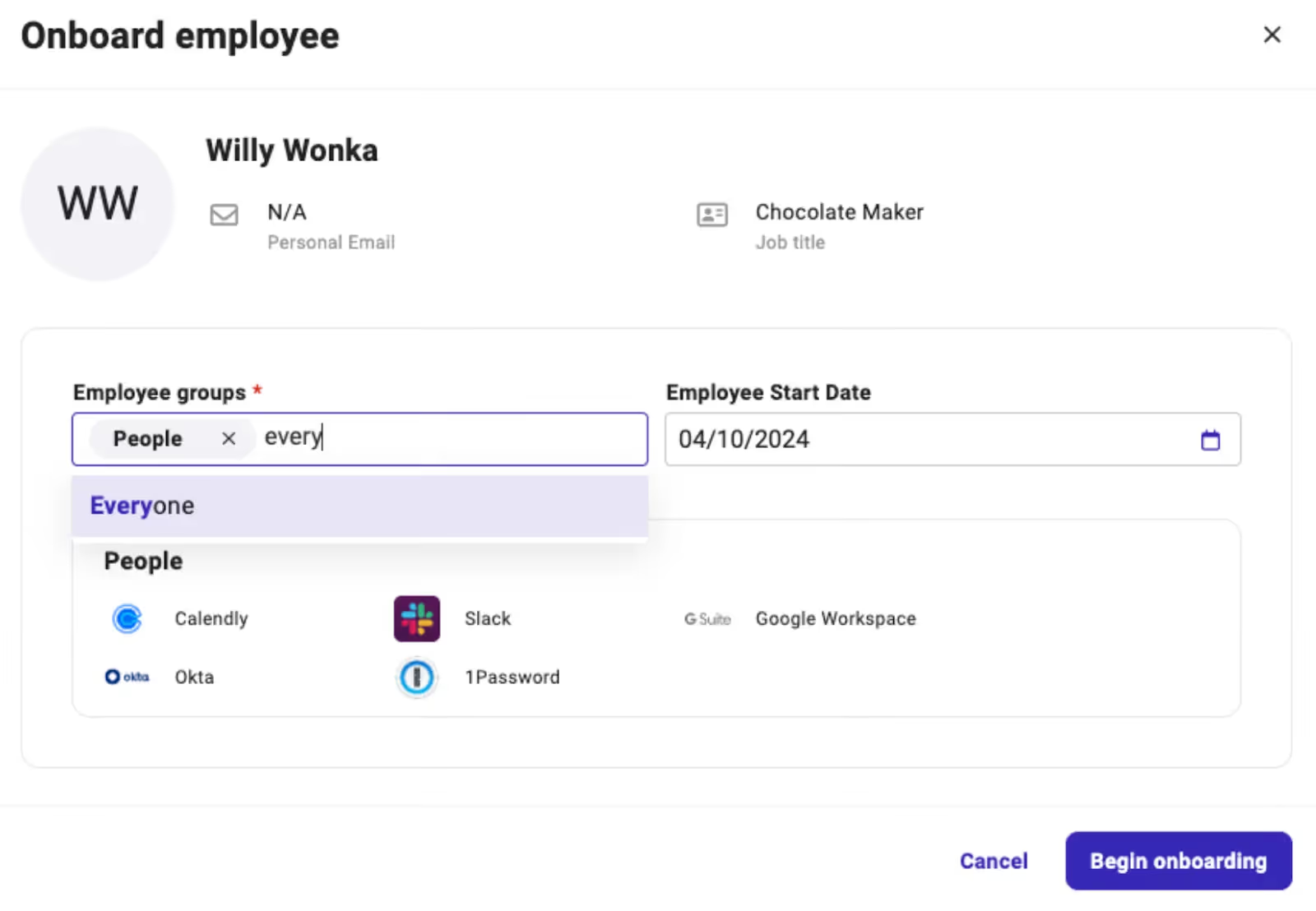
For example, Electric, an IT management software company, integrated with customers’ HRIS solutions and built a flow where once a customer adds an employee, their information would get added to the customer’s instance of Electric.
An admin user for Electric would then get prompted to select the group that the newly-added employee should be part of, which would determine the applications and devices they’d need. Electric can then go on to ship equipment to the employee and provision them with the appropriate set of applications.
Related: A guide to Paycom's API
Merge, the leading unified API solution, lets you add 70+ HRIS integrations through its HRIS Unified API.
Merge also provides comprehensive Common Models (or normalized data models) for HR applications, along with advanced features to help you sync custom data; tooling to help your customer success team identify, diagnose, and resolve integration issues quickly; and integration maintenance support on behalf of your engineers.
Learn more about how Merge can support your HR integration needs by scheduling a demo with one of our integration experts.
.png)