 |
VOOZH | about |
|
VOOZH | about |
We use cookies to improve your experience on our site. By using our site, you are agreeing to the collection and use of data as described in our Privacy Policy.
Cookie Settings×Table of contents
NetSuite, a leading ERP system for organizations of all shapes and sizes, typically collects and creates valuable financial data. In addition, it supports key financial processes, whether that’s related to accounts payable, accounts receivable, expense management, and more.
Given the platform’s value, you’ll likely need to integrate your internal instance of NetSuite with your other applications as well as connect customers’ instances with your product.
We’ll break down how you can integrate to NetSuite successfully—regardless of your use case—and highlight impactful examples to help you prioritize your integration efforts.
But to start, let’s align on the definition of a NetSuite API integration.
It’s any API-based connection to NetSuite that lets you access and interact with data and functionality in the ERP system.
In addition, the integration falls into one of two scenarios: building to an internal instance of NetSuite to automate a workflow(s) within your company, or building to a customer's instance of NetSuite to automate a workflow(s) between your product and their version of the ERP system.
Related: Overview on QuickBooks Online’s API
Before you can start making API requests to NetSuite’s API, you’ll need to get your unique authentication credentials.
Here are the steps you’ll need to take to get these credentials:
1. Ensure your account has administrator access.
2. Enable web services and token-based authentication. You can do this by visiting the setup page. Click on company, and then select enable features. You should set up your permissions to the following:
3. Find your Netsuite account ID. This is the combination of letters or numbers that appear before "app.netsuite.com."
4. Create a role.
5. Assign a user to that role.
6. Create an integration to obtain your consumer key and secret.
7. Create an access token to get your token ID and secret.
To help you integrate with NetSuite successfully, you can apply these best practices.
NetSuite offers SOAP and REST APIs, along with suiteQL.
Each has pros and cons, and understanding them can help you suss out your best option:
Whether it’s your internal or your customer’s instance of NetSuite, it’ll likely store a significant volume of accounting data.
This means that you'll likely need to apply specific filters within your requests to get responses quickly and avoid timeouts.
For example, say you want to get vendor bills in NetSuite. You can filter by a specific accounting period to only fetch a certain batch of transactions.
Here’s how the request body for the request can look if you use suiteQL:
curl -X "POST" "https://***YOUR-NS-ACCOUNT-ID***.suitetalk.api.netsuite.com/services/rest/query/v1/suiteql/?limit=100&offset=0" \
 -H 'Authorization: OAuth oauth_consumer_key="***YOUR-CONSUMER-KEY***", oauth_nonce="***YOUR-NONCE***", oauth_signature="1bb31e23-4e97-40ba-8ef7-1ca20101fdfb", oauth_signature_method="HMAC-SHA1", oauth_timestamp="***YOUR-TIMESTAMP***", oauth_token="***YOUR-TOKEN***", oauth_version="1.0", realm=***YOUR-NS-ACCOUNT-ID***' \
 -H 'Prefer: transient' \
 -H 'Content-Type: text/plain; charset=utf-8' \
 -H 'Cookie: NS_ROUTING_VERSION=LAGGING' \
 -d $'{
 "q": "SELECT * FROM transaction t WHERE t.postingperiod = '42' AND t.type = \”VendBill\””
}'
If you’re using NetSuite’s SOAP API, you might not get notified when you’ve hit their rate limit. Instead, you might get something like an “invalid login attempt” error message.
To help address this, you can add custom error wrapping (e.g., “Possible rate limit error”) during a period of high traffic, regardless of the error message you get back from NetSuite. You can also monitor your usage across endpoints and set alerts when you’re close to reaching your rate limit threshold for any given endpoint.
Related: How to integrate with Sage Intacct’s API
Before you start building NetSuite integrations, it's worth understanding several impactful use cases.
Let’s review a few, starting with internal integrations.
As employees submit purchase requests in NetSuite, the approval process for any may involve multiple stakeholders (e.g., department lead, finance manager, etc.).
To make sure that every approver reviews and signs off (or rejects) a request quickly, you can integrate NetSuite with an application like Slack and build a flow where once a purchase request needs to be reviewed by a certain stakeholder, they would be notified via Slack. Within the Slack message, they can also learn about the request and access a link in NetSuite to review it further and approve/reject it.
As your finance team works in NetSuite, they’re likely to create and manage important documents, such as purchase orders, vendor bills, expense reports, etc.
To help them store these documents in a secure place and access them with ease at a later point, you can integrate NetSuite with a file storage application like Box and build a flow where once a certain type of document gets created, it’s added to an associated folder in Box.
Related: Examples of integrating with Xero
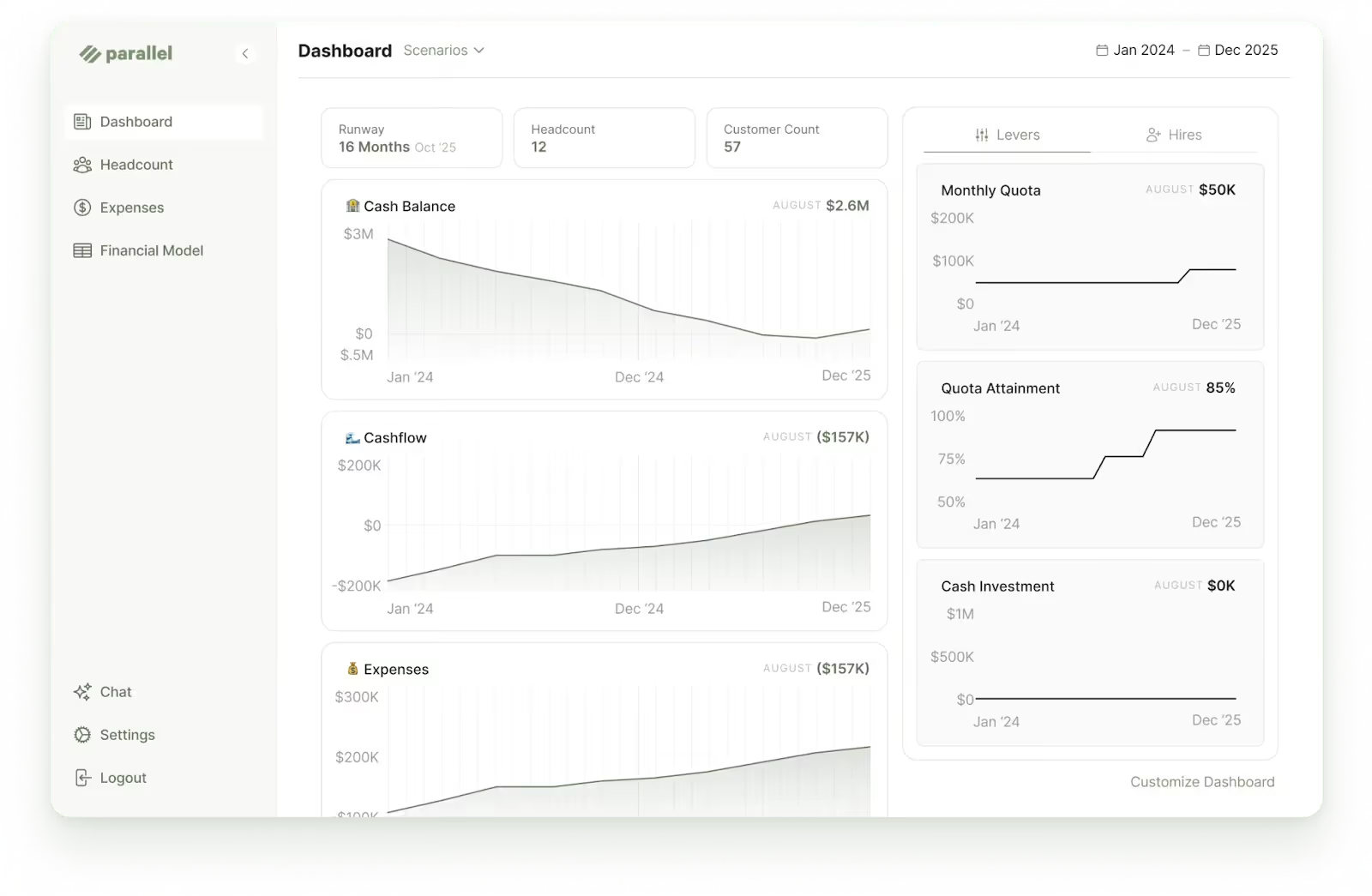
Say you offer a financial modeling platform that helps customers analyze and forecast their cash flow, expenses, cash balance, and more.
To ensure your users can access accurate, up-to-date information over time across their financial models, you can integrate with their instances of NetSuite and sync relevant data, like balance sheets, income statements, and cash flow statements on a consistent cadence (e.g., every 24 hours).
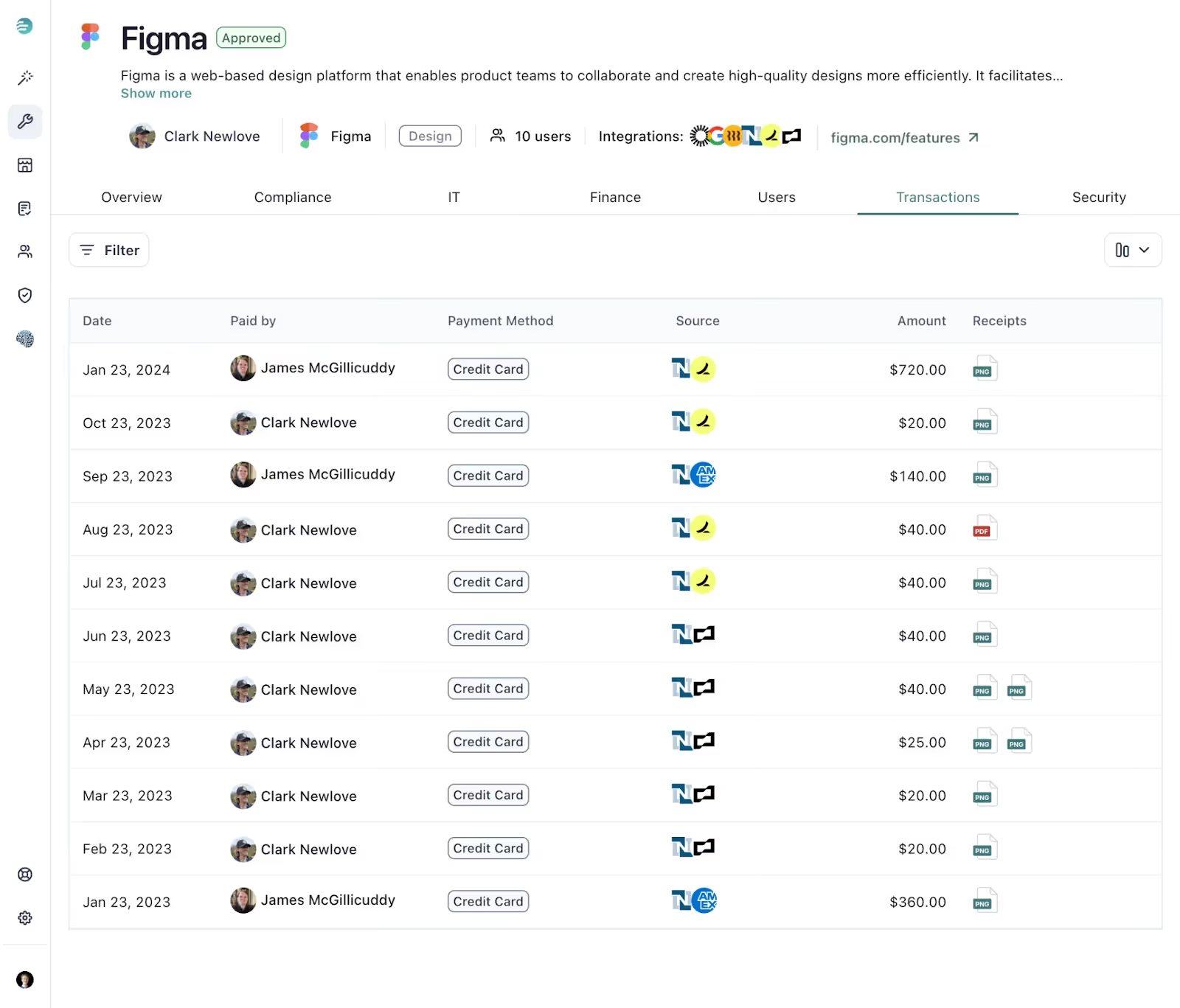
Imagine you offer a platform that helps customers buy and manage vendors.
Let’s also assume that you need to help customers keep vendor data up to date in your platform so that they can effectively track upcoming renewals, analyze spend, reconcile transactions, and more. To enable this, you can integrate with their instances of NetSuite and sync a wide range of transaction data from the ERP system every day, like transaction amounts, receipts, descriptions, dates, memos, and payment methods.
Unfortunately, integrating with NetSuite is far from easy.
You’ll likely run into a number of challenges that make it difficult to make successful requests, troubleshoot errors, receive responses on time, and more.
Here’s a closer look at some of the issues you might face.
You may not get the 429 Too Many Requests error message when you reach your rate limit. In fact, you might get an alternative error message, which can lead your team to go the wrong path in troubleshooting the issue.
For example, when a request hits a rate limit with their SOAP API, they’ll often just give you an “Invalid Login Attempt” error, as shown below.
 "soapenv:Envelope": {
 "@xmlns:soapenv": "http://schemas.xmlsoap.org/soap/envelope/",
 "@xmlns:xsd": "http://www.w3.org/2001/XMLSchema",
 "@xmlns:xsi": "http://www.w3.org/2001/XMLSchema-instance",
 "soapenv:Body": {
 "soapenv:Fault": {
 "faultcode": "soapenv:Server.userException",
 "faultstring": "Invalid login attempt.",
 "detail": {
 "platformFaults:invalidCredentialsFault": {
 "@xmlns:platformFaults": "urn:faults_2024_1.platform.webservices.netsuite.com",
 "platformFaults:code": "USER_ERROR",
 "platformFaults:message": "Invalid login attempt."
 },
 "ns1:hostname": {
 "@xmlns:ns1": "http://xml.apache.org/axis/",
 "#text": "partners117.prod-phx-na9.core.ns.internal"
 }
 }
 }
 }
 }
}
Your internal instance of NetSuite—or that of your customers—likely has a significant volume of financial data that’s accumulated over the years.
As a result, making requests without highly-specific filters can lead to delayed response times (e.g., 15 minutes). The delays may even exceed the maximum response times that've been set, leading to timeouts.
NetSuite has an extensive list of permissions that are needed to access their various transaction types. If you forget to include any one of these permissions, you may not receive certain transactions in the responses—forcing your team to identify the missing permission(s) and make repeated requests.
Merge has a team dedicated to building deep, reliable, and flexible integrations with complex accounting systems like NetSuite. This removes the burden from your engineers and it ensures that they can avoid all of the challenges highlighted above (as our team has already faced and accounted for them).
In addition, through Merge's Accounting Unified API, you can add more than a dozen accounting integrations—including NetSuite—within weeks.
Merge also offers comprehensive, normalized Common Models—which span everything from balance sheets to invoices to journal entries to tracking categories. And the platform provides advanced features for syncing custom data, such as Remote Data and Field Mapping.
And finally, the platform offers integration observability features—which include fully-searchable logs, automated issue detection functionality, and holistic performance data—to help your customer-facing teams uncover, diagnose, and resolve integration issues quickly and easily.
Learn more about using Merge to add accounting integrations to your product by scheduling a demo with one of our integration experts.
In case you have any more questions on NetSuite, we’ve addressed several more below.
The benefits largely depend on whether you’re implementing internal or customer-facing integrations.
In the case of internal NetSuite integrations, the benefits include the following:
Customer-facing NetSuite integrations can help your organization in the following ways:
Here are just a few commonly-used ones that support a variety of HTTP methods:
You’ll have two rate limits that you’ll need to abide by. One is set to a certain number of requests every 24 hours, and the other is set to a smaller number of requests every minute. Your specific rate limits for each timeframe will depend on the plan you’re on and the API licenses you’ve purchased.
It’s also worth noting that you can receive up to 1,000 objects per request, which you can work around through pagination and batches.
Learn more about NetSuite’s rate limits.
Yes, NetSuite offers both SOAP and REST APIs to help you access a broad range of data and functionality in the ERP system.
You can learn more about their SOAP API (SuiteTalk SOAP) here, and you can uncover more information on their REST API here.




.webp)




.png)



