 |
VOOZH | about |
|
VOOZH | about |
We use cookies to improve your experience on our site. By using our site, you are agreeing to the collection and use of data as described in our Privacy Policy.
Cookie Settings×Table of contents
QuickBooks Online, a popular accounting software developed and marketed by Intuit, is designed to help SMBs manage financial transactions, invoicing, payroll, and other accounting tasks.
While you can benefit from QuickBooks Online's standalone features and capabilities in a variety of ways, you can get even more value by integrating it with your product or your internal applications.
To do so, you’ll first need to procure your unique API key. We’ll break down the steps for doing exactly that below!
Related: A guide to some of the most popular accounting APIs
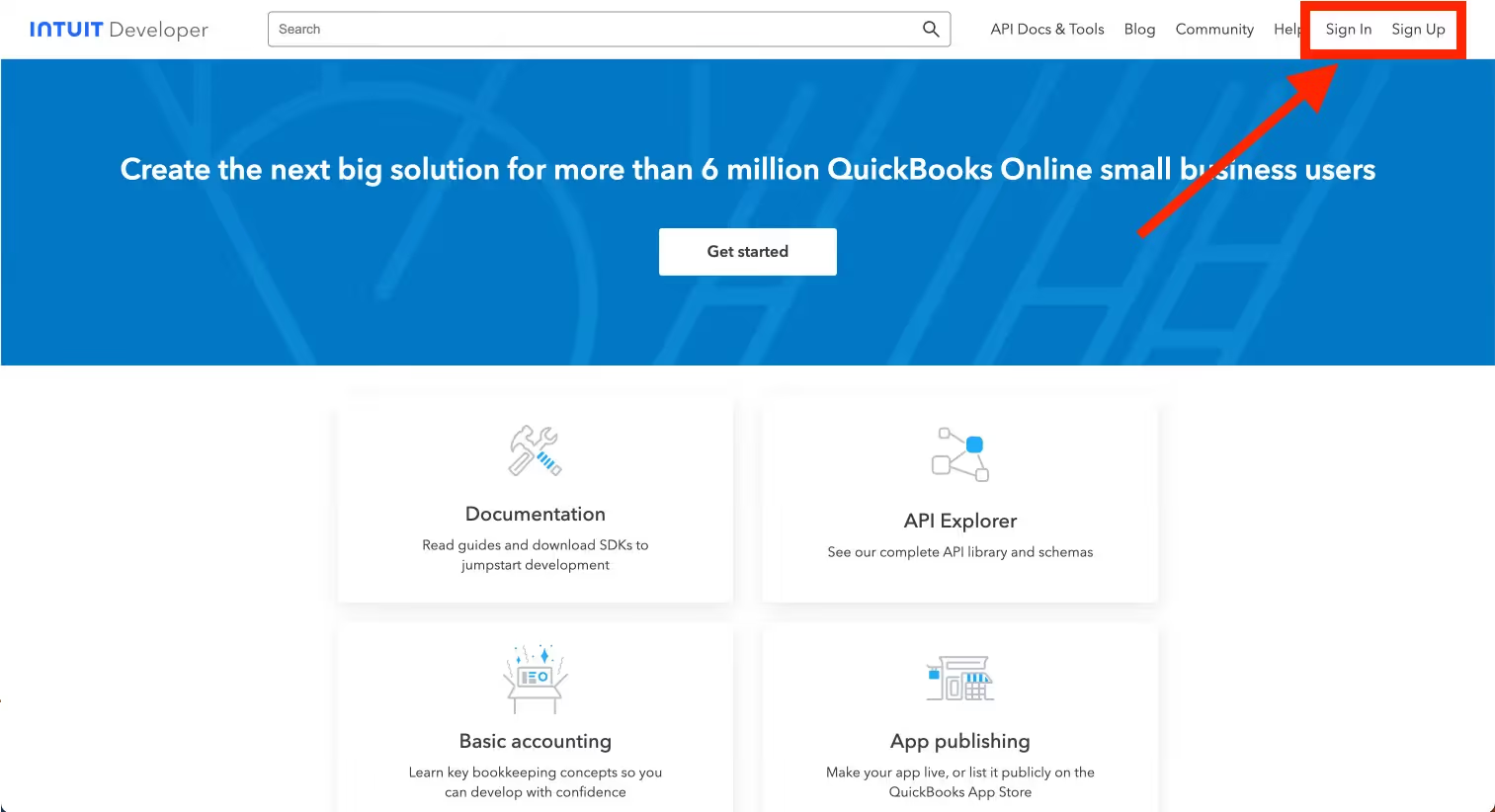
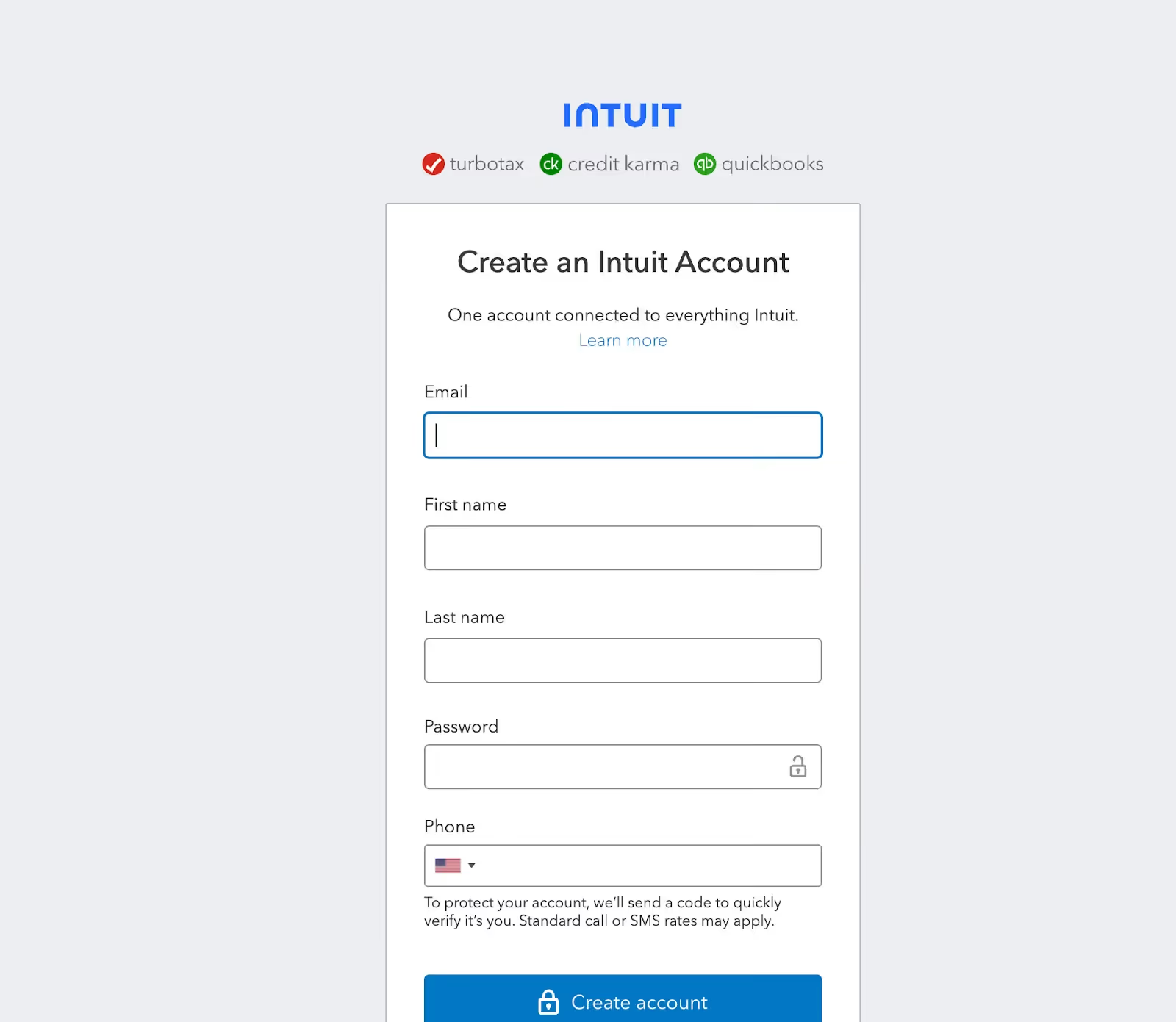
Go to the QuickBooks Developer website: QuickBooks Developer. Sign in with your Intuit account credentials. If you don't have an account, you may need to sign up.
If you don’t have an account, you can sign up with your business email address. Just fill out the details below to get started.
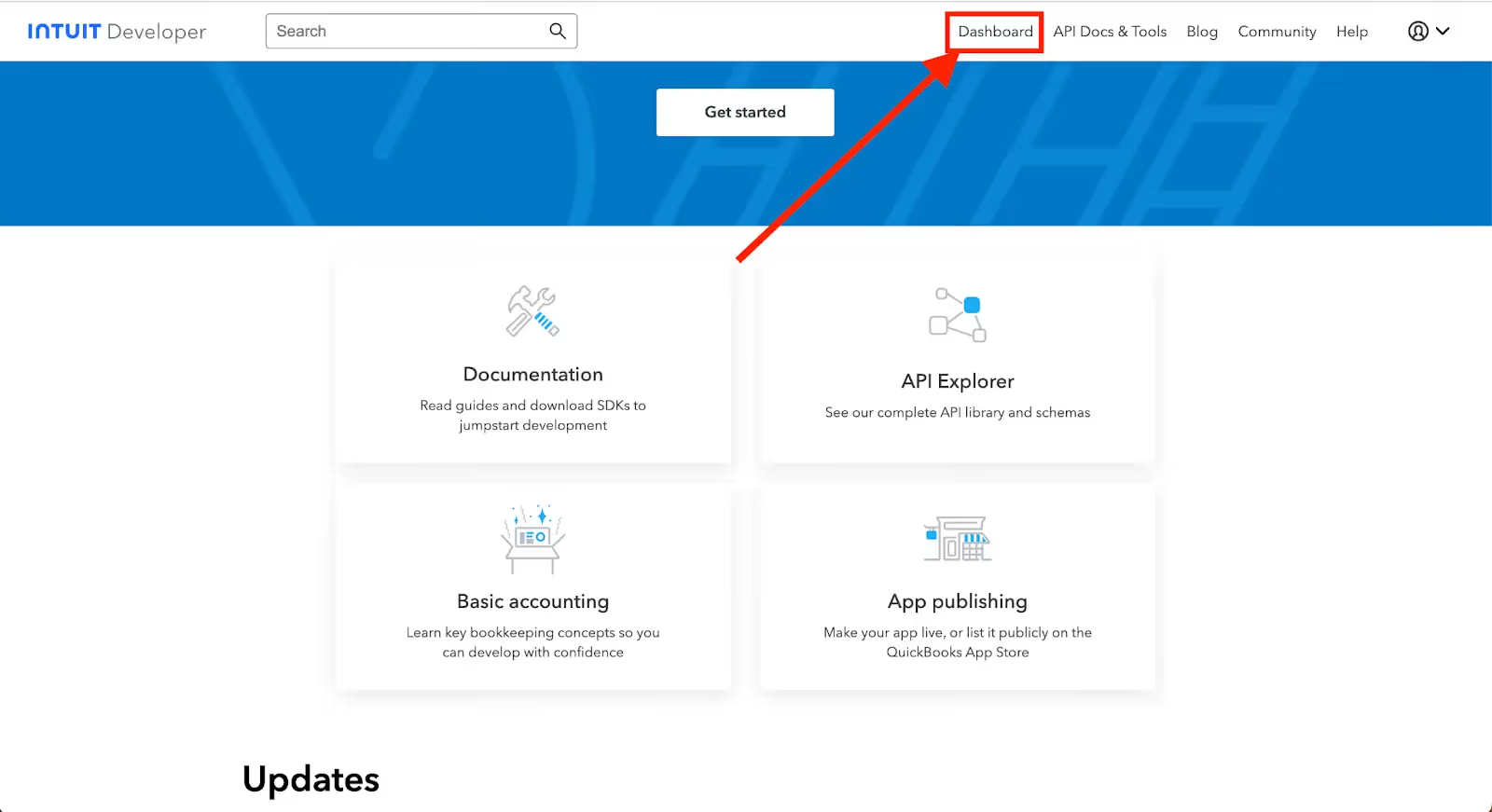
On the Intuit Developer homepage, click “Dashboard” which will take you to My Apps.
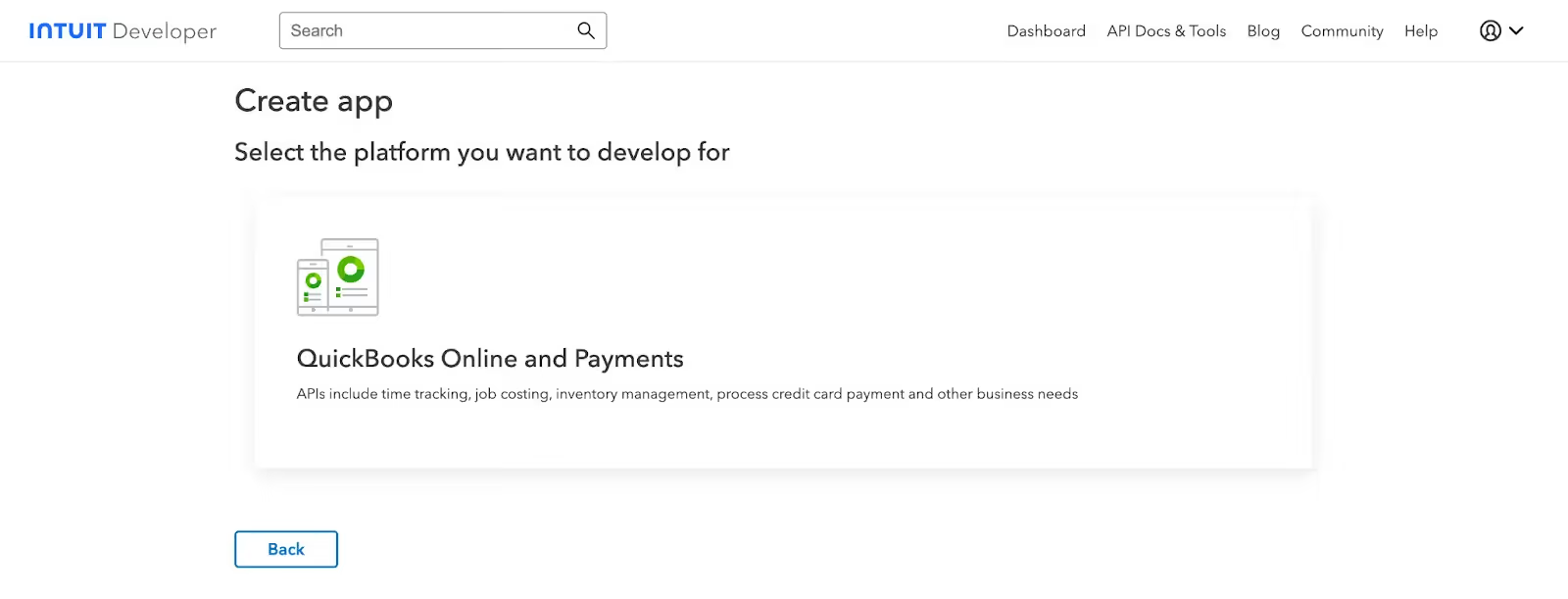
On the My Apps Dashboard, click “Create an app” and select the platform you want to develop for. In this case, “QuickBooks Online and Payments”.
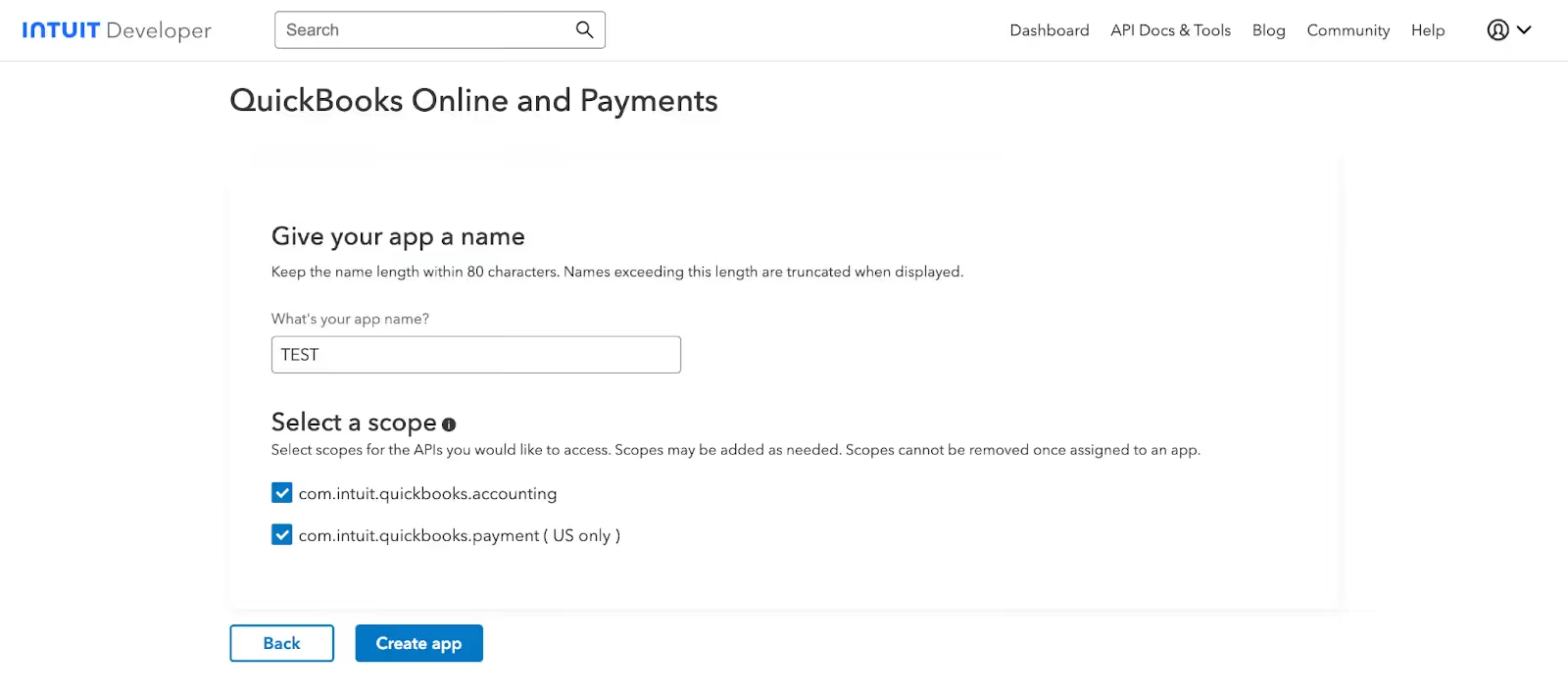
Walk through the steps of naming your app and selecting a scope (you can learn more about scopes here). In this walkthrough, we’ll be selecting both scopes.
Hit “Create app” when you’re ready.
Related: Tips for integrating with QuickBooks Online
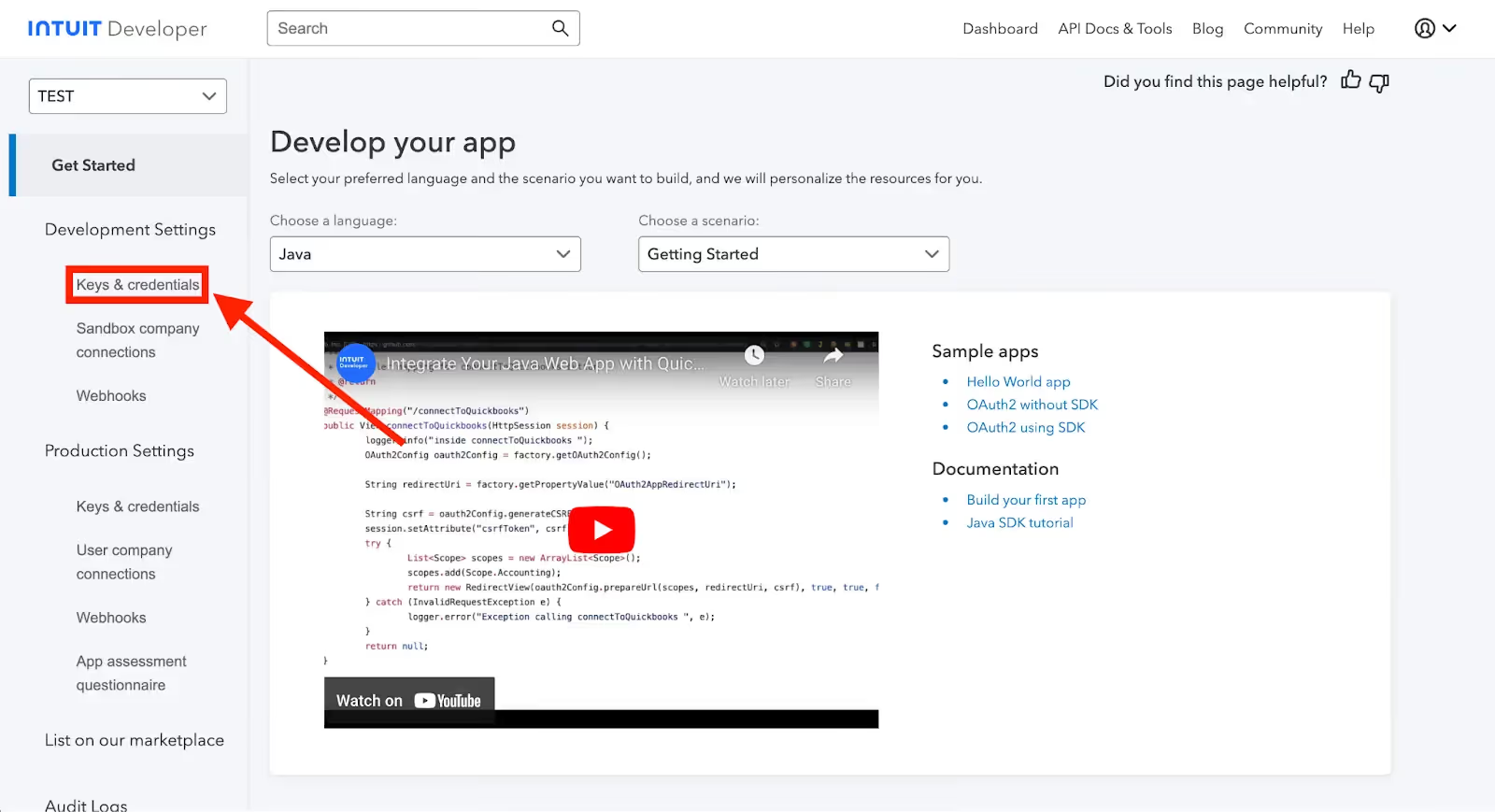
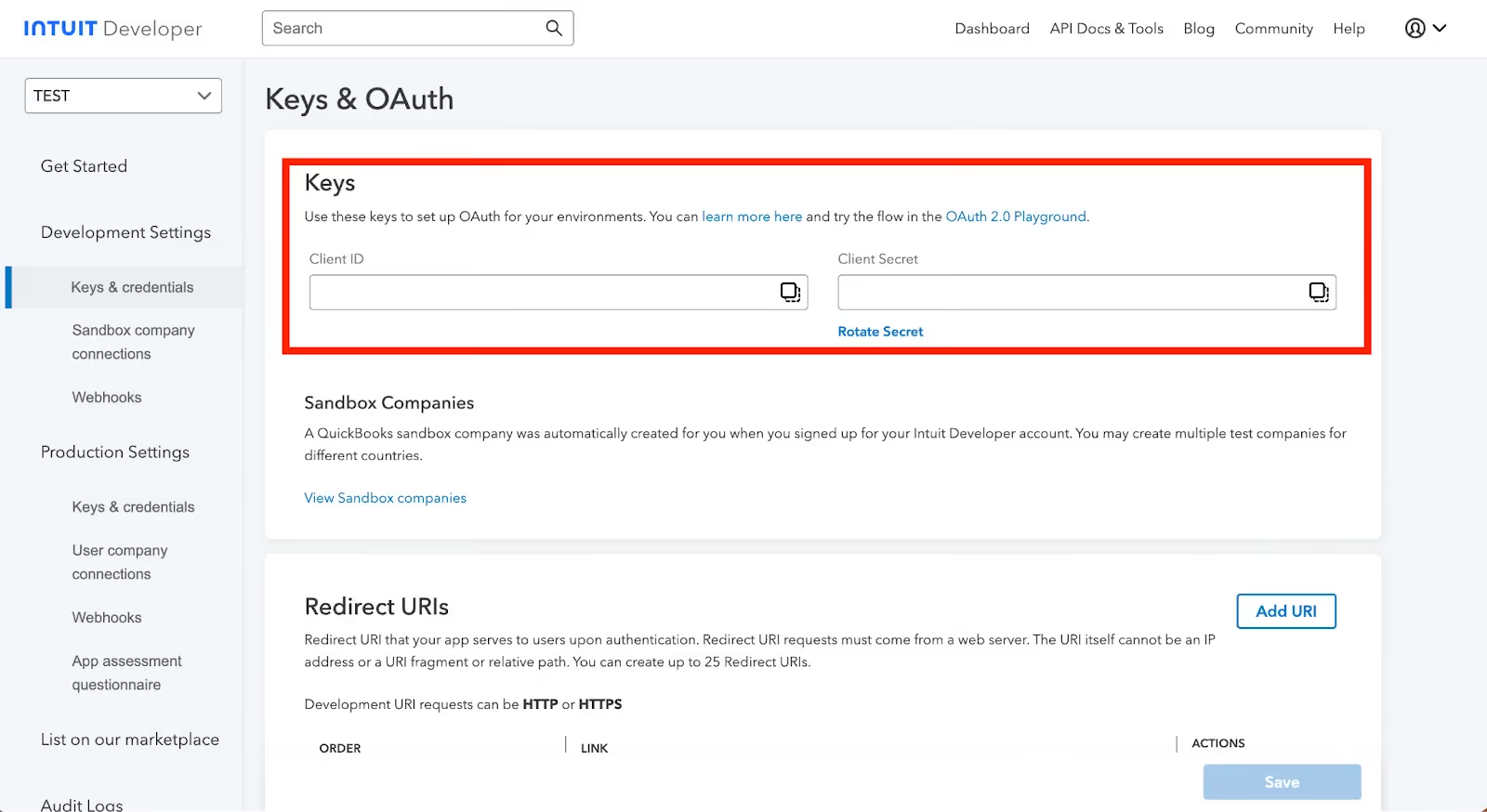
After creating the app, you should be redirected to the app dashboard. Then, navigate to "Development Settings" and click on "Keys & credentials".
Two important keys will be created: The "Client ID" and the "Client Secret." These are used to authenticate your app with QuickBooks' API.
Use these keys to set up OAuth for your environments. You can learn more here and try the flow in the OAuth 2.0 Playground.
Before integrating with QuickBooks Online's API, it’s worth considering other items:
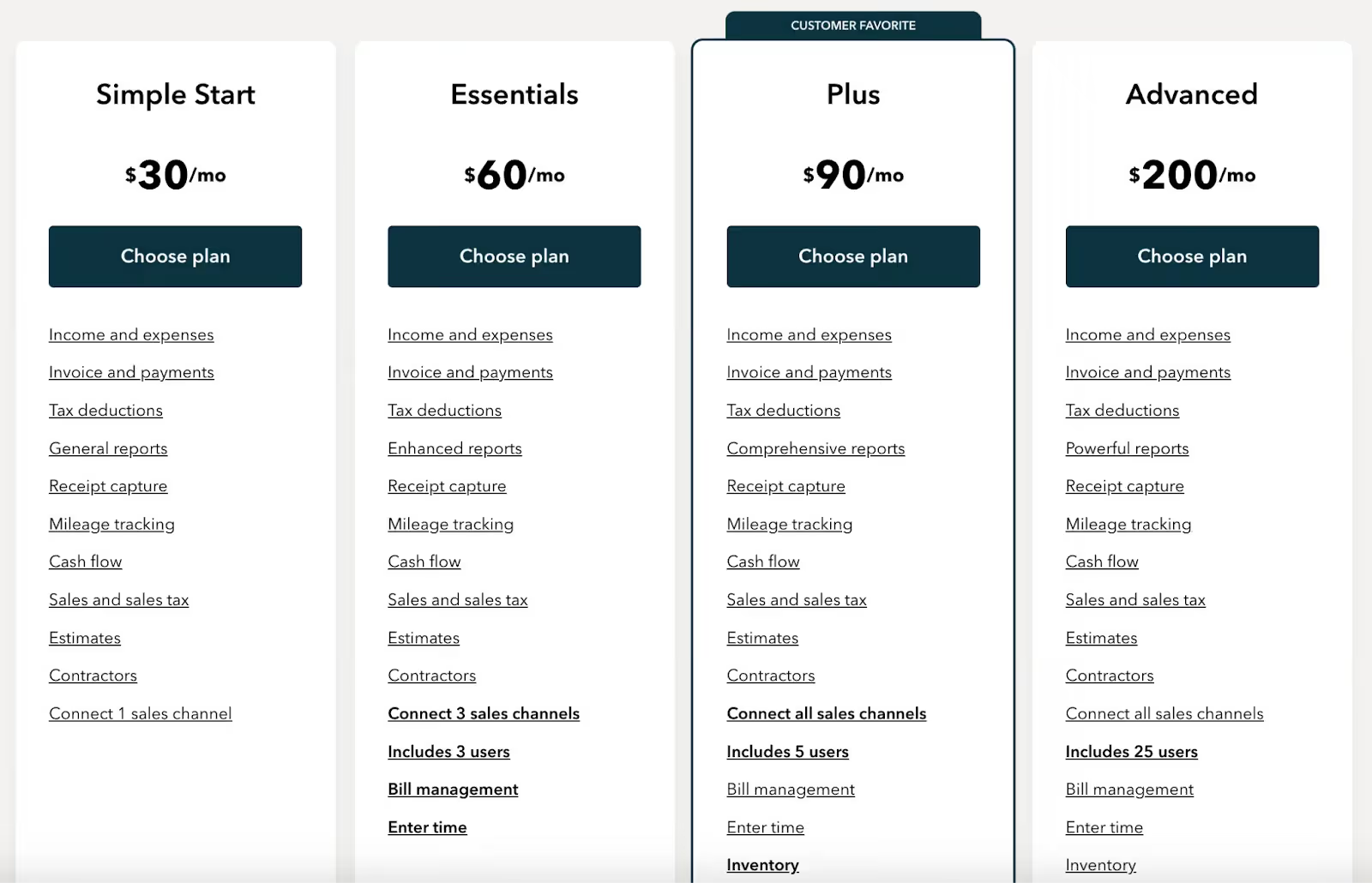
The pricing comes in 4 different tiers: Simple Start, Essentials, Plus, and Advanced. QuickBooks also offer a free trial for 30 days with some additional incentives. Here’s how these plans work without the incentive:
Note: There’s no additional costs associated with using QuickBooks’ API.
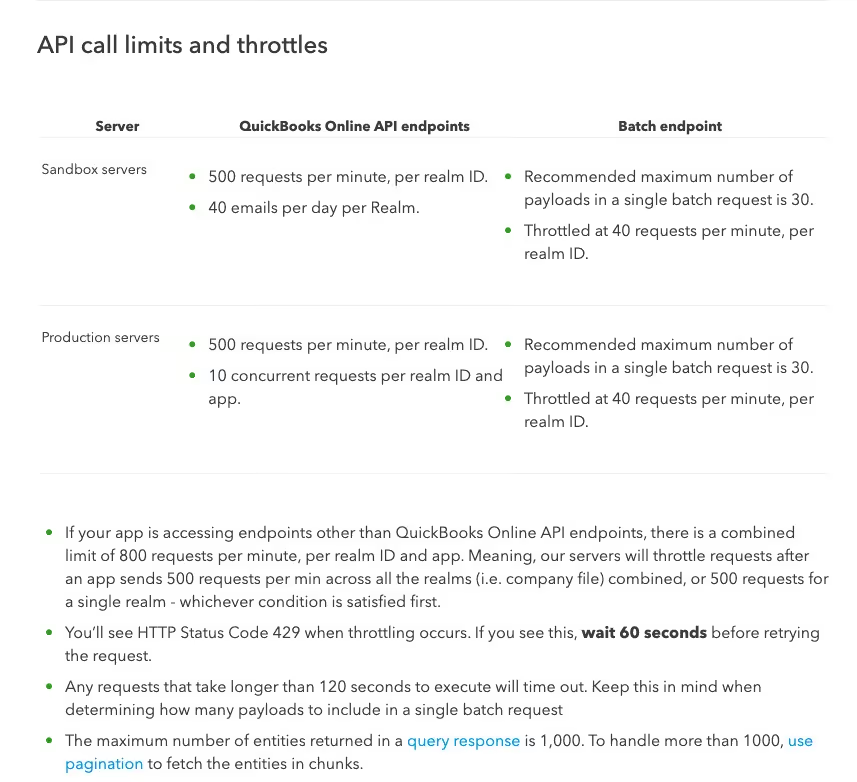
QuickBooks Online has API call limits and throttles to keep in mind. The rate limits below are specific to QuickBooks Online.
To learn more about QuickBooks Online's API rate limits, visit their documentation here.
Related: How to stop getting rate limited by APIs
Some common QuickBooks Online API errors include:
For more in-depth error code details, you can refer to QuickBooks Online's error code documentation here.
Related: 5 Tips for Writing Great Error Messages
Many of your customers use other accounting tools, like NetSuite, Xero, or Zoho.
You can offer integrations with any of the accounting systems your clients use by building to Merge’s Accounting Unified API.
To learn more about the API, and Merge’s platform more broadly, you can schedule a demo with one of our integration experts!



.png)



