
VOOZH about

URL: https://www.microsoft.com/en-us/edge/features/drop?form=MT0160

⇱ Drop: Simple File Sharing Feature | Microsoft Edge


Drop

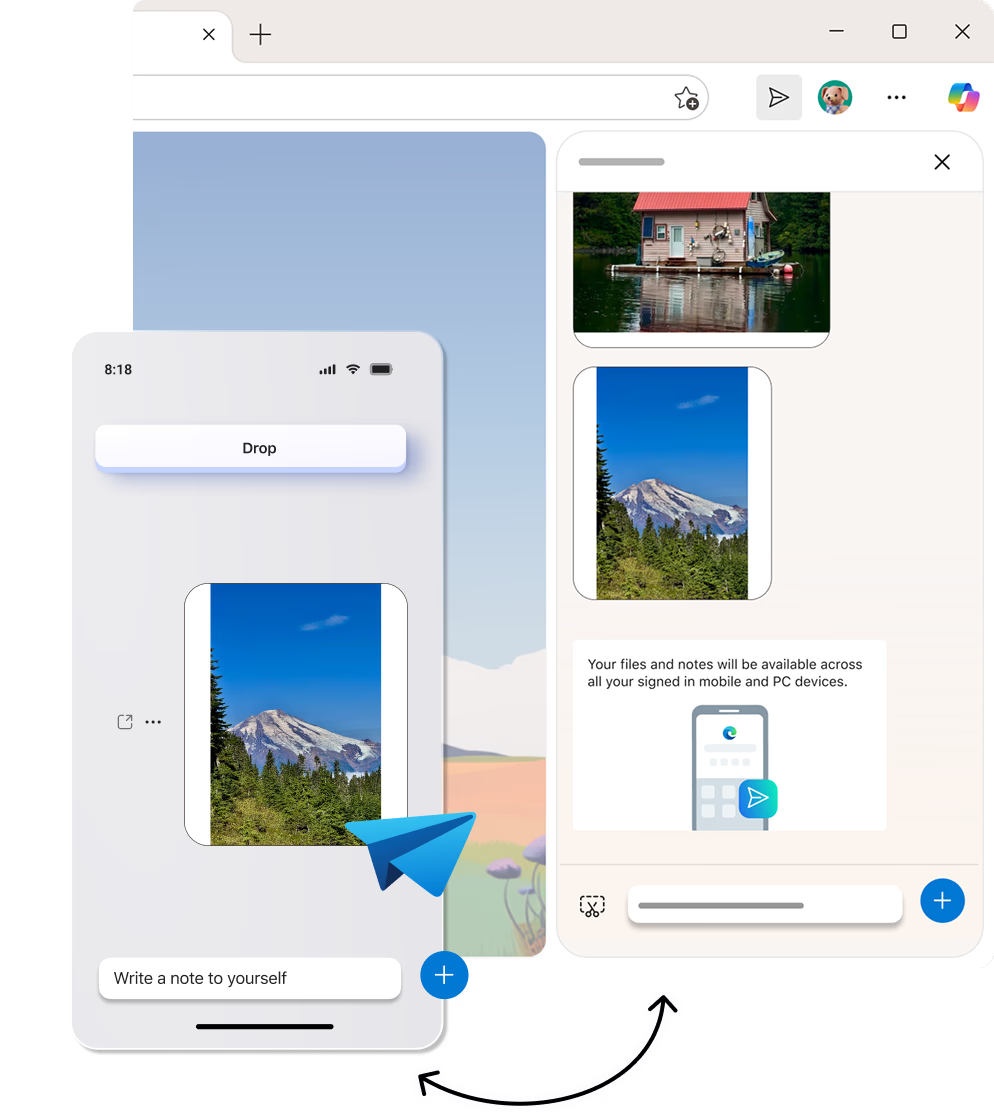
Use Drop to share files and messages between your phone and desktop devices. Simply drag and drop files to share instantly or send notes to yourself while you browse in Microsoft Edge and stay in the flow.
Feature

Drop

Use Drop to share files and messages between your phone and desktop devices. Simply drag and drop files to share instantly or send notes to yourself while you browse in Microsoft Edge and stay in the flow.

tips

Tips and Tricks

faq

Frequently asked questions

  • Drop is a space for you to instantly share files and content across your mobile and desktop devices. It's easy and intuitive because it looks like an instant message conversation with yourself. On desktop, you can even drag-and-drop files between your browser window, Windows file explorer, and other Microsoft applications for easy sharing.

    You can access Drop on your desktop by going to icon Settings and more More tools Drop. For mobile, you can find Drop by clicking the icon mobile menu in the app footer ▸ All Menu Drop.

  • You can use Drop on all the devices you have Microsoft Edge installed. This includes your PC and Mac computers, and iOS and Android mobile phones.

  • You can use Drop to share files, images, and even write messages to yourself.

  • Drop uses OneDrive to securely store your files. You can easily check how much storage you have left, and even free up your storage space, by clicking icon More options from Drop.

  • You can delete individual files and messages from Drop by selecting ... shown to the side of that content and then selecting Delete.

  • Yes, you must be signed in to the same account on both your phone and desktop for Drop content to sync and appear on both devices.

  • * Feature availability and functionality may vary by device type, market, and browser version.