
VOOZH about

URL: https://www.microsoft.com/en-us/edge/features/tracking-prevention?form=MT0160

⇱ Tracking prevention | Microsoft Edge


Tracking prevention
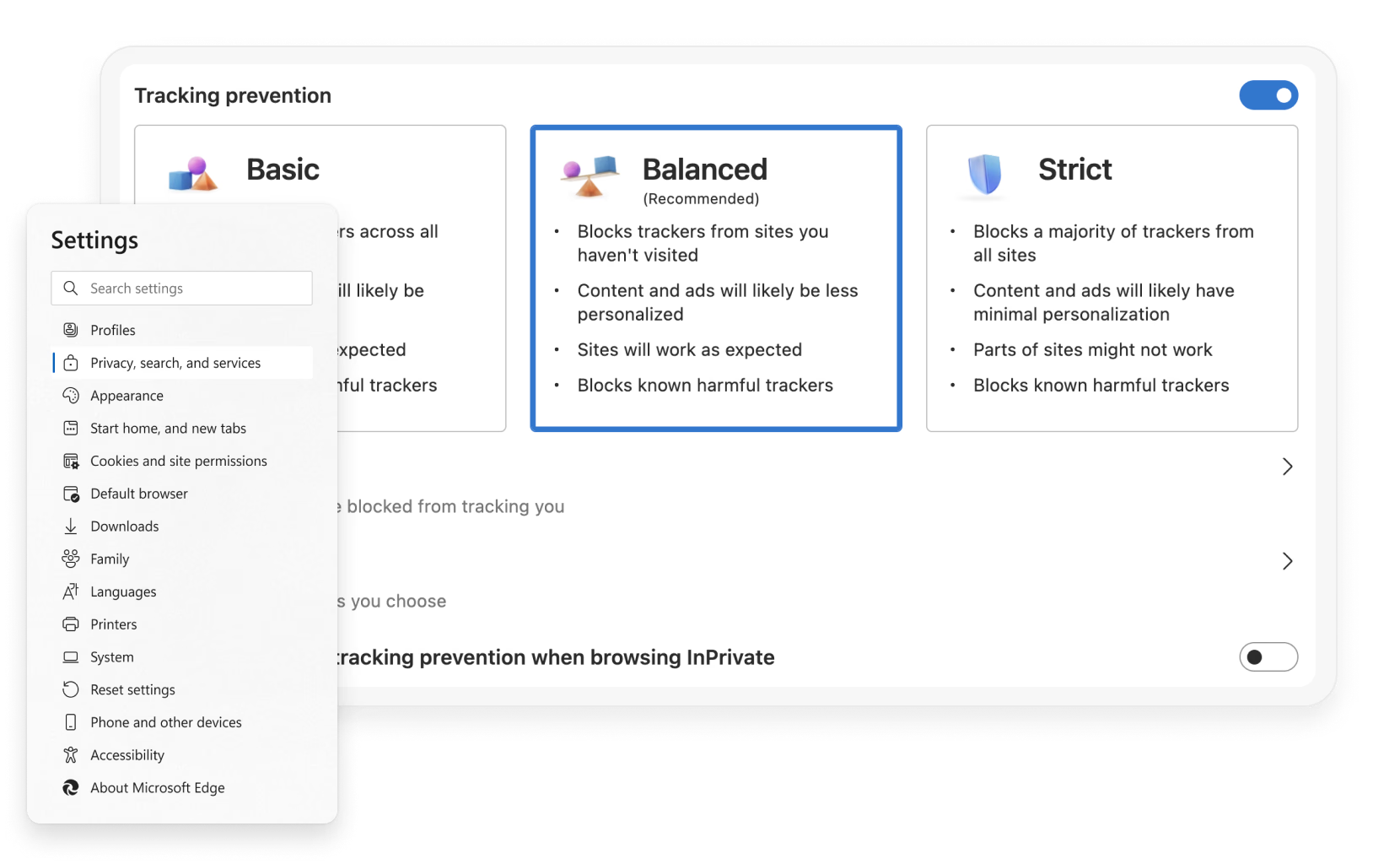
Microsoft Edge includes built-in tracking prevention, to keep your browsing activity free from online trackers. Easily select your level of tracking prevention in your Edge settings.
Feature

Tracking prevention

Microsoft Edge includes built-in tracking prevention, to keep your browsing activity free from online trackers. Easily select your level of tracking prevention in your Edge settings.
tips

Tips and Tricks

faq

Frequently asked questions

  • Websites use trackers to collect data about your browsing behavior. Trackers collect data about how you interact with a site, such as the content you click on. They also enable functionality on some websites, such as comments sections, buttons to share articles to social media, and personalized ads.

    Some trackers collect data about you across multiple sites. For example, a tracker could track when you go to your favorite shopping site and news site. This is why it can sometimes feel like an ad is following you around the web.

  • The new Microsoft Edge is designed to detect and block potentially harmful trackers—trackers we detect as cryptomining or fingerprinting. We let you decide what trackers to block.

  • * Feature availability and functionality may vary by device type, market, and browser version.