
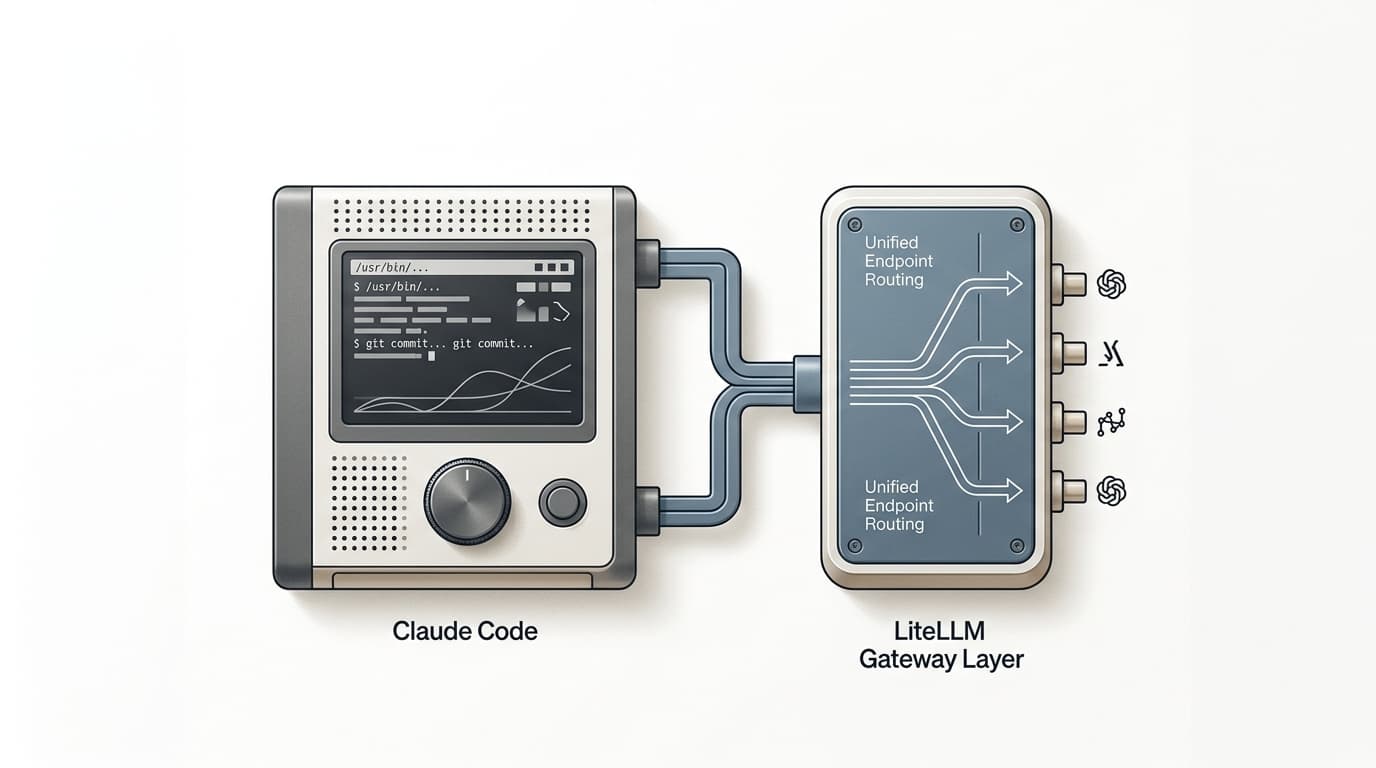
Claude Code speaks the Anthropic Messages format. So does a LiteLLM proxy. Point one at the other with two environment variables and you get one endpoint in the CLI while LiteLLM handles routing, fallbacks, cost tracking, and translation to OpenAI, Gemini, or DeepSeek behind it.
The setup is four commands. The part most guides skip is the security note at the bottom of this page: Anthropic's own gateway docs flag two LiteLLM releases that shipped credential-stealing malware. Pin around them.
The Two Env Vars
Claude Code reads two variables to talk to a gateway. ANTHROPIC_BASE_URL points at the proxy, and ANTHROPIC_AUTH_TOKEN is the static key it sends in the Authorization header.
Point Claude Code at LiteLLM
# Unified Anthropic-format endpoint (recommended: load balancing, fallbacks, cost tracking)
export ANTHROPIC_BASE_URL=https://litellm-server:4000
export ANTHROPIC_AUTH_TOKEN=sk-litellm-static-key

# Anthropic pass-through alternative
export ANTHROPIC_BASE_URL=https://litellm-server:4000/anthropic

claude # launch in the same shell
For rotating gateway keys instead of a static token, set apiKeyHelper in settings.json. Its output is sent as both the Authorization and X-Api-Key headers, and it refreshes on the interval set by CLAUDE_CODE_API_KEY_HELPER_TTL_MS. Note that apiKeyHelper has lower precedence than ANTHROPIC_AUTH_TOKEN, so unset the token if you want the helper to win.
| Backend | Variable | Value |
|---|---|---|
| Unified / direct Anthropic | ANTHROPIC_BASE_URL | https://litellm-server:4000 |
| Anthropic pass-through | ANTHROPIC_BASE_URL | https://litellm-server:4000/anthropic |
| Bedrock pass-through | ANTHROPIC_BEDROCK_BASE_URL | https://litellm-server:4000/bedrock (+ CLAUDE_CODE_USE_BEDROCK=1, CLAUDE_CODE_SKIP_BEDROCK_AUTH=1) |
| Vertex pass-through | ANTHROPIC_VERTEX_BASE_URL | https://litellm-server:4000/vertex_ai/v1 (+ CLAUDE_CODE_USE_VERTEX=1, CLAUDE_CODE_SKIP_VERTEX_AUTH=1) |
Minimal Setup (4 Commands)
Install the proxy, write a config.yaml with a model_list, start LiteLLM on port 4000, then export the two variables.
1. Install LiteLLM proxy
pip install 'litellm[proxy]'2. config.yaml (minimal /v1/messages)
model_list:
 - model_name: anthropic-claude
 litellm_params:
 model: claude-3-7-sonnet-latest
 api_key: os.environ/ANTHROPIC_API_KEY
3. Start the proxy (serves on port 4000)
litellm --config config.yaml4. Point Claude Code at LiteLLM
export ANTHROPIC_BASE_URL=https://litellm-server:4000
export ANTHROPIC_AUTH_TOKEN=sk-litellm-static-key

claude
The unified endpoint supports cost tracking, streaming, fallbacks, load balancing, and guardrails across every provider LiteLLM exposes. You can verify it directly by calling POST http://0.0.0.0:4000/v1/messages with x-api-key and anthropic-version: 2023-06-01 headers before launching Claude Code.
What The Gateway Must Expose
A gateway that fronts Claude Code has hard requirements. It must serve the Anthropic Messages endpoints /v1/messages and /v1/messages/count_tokens, and it must forward the anthropic-beta and anthropic-version headers (or the Bedrock /invoke and Vertex :rawPredict equivalents). LiteLLM's unified endpoint satisfies this.
Claude Code also sends three attribution headers on every request: X-Claude-Code-Session-Id, X-Claude-Code-Agent-Id, and X-Claude-Code-Parent-Agent-Id. A gateway can use these for per-session and per-subagent cost tracking. To have Claude Code query the gateway's /v1/models at startup and discover available models, set CLAUDE_CODE_ENABLE_GATEWAY_MODEL_DISCOVERY=1 (Claude Code v2.1.129 or newer).
Route To OpenAI, Gemini, DeepSeek
The reason searches like claude code litellm gemini have intent: teams want Claude Code's interface but another provider's model underneath. The unified /v1/messages endpoint translates the Anthropic-format request to the target provider and translates the response back, so one model_list routes everything.
config.yaml routing to multiple providers
model_list:
 - model_name: anthropic-claude
 litellm_params:
 model: claude-3-7-sonnet-latest
 api_key: os.environ/ANTHROPIC_API_KEY

 - model_name: openai-route
 litellm_params:
 model: openai/gpt-5
 api_key: os.environ/OPENAI_API_KEY

 - model_name: gemini-route
 litellm_params:
 model: gemini/gemini-2.5-pro
 api_key: os.environ/GEMINI_API_KEY

 - model_name: deepseek-route
 litellm_params:
 model: openai/morph-dsv4flash
 api_base: https://api.morphllm.com/v1
api_key: os.environ/MORPH_API_KEY| Scenario | Without LiteLLM | With LiteLLM |
|---|---|---|
| Anthropic only | Direct setup is enough | Adds gateway controls if needed |
| Fallback providers | Separate integration work | One endpoint, automatic fallback |
| Route to OpenAI / Gemini | New interface and auth path | Translated behind /v1/messages |
| Route to DeepSeek / open source | New interface and auth path | model_list row + api_base |
Running DeepSeek At Full Quality
If the point of the gateway is running DeepSeek or other open-source models through Claude Code, the upstream provider you route to decides the output quality. Most serverless providers quantize activations to fp8 to cut cost, which degrades output against the reference weights.
Morph serves DeepSeek with 16-bit (bf16) activations, no fp8 or int8 quantization, so responses match the reference weights. For coding agents specifically, Morph runs codegen-tuned speculative decoding (draft and ngram tuned on code) plus custom low-level inference kernels, which makes it the fastest and highest-fidelity place to point a DeepSeek route. morph-dsv4flash (DeepSeek V4 Flash) is $0.139 per 1M input tokens and $0.278 per 1M output tokens. Add it as the deepseek-route row above. See Morph Open Source Models and pricing.
Security: The 1.82.7 / 1.82.8 Advisory
Do not install LiteLLM 1.82.7 or 1.82.8
Anthropic's gateway docs warn that LiteLLM PyPI versions 1.82.7 and 1.82.8 were compromised with credential-stealing malware (BerriAI/litellm#24518). Do not install them, and rotate any credentials that were present on a machine where they were installed. Anthropic does not endorse or audit LiteLLM, so pin a known-clean version explicitly.
Tradeoffs
LiteLLM is useful, but it is still another layer in the request path. That changes how you should think about the setup.
- More control: you gain routing, fallbacks, and central tracking.
- More moving parts: you now need the proxy process, config, and auth flow to stay healthy.
- Cleaner developer setup: Claude Code keeps one endpoint.
- More troubleshooting surface: failures can come from Claude Code, LiteLLM, or the upstream provider.
The practical decision rule
For a single-user, single-provider workflow, direct Anthropic may be simpler. For a team that needs routing or provider abstraction, LiteLLM can pay for its added complexity quickly.
Troubleshooting
Most setup failures come from one of three places: the proxy is not reachable, the auth token does not match the proxy configuration, or Claude Code is asking for a model name your LiteLLM config does not expose.
Fast troubleshooting checklist
1. Confirm the LiteLLM proxy is running on port 4000.
2. Confirm ANTHROPIC_BASE_URL points to the proxy you actually started.
3. Confirm ANTHROPIC_AUTH_TOKEN matches the LiteLLM proxy auth token.
4. Confirm /v1/messages responds: curl -s http://0.0.0.0:4000/v1/messages with x-api-key + anthropic-version: 2023-06-01.
5. Confirm your config.yaml has a model_list entry for the route you want.
6. If routing to OpenAI, Gemini, or DeepSeek, confirm those upstream credentials are present in the proxy config.
If the proxy is up but Claude Code still fails, start by checking the simplest explanation first: endpoint mismatch, token mismatch, or model mapping mismatch. In practice, those account for most first-run issues.
FAQ
How do I set up Claude Code with LiteLLM?
Run pip install 'litellm[proxy]', write a config.yaml with a model_list, start it with litellm --config config.yaml (port 4000), then export ANTHROPIC_BASE_URL=https://litellm-server:4000 and ANTHROPIC_AUTH_TOKEN=sk-litellm-static-key before launching claude in the same shell.
What environment variables does Claude Code need for LiteLLM?
ANTHROPIC_BASE_URL points Claude Code at the proxy and ANTHROPIC_AUTH_TOKEN is the static key sent as the Authorization header. The Anthropic pass-through route is https://litellm-server:4000/anthropic. For rotating keys, use apiKeyHelper instead.
Can Claude Code use OpenAI or Gemini through LiteLLM?
Yes. The unified /v1/messages endpoint translates Anthropic-format requests to non-Anthropic providers and translates responses back, so a single model_list routes Claude Code to OpenAI, Gemini, or DeepSeek models.
Is LiteLLM safe to use with Claude Code?
Anthropic warns that LiteLLM PyPI versions 1.82.7 and 1.82.8 shipped credential-stealing malware (BerriAI/litellm#24518). Avoid those versions, rotate credentials if installed, and pin a known-clean release.
What should I do first if the setup fails?
Confirm the proxy is reachable, that ANTHROPIC_BASE_URL and ANTHROPIC_AUTH_TOKEN match the running proxy, that the gateway serves /v1/messages, and that your target model has a model_list entry.
LiteLLM solves routing. Morph solves the apply step.
If your team is standardizing the model gateway layer, the next bottleneck is usually code application speed. Morph streams merged file updates at 10,500+ tokens per second, so the output from your coding model becomes working code faster.