|
VOOZH | about |
|
VOOZH | about |
Kubernetes offers an optimal environment for orchestrating containerized applications, featuring robust tools to optimize resource usage and reduce costs. A key player in this optimization game is autoscaling — a mechanism that not only ensures operation efficiency but also drives significant cost savings.
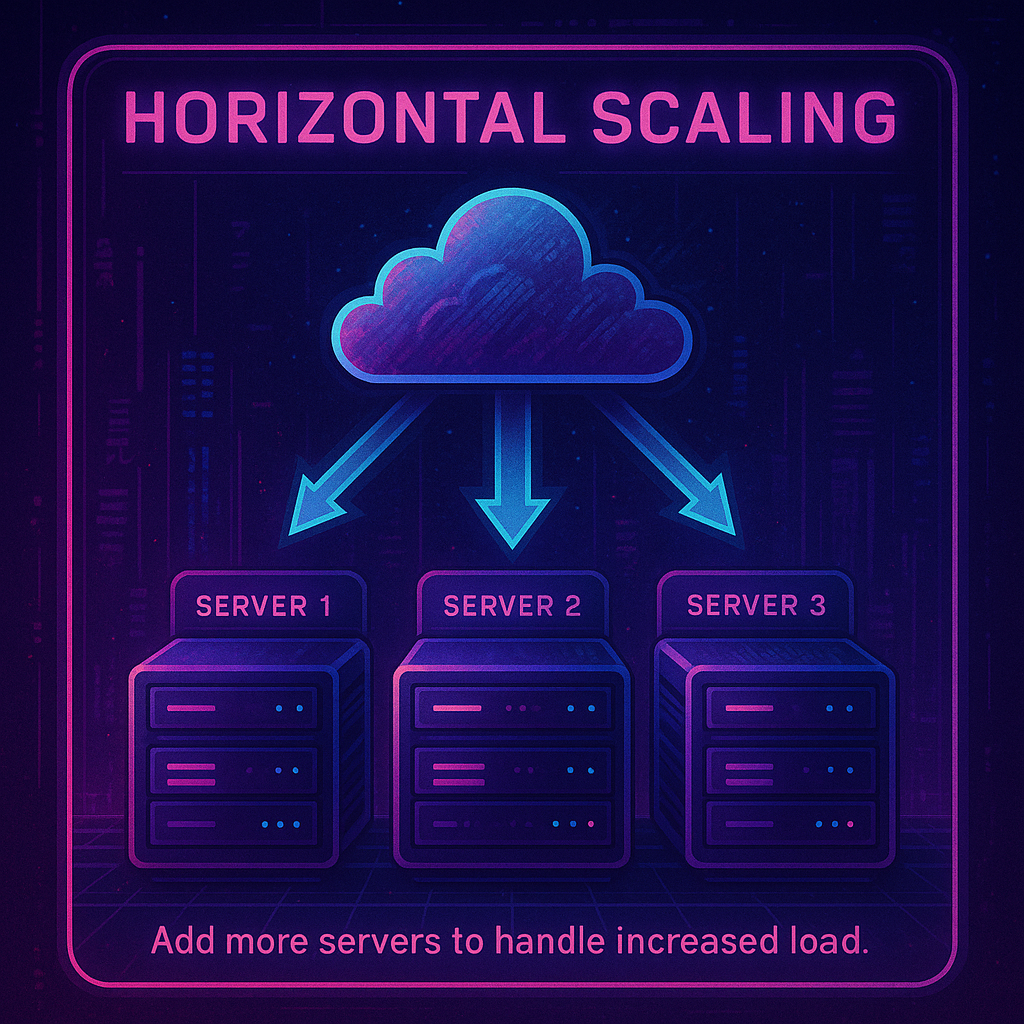
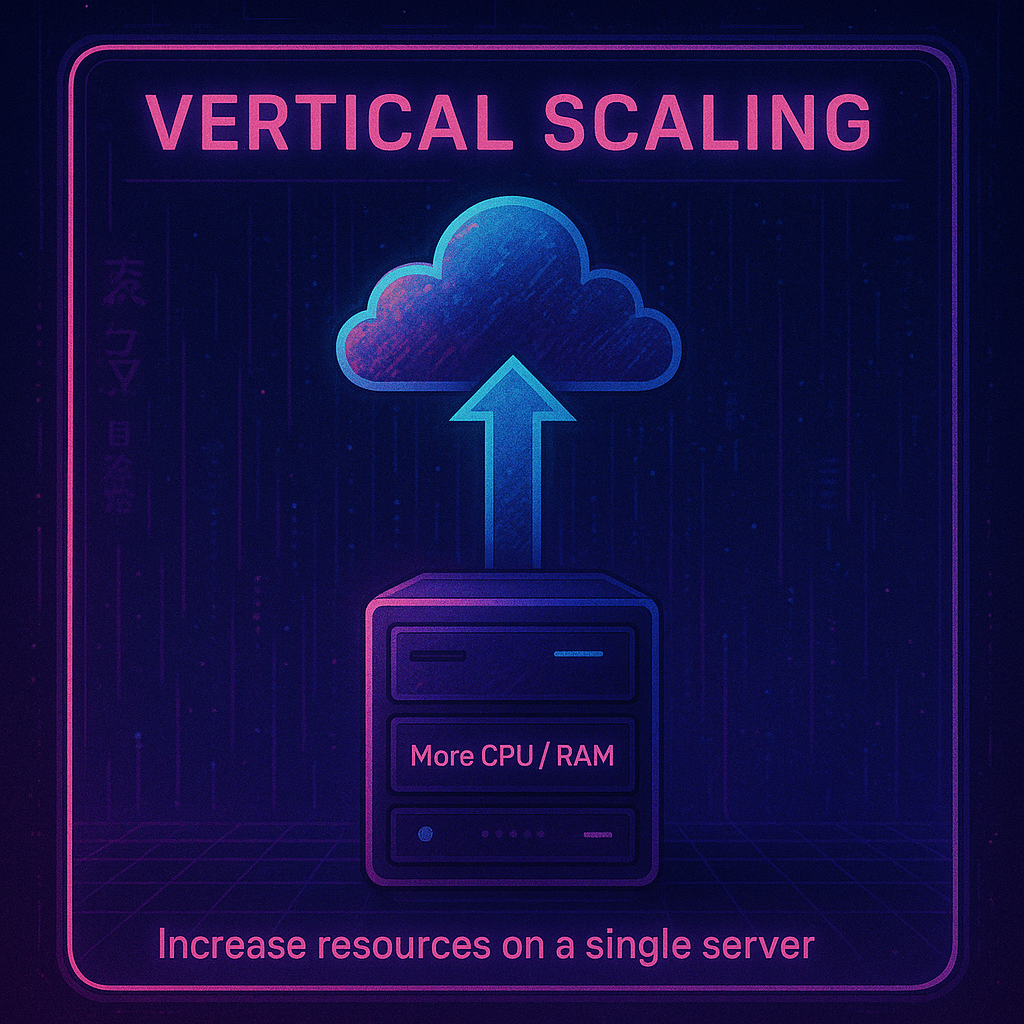
This detailed guide explores the complexities of Kubernetes autoscaling. We’ll cover everything you need to know about Horizontal Pod Autoscaler (HPA) and Vertical Pod Autoscaler (VPA), from the basics to advanced strategies with Cluster Autoscaler, Karpenter, Goldilocks and KEDA — with real-world use cases of horizontal vs vertical scaling, example configurations, pro tips and more. First, let’s briefly discuss horizontal vs vertical scaling.Autoscaling in Kubernetes is about smartly aligning resource utilization with actual demand, to eliminate unnecessary expenditures. Let’s discuss the differences between various types of scaling in conjunction with the four main Kubernetes autoscaling technologies: Horizontal Pod Autoscaler, Vertical Pod Autoscaler, Cluster Autoscaler, and Karpenter.
| HPA | VPA | |
| Limitations and considerations | Requires applications to be designed for scale-out, distributing workloads across multiple instances. May not instantly meet sudden spikes in demand due to the time taken to start new instances. | Constrained by the maximum resource limits of individual instances. May lead to resource wastage if not carefully managed, as idle resources continue to incur costs. |
| Operational insights | Ensure containers have defined CPU and memory requests to allow HPA to make accurate scaling decisions. Utilize metrics-server for resource usage metrics and consider custom or external metrics for fine-grained scaling control. | Best paired with workloads with variable resource demands that are hard to parallelize. Run VPA in “Off” mode initially to gather resource usage recommendations before enforcing changes. |
| Real-world application | Ideal for stateless applications with fluctuating traffic, HPA can dynamically scale services like web servers or API gateways, all running the same code, to match demand. | Suited for applications with consistent performance requirements, VPA can ensure resource-intensive applications like databases have the necessary resources. |
Now that we’ve covered the basics of Kubernetes autoscaling, let’s dive into the VPA and HPA more in depth with some technical examples.
VPA adjusts the CPU and memory requests and limits of pods in a deployment or stateful set, optimizing resource allocation for efficiency and performance. It operates at the pod level, modifying the resource specifications of individual containers within a pod. This process is driven by an analysis of resource usage data, including metrics (CPU and memory usage) collected from the Metrics Server or a custom metrics provider to make scaling decisions.
VPA has three operational modes:
Consider an application that processes large datasets and occasionally requires significant memory. The VPA can be set up to manage the memory resources dynamically.
apiVersion: autoscaling.k8s.io/v1 |
Configuration Explanation:
For a service that may experience varying CPU loads, such as a web server handling fluctuating traffic, the VPA can help manage CPU resources efficiently.
apiVersion: autoscaling.k8s.io/v1 |
Configuration Explanation:
These examples show how VPA can be configured to manage resources for different types of workloads. The minAllowed and maxAllowed parameters in the resourcePolicy section are particularly important, as they prevent the VPA from setting the resources too low or too high, ensuring the application has the resources it needs without wasting capacity.
Where VPA shines | |
Stateful Applications | For applications like databases that may require more memory as the dataset grows, VPA can adjust the memory request and limit to match the usage pattern. |
Resource-intensive Batch jobs | Batch jobs processing large amounts of data might need more CPU or memory resources intermittently. VPA ensures these resources are allocated dynamically as needed. |
HPA scales the number of pod replicas in a deployment, replication controller, replicaset, or stateful set based on observed CPU utilization, memory usage, or custom metrics. It integrates with Metrics Servicer for resource-based metrics and can also use custom metrics provided through the custom metrics API. HPA configuration involves defining min and max replica counts and the target metric values for scaling.
This example shows an HPA configuration that scales based on CPU utilization:
apiVersion: autoscaling/v2beta2 |
Explanation:
This example demonstrates an HPA configuration that uses custom metrics for horizontal scaling. Let’s assume the application needs to scale based on the number of requests per second.
apiVersion: autoscaling/v2beta2 |
Explanation:
In both examples, the HPA monitors specified metrics and automatically adjusts the number of pod replicas in the target deployment to meet the defined conditions. By leveraging these configurations, you can ensure that your application scales dynamically in response to actual workload demands, maintaining performance and resource efficiency.
| Where HPA shines | |
| Web applications with variable traffic | For a web service experiencing varying traffic throughout the day, HPA can scale the number of replicas to accommodate the changing load, ensuring consistent performance and preventing data loss in the case of hardware or software failure |
| Microservices in a service-oriented architecture | In a microservices architecture, individual services might need to scale independently based on demand. HPA allows each service to scale based on its specific load. |
Now that you have an in-depth understanding of HPA and VPA, let’s discuss the technical considerations of the difference between horizontal and vertical scaling.
VPA is about optimizing the resource allocation of existing pods, best for applications with varying resource demands that are not easily parallelized. Scale vertically when:
On the other hand, HPA focuses on scaling out or in the number of replicas to handle workload changes, suitable for applications that can be parallelized effectively. Use horizontal scaling when:
It’s also worth keeping some technical considerations in mind. HPA is often easier to implement and understand as it deals with scaling the number of replicas based on observable metrics like CPU and memory usage. On the other hand, VPA requires a deeper understanding of the application’s resource usage patterns and can lead to pod restarts when applying new resource limits, which might not be desirable in all scenarios.
Let’s summarize the major differences between horizontal scale vs vertical scale in a quick table.
| Feature | Horizontal Pod Autoscaler (HPA) | Vertical Pod Autoscaler (VPA) |
| Scaling Dimension | Scales the number of pod replicas horizontally (out or in). | Scales the resources (CPU and memory) of pods vertically (up or down). |
| Use Case | For applications with variable external demand, such as web servers or consumer-facing apps. | For applications with stable but intensive compute or memory needs that grow or shrink over time, like batch processing jobs or databases. |
| Operational Mode | Scales based on real-time defined metrics like CPU or custom metrics. | Adjusts CPU and memory requests and limits for existing pods based on usage. |
| Metric Source | Primarily uses CPU and memory utilization or custom metrics. | Uses historical and real-time CPU and memory usage data. |
| Management Complexity | Requires tuning of metrics and thresholds for scaling decisions. | Needs careful management to avoid frequent pod restarts due to resource limit changes. |
| Load balancer | Required to actively distribute workload across multiple nodes | Not required in the single node |
| Stateless vs Stateful Impact on Workloads | Can rapidly scale out to handle increased load, suitable for stateless applications. | Adjusts pod resources which can lead to pod restarts, more suitable for stateful applications or those with steady stateful behavior. |
Whether your application is stateless or stateful has a major impact on whether you should use HPA or VPA to optimize your resources. Let’s delve deeper into the reasons why.
Stateful applications, like databases or data processing systems, maintain a continuous state across sessions or transactions. They often have specific resource requirements that can change based on the workload, data volume, or complexity of operations. Generally, vertical scaling suits stateful applications for the following reasons:
Unlike VPA, HPA is not always ideal for stateful applications. Scaling stateful applications horizontally (increasing the number of pods) can complicate state management and data consistency, requiring sophisticated mechanisms to synchronize state across replicas.
The horizontal scaling approach to increasing the number of instances aligns better with the scalability needs of stateless applications. In contrast, it can be challenging to use VPA with Stateless Applications.
Stateless applications, such as front-end web servers, can handle requests independently of one another and don’t maintain any internal state between transactions. While vertical scaling can be used with stateless applications, it may not always be the best approach
While VPA and HPA can be used independently, careful consideration is required when using them together to avoid conflicting scaling actions. VPA focuses on adjusting individual pod resource limits based on usage history, which optimizes for the resource allocation of each pod. On the other hand, HPA scales the number of pods in a deployment based on current CPU usage to handle traffic demands. This divergence can lead to situations where VPA’s recommendations for resource reduction conflict with HPA’s need to scale out, potentially causing resource contention or under-provisioning. Additionally, the complexity of managing both autoscalers together can increase the risk of misconfiguration.
If you’re going to use them together, it is advised to use VPA for setting resource requests accurately and HPA for managing the number of instances based on those resource requests.
To learn more about using HPA and VPA together, check out our recent podcast on multidimensional pod autoscaling.
For a more comprehensive and understanding of Kubernetes autoscaling, let’s now discuss how advanced tools like Goldilocks and KEDA fit into the equation. These tools can help optimize Kubernetes autoscaling by fine-tuning resource requests and implementing custom scaling rules.
Goldilocks is an open source Kubernetes controller that provides recommendations for CPU and memory resources per pod, based on historical usage data. It identifies the “just right” settings each pod should request and limit to prevent resource wastage and OOM kills. These insights help fine-tune your VPA configurations, ensuring resource requests and limits more closely match actual usage patterns for improved resource efficiency.
Tip: Use Goldilocks to regularly review and adjust the resource allocations of pods, ensuring that VPA’s configurations are always in line with the actual resource usage patterns, helping to maintain an optimal balance between resource availability and cost.
Example configuration:
apiVersion: goldilocks.v1 |
This example shows a simplified representation of how Goldilocks could generate VPA recommendations for a deployment named my-service.
KEDA, or Kubernetes Event-Driven Autoscaling, introduces a different dimension to autoscaling by focusing on event-driven triggers. It allows scaling of Kubernetes deployments based on events from a variety of sources like message queues, database changes, or external metrics.
KEDA extends HPA capabilities by allowing it to scale deployments based on the number of events needing processing, rather than traditional metrics like CPU and memory utilization. It dynamically adjusts the HPA configurations based on custom metrics from external event sources.While VPA adjusts the resource allocation per pod, KEDA ensures that the number of pods matches the workload generated by external events, making it a powerful tool in event-driven architectures.
Tips:
Example Configuration:
apiVersion: KEDA.sh/v1alpha1 |
In this example, KEDA is configured to scale my-event-driven-app based on the length of a queue named my-queue. The deployment will scale out if there are more than 5 messages in the queue, providing an efficient response to fluctuating event volumes.
If you’re looking to optimize your EKS utilization and costs, nOps can help. Just simply integrate it with Karpenter or Cluster Autoscaler to start saving.
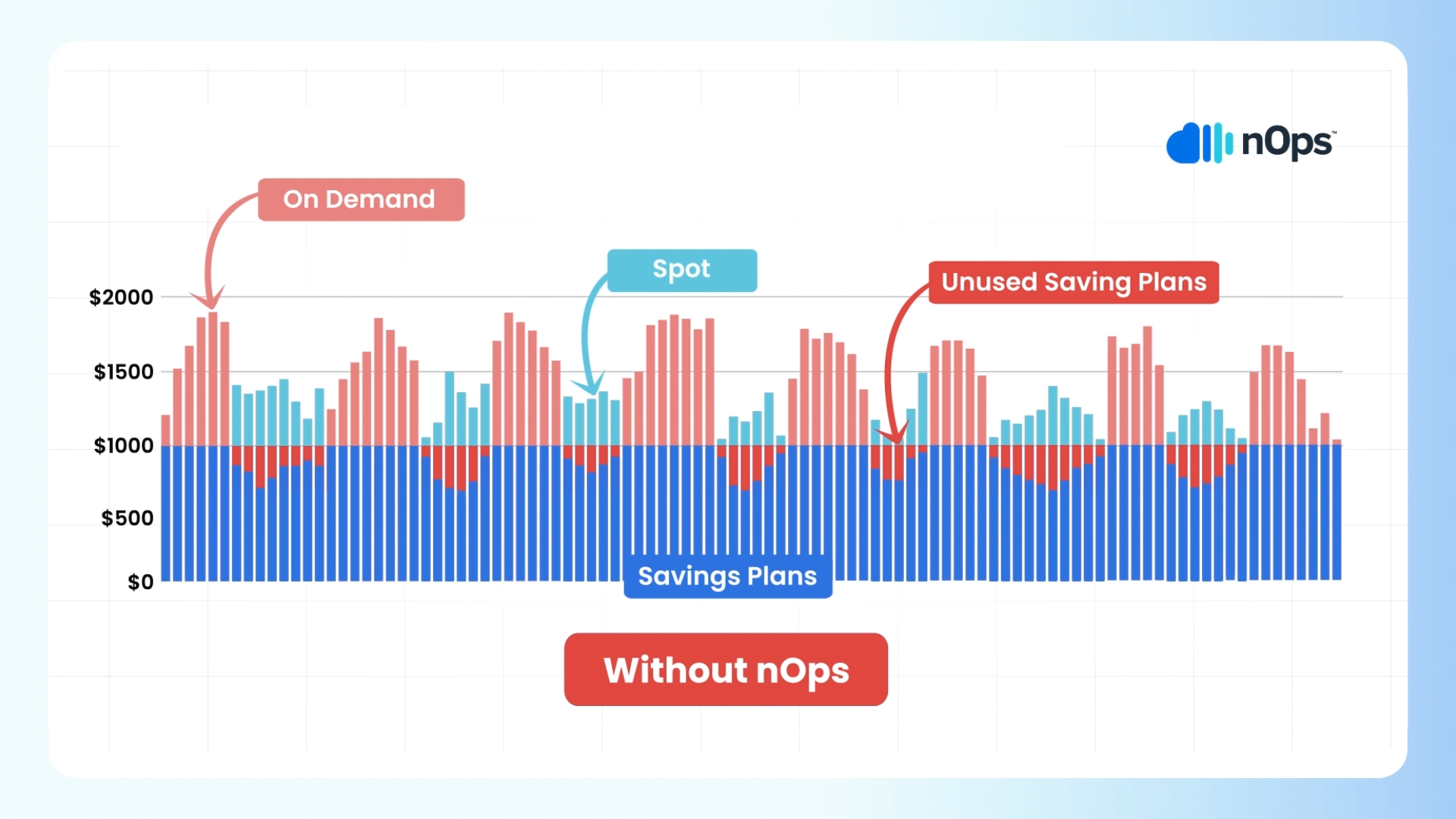
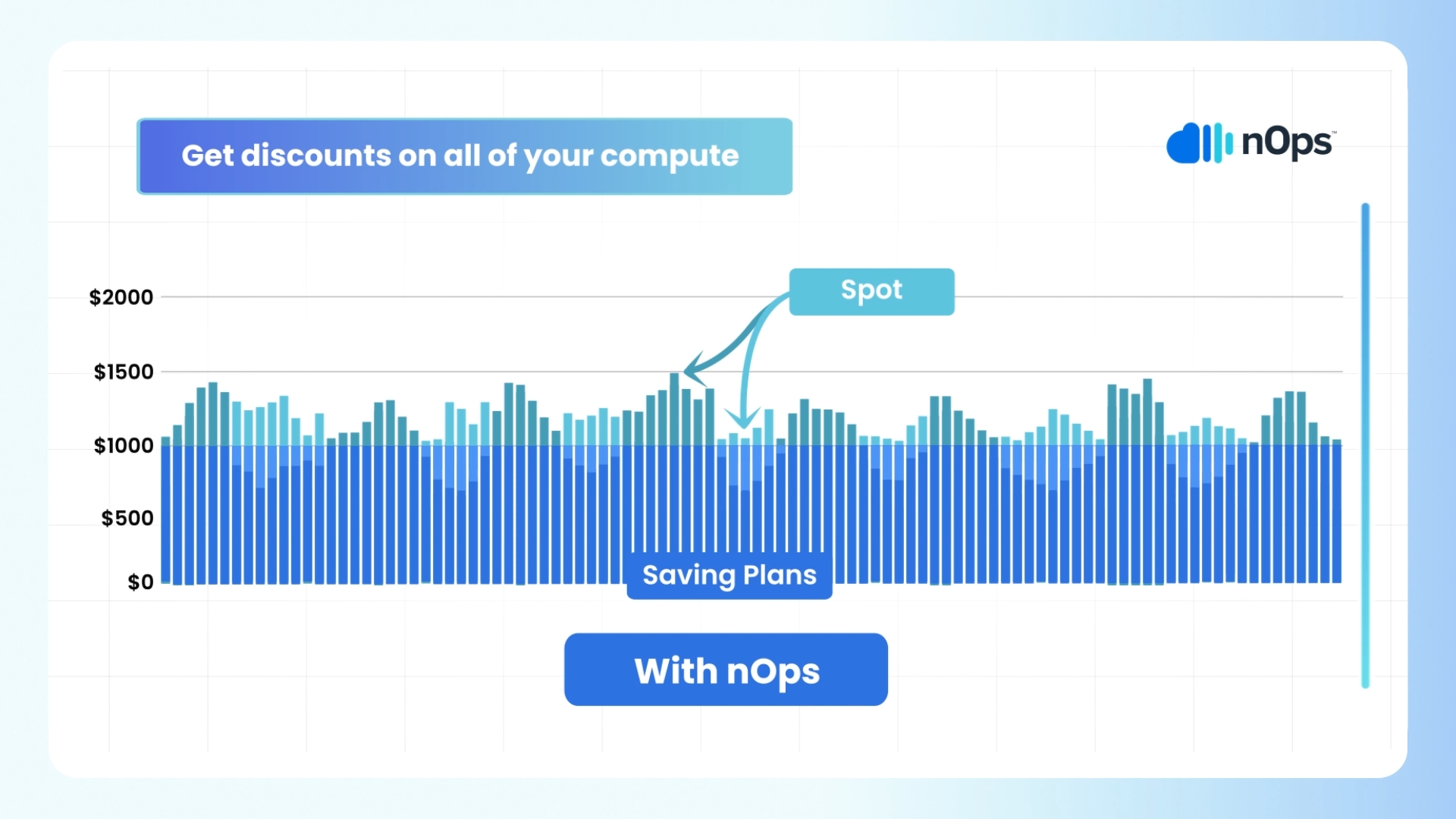
nOps offers proprietary AI-driven management of instances for the best price in real time. It continually analyzes market pricing and your existing commitments to ensure you are always on the best blend of Spot, Reserved, and On-Demand, gracefully replacing nodes before termination. Here are a few of the benefits:
Our mission is to make it easy for engineers to cost-optimize, so that they can focus on building and innovating. nOps was recently ranked #1 in G2’s cloud cost management category.
Join our customers using nOps to cut cloud costs and leverage automation with complete confidence by booking a demo today!
👁 An illustration demonstrating the use of Savings Plan without nOps
👁 An illustration demonstrating the use of Savings Plan with nOps
Discover how much you can save in just 10 minutes!
It depends on your workload. Vertical scaling (scaling up) is simpler—just add more CPU or memory to an existing server. It works well for monolithic applications but has limits and can be a single point of failure. Horizontal scaling (scaling out) adds more instances or nodes, making it better for high availability, distributed workloads, and long-term growth. In cloud environments, horizontal scaling is generally preferred due to its flexibility, resilience, and ability to support modern, stateless applications.
In big data systems, vertical scaling means upgrading a single node with more power—faster CPU, more RAM, or larger disks. It’s easier but quickly hits performance ceilings. Horizontal scaling adds more nodes to a cluster, distributing processing and storage across systems. This approach is essential for big data tools like Hadoop and Spark, which rely on parallel processing and distributed storage to handle massive datasets. Horizontal scaling enables better fault tolerance and scalability for large-scale data pipelines.
For medium-sized workloads, vertical scaling involves increasing the capacity of existing infrastructure—like moving from an EC2 t3.medium to an m5.4xlarge. Horizontal scaling means adding more compute instances or containers to handle traffic or processing in parallel. Vertical scaling is quicker and simpler but capped by hardware limits. Horizontal scaling offers more flexibility, redundancy, and control at scale, especially in cloud-native or containerized applications where services can scale automatically based on usage.
A common example of vertical scaling is upgrading a database server. If you’re running PostgreSQL on a small EC2 instance (e.g., t3.small) and experiencing performance issues, you might scale vertically by moving to a larger instance like r6g.4xlarge with more CPU and RAM. This improves performance without changing your architecture. However, vertical scaling has limits—once you reach the largest instance type, you’ll need to consider horizontal scaling or database sharding to keep growing.
Last Updated: February 9, 2026, EKS Optimization
Last Updated: February 9, 2026, EKS Optimization
AI-powered rate optimization with risk-free guarantee