|
VOOZH | about |
|
VOOZH | about |
When EC2 instances are routinely spun up and down, orphaned EBS volumes are a common oversight that commonly results in substantial cloud waste. Unless you select the “Delete on Termination” option during instance launch, terminating the EC2 instance will only detach the EBS volume, not delete it. As a result, EBS volumes that haven’t been used in weeks or months frequently accumulate, draining resources and inflating bills.
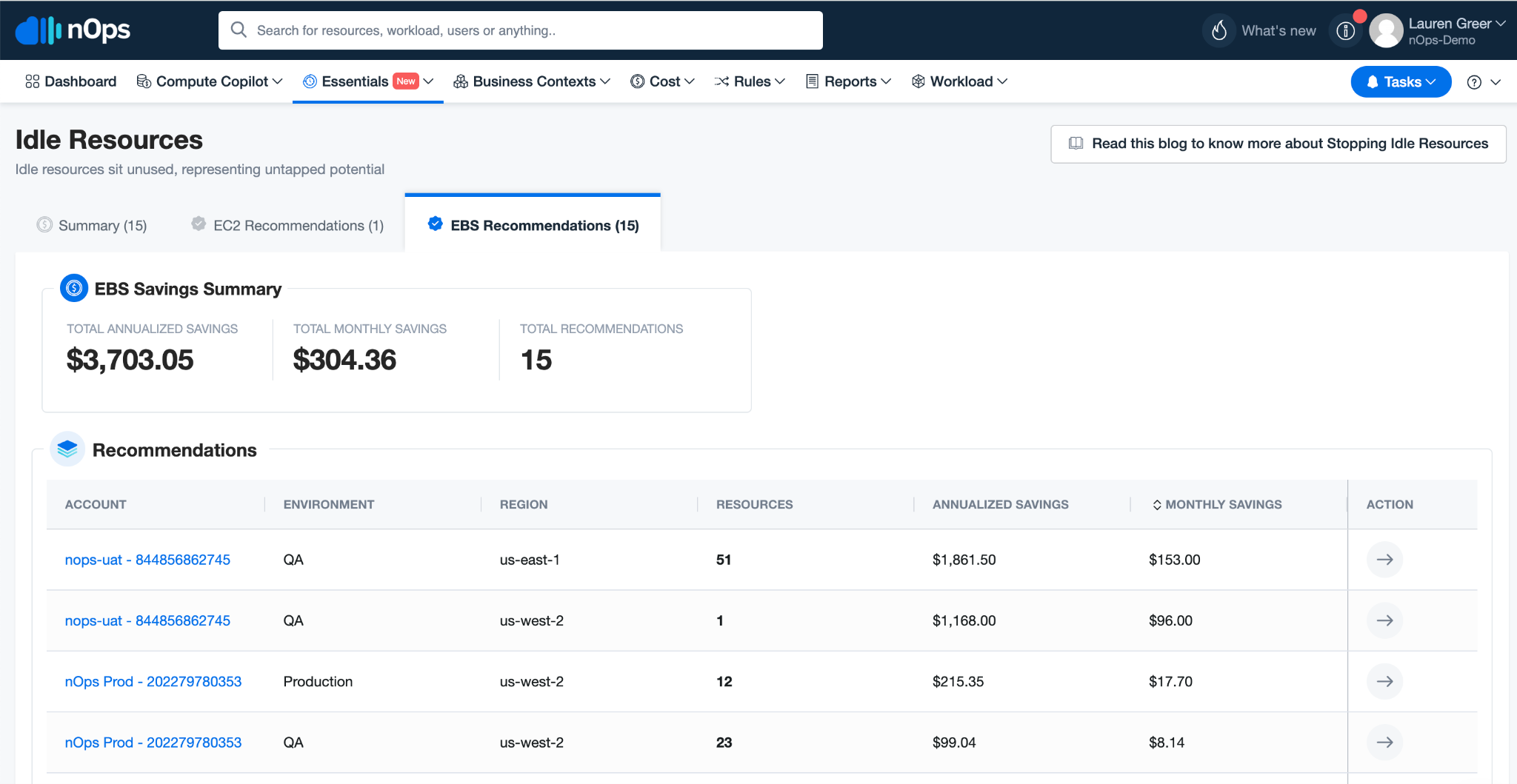
nOps is launching a new feature that makes it easy to find and delete orphaned AWS Elastic Block Store (EBS) volumes for significant cost savings.
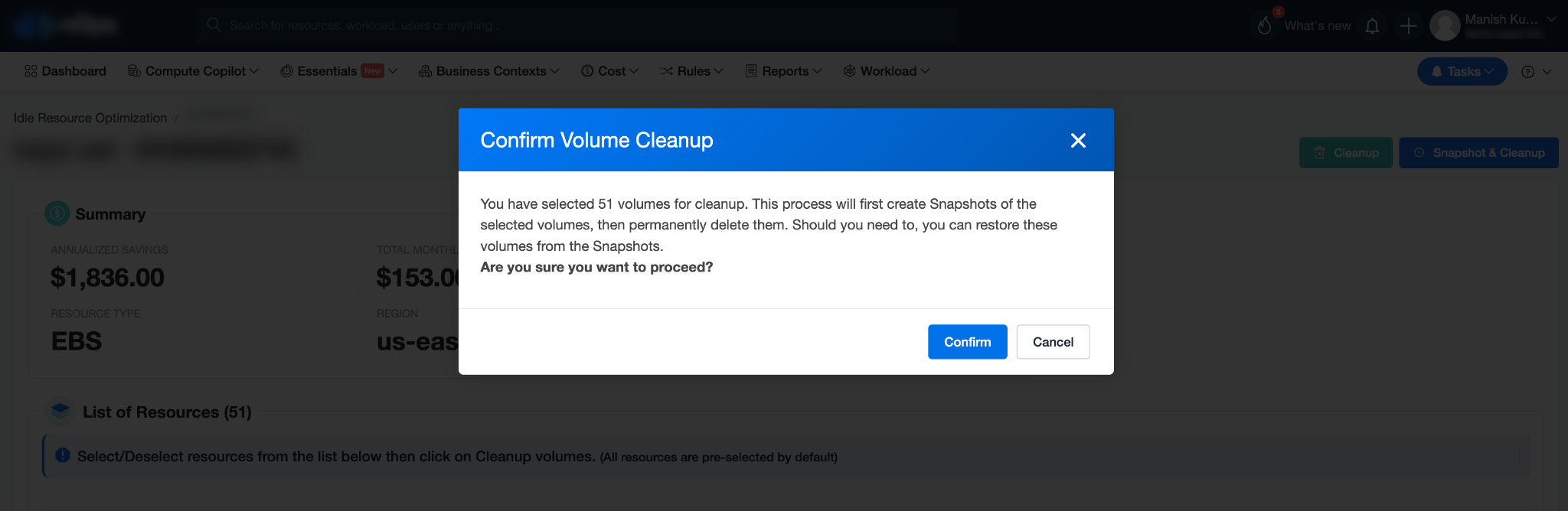
Now with nOps Essentials, you can detect and delete EBS volumes in a single click — saving you from the tedious and time-consuming process of manually cleaning them up.
Here’s how nOps makes the process better
1. If you’re onboarded to nOps, data will automatically be collected from your AWS API.
2. If an EBS volume is not associated or attached with any EC2 instance for the last 10 days, it is considered orphaned.
3. If you will save by deleting the EBS volume, nOps will recommend that you do so and offer you the option to take a snapshot.
4. Review recommendations. When you accept recommendations, nOps will remove the orphaned EBS volumes.
EBS Volume Cleanup is just the latest feature added to nOps Essentials, your toolkit for fast and easy cloud optimization. Get started with three free recommendations. Upgrade for unlimited EBS recommendations, as well as:
nOps is constantly releasing more features to automatically keep your cloud environment optimized, so you can focus on what matters most: building and innovating.
nOps manages over $1.5 billion in AWS spend and was recently ranked #1 in G2’s cloud cost management category. Book a demo to find out how to save in just 10 minutes.
Last Updated: May 21, 2025, Announcement
Last Updated: May 21, 2025, Announcement
AI-powered rate optimization with risk-free guarantee