|
VOOZH | about |
|
VOOZH | about |
We all know the benefits of running your IT on the cloud. Security, reliability, and high performance are a few perks of using cloud platforms. Each cloud provider offers you a reliable computing platform to run all your workloads.
Rather than using a single cloud platform, you can opt for multiple platforms, which designers call a multi-cloud strategy, where you can combine, AWS (Amazon Web Services) and Azure or AWS with a private cloud. A multi-cloud approach allows you to deliver services across public and private platforms consistently.
Most organizations are increasingly operating across multiple cloud platforms to find the best mix of performance and low costs. As a result, assessing the benefits and drawbacks of a multi-cloud strategy is ideal for helping users find the right approach.
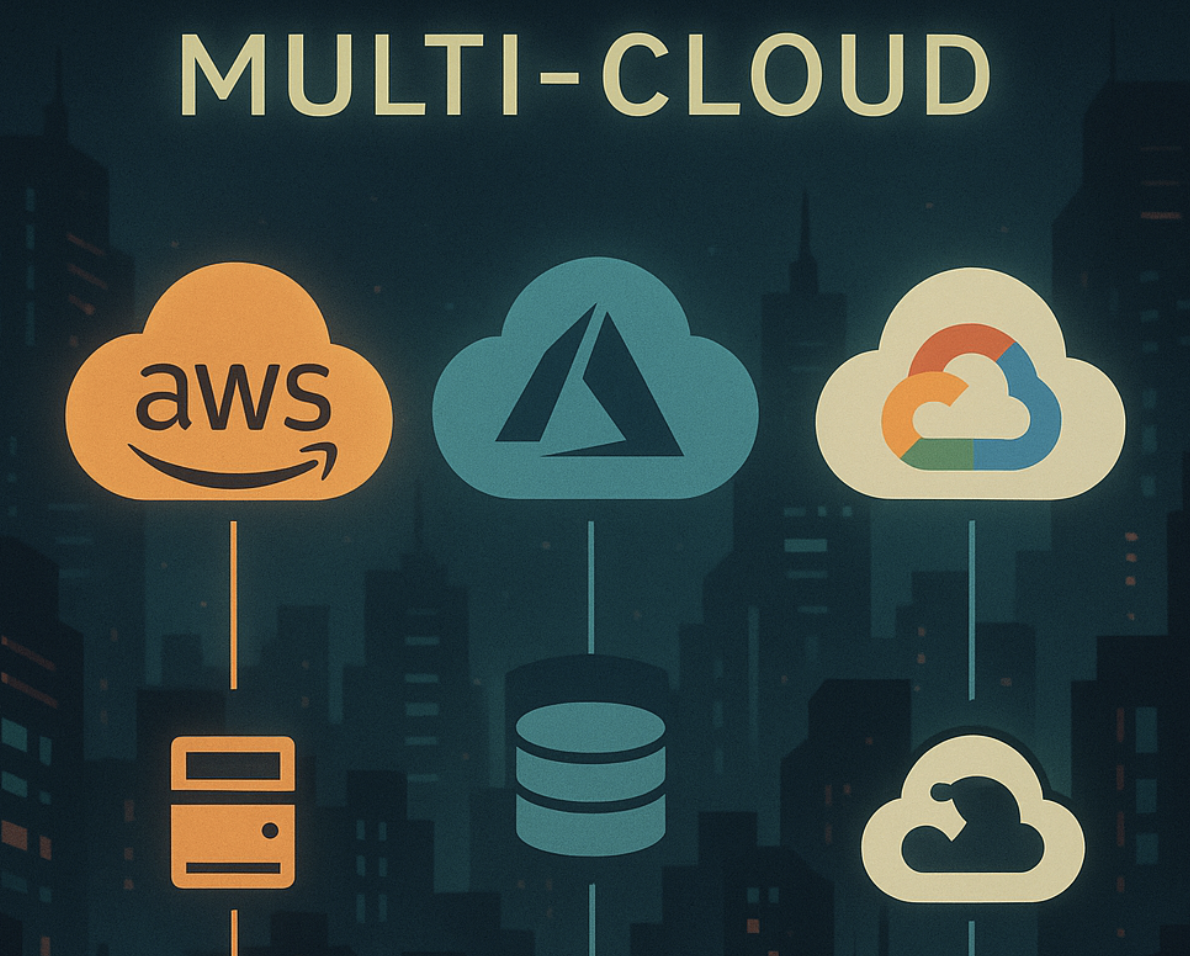
Multi-cloud means using more than one cloud provider at the same time. Instead of putting everything in AWS, for example, a company might run workloads across AWS, Azure, and Google Cloud. This isn’t the same as hybrid cloud—which mixes on-prem with cloud—but rather cloud-to-cloud. Teams choose multi-cloud to avoid vendor lock-in, meet regional or compliance needs, or take advantage of specific features that one provider does better than the others. But it also means more complexity in how you deploy, secure, and manage your systems.
👁 Multi-cloud environment diagram
In a multi-cloud setup, different cloud providers are used for different tasks. For example, you might run your main application on AWS, store backups in Azure, and use Google Cloud for machine learning. These services don’t talk to each other automatically—you have to wire them together.
That means managing separate accounts, networking, billing, and tools. To make it work, teams often rely on platform-agnostic tooling or custom glue code to handle things like deployment, monitoring, and access control across clouds.
Multi-cloud means using services from more than one public cloud provider—like AWS, Azure, and Google Cloud—at the same time. The goal is to diversify vendors, match workloads to provider strengths, or avoid lock-in.
Hybrid cloud, on the other hand, combines public cloud with on-premises infrastructure or private cloud environments. It’s often used when some workloads need to stay on-prem for compliance, latency, or legacy system reasons.
Now, let’s look at multi cloud strategy pros and cons. First, let’s start with the practical benefits of multi cloud strategy.
Relying on a single cloud provider can limit your options when pricing, support quality, or service capabilities change. Multi-cloud can potentially also give you more negotiating power when renewing contracts or commitments.
Each provider has strengths: Google Cloud is known for machine learning and data analytics, AWS for global scale and developer tooling, and Azure for enterprise and Microsoft-integrated services. Multi-cloud lets you pick the best tool for each job—like running Kubernetes on GKE, hosting APIs in AWS Lambda, and using Azure AD for identity.
Even the biggest cloud providers experience outages. With multi-cloud, you can build failover strategies across clouds—replicate data across providers, or keep critical services running in a backup region on a different platform. This reduces the risk of downtime due to regional failures or platform-specific issues.
Cloud pricing varies by workload and region. You might use AWS for spot compute, GCP for cheaper AI inference, or Azure for discounted Microsoft workloads. By distributing workloads strategically, you can optimize for both performance and budget—especially if you’re already in enterprise agreements with more than one provider.
Some industries or regions require data to stay in specific countries. If one provider doesn’t offer a compliant region or service in your target geography, another might. Multi-cloud allows you to meet these requirements without waiting for your primary provider to expand availability.
In companies with multiple business units or after acquisitions, teams may already use different clouds. A multi-cloud strategy supports this autonomy without forcing a painful migration. It also allows teams to move faster by using the cloud environment they know best.
Multi-cloud provisioning is desirable in many ways. However, it still comes with some downsides. These include:
The amount of skill needed to run a multi-cloud platform is vast. You need technical staff who understand different cloud platforms seamlessly. Finding the perfect IT talent is often a challenge to many organizations, as most people tend to be proficient in only one cloud platform.
Talent is rarely transferable from one cloud platform to the other. Each cloud platform has different demands, infrastructure, security approach, applications, and technical aspects. Ideally, it’s not a plug-and-play world; you need real expertise.
In most cases, you will have to hire different people to perform a similar task. In addition, most cloud experts are in high demand, not to mention the high salaries you have to pay. Companies are looking to hire the most skilled cloud architects, even if that means snatching them from your company.
Therefore, you need a unique approach to run a multi-cloud enterprise. Be ready to pay lots of money and constant hiring at all times.
The cloud provides a secure way of running your IT. Each cloud platform is secure, but that can dwindle when running multi-cloud infrastructure.
Running multiple cloud platforms comes at a risk. Each platform has unique security configurations, and you have to get it right at all times. Profound attention to detail is a crucial yet overlooked aspect of multi-cloud computing.
You need to configure all security measures in place, such as data encryption, security groups, identity management, and more. Errors often arise because of the complex nature of cloud platforms.
With multi-cloud, there’s no single console to manage everything. You’ll deal with multiple dashboards, billing systems, support channels, APIs, and deployment pipelines. Even routine tasks like patching, monitoring, and backup require extra coordination across platforms. Without strong governance and tooling, it’s easy for environments to drift out of sync or for costs to balloon unnoticed.
Not all tools are cross-cloud compatible. Some monitoring, observability, or CI/CD tools work better in one provider than another—or require extra effort to support multiple backends. Integrating identity management, networking, and resource tagging across clouds can also be tricky, especially when each cloud uses different standards. You may end up stitching together multiple tools or building custom automation to fill the gaps.
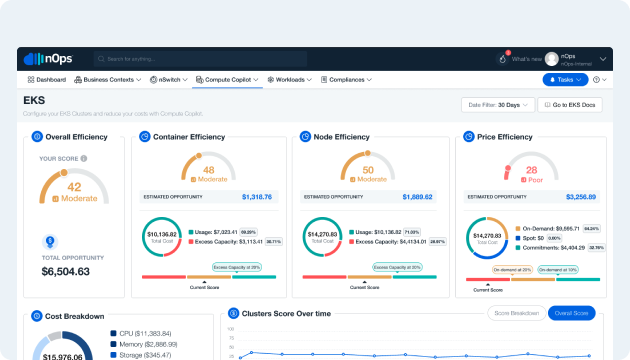
nOps is an end-to-end Cost Optimization Platform that simplifies and automates reporting, allocation, and optimization of your cloud resources, commitments, and costs. It comes with integrations for AWS, Azure, GCP, Kubernetes, GenAI and third-party SaaS tools, making it easy to view, understand and optimize all of your multicloud costs in one easy view.
Best For
Cloud-first engineering teams and FinOps practitioners who want real-time visibility, automated savings, and intelligent optimization across all cloud layers—without the overhead.
Key Features:
You can book a demo to connect your account and see how much you can save on multicloud costs.
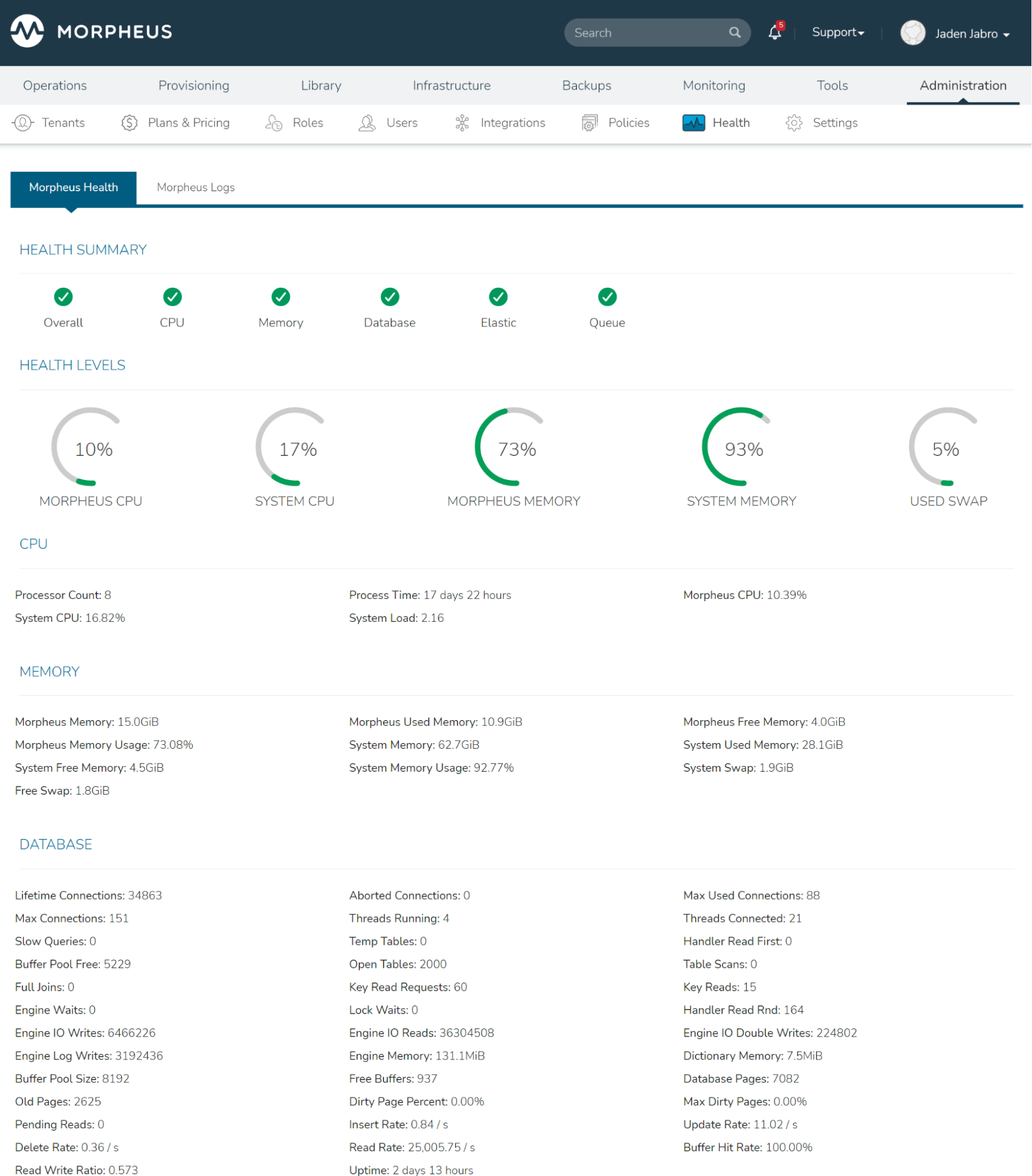
Morpheus is a unified cloud management and orchestration platform that connects public clouds (AWS, Azure, GCP) with on-premises infrastructure like VMware and bare metal. It gives central IT teams the ability to control provisioning, policies, and automation across environments while enabling developers with self-service access to infrastructure.
Best For
Enterprises running hybrid infrastructure that need to unify on-prem and cloud under a single control plane.
Key Features
Cross-cloud self-service provisioning with customizable templates
Integration with config tools (Ansible, Chef, Puppet, SaltStack)
Role-based access control (RBAC) and tenancy isolation
Built-in cost analytics, approvals, and lifecycle management
Native support for hybrid IT (VMware, Nutanix, OpenStack, etc.)
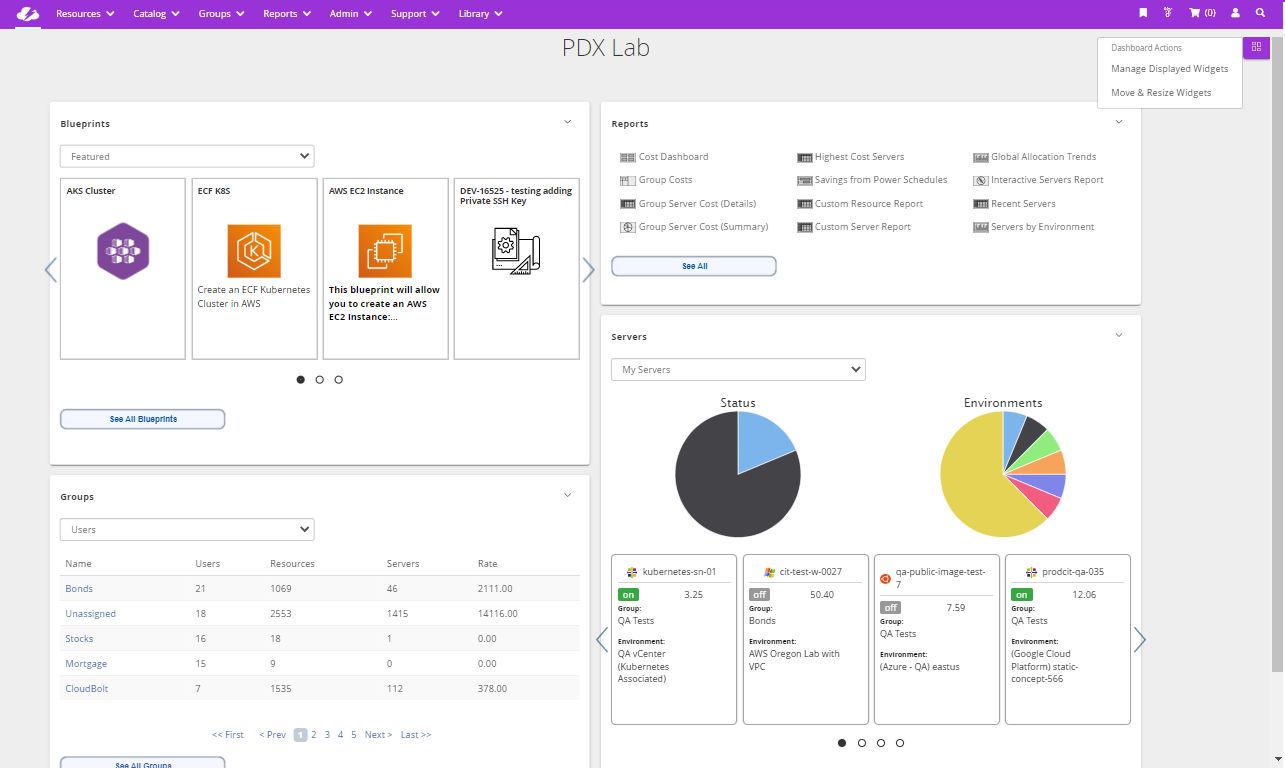
CloudBolt is a comprehensive cloud management platform built for enterprises that need to enforce governance, automate provisioning, and manage cost across clouds and virtualization platforms. It focuses on making infrastructure consumption consistent and compliant, regardless of where it runs.
Best For
Organizations with strict compliance or audit requirements that need to enforce policies at scale across multi-cloud and hybrid environments.
Key Features
Policy-driven provisioning across AWS, Azure, GCP, and VMware
Cost controls, budget enforcement, and showback/chargeback tools
Out-of-the-box integration with ServiceNow, Jenkins, and CMDBs
Workflow automation for approvals, tagging, scaling, and teardown
Centralized management of blueprints, plugins, and security policies
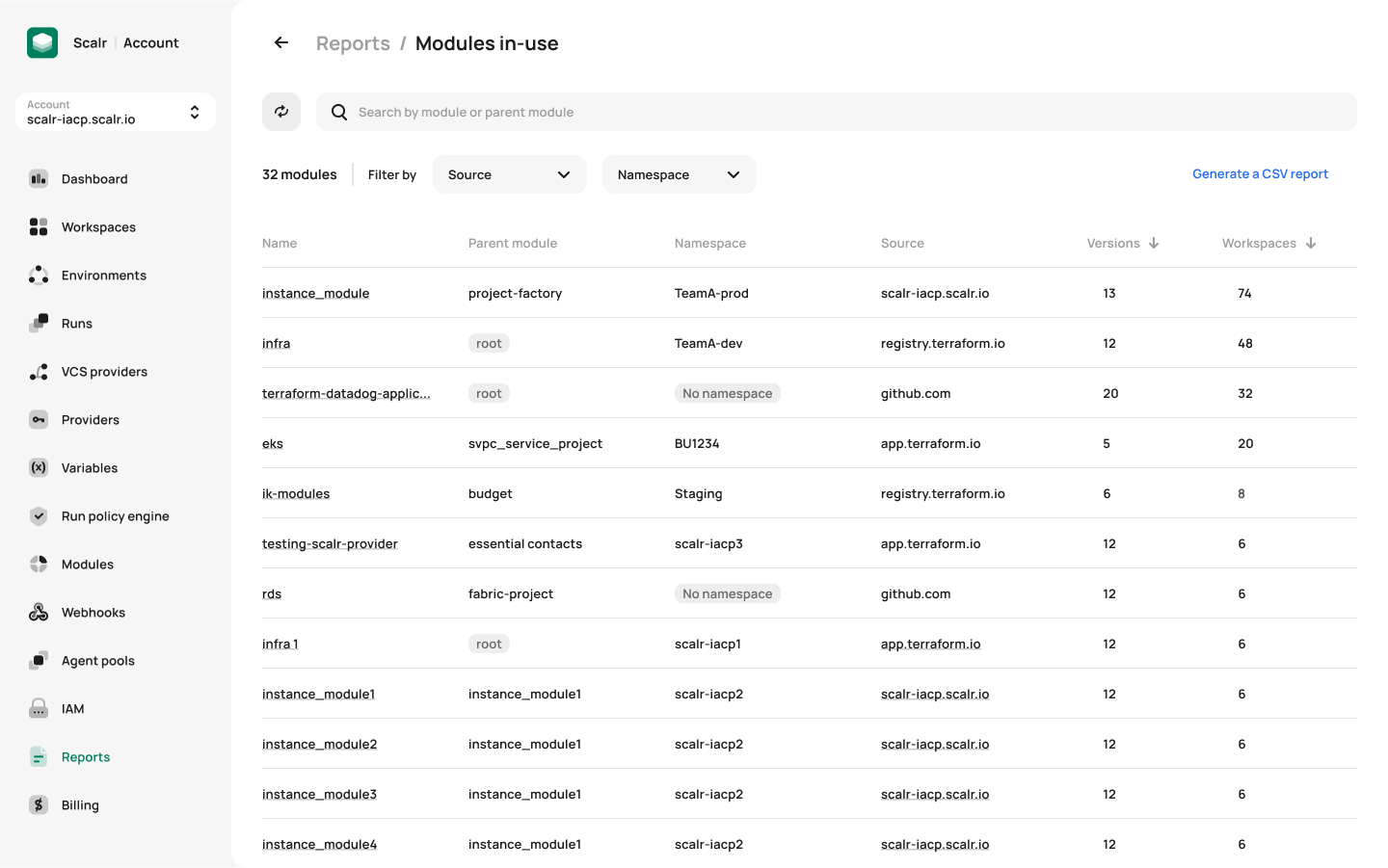
Scalr is a remote operations backend for Terraform that enables platform teams to safely scale infrastructure-as-code across clouds and teams. It’s not a traditional CMP—it’s a governance layer purpose-built for Terraform users who want control without slowing developers down.
Best For
Platform engineering teams managing multi-cloud infrastructure with Terraform, looking to enforce policy and standardize workflows without building their own toolchain.
Key Features
Native Terraform support with remote state management
Policy-as-code (OPA/Gatekeeper) enforcement at run-time
Scoped workspaces, variable inheritance, and role delegation
Cost estimation, drift detection, and audit logging per run
GitOps integration and CI/CD pipeline compatibility
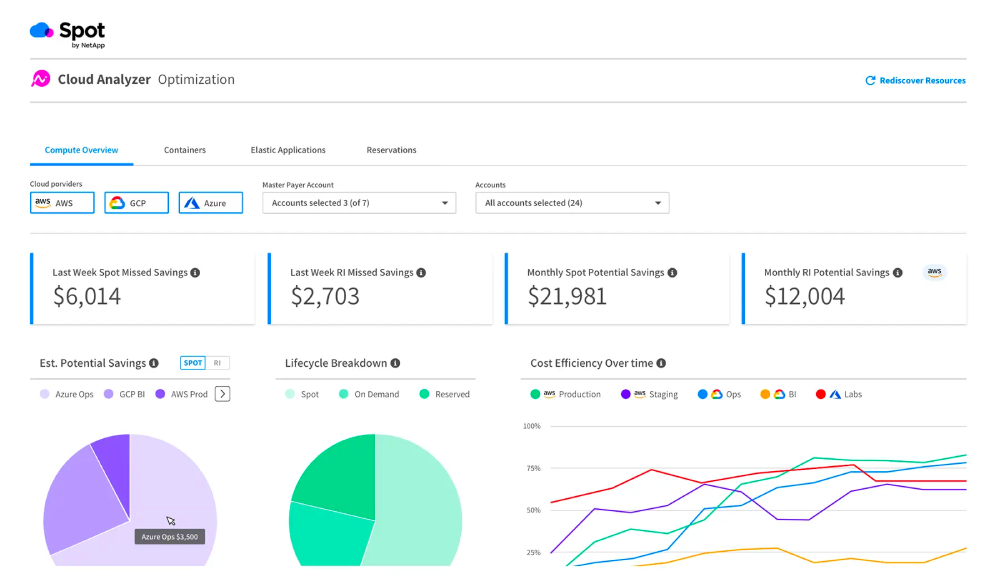
Spot automates workload placement, scaling, and cost optimization for dynamic cloud environments—especially Kubernetes and ephemeral compute. Instead of offering dashboards and suggestions, Spot acts on your behalf to maximize efficiency across AWS, Azure, and GCP.
Best For
Engineering teams running containerized or autoscaled workloads who want automated, hands-off optimization to reduce costs without manual effort.
Key Features
Ocean: automated K8s cluster scaling and instance selection
Elastigroup: spot instance orchestration with fallback logic
Eco: automated rightsizing and commitment management
Integration with Terraform, EKS, GKE, and AKS
Real-time cost visibility and performance optimization
Managing multiple cloud providers introduces complexity — these best practices help reduce friction, maintain consistency, and avoid hidden costs in a multi-cloud environment:
Tagging is essential for tracking costs, ownership, and compliance—but each cloud provider implements tagging differently. Without a consistent tagging schema, you’ll lose visibility and make cost allocation nearly impossible. A unified tagging strategy ensures that cost reports, usage tracking, and access controls work across providers. It also allows you to group resources logically, regardless of cloud.
Tip: Start with a shared tag schema stored in version control and apply it via IaC (e.g., Terraform modules) or org-wide policies.
Multi-cloud environments are hard to manage consistently without automation. Manual provisioning via cloud consoles leads to drift and inconsistent environments. IaC tools like Terraform allow you to define infrastructure for AWS, Azure, and GCP using the same workflows, approvals, and version control. This makes multi-cloud environments more predictable and easier to audit.
Tip: Use workspaces, variable sets, and module registries to scope IaC definitions per cloud and environment.
Each provider has different billing formats, pricing models, and APIs. Without a single cost view, it’s easy to lose track of who’s spending what and where. A centralized cost management platform consolidates spend across providers, allowing you to break down usage by team, feature, or environment—regardless of where it runs. This is essential for multi-cloud financial accountability.
Tip: Automate showback or chargeback using cost allocation tags, linked accounts, and dashboards built around business context—not just services.
Security and budget issues multiply across clouds. Manually monitoring them doesn’t scale, especially when each cloud has different tools and policies. Guardrails let you apply consistent rules across providers—blocking risky actions before they happen, like spinning up non-compliant resources or deploying in the wrong region. This helps maintain governance without micromanagement.
Tip: Start by enforcing a few high-impact policies (e.g., no public buckets, no untagged resources) and expand from there.
Manually optimizing resources in one cloud is already hard—doing it in three is nearly impossible without automation. Automated rightsizing and scheduling ensures resources are efficient across providers without requiring constant oversight. This is especially valuable in dev/test environments that often get neglected.
Tip: Combine platform-native tools (like Azure Advisor or Compute Optimizer) with third-party platforms that can take action—not just suggest.
Multi-cloud is often used as a resilience strategy—but only if workloads can actually shift between providers. Designing for cross-cloud failover protects against regional or provider-wide outages. It also gives you flexibility to move workloads if costs spike or services degrade.
Tip: Keep state loosely coupled and configs portable (e.g., env vars, secrets stores) to simplify switchover.
This shift to multi-cloud brings flexibility—but also operational chaos, hidden costs, and steep learning curves.
That’s where platforms like nOps come in. While each cloud provider has its own cost tools, none give you a unified view across environments. nOps pulls in cost and usage data from AWS, Azure, GCP, Kubernetes, and even SaaS platforms—then normalizes it into a single, business-friendly view. Whether you’re trying to understand container spend in EKS, compare compute costs across providers, or allocate multicloud usage by team or feature, nOps makes it easy to see and act on what’s really driving cloud costs.
nOps was recently ranked #1 with five stars in G2’s cloud cost management category, and we optimize $2+ billion in cloud spend for our customers.
Join our customers using nOps to understand your cloud costs and leverage automation with complete confidence by booking a demo with one of our multicloud experts.
Discover how much you can save in just 10 minutes!
Now, let’s take a look at some frequently asked questions about multi cloud advantages and disadvantages.
Multicloud can be worth it if your organization needs to avoid vendor lock-in, increase resilience, or meet specific compliance requirements across regions or industries. It allows you to leverage the unique strengths of different cloud providers—for example, using AWS for compute and Google Cloud for AI services. However, it introduces operational complexity and higher overhead, so it’s typically most beneficial for large organizations with mature DevOps, strong automation, and clear business drivers for diversification.
Single cloud means relying on one cloud provider for all your infrastructure and services. It’s simpler to manage and can offer cost benefits through volume discounts and easier integration. Multicloud means using two or more cloud providers simultaneously, often to reduce risk, improve availability, or access specialized services. Multicloud adds flexibility but also increases complexity in networking, identity, monitoring, and cost management. Choosing between them depends on business goals, regulatory needs, and internal cloud maturity.
A multicloud strategy can reduce dependency on any single provider, lowering the risk of outages, pricing changes, or service limitations. It also allows you to select best-of-breed services—for example, using one provider’s data tools and another’s machine learning stack. In regulated industries, multicloud can help meet compliance or data sovereignty requirements. However, the tradeoff is increased operational complexity, so the strategy is best suited for companies with strong cloud governance and the resources to manage multiple environments.
Managing identity in a multicloud setup typically involves centralized identity federation using a system like Azure AD, Okta, or AWS IAM Identity Center. This enables single sign-on and unified access control across platforms. You’ll need to map roles and permissions across providers, standardize user groups, and monitor for drift. Automation and infrastructure as code can help maintain consistency. Logging and audit trails should be aggregated across clouds to ensure visibility and meet security or compliance standards.
AI-powered rate optimization with risk-free guarantee