|
VOOZH | about |
|
VOOZH | about |
dotnet add package GroupDocs.Viewer.UI.Api --version 26.4.0
NuGet\Install-Package GroupDocs.Viewer.UI.Api -Version 26.4.0
<PackageReference Include="GroupDocs.Viewer.UI.Api" Version="26.4.0" />
<PackageVersion Include="GroupDocs.Viewer.UI.Api" Version="26.4.0" />Directory.Packages.props
<PackageReference Include="GroupDocs.Viewer.UI.Api" />Project file
paket add GroupDocs.Viewer.UI.Api --version 26.4.0
#r "nuget: GroupDocs.Viewer.UI.Api, 26.4.0"
#:package GroupDocs.Viewer.UI.Api@26.4.0
#addin nuget:?package=GroupDocs.Viewer.UI.Api&version=26.4.0Install as a Cake Addin
#tool nuget:?package=GroupDocs.Viewer.UI.Api&version=26.4.0Install as a Cake Tool
GroupDocs.Viewer.UI.Api contains base types for implementing an API for GroupDocs.Viewer.UI.
There are two API implementations provided within this package:
GroupDocs.Viewer.UI.SelfHost.Api - A self-hosted service that uses the
GroupDocs.Viewer package.GroupDocs.Viewer.UI.Cloud.Api - Uses the cloud API provided by GroupDocs.This readme includes information and usage examples for the features provided by this module.
This section lists the features provided by the module.
Types that enable you to display custom error messages can be found in the folder. The key type here is the interface, which defines a contract for providing user-friendly error messages based on exceptions.
The following code demonstrates how to implement a custom error message provider:
using GroupDocs.Viewer.UI.Api;

//...

public class MyErrorMessageProvider : IErrorMessageProvider
{
 public string GetErrorMessage(Exception exception, ErrorContext context)
 {
 return "This is my custom error message...";
 }
}
Once the custom error message provider is implemented, it can be registered during the application composition stage.
The following code snippet shows how to register a custom service as a singleton:
using GroupDocs.Viewer.UI.Api;

var builder = WebApplication.CreateBuilder(args);

builder.Services.AddSingleton<IErrorMessageProvider, MyErrorMessageProvider>();
NOTE: The service should be registered before you register the self-hosted or cloud API for it to take effect. By default, is registered. This class provides a default implementation that returns the exception error message.
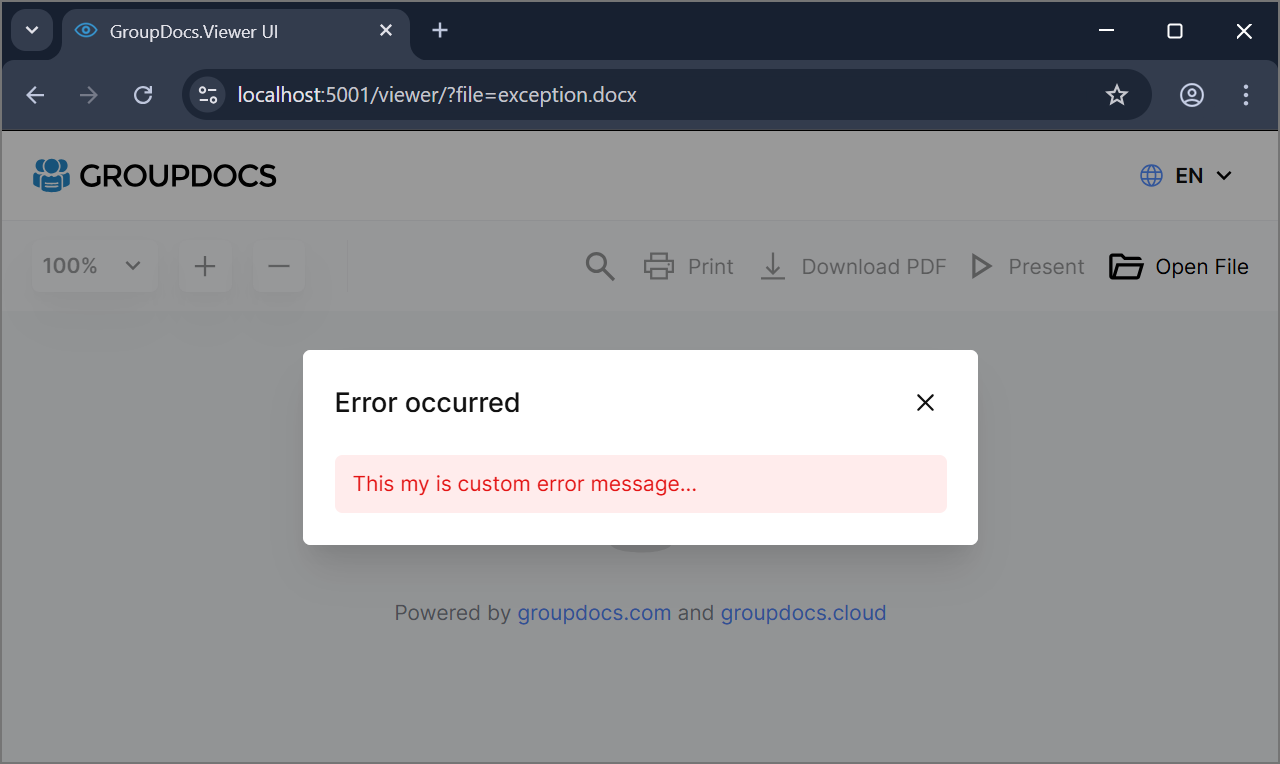
Once a custom error message provider is registered, a popup with the custom error message will be displayed in case of an error.
👁 GroupDocs.Viewer.UI - Custom error message
In case you're using identifiers instead of file names but you also want to show actual file name in UI you have to implement IFileNameResolver interface to map a file identifier to the file name.
The following code demonstrates how to implement a custom file name resolver:
using GroupDocs.Viewer.UI.Api;

//...

public class MyFileNameResolver : IFileNameResolver
{
 public Task<string> ResolveFileNameAsync(string file)
 {
 return Task.FromResult("quaterly-report.docx");
 }
}
Once the custom file name resolver is implemented, it can be registered during the application composition stage.
The following code snippet shows how to register a custom service as a singleton:
using GroupDocs.Viewer.UI.Api;

var builder = WebApplication.CreateBuilder(args);

builder.Services.AddSingleton<IFileNameResolver, MyFileNameResolver>();
NOTE: The service should be registered before you register the self-hosted or cloud API for it to take effect. By default, is registered. This class provides a default implementation that returns the file name from the file path.
Once a custom file name resolver is registered, the resolved file name will be used in the UI and when downloading files.
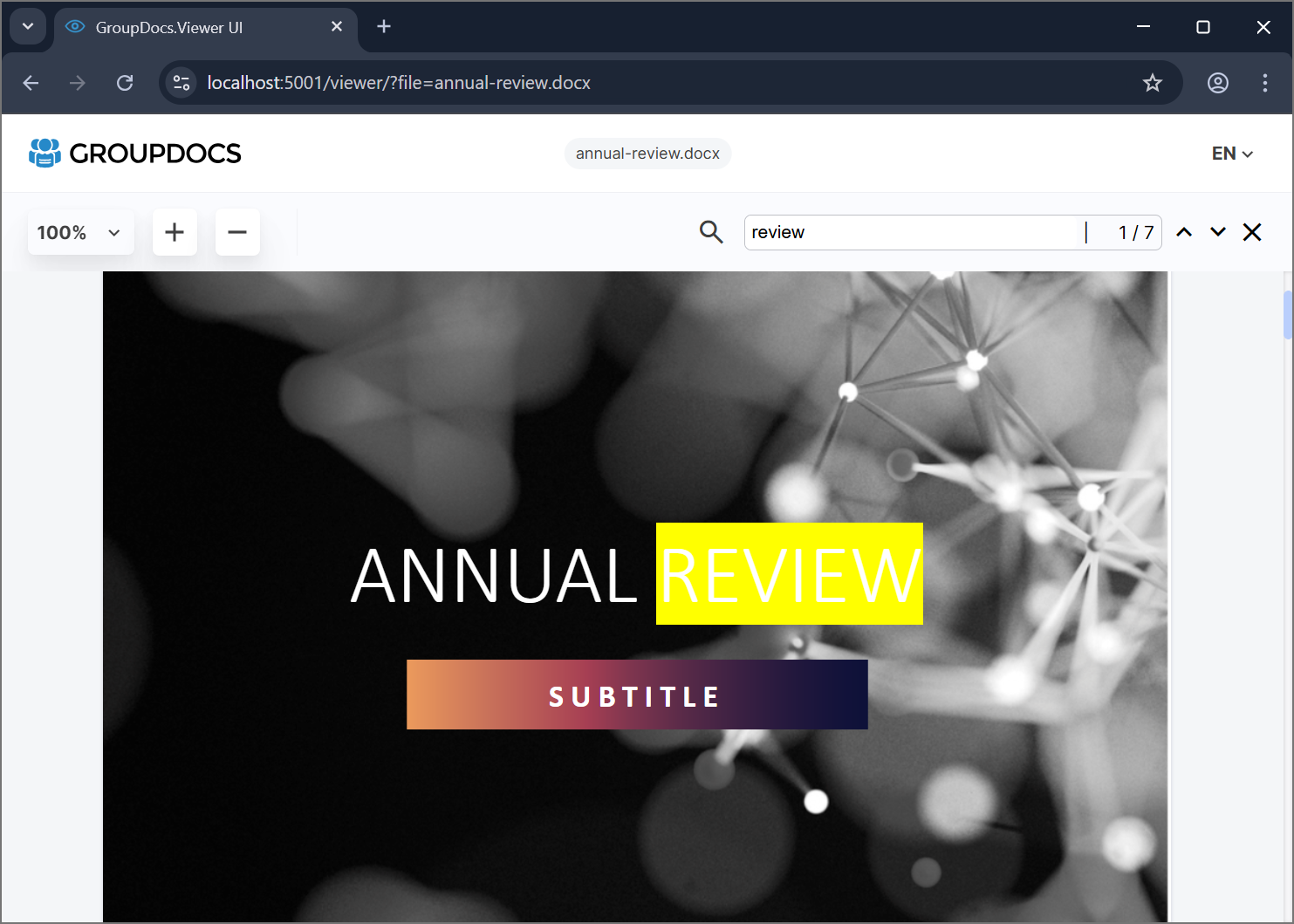
To pass a search term that you would like to highlight automatically you can implement ISearchTermResolver interface.
The following code demonstrates how to implement a custom search term resolver:
using GroupDocs.Viewer.UI.Api;

//...

public class MySearchTermResolver : ISearchTermResolver
{
 public Task<string> ResolveSearchTermAsync(string filepath)
 {
 return Task.FromResult("review");
 }
}
Once the custom search term resolver is implemented, it can be registered during the application composition stage.
The following code snippet shows how to register a custom service as a singleton:
using GroupDocs.Viewer.UI.Api;

var builder = WebApplication.CreateBuilder(args);

builder.Services.AddSingleton<ISearchTermResolver, MySearchTermResolver>();
👁 GroupDocs.Viewer.UI - Custom search term
NOTE: This feature works only when rendering to HTML and when PreloadPages is set to 0 which means all the pages are preloaded. The service should be registered before you register the self-hosted or cloud API for it to take effect. By default, is registered. This class provides a default implementation that returns an empty string.
Thumbnails are only required when rendering to HTML with embedded or external resources. When rendering to JPG or PNG, the actual page image is used as a thumbnail for better performance.
To control thumbnail creation when rendering to HTML, set the EnableThumbnails property to false.
This hides the thumbnail panel and disables thumbnail generation by the API.
The following code demonstrates how to use this option without a UI:
builder.Services
 .AddOptions<Config>()
 .Configure<IConfiguration>((config, configuration) =>
 {
 config.EnableThumbnails = false;
 });

builder.Services
 .AddControllers()
 .AddGroupDocsViewerSelfHostApi(config =>
//...
| Product | Versions Compatible and additional computed target framework versions. |
|---|---|
| .NET | net6.0 net6.0 is compatible. net6.0-android net6.0-android was computed. net6.0-ios net6.0-ios was computed. net6.0-maccatalyst net6.0-maccatalyst was computed. net6.0-macos net6.0-macos was computed. net6.0-tvos net6.0-tvos was computed. net6.0-windows net6.0-windows was computed. net7.0 net7.0 was computed. net7.0-android net7.0-android was computed. net7.0-ios net7.0-ios was computed. net7.0-maccatalyst net7.0-maccatalyst was computed. net7.0-macos net7.0-macos was computed. net7.0-tvos net7.0-tvos was computed. net7.0-windows net7.0-windows was computed. net8.0 net8.0 is compatible. net8.0-android net8.0-android was computed. net8.0-browser net8.0-browser was computed. net8.0-ios net8.0-ios was computed. net8.0-maccatalyst net8.0-maccatalyst was computed. net8.0-macos net8.0-macos was computed. net8.0-tvos net8.0-tvos was computed. net8.0-windows net8.0-windows was computed. net9.0 net9.0 was computed. net9.0-android net9.0-android was computed. net9.0-browser net9.0-browser was computed. net9.0-ios net9.0-ios was computed. net9.0-maccatalyst net9.0-maccatalyst was computed. net9.0-macos net9.0-macos was computed. net9.0-tvos net9.0-tvos was computed. net9.0-windows net9.0-windows was computed. net10.0 net10.0 is compatible. net10.0-android net10.0-android was computed. net10.0-browser net10.0-browser was computed. net10.0-ios net10.0-ios was computed. net10.0-maccatalyst net10.0-maccatalyst was computed. net10.0-macos net10.0-macos was computed. net10.0-tvos net10.0-tvos was computed. net10.0-windows net10.0-windows was computed. |
Showing the top 4 NuGet packages that depend on GroupDocs.Viewer.UI.Api:
| Package | Downloads |
|---|---|
|
GroupDocs.Viewer.UI
GroupDocs.Viewer.UI is a ASP.NET Core UI viewer of GroupDocs.Viewer for .NET see https://github.com/groupdocs-viewer/GroupDocs.Viewer-for-.NET-UI for more details. |
|
|
GroupDocs.Viewer.UI.SelfHost.Api
GroupDocs.Viewer.UI.SelfHost.Api containing API implementation that is based on GroupDocs.Viewer for .NET see https://github.com/groupdocs-viewer/GroupDocs.Viewer-for-.NET-UI for more details. |
|
|
GroupDocs.Viewer.UI.Cloud.Api
GroupDocs.Viewer.UI.Cloud.Api containing API implementation that is based on GroupDocs.Viewer for .NET see https://github.com/groupdocs-viewer/GroupDocs.Viewer-for-.NET-UI for more details. |
|
|
GroupDocs.Viewer.UI.SelfHost.Api.CrossPlatform
GroupDocs.Viewer.UI.SelfHost.Api.CrossPlatform containing API implementation that is based on GroupDocs.Viewer for .NET cross-platform version see https://github.com/groupdocs-viewer/GroupDocs.Viewer-for-.NET-UI for more details. |
This package is not used by any popular GitHub repositories.
| Version | Downloads | Last Updated |
|---|---|---|
| 26.4.0 | 377 | 4/29/2026 |
| 26.3.0 | 399 | 3/4/2026 |
| 8.1.5 | 360 | 2/19/2026 |
| 8.1.4 | 341 | 2/13/2026 |
| 8.1.3 | 350 | 2/11/2026 |
| 8.1.2 | 986 | 11/17/2025 |
| 8.1.1 | 779 | 9/21/2025 |
| 8.0.7 | 1,260 | 5/23/2025 |
| 8.0.6 | 862 | 5/5/2025 |
| 8.0.5 | 777 | 4/23/2025 |
| 8.0.4 | 812 | 4/22/2025 |
| 8.0.3 | 782 | 4/4/2025 |
| 8.0.2 | 777 | 2/6/2025 |
| 8.0.1 | 789 | 12/20/2024 |
| 8.0.0 | 732 | 12/16/2024 |
| 6.0.12 | 988 | 12/2/2024 |
| 6.0.11 | 743 | 11/7/2024 |
| 6.0.10 | 797 | 9/30/2024 |
| 6.0.9 | 5,732 | 6/11/2024 |
| 6.0.8 | 1,700 | 4/1/2024 |