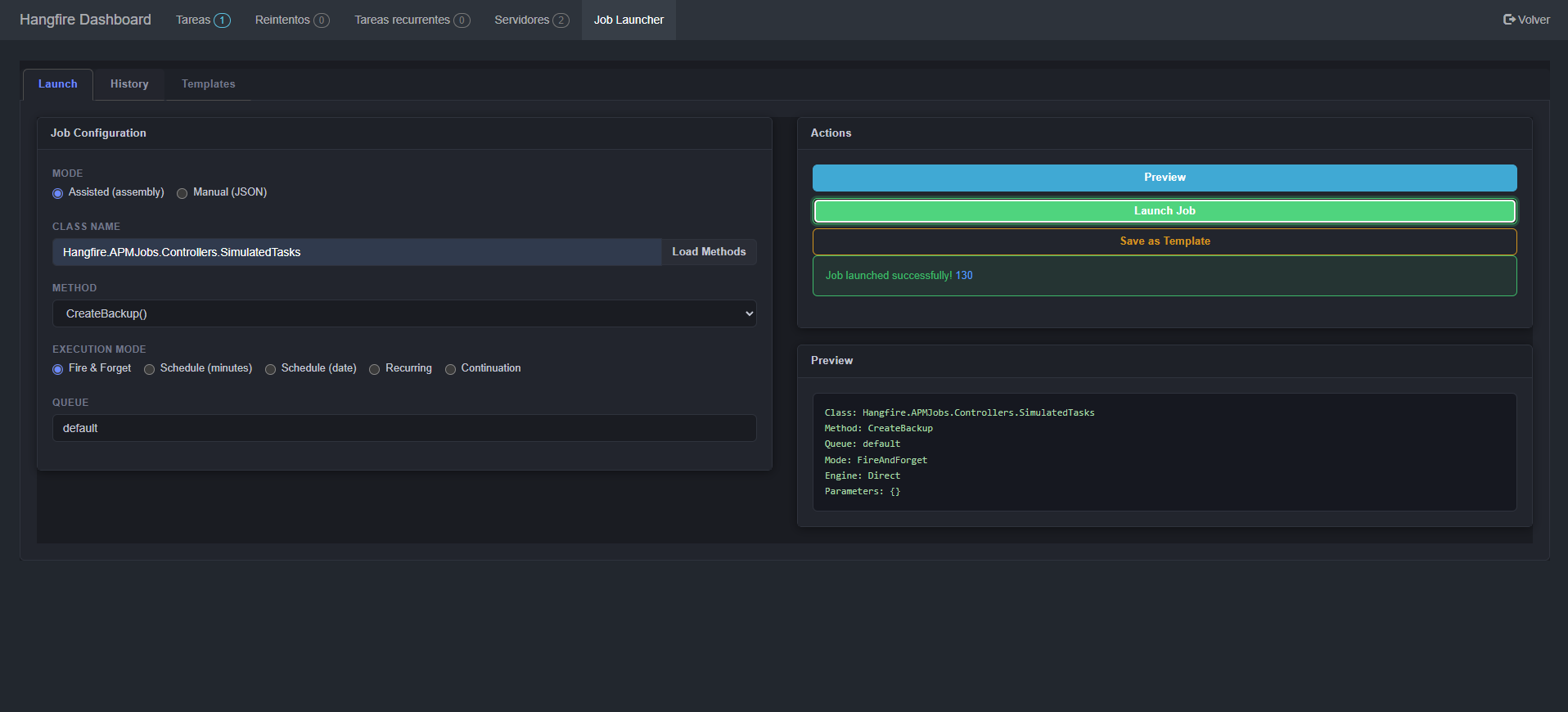
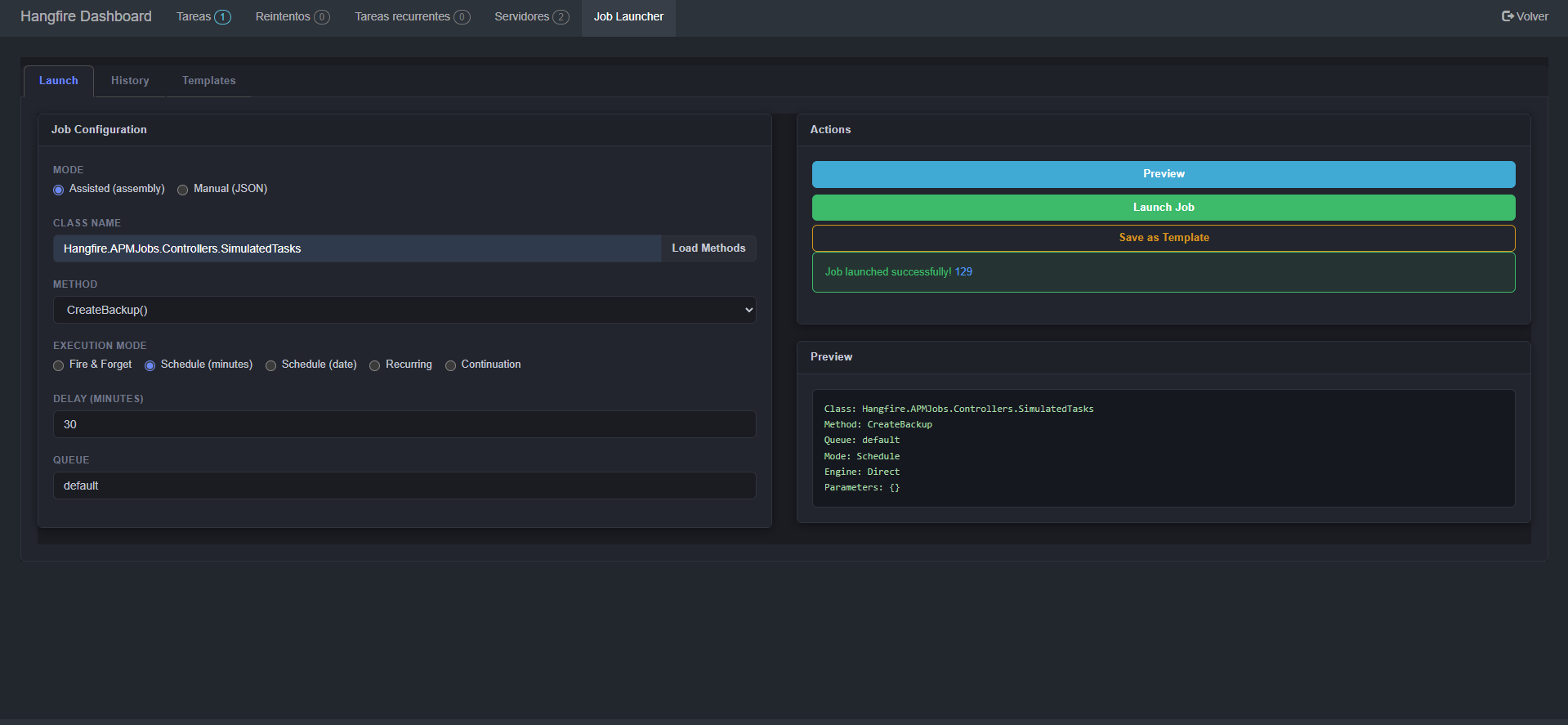
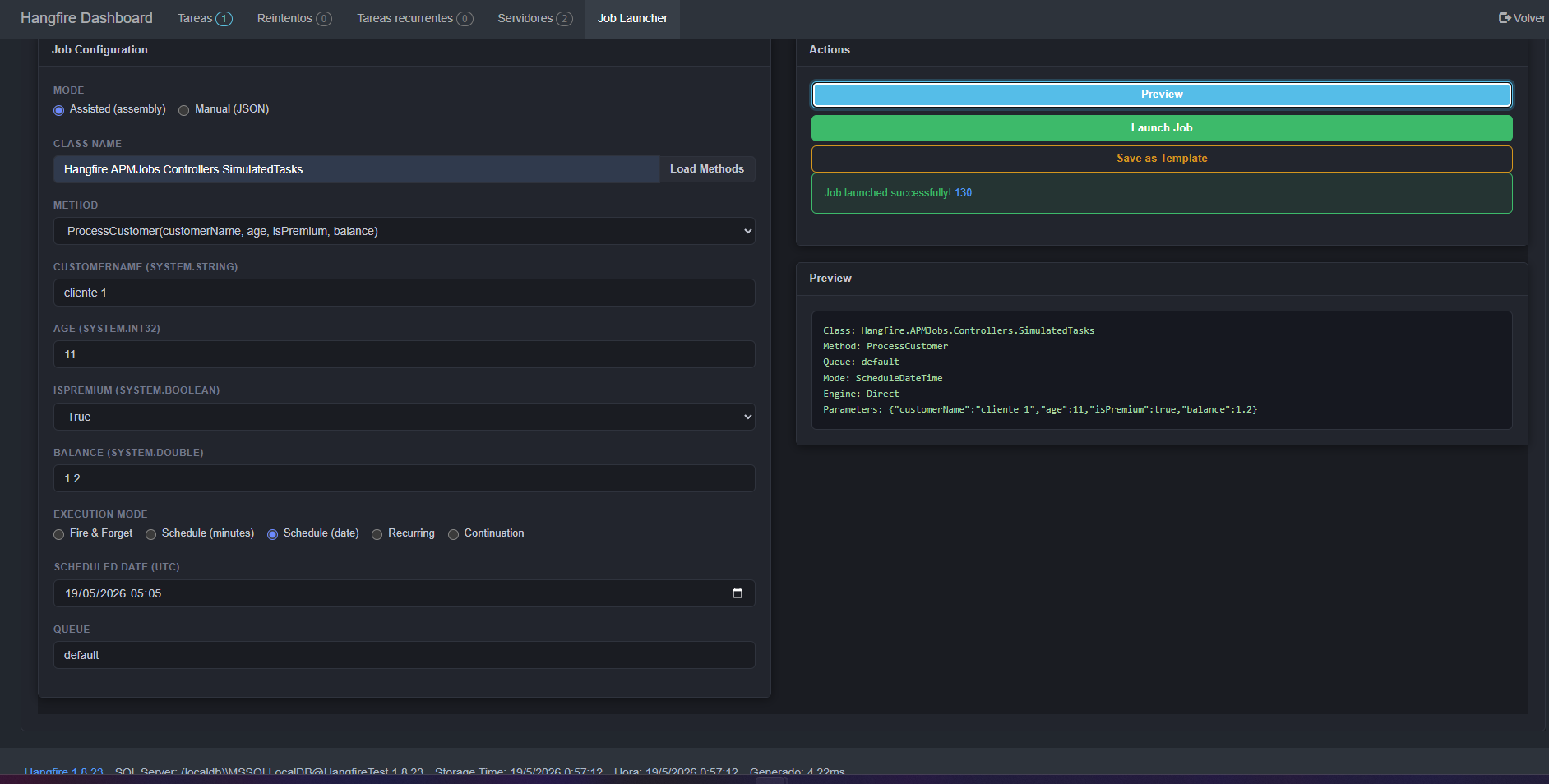
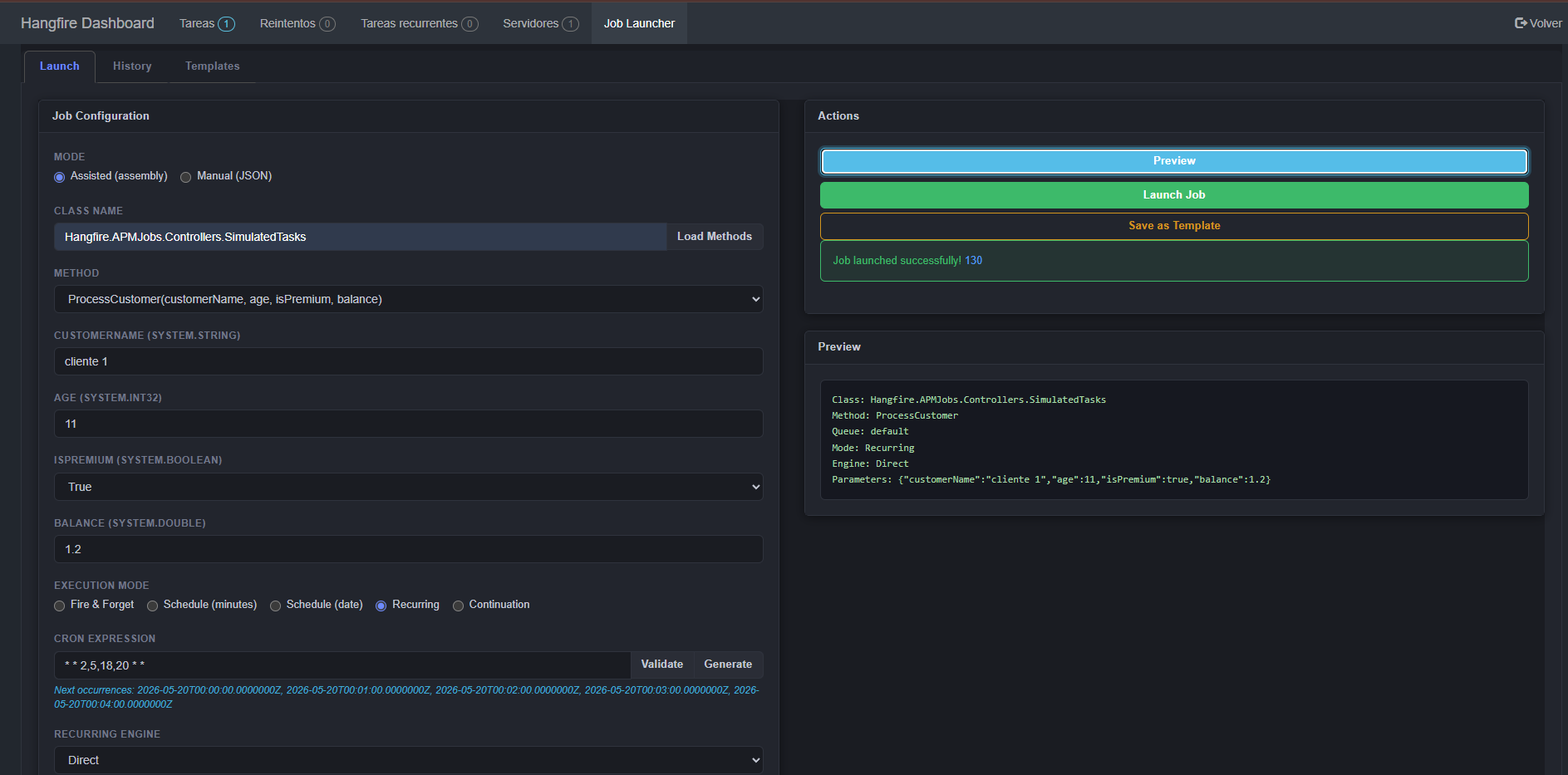
|
VOOZH | about |
|
VOOZH | about |
dotnet add package Hangfire.Community.JobsLauncher.Dashboard --version 2.0.2
NuGet\Install-Package Hangfire.Community.JobsLauncher.Dashboard -Version 2.0.2
<PackageReference Include="Hangfire.Community.JobsLauncher.Dashboard" Version="2.0.2" />
<PackageVersion Include="Hangfire.Community.JobsLauncher.Dashboard" Version="2.0.2" />Directory.Packages.props
<PackageReference Include="Hangfire.Community.JobsLauncher.Dashboard" />Project file
paket add Hangfire.Community.JobsLauncher.Dashboard --version 2.0.2
#r "nuget: Hangfire.Community.JobsLauncher.Dashboard, 2.0.2"
#:package Hangfire.Community.JobsLauncher.Dashboard@2.0.2
#addin nuget:?package=Hangfire.Community.JobsLauncher.Dashboard&version=2.0.2Install as a Cake Addin
#tool nuget:?package=Hangfire.Community.JobsLauncher.Dashboard&version=2.0.2Install as a Cake Tool
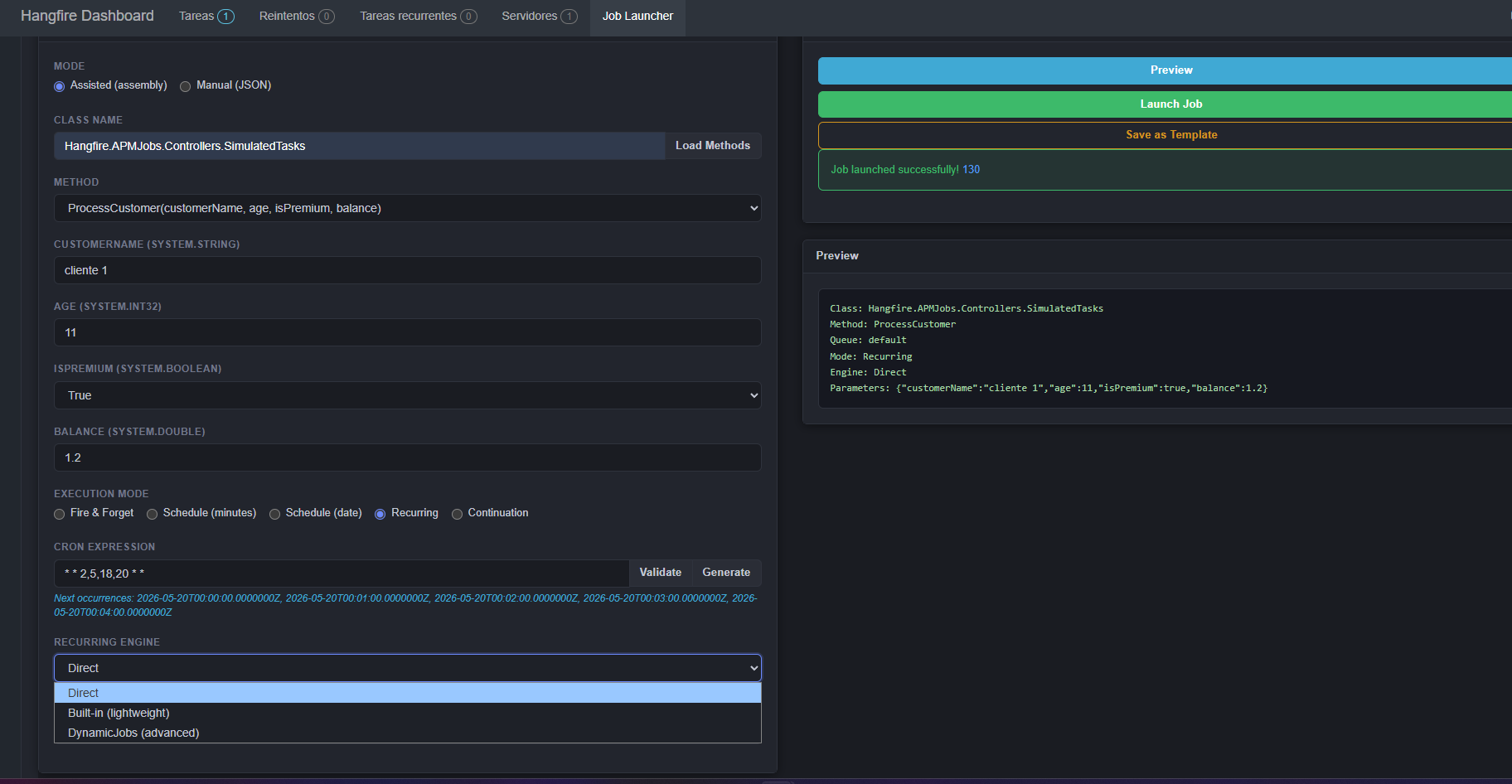
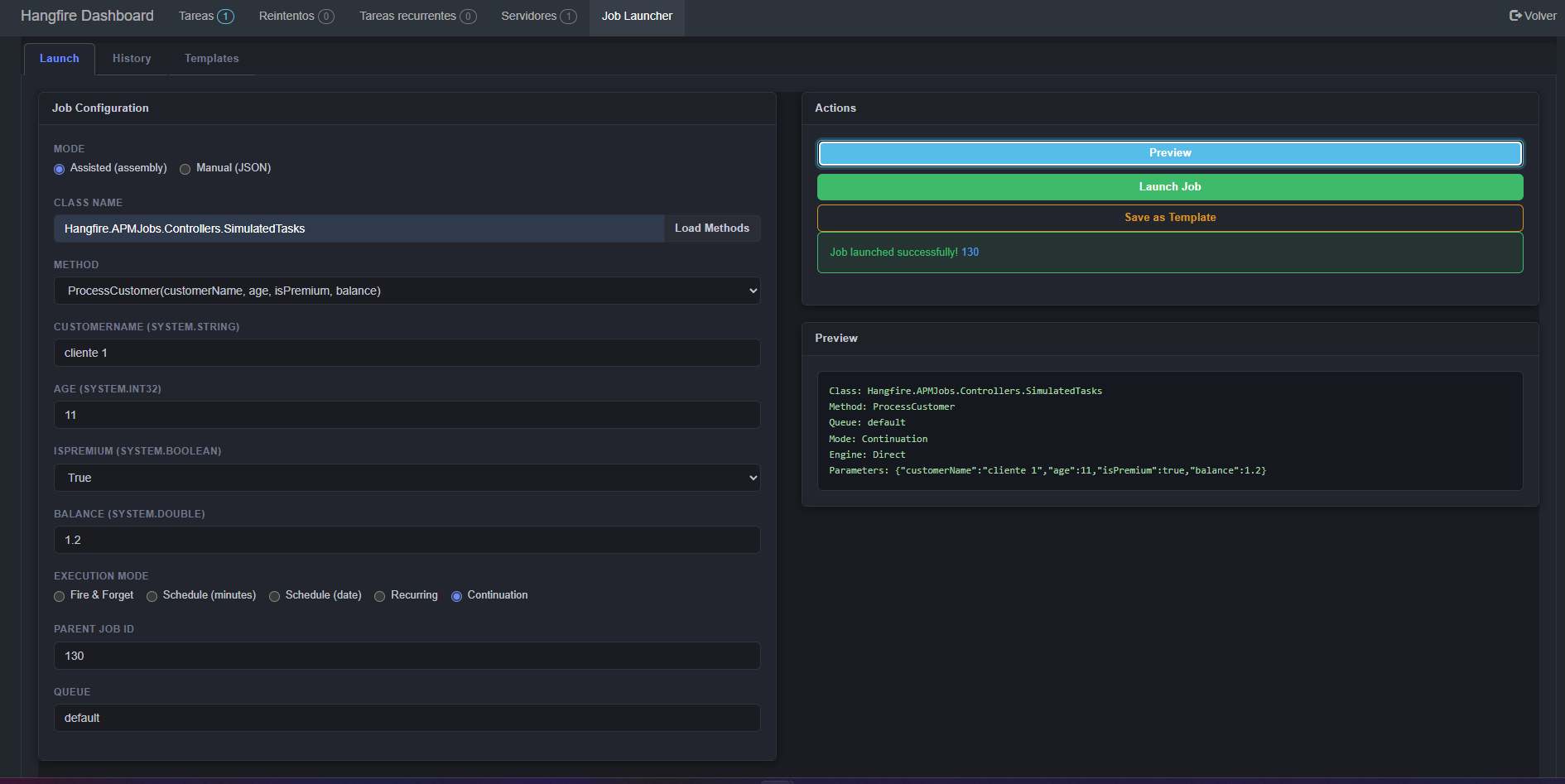
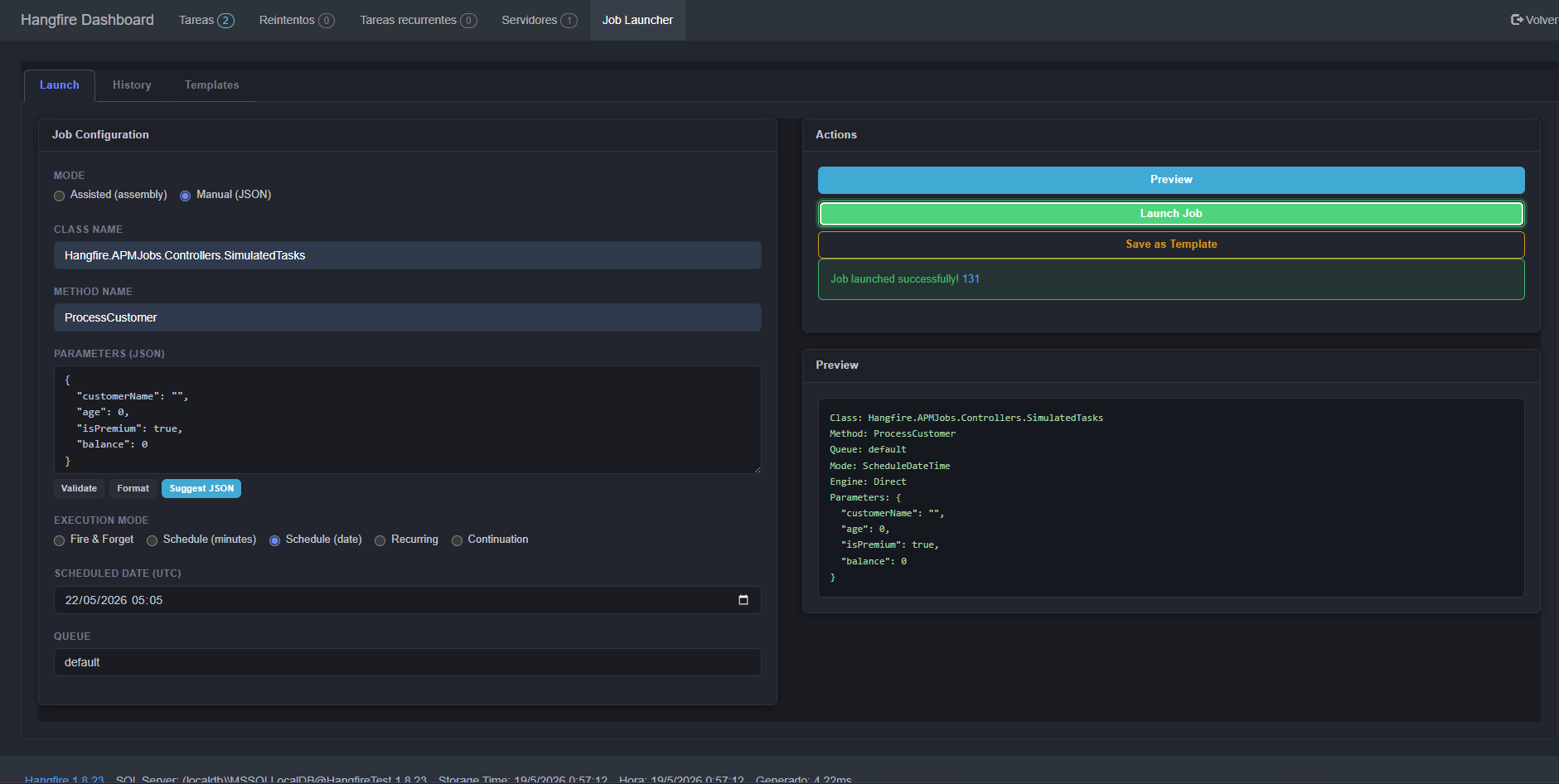
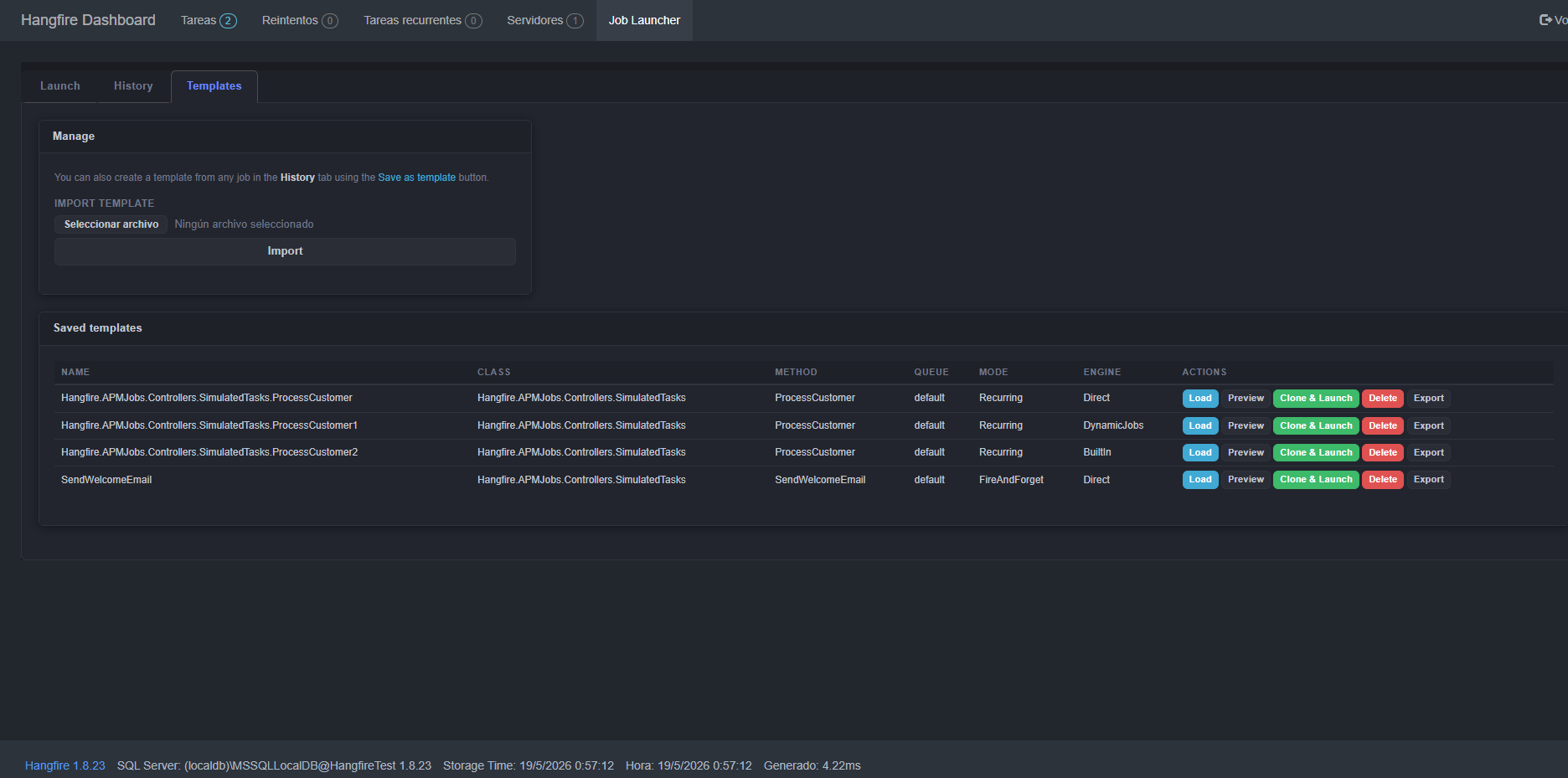
A Hangfire Dashboard extension that fills the gap between scheduled automation and ad‑hoc operations. It was born from the need to launch jobs on demand without redeploying and to keep a permanent, searchable audit trail of those manual interventions.
| Area | What you can do |
|---|---|
| Assisted Launch | Discover classes, methods and parameters via reflection if the business assembly is loaded in the dashboard. |
| Manual Launch | Type the class name, method and a JSON payload – no business dependencies required on the dashboard side. |
| Execution Modes | Fire & Forget, Schedule (delay or UTC date), Recurring (with Cron expression) and Continuation. |
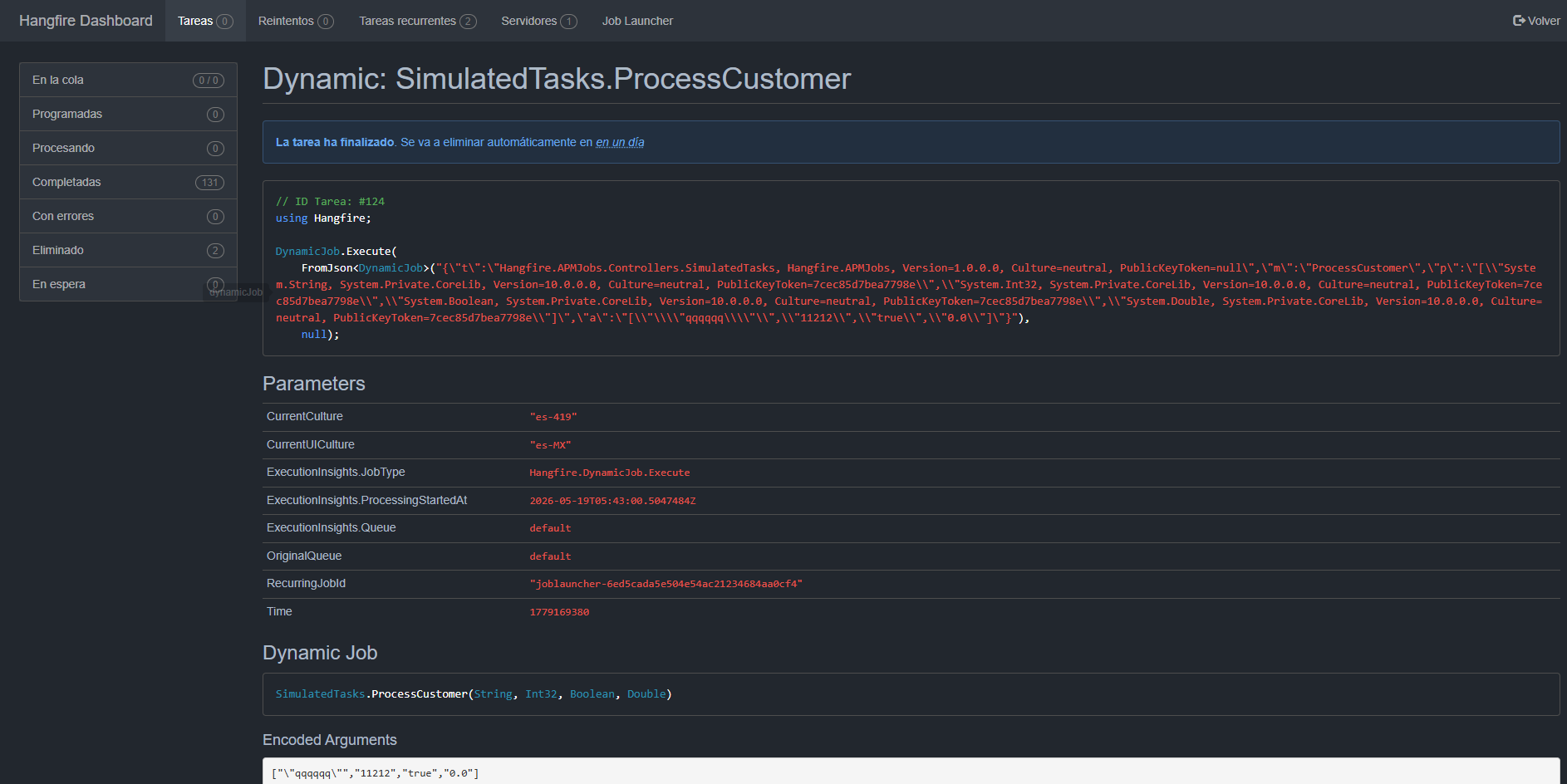
| Recurring Engines | Built‑in (lightweight, uses the dispatcher) or DynamicJobs – selectable directly from the UI. |
| Smart Parameter Editor | Native inputs for simple types; JSON editor for complex types (lists, dictionaries, objects, enums, nullables). |
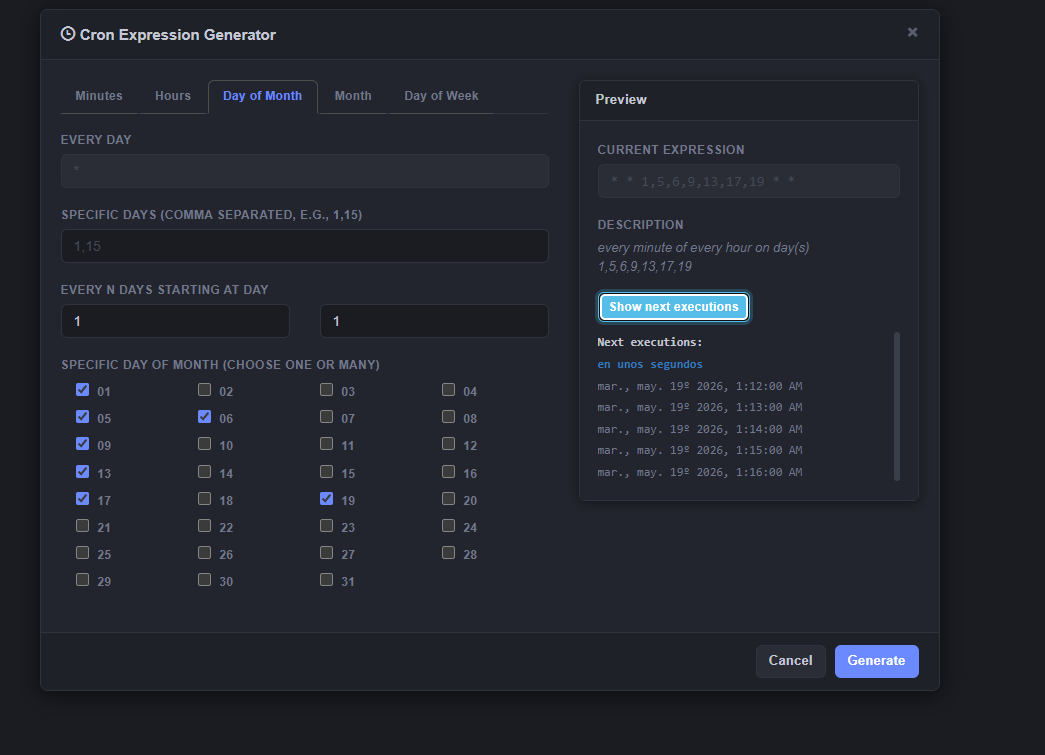
| Cron Generator | Visual builder with minute / hour / day / month / weekday tabs, preview of next executions and human‑readable description. |
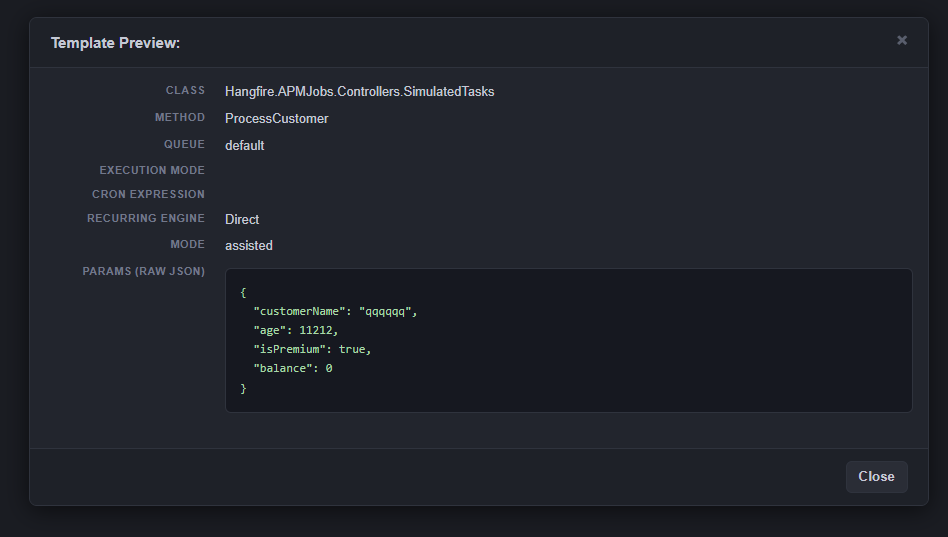
| Reusable Templates | Save any job configuration as a named template, load it later, or export/import as JSON files. |
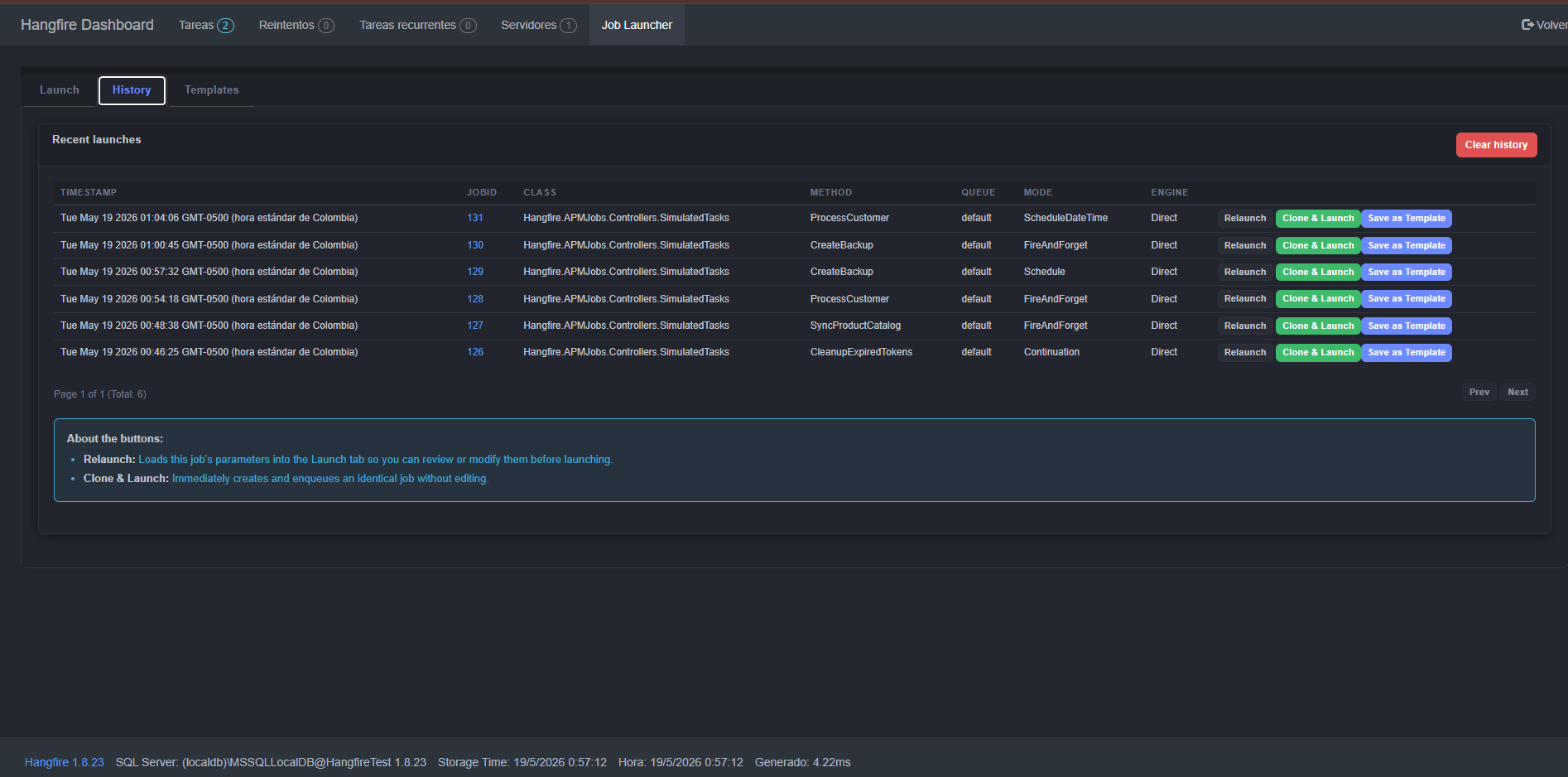
| History with Pagination | Browse recent launches with full pagination, relaunch, clone‑and‑launch or save as template. |
| Immutable Audit Log | Optional, read‑only log of every launch, independent of the volatile history. Support for filtering by user, date range and pagination. |
| Critical Queues | Warns the user when targeting a production queue and asks for explicit confirmation. |
| Live Preview & Shortcuts | See a summary of the job before launching and use Ctrl+Enter to fire. |
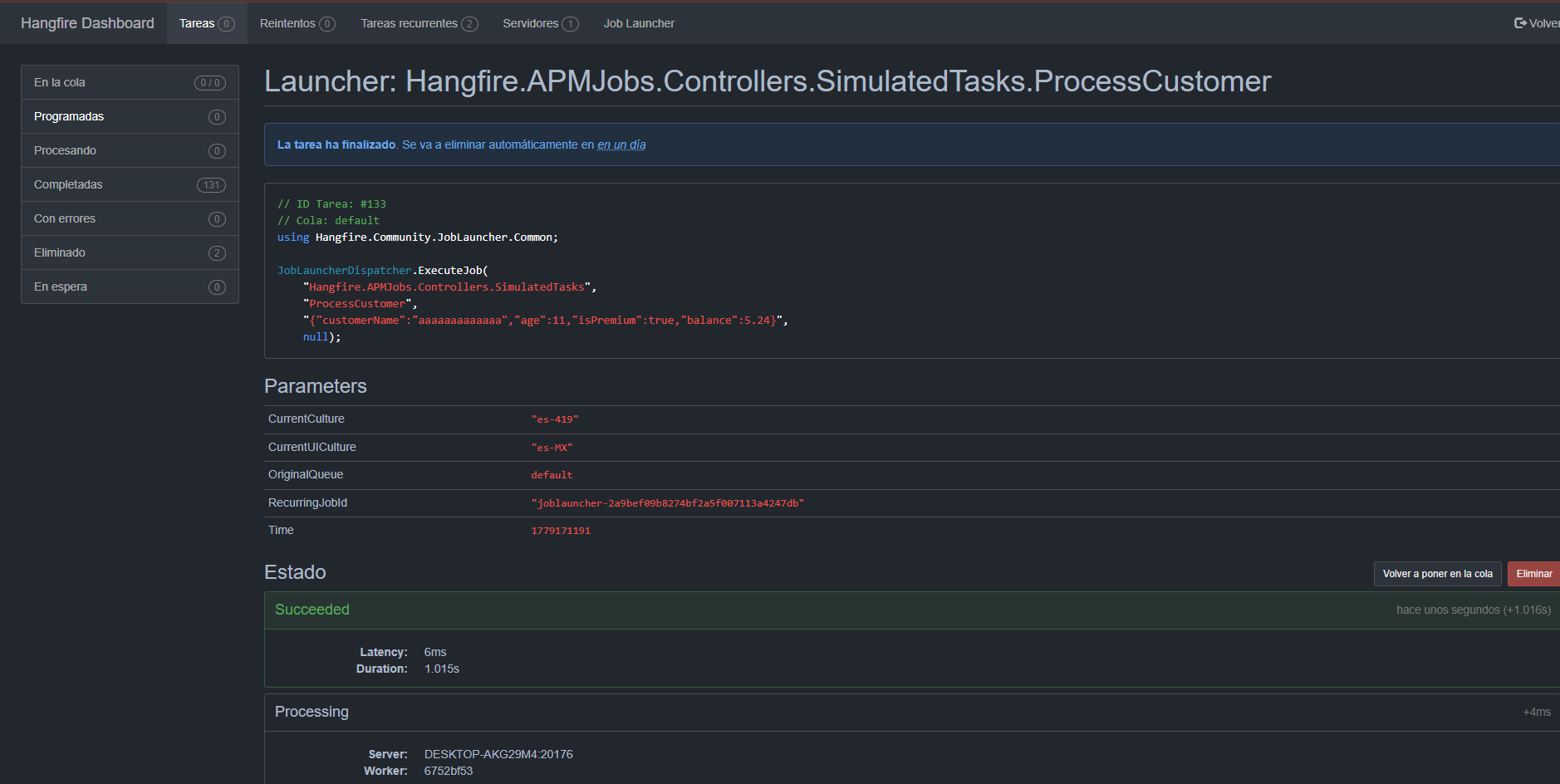
| Decoupled Execution | The dashboard never references your business classes directly; a lightweight JobLauncherDispatcher is enqueued and resolves the real type at runtime on the worker. |
BackgroundJobClient.Hangfire.Community.JobsLauncher.Common (required only on workers if manual mode is going to be used)Add the NuGet package to the project where you configure the dashboard:
dotnet add package Hangfire.Community.JobsLauncher.Dashboard
Install the common library in the worker projects that will execute manually launched jobs:
dotnet add package Hangfire.Community.JobsLauncher.Common
During worker startup, add this line to avoid "unused package" warnings and clearly document the intent:
Hangfire.Community.JobsLauncher.Common.JobLauncherDispatcher.EnableDynamicJobSupport();
Workers do not need the common library if you only use assisted mode (with assemblies available) or never run manual jobs.
In the method where you set up Hangfire (e.g., Startup.cs), add:
GlobalConfiguration.Configuration.UseJobLauncher(new JobLauncherOptions
{
 CriticalQueues = new List<string> { "production", "critical" },
 HistoryMaxEntries = 50,
 EnableAuditLog = true,
 InheritTheme = true
});
using Hangfire;
using Hangfire.Community.JobsLauncher.Dashboard;

namespace Application
{
 public class Startup
 {
 public void ConfigureServices(IServiceCollection services)
 {
 services.AddHangfire(configuration =>
 {
 configuration
 .UseMemoryStorage() // or your storage
 .UseJobLauncher(); // Add the Jobs launcher page
 });

 services.AddHangfireServer();
 }
 }
}
using Hangfire;
using Hangfire.Community.JobsLauncher.Dashboard;

namespace Application
{
 public class Startup
 {
 public void Configuration(IAppBuilder app)
 {
 GlobalConfiguration.Configuration
 .UseJobLauncher(); // Add the Jobs launcher page

 app.UseHangfireDashboard();
 }
 }
}
Register the dashboard in your application:
app.UseHangfireDashboard("/hangfire", new DashboardOptions
{
 // ... your authorization configuration, etc.
});
The plugin automatically appears as a new "Job Launcher" tab in the navigation menu.
Assisted mode (requires the class to be available in the AppDomain):
Namespace.ClassName) and click Load Methods.Manual mode (without access to the assembly):
HistoryMaxEntries).| Project | Description |
|---|---|
Hangfire.Community.JobsLauncher.Dashboard |
Dashboard plugin (APIs, Razor page) |
Hangfire.Community.JobsLauncher.Common |
Shared library containing JobLauncherDispatcher |
DirectJobInvoker enqueues the job directly with real types (no dispatcher involved). The worker only needs the business assembly.JobLauncherDispatcher.ExecuteJob(...) is used, receiving the class name, method, and serialized parameters as JSON. The dispatcher performs the reflection on the worker. The worker requires the common library.DashboardOptions.This project is distributed under the MIT License. See the file for details.
All contributions are welcome. Please open an issue or pull request in the official repository.
| Product | Versions Compatible and additional computed target framework versions. |
|---|---|
| .NET | net5.0 net5.0 was computed. net5.0-windows net5.0-windows was computed. net6.0 net6.0 was computed. net6.0-android net6.0-android was computed. net6.0-ios net6.0-ios was computed. net6.0-maccatalyst net6.0-maccatalyst was computed. net6.0-macos net6.0-macos was computed. net6.0-tvos net6.0-tvos was computed. net6.0-windows net6.0-windows was computed. net7.0 net7.0 was computed. net7.0-android net7.0-android was computed. net7.0-ios net7.0-ios was computed. net7.0-maccatalyst net7.0-maccatalyst was computed. net7.0-macos net7.0-macos was computed. net7.0-tvos net7.0-tvos was computed. net7.0-windows net7.0-windows was computed. net8.0 net8.0 was computed. net8.0-android net8.0-android was computed. net8.0-browser net8.0-browser was computed. net8.0-ios net8.0-ios was computed. net8.0-maccatalyst net8.0-maccatalyst was computed. net8.0-macos net8.0-macos was computed. net8.0-tvos net8.0-tvos was computed. net8.0-windows net8.0-windows was computed. net9.0 net9.0 was computed. net9.0-android net9.0-android was computed. net9.0-browser net9.0-browser was computed. net9.0-ios net9.0-ios was computed. net9.0-maccatalyst net9.0-maccatalyst was computed. net9.0-macos net9.0-macos was computed. net9.0-tvos net9.0-tvos was computed. net9.0-windows net9.0-windows was computed. net10.0 net10.0 was computed. net10.0-android net10.0-android was computed. net10.0-browser net10.0-browser was computed. net10.0-ios net10.0-ios was computed. net10.0-maccatalyst net10.0-maccatalyst was computed. net10.0-macos net10.0-macos was computed. net10.0-tvos net10.0-tvos was computed. net10.0-windows net10.0-windows was computed. |
| .NET Core | netcoreapp2.0 netcoreapp2.0 was computed. netcoreapp2.1 netcoreapp2.1 was computed. netcoreapp2.2 netcoreapp2.2 was computed. netcoreapp3.0 netcoreapp3.0 was computed. netcoreapp3.1 netcoreapp3.1 was computed. |
| .NET Standard | netstandard2.0 netstandard2.0 is compatible. netstandard2.1 netstandard2.1 was computed. |
| .NET Framework | net461 net461 was computed. net462 net462 was computed. net463 net463 was computed. net47 net47 was computed. net471 net471 was computed. net472 net472 was computed. net48 net48 was computed. net481 net481 was computed. |
| MonoAndroid | monoandroid monoandroid was computed. |
| MonoMac | monomac monomac was computed. |
| MonoTouch | monotouch monotouch was computed. |
| Tizen | tizen40 tizen40 was computed. tizen60 tizen60 was computed. |
| Xamarin.iOS | xamarinios xamarinios was computed. |
| Xamarin.Mac | xamarinmac xamarinmac was computed. |
| Xamarin.TVOS | xamarintvos xamarintvos was computed. |
| Xamarin.WatchOS | xamarinwatchos xamarinwatchos was computed. |
This package is not used by any NuGet packages.
This package is not used by any popular GitHub repositories.
| Version | Downloads | Last Updated | |
|---|---|---|---|
| 2.0.2 | 103 | 5/19/2026 | |
| 2.0.1 | 101 | 5/19/2026 | |
| 1.0.0 | 145 | 5/2/2026 | 1.0.0 is deprecated because it is no longer maintained and has critical bugs. |