|
VOOZH | about |
|
VOOZH | about |
dotnet add package IronPdf.Slim --version 2026.6.1
NuGet\Install-Package IronPdf.Slim -Version 2026.6.1
<PackageReference Include="IronPdf.Slim" Version="2026.6.1" />
<PackageVersion Include="IronPdf.Slim" Version="2026.6.1" />Directory.Packages.props
<PackageReference Include="IronPdf.Slim" />Project file
paket add IronPdf.Slim --version 2026.6.1
#r "nuget: IronPdf.Slim, 2026.6.1"
#:package IronPdf.Slim@2026.6.1
#addin nuget:?package=IronPdf.Slim&version=2026.6.1Install as a Cake Addin
#tool nuget:?package=IronPdf.Slim&version=2026.6.1Install as a Cake Tool
👁 Nuget
👁 Installs
👁 Passed
👁 windows
👁 macOS
👁 linux
👁 docker
👁 aws
👁 microsoftazure
👁 livechat
👁 IronPDF NuGet Trial Banner Image
PM> Install-Package IronPdf
using IronPdf;

// Instantiates Chrome Renderer
var Renderer = new ChromePdfRenderer();

// Render Html contents as PDF
var pdf = Renderer.RenderHtmlAsPdf("<h1>~Hello World~</h1> Made with IronPDF!");

// Saves our PdfDocument object as a PDF
pdf.SaveAs("html_saved.pdf");
Dive deeper with our extensive documentation and examples:
Tutorials: Step-by-step guides to help you build your first PDF application.
Code Examples: Practical examples of executable code for common tasks.
How-To Guides: Practical, goal-oriented instructions to solve specific problems.
Demo: Demonstrating guides that showcase how IronPDF works the way it does.
API Reference: Detailed technical descriptions of the API and its components.
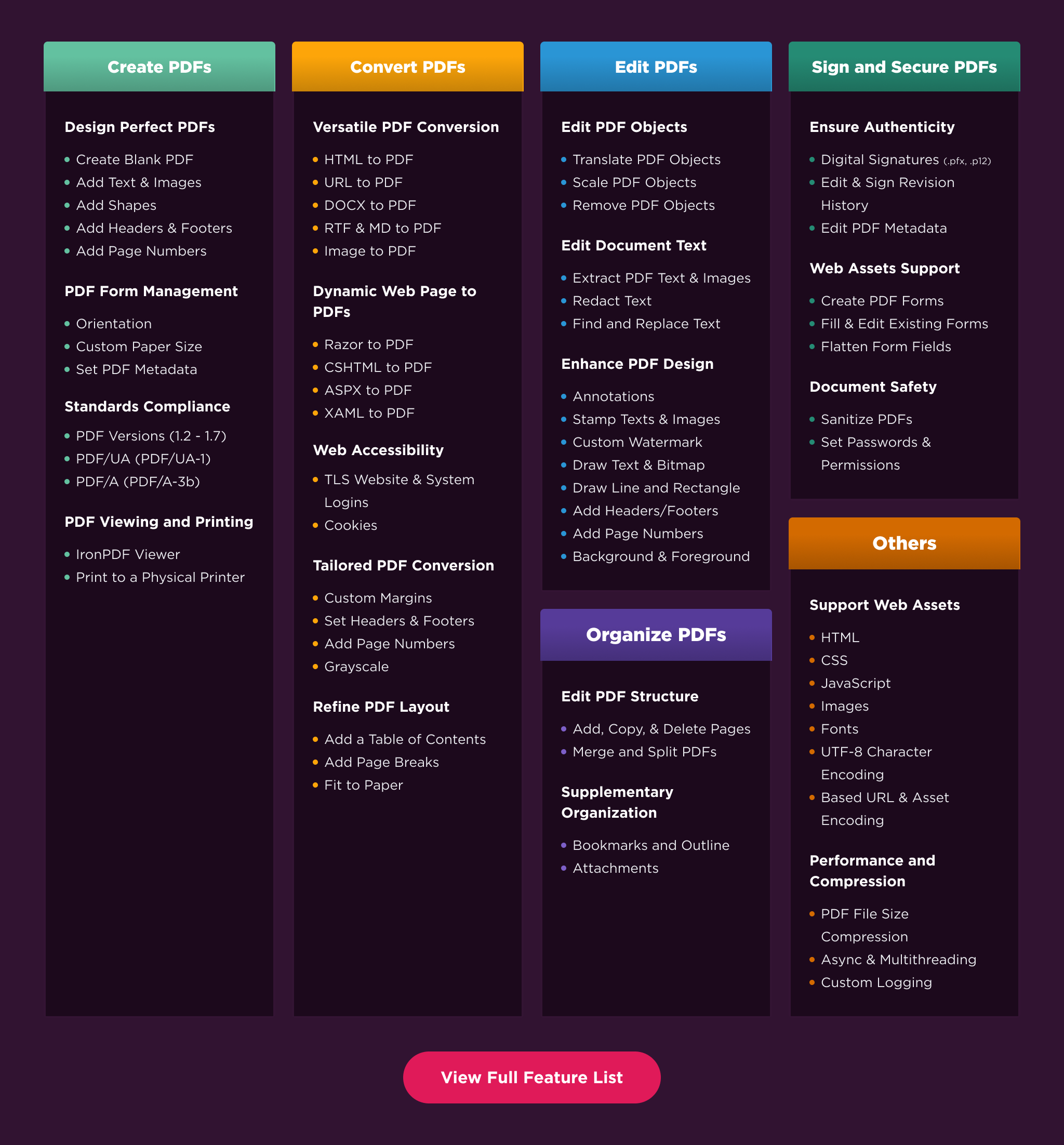
Create PDFs: Create PDFs from scratch with a simple set of codes.
Convert PDF: Convert PDFs from HTML, images, docx, and website pages.
Edit PDFs: Modify existing PDF documents. Add text, images, watermarks, and headers/footers with ease.
Organize PDFs: Merge, split, add or remove pages, and manipulate document properties.
Sign & Secure PDFs: Add digital signatures, set passwords, and manage user permissions to protect your documents.
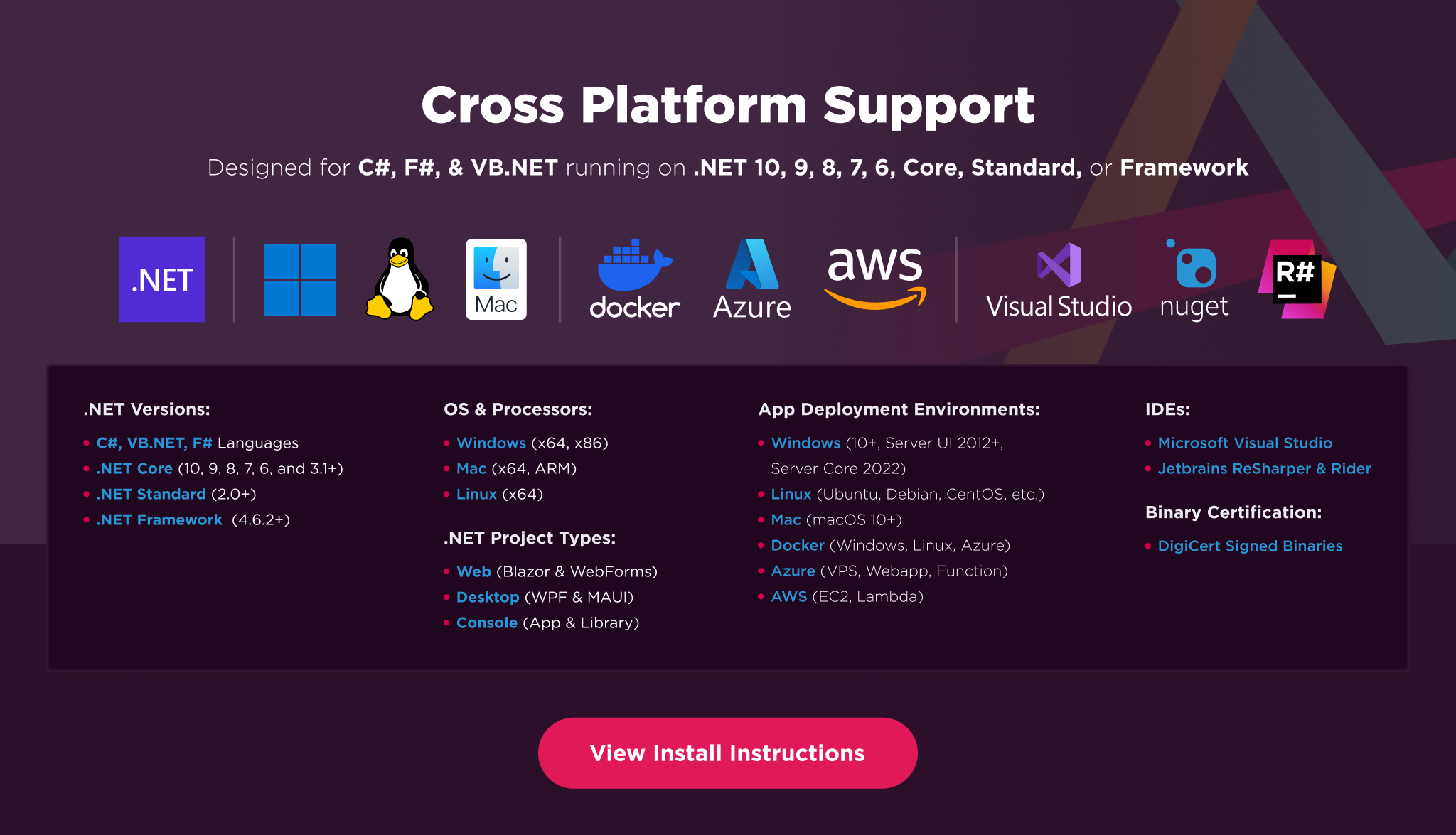
Platforms: .NET 10, .NET 9, .NET 8, .NET 7, .NET 6, .NET 5, Core 2x & 3x, Standard 2
Framework: .NET Framework 4.6.2 (and above)
App Models: Console, Web, and Desktop Apps, MVC, Blazor, MAUI, Razor Pages, Web Forms
Operating Systems: Windows, macOS, Linux (Debian, CentOS, Ubuntu)
IDEs: Microsoft Visual Studio or Jetbrains ReSharper & Rider
👁 IronPDF Cross Platform Compatibility Support Image
IronPDF is a commercially licensed product.
Trial License: Get a free developer key to evaluate the full library with no commitment. Ideal for development and testing purposes. Start your trial HERE.
Purchase a License: Unlock the library for use in commercial projects and get access to our full technical support. Purchase your license HERE.
Have a question or running into an issue?
Email Support: Reach out to our team directly at support@ironsoftware.com.
Live Chat Support: https://ironpdf.com/#helpscout-support
Report a Bug: https://ironsoftware.com/ticket-submission/
Community: https://ironsoftware.com/company/iron-slack-community/
| Product | Versions Compatible and additional computed target framework versions. |
|---|---|
| .NET | net5.0 net5.0 was computed. net5.0-windows net5.0-windows was computed. net6.0 net6.0 is compatible. net6.0-android net6.0-android was computed. net6.0-ios net6.0-ios was computed. net6.0-maccatalyst net6.0-maccatalyst was computed. net6.0-macos net6.0-macos was computed. net6.0-tvos net6.0-tvos was computed. net6.0-windows net6.0-windows was computed. net7.0 net7.0 was computed. net7.0-android net7.0-android was computed. net7.0-ios net7.0-ios was computed. net7.0-maccatalyst net7.0-maccatalyst was computed. net7.0-macos net7.0-macos was computed. net7.0-tvos net7.0-tvos was computed. net7.0-windows net7.0-windows was computed. net8.0 net8.0 was computed. net8.0-android net8.0-android was computed. net8.0-browser net8.0-browser was computed. net8.0-ios net8.0-ios was computed. net8.0-maccatalyst net8.0-maccatalyst was computed. net8.0-macos net8.0-macos was computed. net8.0-tvos net8.0-tvos was computed. net8.0-windows net8.0-windows was computed. net9.0 net9.0 was computed. net9.0-android net9.0-android was computed. net9.0-browser net9.0-browser was computed. net9.0-ios net9.0-ios was computed. net9.0-maccatalyst net9.0-maccatalyst was computed. net9.0-macos net9.0-macos was computed. net9.0-tvos net9.0-tvos was computed. net9.0-windows net9.0-windows was computed. net10.0 net10.0 was computed. net10.0-android net10.0-android was computed. net10.0-browser net10.0-browser was computed. net10.0-ios net10.0-ios was computed. net10.0-maccatalyst net10.0-maccatalyst was computed. net10.0-macos net10.0-macos was computed. net10.0-tvos net10.0-tvos was computed. net10.0-windows net10.0-windows was computed. |
| .NET Core | netcoreapp2.0 netcoreapp2.0 was computed. netcoreapp2.1 netcoreapp2.1 was computed. netcoreapp2.2 netcoreapp2.2 was computed. netcoreapp3.0 netcoreapp3.0 was computed. netcoreapp3.1 netcoreapp3.1 was computed. |
| .NET Standard | netstandard2.0 netstandard2.0 is compatible. netstandard2.1 netstandard2.1 was computed. |
| .NET Framework | net461 net461 was computed. net462 net462 was computed. net463 net463 was computed. net47 net47 was computed. net471 net471 was computed. net472 net472 was computed. net48 net48 was computed. net481 net481 was computed. |
| MonoAndroid | monoandroid monoandroid was computed. |
| MonoMac | monomac monomac was computed. |
| MonoTouch | monotouch monotouch was computed. |
| Tizen | tizen40 tizen40 was computed. tizen60 tizen60 was computed. |
| Xamarin.iOS | xamarinios xamarinios was computed. |
| Xamarin.Mac | xamarinmac xamarinmac was computed. |
| Xamarin.TVOS | xamarintvos xamarintvos was computed. |
| Xamarin.WatchOS | xamarinwatchos xamarinwatchos was computed. |
Showing the top 5 NuGet packages that depend on IronPdf.Slim:
| Package | Downloads |
|---|---|
|
IronPdf
IronPDF helps C# Software Engineers to create, edit and extract PDF content in .NET projects. # C# HTML to PDF for .NET 10, .NET 9, .NET 8, .NET 7, .NET 6, .NET 5, Core, Standard, and Framework # Work with PDFs in C# using HTML, MVC, ASPX, and images # Generate, Edit, Read and Secure PDF Documents Generate PDFs with Pixel Perfect Chrome HTML to PDF Rendering: The Iron PDF library takes the frustration out of generating PDF documents by not relying on proprietary APIs. “Html-To-Pdf” renders pixel-perfect PDFs from open standard document types: HTML, JS, CSS, JPG, PNG, GIF, and SVG. In short, it uses the skills that developers already possess. Fully Supports: * .NET 10, .NET 9, .NET 8, .NET 7, .NET 6, .NET 5, Framework, Core, and Standard * Windows, MacOS, Linux, Azure, Docker and AWS For code examples, tutorials and documentation visit: https://ironpdf.com/ |
|
|
IronPdf.Linux
IronPDF helps C# Software Engineers to create, edit and extract PDF content in .NET projects. # C# HTML to PDF for .NET 10, .NET 9, .NET 8, .NET 7, .NET 6, .NET 5, Core, Standard, and Framework # Work with PDFs in C# using HTML, MVC, ASPX, and images # Generate, Edit, Read and Secure PDF Documents Generate PDFs with Pixel Perfect Chrome HTML to PDF Rendering: The Iron PDF library takes the frustration out of generating PDF documents by not relying on proprietary APIs. “Html-To-Pdf” renders pixel-perfect PDFs from open standard document types: HTML, JS, CSS, JPG, PNG, GIF, and SVG. In short, it uses the skills that developers already possess. Fully Supports: * .NET 10, .NET 9, .NET 8, .NET 7, .NET 6, .NET 5, Framework, Core, and Standard * Windows, MacOS, Linux, Azure, Docker and AWS For code examples, tutorials and documentation visit https://ironpdf.com/ |
|
|
IronPdf.MacOs
IronPDF helps C# Software Engineers to create, edit and extract PDF content in .NET projects. # C# HTML to PDF for .NET 10, .NET 9, .NET 8, .NET 7, .NET 6, .NET 5, Core, Standard, and Framework # Work with PDFs in C# using HTML, MVC, ASPX, and images # Generate, Edit, Read and Secure PDF Documents Generate PDFs with Pixel Perfect Chrome HTML to PDF Rendering: The Iron PDF library takes the frustration out of generating PDF documents by not relying on proprietary APIs. “Html-To-Pdf” renders pixel-perfect PDFs from open standard document types: HTML, JS, CSS, JPG, PNG, GIF, and SVG. In short, it uses the skills that developers already possess. Fully Supports: * .NET 10, .NET 9, .NET 8, .NET 7, .NET 6, .NET 5, Framework, Core, and Standard * Windows, MacOS, Linux, Azure, Docker and AWS For code examples, tutorials and documentation visit https://ironpdf.com/ |
|
|
Dynamicweb.Admin
Package Description |
|
|
IronPdf.MacOs.ARM
IronPDF helps C# Software Engineers to create, edit and extract PDF content in .NET projects. # C# HTML to PDF for .NET 10, .NET 9, .NET 8, .NET 7, .NET 6, .NET 5, Core, Standard, and Framework # Work with PDFs in C# using HTML, MVC, ASPX, and images # Generate, Edit, Read and Secure PDF Documents Generate PDFs with Pixel Perfect Chrome HTML to PDF Rendering: The Iron PDF library takes the frustration out of generating PDF documents by not relying on proprietary APIs. “Html-To-Pdf” renders pixel-perfect PDFs from open standard document types: HTML, JS, CSS, JPG, PNG, GIF, and SVG. In short, it uses the skills that developers already possess. Fully Supports: * .NET 8,.NET 7, .NET 6, .NET 5, Framework, Core, and Standard * Windows, MacOS, Linux, Azure, Docker and AWS For code examples, tutorials and documentation visit https://ironpdf.com/ |
This package is not used by any popular GitHub repositories.
| Version | Downloads | Last Updated |
|---|---|---|
| 2026.6.1 | 48,218 | 5/26/2026 |
| 2026.5.2 | 82,902 | 4/29/2026 |
| 2026.4.1 | 131,367 | 3/27/2026 |
| 2026.3.1 | 127,131 | 2/26/2026 |
| 2026.2.1 | 39,778 | 2/17/2026 |
| 2026.1.3 | 32,082 | 2/9/2026 |
| 2025.12.2 | 292,705 | 12/26/2025 |
| 2025.11.12 | 230,339 | 11/10/2025 |
| 2025.10.8 | 243,991 | 10/8/2025 |
| 2025.9.4 | 204,535 | 9/2/2025 |
| 2025.8.8 | 131,556 | 8/13/2025 |
| 2025.7.17 | 119,214 | 7/22/2025 |
| 2025.6.8 | 262,311 | 6/17/2025 |
| 2025.5.6 | 134,082 | 5/13/2025 |
| 2025.4.4 | 256,959 | 4/8/2025 |
| 2025.3.6 | 286,606 | 3/5/2025 |
| 2025.2.8 | 189,928 | 2/3/2025 |
Enhancements
- Added AdvancedCompressionOptions for fine-grained PDF compression control, including image DPI downsampling, JPEG quality settings, structure-tree removal, and customizable optimization flags
- Added PdfDocument.SetFormFont, SetFormFontFromFile, and DisableFormFontFallback APIs to control or suppress automatic form-field font embedding
- Added ECDSA PDF signature support with correct SHA/OID mappings for reliable verification and signing of EC-signed PDFs
Bug Fixes
- Fixed invisible or missing headers and footers on scanner-generated and browser-printed PDFs
- Fixed an issue where CopyPages could drop form fields with shared widget annotations across multiple pages, causing visible fields to disappear in copied documents
- Fixed incorrect Table of Contents page numbers for long headings that wrapped across multiple rendered lines
- Fixed excessive PDF size growth when combining static content headers/footers with dynamic content in large documents
- Fixed IronPdfEngine queue deadlocks under concurrent load
Updates
- Updated internal dependencies