|
VOOZH | about |
|
VOOZH | about |
dotnet add package Jobbr.Storage.MsSql --version 3.1.1
NuGet\Install-Package Jobbr.Storage.MsSql -Version 3.1.1
<PackageReference Include="Jobbr.Storage.MsSql" Version="3.1.1" />
<PackageVersion Include="Jobbr.Storage.MsSql" Version="3.1.1" />Directory.Packages.props
<PackageReference Include="Jobbr.Storage.MsSql" />Project file
paket add Jobbr.Storage.MsSql --version 3.1.1
#r "nuget: Jobbr.Storage.MsSql, 3.1.1"
#:package Jobbr.Storage.MsSql@3.1.1
#addin nuget:?package=Jobbr.Storage.MsSql&version=3.1.1Install as a Cake Addin
#tool nuget:?package=Jobbr.Storage.MsSql&version=3.1.1Install as a Cake Tool
This is a storage adapter implementation for the Jobbr .NET JobServer to store job related information on MS SQL Servers.
👁 GitHub Checks
👁 NuGet-Stable
👁 NuGet Pre-Release
First of all you'll need a working jobserver by using the usual builder as shown in the demos (jobbrIO/demo). In addition to that you'll need to install the NuGet Package for this extension.
Install-Package Jobbr.Storage.MsSql
Since you already have a configured server, the registration of the MsSQL Storage Provider is quite easy. Actually you only need a working Database-Connection (A list of typical ConnectionStrings can be found on https://www.connectionstrings.com/sql-server/
using Jobbr.Storage.MsSql;

/* ... */

var builder = new JobbrBuilder();

builder.AddMsSqlStorage(config =>
{
 // Your connection string
 config.ConnectionString = @"Server=.\SQLEXPRESS;Integrated Security=true;InitialCatalog=JobbrDemoTest;";

 // Configure your SqlDialect (2017 is set by default)
 configuration.DialectProvider = new SqlServer2017OrmLiteDialectProvider();

 // Create tables (is set by default to true)
 configuration.CreateTablesIfNotExists = true;

 // Define how long jobs, triggers & runs should be kept in the database (optional)
 configuration.Retention = TimeSpan.FromDays(365);
});

server.Start();
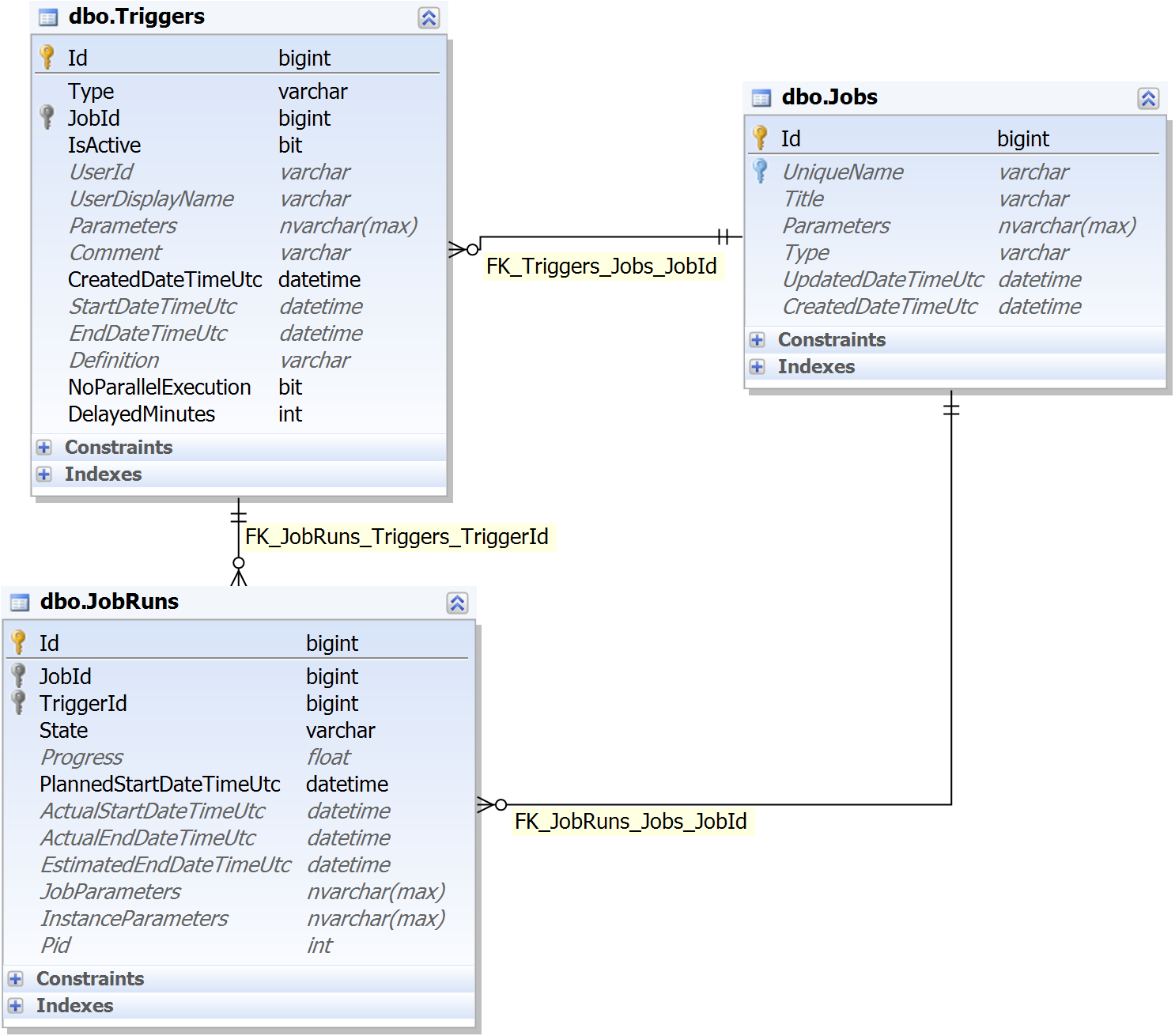
By default, the extension tries to create the tables if they are not present. You can disable this behaviour (see example above) and create the tables manually using the script located on .
This software is licenced under GPLv3. See , and the related licences of 3rd party libraries below.
This extension is built using the following great open source projects
This application was built by the following awesome developers:
| Product | Versions Compatible and additional computed target framework versions. |
|---|---|
| .NET | net8.0 net8.0 is compatible. net8.0-android net8.0-android was computed. net8.0-browser net8.0-browser was computed. net8.0-ios net8.0-ios was computed. net8.0-maccatalyst net8.0-maccatalyst was computed. net8.0-macos net8.0-macos was computed. net8.0-tvos net8.0-tvos was computed. net8.0-windows net8.0-windows was computed. net9.0 net9.0 was computed. net9.0-android net9.0-android was computed. net9.0-browser net9.0-browser was computed. net9.0-ios net9.0-ios was computed. net9.0-maccatalyst net9.0-maccatalyst was computed. net9.0-macos net9.0-macos was computed. net9.0-tvos net9.0-tvos was computed. net9.0-windows net9.0-windows was computed. net10.0 net10.0 was computed. net10.0-android net10.0-android was computed. net10.0-browser net10.0-browser was computed. net10.0-ios net10.0-ios was computed. net10.0-maccatalyst net10.0-maccatalyst was computed. net10.0-macos net10.0-macos was computed. net10.0-tvos net10.0-tvos was computed. net10.0-windows net10.0-windows was computed. |
This package is not used by any NuGet packages.
This package is not used by any popular GitHub repositories.