|
VOOZH | about |
|
VOOZH | about |
dotnet add package JupiterNebula.Wyam.Shortcodes.TabBlock --version 1.0.0
NuGet\Install-Package JupiterNebula.Wyam.Shortcodes.TabBlock -Version 1.0.0
<PackageReference Include="JupiterNebula.Wyam.Shortcodes.TabBlock" Version="1.0.0" />
<PackageVersion Include="JupiterNebula.Wyam.Shortcodes.TabBlock" Version="1.0.0" />Directory.Packages.props
<PackageReference Include="JupiterNebula.Wyam.Shortcodes.TabBlock" />Project file
paket add JupiterNebula.Wyam.Shortcodes.TabBlock --version 1.0.0
#r "nuget: JupiterNebula.Wyam.Shortcodes.TabBlock, 1.0.0"
#:package JupiterNebula.Wyam.Shortcodes.TabBlock@1.0.0
#addin nuget:?package=JupiterNebula.Wyam.Shortcodes.TabBlock&version=1.0.0Install as a Cake Addin
#tool nuget:?package=JupiterNebula.Wyam.Shortcodes.TabBlock&version=1.0.0Install as a Cake Tool
TabBlock provides a shortcode for Wyam's Markdown module to render Bootstrap-compatible tabs and tab panes in your Markdown pages.
The following needs to be added to your config.wyam file:
#n JupiterNebula.Wyam.Shortcodes.TabBlock
That's it! Wyam will discover the shortcode and automatically use it when running the Markdown module.
Currently, TabBlock just outputs basic, Bootstrap-compatible tabs and tab panes. Additional customization is planned in the future though, so stay tuned!
TabBlock uses the Wyam shortcode syntax, as defined in Wyam's documentation.
The easiest way to define tabs and tab pane content is by creating an unordered list in Markdown syntax between the opening and closing tag for the TabBlock shortcode as shown below:
<?# TabBlock ?>
- ::Tab Label 1::
All content here will be placed in the tab pane for this tab.
- ::Tab _Label_ 2 with ___formatting___::
Any _valid_ [Markdown](https://daringfireball.net/projects/markdown/syntax) can
be put __here__ as long as each line is indented so as to be included in
the Markdown list item.
- {style="max-height: 1em;"}
# Tab Pane Header
Lorem ipsum...
<?#/ TabBlock ?>
<div class="tab-block" id="TabBlock__PabWwGf5">
 <ul class="nav nav-tabs" role="tablist">
 <li class="nav-item"><a class="nav-link active" data-toggle="tab" aria-selected="true"
 aria-controls="TabBlock__PabWwGf5-0-pane" href="#TabBlock__PabWwGf5-0-pane"
 id="TabBlock__PabWwGf5-0-link"><span>Tab Label 1</span></a></li>
 <li class="nav-item"><a class="nav-link" data-toggle="tab" aria-selected="false"
 aria-controls="TabBlock__PabWwGf5-1-pane" href="#TabBlock__PabWwGf5-1-pane"
 id="TabBlock__PabWwGf5-1-link"><span>Tab <em>Label</em> 2 with
 <em><strong>formatting</strong></em></span></a></li>
 <li class="nav-item"><a class="nav-link" data-toggle="tab" aria-selected="false"
 aria-controls="TabBlock__PabWwGf5-2-pane" href="#TabBlock__PabWwGf5-2-pane"
 id="TabBlock__PabWwGf5-2-link"><img src="https://jupiternebula.com/favicon.png" class="img-fluid"
 style="max-height: 1em;" alt="Labels Can Be Images"></a></li>
 </ul>
 <div class="tab-content">
 <div class="tab-pane show active" role="tabpanel" aria-labelledby="TabBlock__PabWwGf5-0-link"
 id="TabBlock__PabWwGf5-0-pane">
 All content here will be placed in the tab pane for this tab.</div>
 <div class="tab-pane" role="tabpanel" aria-labelledby="TabBlock__PabWwGf5-1-link"
 id="TabBlock__PabWwGf5-1-pane">
 Any <em>valid</em><a href="https://daringfireball.net/projects/markdown/syntax">Markdown</a>
 can be put <strong>here</strong> as long as each line is indented so as to be included in
 the Markdown list item.</div>
 <div class="tab-pane" role="tabpanel" aria-labelledby="TabBlock__PabWwGf5-2-link"
 id="TabBlock__PabWwGf5-2-pane">
 <h1 id="tab-pane-header">Tab Pane Header</h1>
 Lorem ipsum...
 </div>
 </div>
</div>
Each tab above is represented as a Markdown list item. The labels in this example come at the beginning of each item, wrapped in a MarkDig custom container. It is not required to wrap your tab labels, but it is good practice to do so. This is because TabBlock receives your content after it has already been rendered into HTML and interprets the first HTML node it encounters in each list item as the label. The remaining nodes are interpretted as the tab pane's content (what is shown to the user when the tab is selected).
As such, wrapping the label's text (in a <span> in the example above) makes sure the label
doesn't get mixed up with the tab pane's content and that it doesn't get cut off if
you add formatting to your label (such as the second tab above). The third tab's label
didn't need to be wrapped because the first node in that case is an <a> element and not just text.
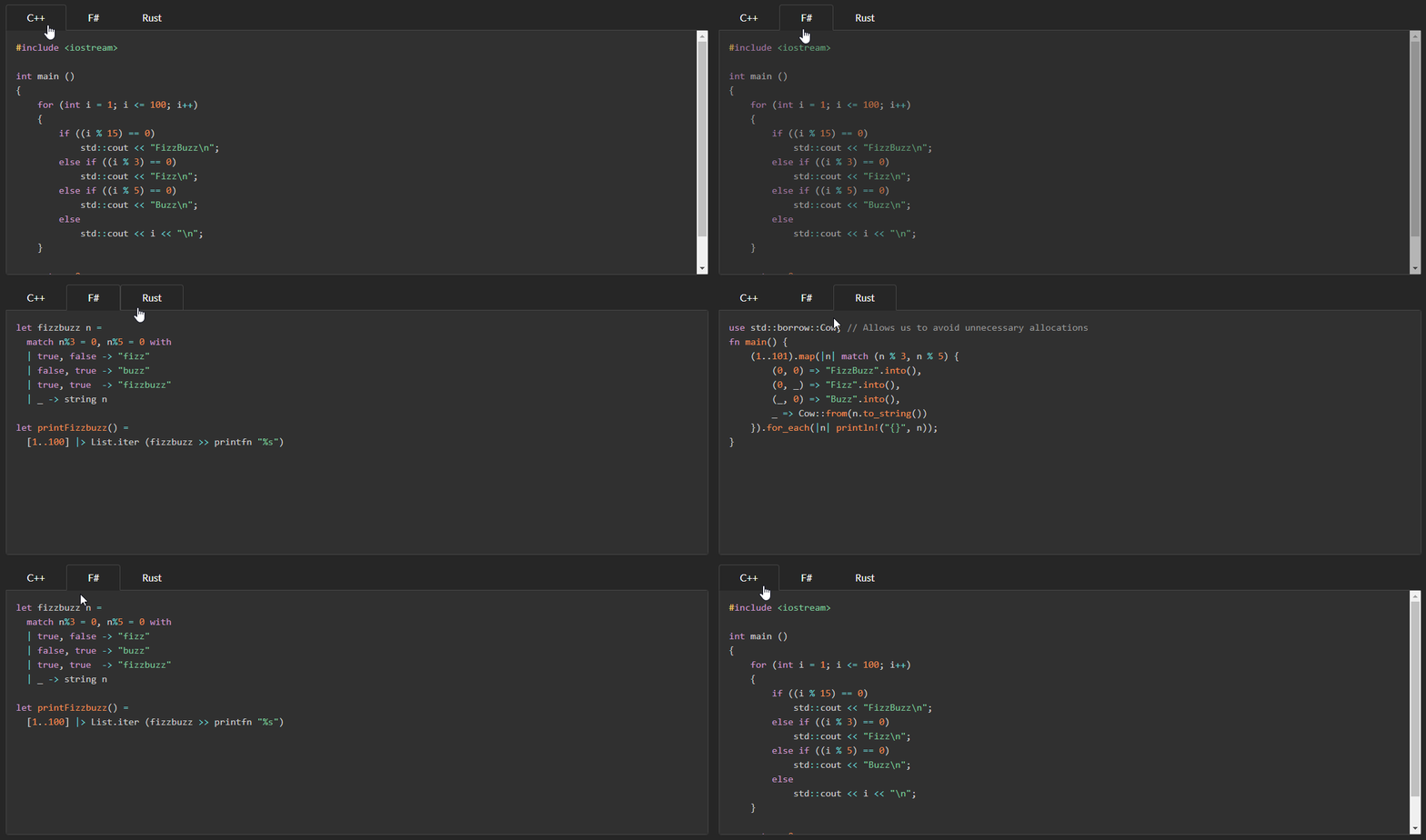
Including code snippets in multiple languages is pretty common on software development blogs and documentation pages. The following example presents implementations of FizzBuzz from rosettacode.org for multiple languages as separate tabs.
A demonstration of this in action is found at the top of this document
<?# TabBlock ?>
- C++
 ```cpp
 #include <iostream>

 int main ()
 {
 for (int i = 1; i <= 100; i++)
 {
 if ((i % 15) == 0)
 std::cout << "FizzBuzz\n";
 else if ((i % 3) == 0)
 std::cout << "Fizz\n";
 else if ((i % 5) == 0)
 std::cout << "Buzz\n";
 else
 std::cout << i << "\n";
 }

 return 0;
 }
 ```
- F#
 ```fsharp
 let fizzbuzz n =
 match n%3 = 0, n%5 = 0 with
 | true, false -> "fizz"
 | false, true -> "buzz"
 | true, true -> "fizzbuzz"
 | _ -> string n

 let printFizzbuzz() =
 [1..100] |> List.iter (fizzbuzz >> printfn "%s")
 ```
- Rust
 ```rust
 use std::borrow::Cow; // Allows us to avoid unnecessary allocations
 fn main() {
 (1..101).map(|n| match (n % 3, n % 5) {
 (0, 0) => "FizzBuzz".into(),
 (0, _) => "Fizz".into(),
 (_, 0) => "Buzz".into(),
 _ => Cow::from(n.to_string())
 }).for_each(|n| println!("{}", n));
 }
 ```
<?#/ TabBlock ?>
| Product | Versions Compatible and additional computed target framework versions. |
|---|---|
| .NET | net5.0 net5.0 was computed. net5.0-windows net5.0-windows was computed. net6.0 net6.0 was computed. net6.0-android net6.0-android was computed. net6.0-ios net6.0-ios was computed. net6.0-maccatalyst net6.0-maccatalyst was computed. net6.0-macos net6.0-macos was computed. net6.0-tvos net6.0-tvos was computed. net6.0-windows net6.0-windows was computed. net7.0 net7.0 was computed. net7.0-android net7.0-android was computed. net7.0-ios net7.0-ios was computed. net7.0-maccatalyst net7.0-maccatalyst was computed. net7.0-macos net7.0-macos was computed. net7.0-tvos net7.0-tvos was computed. net7.0-windows net7.0-windows was computed. net8.0 net8.0 was computed. net8.0-android net8.0-android was computed. net8.0-browser net8.0-browser was computed. net8.0-ios net8.0-ios was computed. net8.0-maccatalyst net8.0-maccatalyst was computed. net8.0-macos net8.0-macos was computed. net8.0-tvos net8.0-tvos was computed. net8.0-windows net8.0-windows was computed. net9.0 net9.0 was computed. net9.0-android net9.0-android was computed. net9.0-browser net9.0-browser was computed. net9.0-ios net9.0-ios was computed. net9.0-maccatalyst net9.0-maccatalyst was computed. net9.0-macos net9.0-macos was computed. net9.0-tvos net9.0-tvos was computed. net9.0-windows net9.0-windows was computed. net10.0 net10.0 was computed. net10.0-android net10.0-android was computed. net10.0-browser net10.0-browser was computed. net10.0-ios net10.0-ios was computed. net10.0-maccatalyst net10.0-maccatalyst was computed. net10.0-macos net10.0-macos was computed. net10.0-tvos net10.0-tvos was computed. net10.0-windows net10.0-windows was computed. |
| .NET Core | netcoreapp2.0 netcoreapp2.0 was computed. netcoreapp2.1 netcoreapp2.1 was computed. netcoreapp2.2 netcoreapp2.2 was computed. netcoreapp3.0 netcoreapp3.0 was computed. netcoreapp3.1 netcoreapp3.1 was computed. |
| .NET Standard | netstandard2.0 netstandard2.0 is compatible. netstandard2.1 netstandard2.1 was computed. |
| .NET Framework | net461 net461 was computed. net462 net462 was computed. net463 net463 was computed. net47 net47 was computed. net471 net471 was computed. net472 net472 was computed. net48 net48 was computed. net481 net481 was computed. |
| MonoAndroid | monoandroid monoandroid was computed. |
| MonoMac | monomac monomac was computed. |
| MonoTouch | monotouch monotouch was computed. |
| Tizen | tizen40 tizen40 was computed. tizen60 tizen60 was computed. |
| Xamarin.iOS | xamarinios xamarinios was computed. |
| Xamarin.Mac | xamarinmac xamarinmac was computed. |
| Xamarin.TVOS | xamarintvos xamarintvos was computed. |
| Xamarin.WatchOS | xamarinwatchos xamarinwatchos was computed. |
This package is not used by any NuGet packages.
This package is not used by any popular GitHub repositories.
| Version | Downloads | Last Updated |
|---|---|---|
| 1.0.0 | 927 | 4/14/2019 |