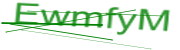
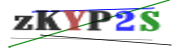
|
VOOZH | about |
|
VOOZH | about |
dotnet add package SixLaborsCaptcha.Mvc.Core --version 1.0.0
NuGet\Install-Package SixLaborsCaptcha.Mvc.Core -Version 1.0.0
<PackageReference Include="SixLaborsCaptcha.Mvc.Core" Version="1.0.0" />
<PackageVersion Include="SixLaborsCaptcha.Mvc.Core" Version="1.0.0" />Directory.Packages.props
<PackageReference Include="SixLaborsCaptcha.Mvc.Core" />Project file
paket add SixLaborsCaptcha.Mvc.Core --version 1.0.0
#r "nuget: SixLaborsCaptcha.Mvc.Core, 1.0.0"
#:package SixLaborsCaptcha.Mvc.Core@1.0.0
#addin nuget:?package=SixLaborsCaptcha.Mvc.Core&version=1.0.0Install as a Cake Addin
#tool nuget:?package=SixLaborsCaptcha.Mvc.Core&version=1.0.0Install as a Cake Tool
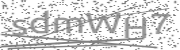
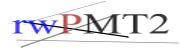
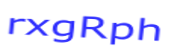
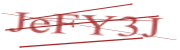
SixLaborsCaptcha is a simple cross-platform NuGet package for generating image captcha.
Extentions renamed to Extensions)| Package | Description |
|---|---|
| SixLaborsCaptcha.Core | Using for ConsoleApp, WebAPI, WinForms, and etc.. |
| SixLaborsCaptcha.Mvc.Core | Using for ASP.NET MVC Core and ASP.NET Web API Core |
| Property | Description |
|---|---|
| FontFamilies | Characters fonts, default is "Arial", "Verdana", "Times New Roman" |
| TextColor | Characters colors, default is { Color.Blue, Color.Black, Color.Black, Color.Brown, Color.Gray, Color.Green } |
| DrawLinesColor | Line colors, default is { Color.Blue, Color.Black, Color.Black, Color.Brown, Color.Gray, Color.Green } |
| Width | Width of image box, default is 180 |
| Height | Height of image box, default is 50 |
| FontSize | Font size, default is 29 |
| FontStyle | Font Style: Regular,Bold,Italic,BoldItalic |
| EncoderType | Result file formant: Jpeg,Png |
| DrawLines | Draw the random lines, default is 5 |
| MaxRotationDegrees | Rotation degrees, default is 5 |
| MinLineThickness | Min Line Thickness, default is 0.7f |
| MaxLineThickness | Max Line Thickness, default is 2.0f |
| NoiseRate | Noise Rate, default is 800 |
| NoiseRateColor | Noise colors, default is { Color.Gray } |
| BackgroundColor | Background colors, default is { Color.White } |
FontFamilies Option:
Notice: This default fonts working only on Windows, if you want to run it on Linux you have to use the Linux fonts
> dotnet add package SixLaborsCaptcha.Core --version 0.2.1
using SixLaborsCaptcha.Core;
using SixLabors.ImageSharp;
using System.IO;

namespace ConsoleAppSample
{
	class Program
	{
		static void Main(string[] args)
		{
			var slc = new SixLaborsCaptchaModule(new SixLaborsCaptchaOptions
			{
				DrawLines = 7,
				TextColor = new Color[] { Color.Blue, Color.Black },
			});

			var key = Extensions.GetUniqueKey(6);
			var result = slc.Generate(key);
			File.WriteAllBytes($"six-labors-captcha.png", result);
		}
	}
}
> dotnet add package SixLaborsCaptcha.Mvc.Core --version 1.0.0
using SixLaborsCaptcha.Mvc.Core;
...
		public void ConfigureServices(IServiceCollection services)
		{
			services.AddSixLabCaptcha(x =>
			{
				x.DrawLines = 4;
			});
		}
...
using SixLaborsCaptcha.Core;
...

[HttpGet]
[Route("[action]")]
public FileResult GetCaptchaImage([FromServices] ISixLaborsCaptchaModule sixLaborsCaptcha)
{
	string key = Extensions.GetUniqueKey(6);
	var imgText = sixLaborsCaptcha.Generate(key);
	return File(imgText, "Image/Png");
}

...
<div class="text-center">
	<h1 class="display-4">Welcome to SixLaborsCaptcha</h1>
	<img src='@Url.Action("GetCaptchaImage","Home")?v1' />
	<br />
	<img src='@Url.Action("GetCaptchaImage","Home")?v2' />
	<br />
	<img src='@Url.Action("GetCaptchaImage","Home")?v3' />
	<br />
	<img src='@Url.Action("GetCaptchaImage","Home")?v4' />
</div>
👁 six-labors-captcha
👁 six-labors-captcha
👁 six-labors-captcha
👁 six-labors-captcha
wget -O ~/Downloads/marlboro.zip https://www.1001freefonts.com/d/3761/marlboro.zip
unzip -p ~/Downloads/marlboro.zip Marlboro.ttf > ~/Downloads/Marlboro.ttf
rm ~/Downloads/marlboro.zip
cp ~/Downloads/Marlboro.ttf ~/.fonts/
# other paths
# ~/.fonts/ - for your own fonts.
# /usr/local/share/fonts/ - system-wide, user installed fonts.
# /usr/share/fonts/ - system's font location.
services.AddSixLabCaptcha(x => {
			 x.FontFamilies = new string[] { "Marlboro" };
		 });
| Product | Versions Compatible and additional computed target framework versions. |
|---|---|
| .NET | net6.0 net6.0 is compatible. net6.0-android net6.0-android was computed. net6.0-ios net6.0-ios was computed. net6.0-maccatalyst net6.0-maccatalyst was computed. net6.0-macos net6.0-macos was computed. net6.0-tvos net6.0-tvos was computed. net6.0-windows net6.0-windows was computed. net7.0 net7.0 was computed. net7.0-android net7.0-android was computed. net7.0-ios net7.0-ios was computed. net7.0-maccatalyst net7.0-maccatalyst was computed. net7.0-macos net7.0-macos was computed. net7.0-tvos net7.0-tvos was computed. net7.0-windows net7.0-windows was computed. net8.0 net8.0 was computed. net8.0-android net8.0-android was computed. net8.0-browser net8.0-browser was computed. net8.0-ios net8.0-ios was computed. net8.0-maccatalyst net8.0-maccatalyst was computed. net8.0-macos net8.0-macos was computed. net8.0-tvos net8.0-tvos was computed. net8.0-windows net8.0-windows was computed. net9.0 net9.0 was computed. net9.0-android net9.0-android was computed. net9.0-browser net9.0-browser was computed. net9.0-ios net9.0-ios was computed. net9.0-maccatalyst net9.0-maccatalyst was computed. net9.0-macos net9.0-macos was computed. net9.0-tvos net9.0-tvos was computed. net9.0-windows net9.0-windows was computed. net10.0 net10.0 was computed. net10.0-android net10.0-android was computed. net10.0-browser net10.0-browser was computed. net10.0-ios net10.0-ios was computed. net10.0-maccatalyst net10.0-maccatalyst was computed. net10.0-macos net10.0-macos was computed. net10.0-tvos net10.0-tvos was computed. net10.0-windows net10.0-windows was computed. |
Showing the top 1 NuGet packages that depend on SixLaborsCaptcha.Mvc.Core:
| Package | Downloads |
|---|---|
|
App.Assets.Froshoo.V1
Package Description |
This package is not used by any popular GitHub repositories.