|
VOOZH | about |
|
VOOZH | about |
dotnet add package Syncfusion.Blazor.Navigations --version 33.2.13
NuGet\Install-Package Syncfusion.Blazor.Navigations -Version 33.2.13
<PackageReference Include="Syncfusion.Blazor.Navigations" Version="33.2.13" />
<PackageVersion Include="Syncfusion.Blazor.Navigations" Version="33.2.13" />Directory.Packages.props
<PackageReference Include="Syncfusion.Blazor.Navigations" />Project file
paket add Syncfusion.Blazor.Navigations --version 33.2.13
#r "nuget: Syncfusion.Blazor.Navigations, 33.2.13"
#:package Syncfusion.Blazor.Navigations@33.2.13
#addin nuget:?package=Syncfusion.Blazor.Navigations&version=33.2.13Install as a Cake Addin
#tool nuget:?package=Syncfusion.Blazor.Navigations&version=33.2.13Install as a Cake Tool
A comprehensive suite of Blazor navigation and menu components for building application menus, sidebars, tabs, breadcrumbs, and step-based interfaces. Includes TreeView, Dropdown Tree, Tab, Menu Bar, Sidebar, Accordion, Breadcrumb, Toolbar, Context Menu, Carousel, AppBar, and Stepper components.
This package includes the following components:
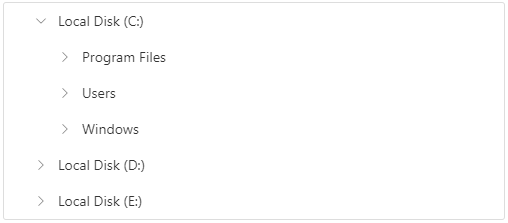
The Blazor TreeView component represents hierarchical data in a tree-like structure with advanced navigation and data management capabilities.
Key features:
Documentation:
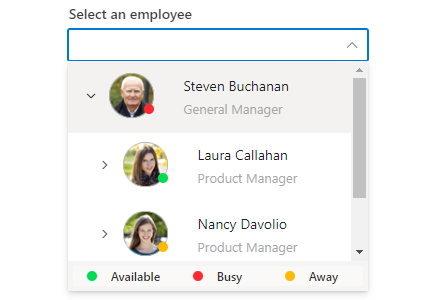
The Blazor Dropdown Tree Component allows selection from hierarchical data displayed in a tree structure with single or multiple selection modes.
Key features:
Documentation:
The Blazor Tab component organizes related content into compact, easy-to-navigate tabs with customizable headers and animations.
Key features:
Documentation:
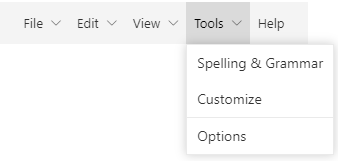
The Blazor Menu Bar component serves as a navigation header with support for hierarchical menus, icons, and data binding.
Key features:
Documentation:
The Blazor Pager component has an option to split the data set into sectioned pages for a great experience by viewing them page by page through an intuitive UI. Navigation is the key role of this component and it can be done with built-in numeric elements and buttons that can also be customized with rich APIs.
Key features:
Documentation:
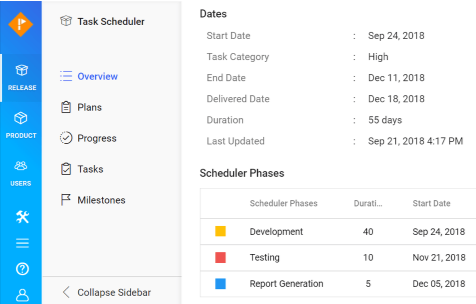
The Blazor Sidebar component is an expandable and collapsible container for primary or secondary navigation content alongside main content.
Key features:
Documentation:
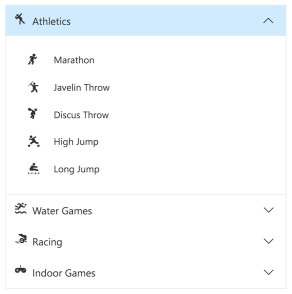
The Blazor Accordion component displays collapsible panels with headers that expand or collapse vertically, allowing one or more panels to be open simultaneously.
Key features:
Documentation:
The Blazor Breadcrumb component displays the current location within a hierarchical structure, helping users understand their position and navigate back to parent pages.
Key features:
Documentation:
The Blazor Toolbar component provides a command interface with various command buttons and responsive modes for different screen sizes.
Key features:
Documentation:
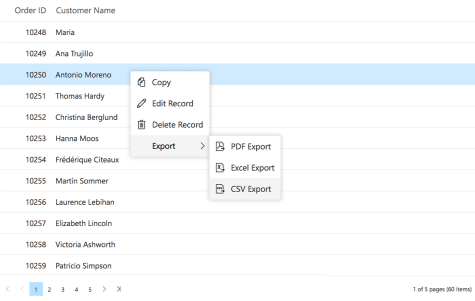
The Blazor Context Menu component appears on right-click or touch-hold, providing contextual actions based on the clicked element.
Key features:
Documentation:
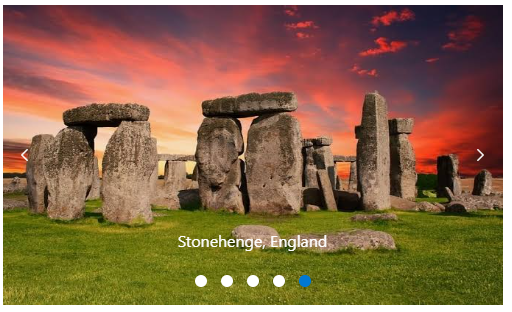
The Blazor Carousel component displays images, content, and links in a slide show format, ideal for galleries and featured content.
Key features:
Documentation:
The Blazor AppBar component displays information and actions related to the current application screen, including branding, titles, navigation, and actions.
Key features:
Documentation:
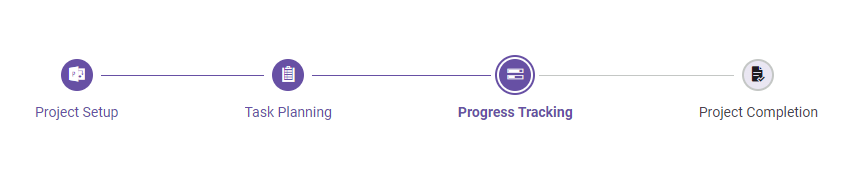
The Blazor Stepper component guides users through a series of steps or stages in a process, with customizable step types and orientations.
Key features:
Documentation:
Components/App.razor or App.razor file.wwwroot/index.html file.<link href="_content/Syncfusion.Blazor.Themes/bootstrap5.css" rel="stylesheet" />
<script src="_content/Syncfusion.Blazor.Core/scripts/syncfusion-blazor.min.js" type="text/javascript"></script>
Register the Syncfusion® Blazor services in the Program.cs file.
using Syncfusion.Blazor;

builder.Services.AddSyncfusionBlazor();
<SfAccordion>
 <AccordionItems>
 <AccordionItem Header="Margeret Peacock" Content="Margeret Peacock was born on Saturday , 01 December 1990. Now lives at Coventry House Miner Rd., London,UK. Margeret Peacock holds a position of Sales Coordinator in our WA department, (Seattle USA). Joined our company on Saturday , 01 May 2010"></AccordionItem>
 <AccordionItem Header="Laura Callahan" Content="Laura Callahan was born on Tuesday , 06 November 1990. Now lives at Edgeham Hollow Winchester Way, London,UK. Laura Callahan holds a position of Sales Coordinator in our WA department, (Seattle USA). Joined our company on Saturday , 01 May 2010"></AccordionItem>
 <AccordionItem Header="Albert Dodsworth" Content="Albert Dodsworth was born on Thursday , 19 October 1989. Now lives at 4726 - 11th Ave. N.E., Seattle,USA.Albert Dodsworth holds a position of Sales Representative in our WA department, (Seattle USA). Joined our company on Friday , 01 May 2009"></AccordionItem>
 </AccordionItems>
</SfAccordion>
@using Syncfusion.Blazor.Navigations
@using Syncfusion.Blazor.Buttons

<div class="control-container">
 <SfAppBar ColorMode="AppBarColor.Primary">
 <SfButton CssClass="e-inherit" IconCss="e-icons e-menu"></SfButton>
 <span class="regular">Blazor AppBar</span>
 <AppBarSpacer></AppBarSpacer>
 <SfButton CssClass="e-inherit" Content="FREE TRIAL"></SfButton>
 </SfAppBar>
</div>

<style>
 .control-container .e-btn.e-inherit {
 margin: 0 3px;
 }
</style>
@using Syncfusion.Blazor.Navigations

<SfBreadcrumb>
 <BreadcrumbItems>
 <BreadcrumbItem IconCss="e-icons e-home" Url="https://blazor.syncfusion.com/demos/"/>
 <BreadcrumbItem Text="Components" Url="https://blazor.syncfusion.com/demos/datagrid/overview"/>
 <BreadcrumbItem Text="Navigations" Url="https://blazor.syncfusion.com/demos/menu-bar/default-functionalities"/>
 <BreadcrumbItem Text="Breadcrumb" Url="./breadcrumb/default-functionalities"/>
 </BreadcrumbItems>
</SfBreadcrumb>
@using Syncfusion.Blazor.Navigations

<div class="control-container">
 <SfCarousel>
 <CarouselItem>
 <figure class="img-container">
 <img src="https://cdn.syncfusion.com/blazor/images/carousel/bridge.png" alt="Golden Gate Bridge, San Francisco" style="height:100%;width:100%;" />
 <figcaption class="img-caption">Golden Gate Bridge, San Francisco</figcaption>
 </figure>
 </CarouselItem>
 <CarouselItem>
 <figure class="img-container">
 <img src="https://cdn.syncfusion.com/blazor/images/carousel/trees.png" alt="Spring Flower Trees" style="height:100%;width:100%;" />
 <figcaption class="img-caption">Spring Flower Trees</figcaption>
 </figure>
 </CarouselItem>
 <CarouselItem>
 <figure class="img-container">
 <img src="https://cdn.syncfusion.com/blazor/images/carousel/waterfall.png" alt="Oddadalen Waterfalls, Norway" style="height:100%;width:100%;" />
 <figcaption class="img-caption">Oddadalen Waterfalls, Norway</figcaption>
 </figure>
 </CarouselItem>
 <CarouselItem>
 <figure class="img-container">
 <img src="https://cdn.syncfusion.com/blazor/images/carousel/sea.png" alt="Anse Source d'Argent, Seychelles" style="height:100%;width:100%;" />
 <figcaption class="img-caption">Anse Source d'Argent, Seychelles</figcaption>
 </figure>
 </CarouselItem>
 <CarouselItem>
 <figure class="img-container">
 <img src="https://cdn.syncfusion.com/blazor/images/carousel/rocks.png" alt="Stonehenge, England" style="height:100%;width:100%;" />
 <figcaption class="img-caption">Stonehenge, England</figcaption>
 </figure>
 </CarouselItem>
 </SfCarousel>
</div>

<style>
 .control-container {
 background-color: #e5e5e5;
 height: 300px;
 margin: 0 auto;
 width: 500px;
 }

 .e-carousel .e-carousel-items .e-carousel-item .img-container {
 height: 100%;
 }

 .e-carousel .e-carousel-items .e-carousel-item .img-caption {
 bottom: 4em;
 color: #fff;
 font-size: 12pt;
 height: 2em;
 position: relative;
 padding: 0.3em 1em;
 text-align: center;
 width: 100%;
 }
</style>
<div id="target">Right click/Touch hold to open the ContextMenu </div>
<SfContextMenu Target="#target" TValue="MenuItem">
 <MenuItems>
 <MenuItem Text="Cut"></MenuItem>
 <MenuItem Text="Copy"></MenuItem>
 <MenuItem Text="Paste"></MenuItem>
 </MenuItems>
</SfContextMenu>

<style>
 #target {
 border: 1px dashed;
 height: 150px;
 padding: 10px;
 position: relative;
 text-align: justify;
 color: gray;
 user-select: none;
 }
</style>
@using Syncfusion.Blazor.Navigations

<SfDropDownTree TItem="EmployeeData" TValue="string" Placeholder="Select an employee" Width="500px">
 <DropDownTreeField TItem="EmployeeData" DataSource="Data" Id="Id" Text="Name" HasChildren="HasChild" ParentID="PId"></DropDownTreeField>
</SfDropDownTree>

@code {
 List<EmployeeData> Data = new List<EmployeeData>
 {
 new EmployeeData() {Id="1", Name = "Steven Buchanan", HasChild=true, Expanded=true},
 new EmployeeData() {Id="2", PId="1", Name = "Laura Callahan", HasChild=true},
 new EmployeeData() {Id="3", PId="2", Name = "Andrew Fuller", HasChild=true },
 new EmployeeData() {Id="4", PId="3", Name = "Anne Dodsworth" },
 new EmployeeData() {Id="5", PId="3", Name = "Lilly" }
 };
 public class EmployeeData
 {
 public string? Id { get; set; }
 public string? Name { get; set; }
 public bool HasChild { get; set; }
 public bool Expanded { get; set; }
 public string? PId { get; set; }
 }
}
<SfMenu TValue="MenuItem">
 <MenuItems>
 <MenuItem Text="File">
 <MenuItems>
 <MenuItem Text="Open"></MenuItem>
 <MenuItem Text="Save"></MenuItem>
 <MenuItem Text="Exit"></MenuItem>
 </MenuItems>
 </MenuItem>
 <MenuItem Text="Edit">
 <MenuItems>
 <MenuItem Text="Cut"></MenuItem>
 <MenuItem Text="Copy"></MenuItem>
 <MenuItem Text="Paste"></MenuItem>
 </MenuItems>
 </MenuItem>
 <MenuItem Text="View">
 <MenuItems>
 <MenuItem Text="Toolbars"></MenuItem>
 <MenuItem Text="Zoomr"></MenuItem>
 <MenuItem Text="Full Screen"></MenuItem>
 </MenuItems>
 </MenuItem>
 <MenuItem Text="Tools">
 <MenuItems>
 <MenuItem Text="Spelling & Grammar"></MenuItem>
 <MenuItem Text="Customize"></MenuItem>
 <MenuItem Text="Options"></MenuItem>
 </MenuItems>
 </MenuItem>
 <MenuItem Text="Go"></MenuItem>
 <MenuItem Text="Help"></MenuItem>
 </MenuItems>
</SfMenu>
@using Syncfusion.Blazor.Data
@using Syncfusion.Blazor.Navigations
@using Syncfusion.Blazor.Lists

<div class="col-lg-12 control-section sb-property-border">
 @{
 var listData = ListData.Skip(SkipValue).Take(TakeValue).ToList();
 <SfListView @ref="@List" DataSource="@listData" TValue="DataModel" HeaderTitle="Contacts" ShowHeader="true">
 <ListViewFieldSettings TValue="DataModel" Id="Id" Text="Name"></ListViewFieldSettings>
 </SfListView>
}
 <SfPager @ref="@Page" PageSize=5 NumericItemsCount=4 TotalItemsCount=25 ItemClick="Click">
 </SfPager>
</div>
@code {
 SfPager Page;
 public SfListView<DataModel> List { get; set; }
 public int SkipValue;
 public int TakeValue = 5;
 List<DataModel> ListData = new List<DataModel>();
 protected override void OnInitialized()
 {
 base.OnInitialized();
 ListData.Add(new DataModel { Name = "Nancy, Berlin, France" });
 ListData.Add(new DataModel { Name = "Andrew, Madrid, Germany" });
 ListData.Add(new DataModel { Name = "Janet, London, Brazil" });
 ListData.Add(new DataModel { Name = "Margaret, Marseille, Belgium" });
 ListData.Add(new DataModel { Name = "Steven, Cholchester, Switzerland" });
 ListData.Add(new DataModel { Name = "Laura , Tsawassen, Venezuela" });
 ListData.Add(new DataModel { Name = "Robert, Tacoma, Austria" });
 ListData.Add(new DataModel { Name = "Michael, Redmond, Mexico" });
 ListData.Add(new DataModel { Name = "Albert, Kirkland, USA" });
 ListData.Add(new DataModel { Name = "Nolan, London, Sweden" });
 ListData.Add(new DataModel { Name = "Jennifer, Berlin, Finland" });
 ListData.Add(new DataModel { Name = "Carter, Madrid, Italy" });
 ListData.Add(new DataModel { Name = "Allison, Marseille, Spain" });
 ListData.Add(new DataModel { Name = "John, Tsawassen, UK" });
 ListData.Add(new DataModel { Name = "Susan, Redmond, Ireland" });
 ListData.Add(new DataModel { Name = "Lydia, Cholchester, Portugal" });
 ListData.Add(new DataModel { Name = "Kelsey, London, Canada" });
 ListData.Add(new DataModel { Name = "Jessica, Kirkland, Denmark" });
 ListData.Add(new DataModel { Name = "Robert, Berlin, Austria" });
 ListData.Add(new DataModel { Name = "Shelley, Tacoma, Poland" });
 ListData.Add(new DataModel { Name = "Vanjack, Tsawassen, Norway" });
 ListData.Add(new DataModel { Name = "shelley, Cholchester, Argentina" });
 ListData.Add(new DataModel { Name = "Lydia, Kirkland, Finland" });
 ListData.Add(new DataModel { Name = "Jessica, Madrid, Sweden" });
 ListData.Add(new DataModel { Name = "Nolan, London, UK" });
 ListData.Add(new DataModel { Name = "Jennifer, Redmond, Italy" });
 }
 public void Click(PagerItemClickEventArgs args)
 {
 SkipValue = (args.CurrentPage * Page.PageSize) - Page.PageSize;
 TakeValue = Page.PageSize;
 }
 public class DataModel
 {
 public string Name { get; set; }
 public string Id { get; set; }
 }
}
@using Syncfusion.Blazor.Navigations

<div id="header" style="height:45px;text-align: center;color:white;background-color:midnightblue;font-size:1.2rem;line-height:45px;">
 Header
</div>

<SfSidebar Width="250px">
 <ChildContent>
 <div style="text-align: center;" class="text-content"> Sidebar </div>
 </ChildContent>
</SfSidebar>

<div class="text-content" style="text-align: center;">Main content</div>

<style>
 .e-sidebar {
 background-color: #f8f8f8;
 color: black;
 }

 .text-content {
 font-size: 1.5rem;
 padding: 3rem;
 }
</style>
<SfStepper>
 <StepperSteps>
 <StepperStep></StepperStep>
 <StepperStep></StepperStep>
 <StepperStep></StepperStep>
 <StepperStep></StepperStep>
 <StepperStep></StepperStep>
 </StepperSteps>
</SfStepper>
<SfTab>
 <TabItems>
 <TabItem Content="Twitter is an online social networking service that enables users to send and read short 140-charactermessages called tweets.Registered users can read and post tweets, but those who are unregistered can only readthem.Users access Twitter through the website interface, SMS or mobile device app Twitter Inc. is based in SanFrancisco and has more than 25 offices around the world.Twitter was created in March 2006 by Jack Dorsey,Evan Williams, Biz Stone, and Noah Glass and launched in July 2006. The service rapidly gained worldwide popularity,with more than 100 million users posting 340 million tweets a day in 2012.The service also handled 1.6 billionsearch queries per day.">
 <ChildContent>
 <TabHeader Text="Twitter"></TabHeader>
 </ChildContent>
 </TabItem>
 <TabItem Content="Facebook is an online social networking service headquartered in Menlo Park, California. Its website waslaunched on February 4, 2004, by Mark Zuckerberg with his Harvard College roommates and fellow students EduardoSaverin, Andrew McCollum, Dustin Moskovitz and Chris Hughes.">
 <ChildContent>
 <TabHeader Text="Facebook"></TabHeader>
 </ChildContent>
 </TabItem>
 <TabItem Content="WhatsApp Messenger is a proprietary cross-platform instant messaging client for smartphones that operatesunder a subscription business model.It uses the Internet to send text messages, images, video, user location andaudio media messages to other users using standard cellular mobile numbers. As of February 2016, WhatsApp had a userbase of up to one billion,[10] making it the most globally popular messaging application.WhatsApp Inc., based inMountain View, California, was acquired by Facebook Inc.on February 19, 2014, for approximately US$19.3 billion.">
 <ChildContent>
 <TabHeader Text="Whatsapp"></TabHeader>
 </ChildContent>
 </TabItem>
 </TabItems>
</SfTab>
<SfToolbar>
 <ToolbarItems>
 <ToolbarItem Text="Cut"></ToolbarItem>
 <ToolbarItem Text="Copy"></ToolbarItem>
 <ToolbarItem Text="Paste"></ToolbarItem>
 @* To separate the Toolbar items *@
 <ToolbarItem></ToolbarItem>
 <ToolbarItem Text="Bold"></ToolbarItem>
 <ToolbarItem Text="Underline"></ToolbarItem>
 <ToolbarItem Text="Italic"></ToolbarItem>
 <ToolbarItem Text="Color-Picker"></ToolbarItem>
 </ToolbarItems>
</SfToolbar>
@using Syncfusion.Blazor.Navigations

<SfTreeView TValue="MailItem">
 <TreeViewFieldsSettings TValue="MailItem" Id="Id" DataSource="@MyFolder" Text="FolderName" ParentID="ParentId" HasChildren="HasSubFolders" Expanded="Expanded"></TreeViewFieldsSettings>
</SfTreeView>

@code{
 public class MailItem
 {
 public string? Id { get; set; }
 public string? ParentId { get; set; }
 public string? FolderName { get; set; }
 public bool Expanded { get; set; }
 public bool HasSubFolders { get; set; }
 }
 List<MailItem> MyFolder = new List<MailItem>();
 protected override void OnInitialized()
 {
 base.OnInitialized();
 MyFolder.Add(new MailItem
 {
 Id = "1",
 FolderName = "Inbox",
 HasSubFolders = true,
 Expanded = true
 });
 MyFolder.Add(new MailItem
 {
 Id = "2",
 ParentId = "1",
 FolderName = "Categories",
 Expanded = true,
 HasSubFolders = true
 });
 MyFolder.Add(new MailItem
 {
 Id = "3",
 ParentId = "2",
 FolderName = "Primary"
 });
 MyFolder.Add(new MailItem
 {
 Id = "4",
 ParentId = "2",
 FolderName = "Social"
 });
 MyFolder.Add(new MailItem
 {
 Id = "5",
 ParentId = "2",
 FolderName = "Promotions"
 });
 }
}
This is a commercial product and requires a paid license for possession or use. Review the Syncfusion® EULA.
Syncfusion® provides 1600+ UI components and frameworks for web, mobile, and desktop development across multiple platforms:
Web: Blazor | ASP.NET Core | ASP.NET MVC | JavaScript | Angular | React | Vue
Desktop: WinForms | WPF | WinUI
Learn more at www.syncfusion.com.
| Toll Free: 1-888-9-DOTNET
| Product | Versions Compatible and additional computed target framework versions. |
|---|---|
| .NET | net8.0 net8.0 is compatible. net8.0-android net8.0-android was computed. net8.0-browser net8.0-browser was computed. net8.0-ios net8.0-ios was computed. net8.0-maccatalyst net8.0-maccatalyst was computed. net8.0-macos net8.0-macos was computed. net8.0-tvos net8.0-tvos was computed. net8.0-windows net8.0-windows was computed. net9.0 net9.0 is compatible. net9.0-android net9.0-android was computed. net9.0-browser net9.0-browser was computed. net9.0-ios net9.0-ios was computed. net9.0-maccatalyst net9.0-maccatalyst was computed. net9.0-macos net9.0-macos was computed. net9.0-tvos net9.0-tvos was computed. net9.0-windows net9.0-windows was computed. net10.0 net10.0 is compatible. net10.0-android net10.0-android was computed. net10.0-browser net10.0-browser was computed. net10.0-ios net10.0-ios was computed. net10.0-maccatalyst net10.0-maccatalyst was computed. net10.0-macos net10.0-macos was computed. net10.0-tvos net10.0-tvos was computed. net10.0-windows net10.0-windows was computed. |
Showing the top 5 NuGet packages that depend on Syncfusion.Blazor.Navigations:
| Package | Downloads |
|---|---|
|
Syncfusion.Blazor.Grid
Syncfusion® Blazor DataGrid component for rendering high-performance, feature-rich tabular UI in .NET Blazor applications. Includes virtualization, paging, sorting, filtering, grouping, editing, templates, and export (Excel/PDF). |
|
|
Syncfusion.Blazor.RichTextEditor
Syncfusion® Blazor Rich Text Editor component for composing and formatting HTML content in .NET Blazor apps. Supports toolbar, markdown, paste cleanup, formats, and extensible plugins. |
|
|
Syncfusion.Blazor.Schedule
Syncfusion® Blazor Scheduler component for managing appointments and calendars in .NET Blazor apps. Supports multiple views, recurrence, time zones, resource grouping, drag-and-drop, and export. |
|
|
Syncfusion.Blazor.TreeGrid
Syncfusion® Blazor TreeGrid component for displaying hierarchical tabular data in .NET Blazor apps. Supports row hierarchy, sorting, filtering, paging, editing, virtualization, and export. |
|
|
Syncfusion.Blazor.WordProcessor
This package provides the functionality to utilize the features of Syncfusion® Blazor Word Processor (Document Editor) component and more. |
This package is not used by any popular GitHub repositories.
| Version | Downloads | Last Updated |
|---|---|---|
| 33.2.13 | 1,627 | 6/16/2026 |
| 33.2.12 | 6,524 | 6/9/2026 |
| 33.2.10 | 5,766 | 6/2/2026 |
| 33.2.8 | 5,499 | 5/26/2026 |
| 33.2.7 | 7,334 | 5/19/2026 |
| 33.2.6 | 9,441 | 5/12/2026 |
| 33.2.5 | 13,287 | 5/4/2026 |
| 33.2.4 | 10,358 | 4/27/2026 |
| 33.2.3 | 17,235 | 4/21/2026 |
| 33.1.49 | 13,705 | 4/13/2026 |
| 33.1.47 | 12,957 | 4/6/2026 |
| 33.1.46 | 5,711 | 3/30/2026 |
| 33.1.45 | 9,682 | 3/23/2026 |
| 33.1.44 | 20,138 | 3/16/2026 |
| 32.2.9 | 18,151 | 3/9/2026 |
| 32.2.8 | 12,524 | 3/2/2026 |
| 32.2.7 | 17,700 | 2/23/2026 |
| 32.2.5 | 12,747 | 2/16/2026 |
| 32.2.4 | 23,530 | 2/10/2026 |
| 32.2.3 | 20,946 | 2/5/2026 |