|
VOOZH | about |
|
VOOZH | about |
dotnet add package Syncfusion.Xamarin.Core.WPF --version 30.2.4
NuGet\Install-Package Syncfusion.Xamarin.Core.WPF -Version 30.2.4
<PackageReference Include="Syncfusion.Xamarin.Core.WPF" Version="30.2.4" />
<PackageVersion Include="Syncfusion.Xamarin.Core.WPF" Version="30.2.4" />Directory.Packages.props
<PackageReference Include="Syncfusion.Xamarin.Core.WPF" />Project file
paket add Syncfusion.Xamarin.Core.WPF --version 30.2.4
#r "nuget: Syncfusion.Xamarin.Core.WPF, 30.2.4"
#:package Syncfusion.Xamarin.Core.WPF@30.2.4
#addin nuget:?package=Syncfusion.Xamarin.Core.WPF&version=30.2.4Install as a Cake Addin
#tool nuget:?package=Syncfusion.Xamarin.Core.WPF&version=30.2.4Install as a Cake Tool
This package contains Xamarin.Forms WPF Text Input Layout, Xamarin.Forms WPF Border, Xamarin.Forms WPF Avatar View, Xamarin.Forms WPF Effects View, and Xamarin.Forms WPF Shimmer components for Xamarin application.
Note: This package needs to be installed in all Xamarin.Forms projects (.NET Standard, Android, iOS, UWP, macOS, and WPF). In addition, you need to install the “Syncfusion.Xamarin.Core.WPF” package for Xamarin.Forms WPF platform only.
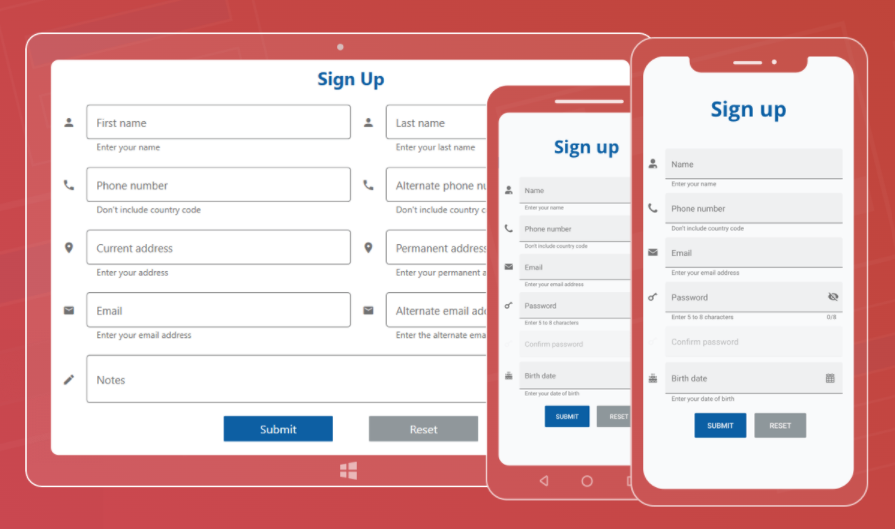
The Syncfusion® Xamarin.Forms WPF Text Input Layout or Label Entry is a container component that allows you add a floating label, a password toggle icon to show or hide passwords, leading and trailing icons, and assistive labels such as error messages and help text on top of input components.
👁 Xamarin.Forms WPF Text Input Layout
Features Overview | Docs | Online Demo | Support | | Feedback
The Syncfusion® Xamarin.Forms WPF Border is a container component that provides rounded or rectangular corners to various views of the application. This component is also used to change rectangular images into circular images.
Features Overview | Docs | Online Demo | Support | | Feedback
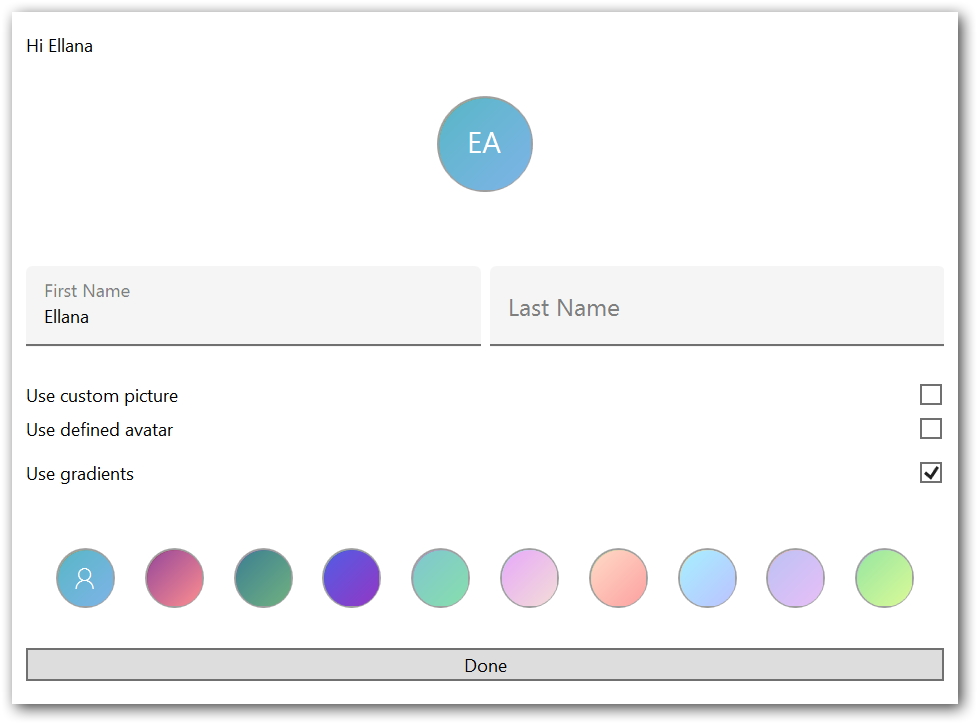
The Syncfusion® Xamarin.Forms WPF Avatar View provides a graphical representation of the user image view that can be customized by adding image, background color, icon, text, etc.
👁 Xamarin.Forms WPF Avatar View
Features Overview | Docs | Online Demo | Support | | Feedback
The Syncfusion® Xamarin.Forms WPF Effects View is a container component that provides modern effects like ripple, selection, scaling, and rotation. You can render these effects through touch interactions such as touch down, touch up, long press, and also by calling the API.
👁 Xamarin.Forms WPF Effects View
Features Overview | Docs | Online Demo | Support | | Feedback
The Syncfusion® Xamarin.Forms WPF Shimmer can be used to improve the responsiveness of an application by showing a modern shimmer effect when data is being loaded in the background.
Features Overview | Docs | Online Demo | Support | | Feedback
This is a commercial product and requires a paid license for possession or use. Syncfusion® licensed software, including this component, is subject to the terms and conditions of Syncfusion's EULA. You can purchase a license here or start a free 30-day trial here.
Founded in 2001 and headquartered in Research Triangle Park, N.C., Syncfusion® has more than 29,000 customers and more than 1 million users, including large financial institutions, Fortune 500 companies, and global IT consultancies.
Today, we provide 1800+ components and frameworks for web (Blazor, Flutter, ASP.NET Core, ASP.NET MVC, ASP.NET Web Forms, JavaScript, Angular, React, Vue, and jQuery), mobile (.NET MAUI, Flutter, Xamarin, UWP, and JavaScript), and desktop development (WinForms, WPF, WinUI, .NET MAUI, Flutter, Xamarin, and UWP). We provide ready-to-deploy enterprise software for dashboards, reports, data integration, and big data processing. Many customers have saved millions in licensing fees by deploying our software.
| www.syncfusion.com | Toll Free: 1-888-9 DOTNET
| Product | Versions Compatible and additional computed target framework versions. |
|---|---|
| .NET Framework | net46 net46 is compatible. net461 net461 was computed. net462 net462 was computed. net463 net463 was computed. net47 net47 was computed. net471 net471 was computed. net472 net472 was computed. net48 net48 was computed. net481 net481 was computed. |
Showing the top 5 NuGet packages that depend on Syncfusion.Xamarin.Core.WPF:
| Package | Downloads |
|---|---|
|
Syncfusion.Xamarin.SfListView.WPF
This package provides the functionality to utilize the features of Syncfusion® Xamarin.WPF Listview control and more. |
|
|
Syncfusion.Xamarin.Buttons.WPF
This package provides the functionality to utilize the features of Syncfusion® Xamarin.WPF Button, CheckBox, Radio Button, Chips,Segmented Control, and Switch. |
|
|
Syncfusion.Xamarin.SfSchedule.WPF
This package provides the functionality to utilize the features of Syncfusion® Xamarin.WPF Scheduler control and more. |
|
|
Syncfusion.Xamarin.SfChart.WPF
This package provides the functionality to utilize the features of Syncfusion® Xamarin.WPF Chart control and more. |
|
|
Syncfusion.Xamarin.SfDataGrid.WPF
This package provides the functionality to utilize the features of Syncfusion® Xamarin.WPF DataGrid control and more. |
Showing the top 1 popular GitHub repositories that depend on Syncfusion.Xamarin.Core.WPF:
| Repository | Stars |
|---|---|
|
syncfusion/xamarin-demos
This repository contains the Syncfusion Xamarin UI control’s samples and the guide to use them.
|
| Version | Downloads | Last Updated |
|---|---|---|
| 30.2.4 | 833 | 8/7/2025 |
| 30.1.42 | 327 | 7/28/2025 |
| 30.1.41 | 867 | 7/22/2025 |
| 30.1.40 | 450 | 7/14/2025 |
| 30.1.39 | 481 | 7/8/2025 |
| 30.1.38 | 505 | 7/1/2025 |
| 30.1.37 | 499 | 6/25/2025 |
| 29.2.11 | 533 | 6/16/2025 |
| 29.2.10 | 627 | 6/9/2025 |
| 29.2.9 | 501 | 6/5/2025 |
| 29.2.8 | 491 | 6/3/2025 |
| 29.2.7 | 532 | 5/26/2025 |
| 29.2.5 | 488 | 5/21/2025 |
| 29.2.4 | 581 | 5/14/2025 |
| 29.1.41 | 477 | 5/5/2025 |
| 29.1.40 | 507 | 4/28/2025 |
| 29.1.39 | 533 | 4/21/2025 |
| 29.1.38 | 563 | 4/14/2025 |
| 29.1.37 | 528 | 4/8/2025 |
| 29.1.35 | 534 | 4/1/2025 |