Search
RESULTS
ASK AI ASSISTANT
 |
VOOZH | about |
Convert more than 100 file types — such as Word to PDF, Excel to PDF, TIFF to PDF, and CAD to PDF — with impeccable accuracy. With our all-in-one tool (formerly Muhimbi PDF Converter), you can merge documents, add watermarks, and extract data via OCR with key-value pairs in SharePoint, Power Automate, Nintex, Azure, or your own application.
WHAT YOU GET
Perform conversion, watermarking, merging, splitting, OCR, data extraction, and more.
Convert Word, Excel, Visio, PNG, JPEG, InfoPath, and more than 100 file types to PDF.
Experience perfect fidelity in all document conversions.
Compress files, add customizable watermarks, and extract text with OCR or using key-value pair extraction.
Encrypt PDFs and limit access to ensure document confidentiality.
Archive documents to PDF/A standards for long-term preservation.
Handle large documents by splitting or merging as needed.
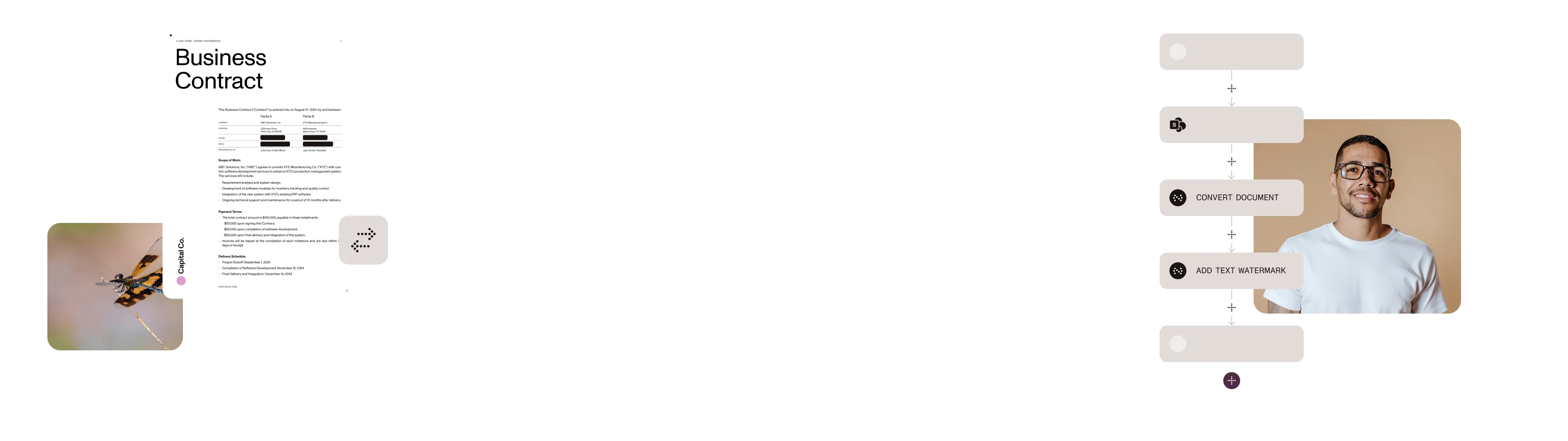
Our automation capabilities improve document workflows and reduce manual effort. Document Converter enables you to automate routine tasks like document conversion, watermarking, and data extraction.
Whether through a SharePoint app or via SOAP API, REST API, or even on-premises, our flexible deployment options make it easy to integrate quickly. Access Word-to-PDF conversion and much more in any Microsoft environment.
Our easy-to-use interface and intuitively built APIs allow you to give your users the ability to convert Office files to PDF and PDF/A, OCR with key-value pairs, and more — all without leaving SharePoint, other M365 applications, or Nintex.
Thousands of companies, organizations, governments, and developers use Nutrient’s software to enable collaboration, signing, markup, and more in their apps.
Office
InfoPath
Visio
CAD
Publisher
PNG
JPEG
TIFF
GIF
BMP
HTML
MHT
SharePoint pages
Email
MSG
GET STARTED
From early-stage startups to growing enterprises, we have you covered.
If our standard plans don’t fit your needs — whether it’s dedicated data center deployment, advanced configurations, or other requirements — we’re here to help.
We offer customized solutions for enterprise and high-demand environments.
The app will continue working in the SharePoint user interface (UI) using SPFx technology. This transition enhances performance, reliability, and compatibility with new SharePoint features while maintaining the same trusted functionality.
On-premises refers to SharePoint 2007–2019 installations you maintain yourself. SharePoint Online (Office 365) has a different architecture requiring frontend redevelopment, though core conversion services remain largely the same. Both versions now achieve “full feature parity, at least where feasible.”
The 30-day trial provides full functionality with an evaluation watermark on generated documents. The free version offers basic functionality with modest monthly operations and produces documents without watermarks.
Operation size determines the maximum file size for a single conversion or merge. Operations per month represents individual tasks like converting, watermarking, securing, or OCR processing.
At 75 percent usage, you receive an automated email. Upon reaching 100 percent, the software ceases functioning until the month resets.
Yes. The SharePoint app offers an intuitive UI for SharePoint users, while the Power Automate connector automates document workflows without manual intervention.
CONTACT US