
- How to Use the DeepSeek API with the OpenAI SDK
- Table of Contents
- Why DeepSeek + OpenAI SDK Matters
- Prerequisites and Environment Setup
- How DeepSeek's OpenAI-Compatible API Works
- Basic Integration: Swapping OpenAI for DeepSeek
- Streaming Responses
- Building a Full-Stack Chat App with React and Node.js
- Error Handling and Edge Cases
- Implementation Checklist
- Tips for Production Readiness
- Next Steps
- How to Use the DeepSeek API with the OpenAI SDK
- Table of Contents
- Why DeepSeek + OpenAI SDK Matters
- Prerequisites and Environment Setup
- How DeepSeek's OpenAI-Compatible API Works
- Basic Integration: Swapping OpenAI for DeepSeek
- Streaming Responses
- Building a Full-Stack Chat App with React and Node.js
- Error Handling and Edge Cases
- Implementation Checklist
- Tips for Production Readiness
- Next Steps
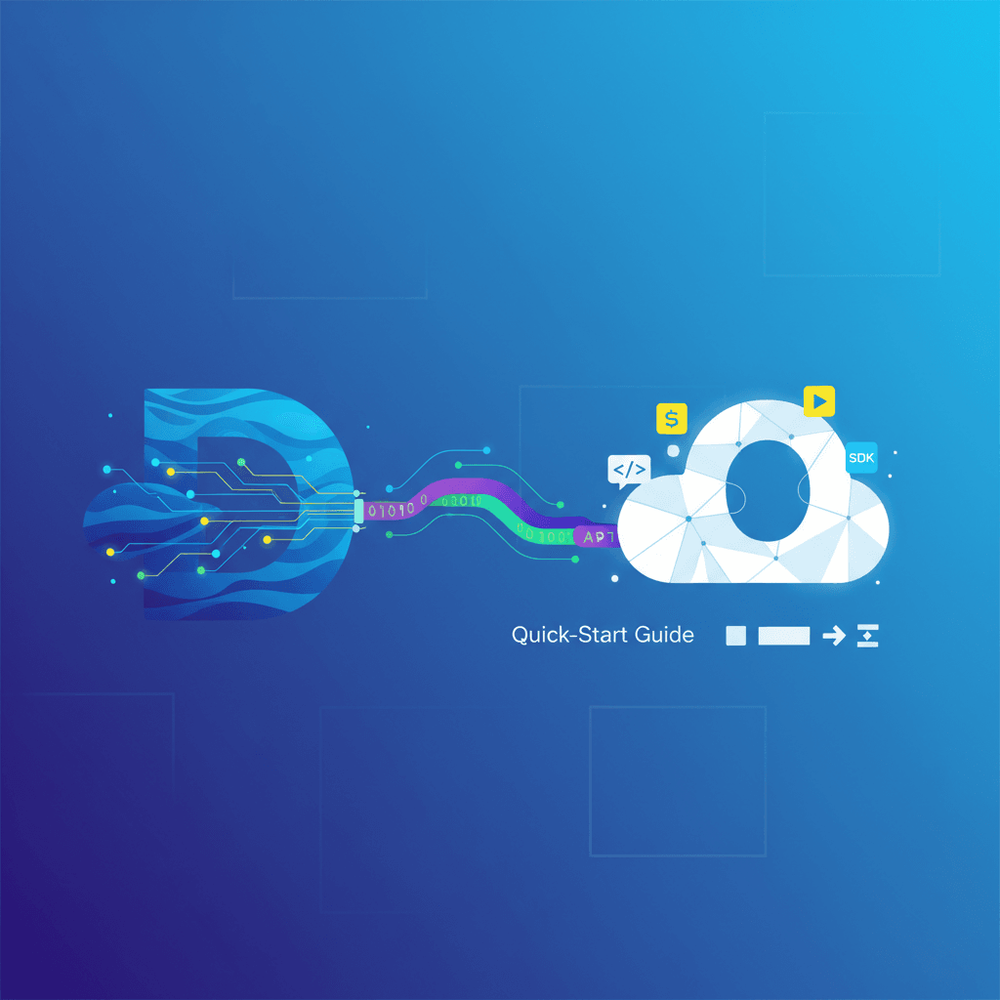
DeepSeek API + OpenAI SDK: A Developer's Quick-Start Guide

Share this article
- Premium Results
- Publish articles on SitePoint
- Daily curated jobs
- Learning Paths
- Discounts to dev tools
7 Day Free Trial. Cancel Anytime.
The economics of AI APIs are shifting. Developers building production applications with the OpenAI SDK can now point that same SDK at DeepSeek's API, access capable models, and pay substantially less per token. This tutorial walks through a working provider-agnostic AI client, a streaming implementation, and a full-stack React plus Node.js chat application backed by DeepSeek, with production-ready error handling and a deployment checklist.
How to Use the DeepSeek API with the OpenAI SDK
- Install the OpenAI Node.js SDK (
openai@^4.x) and project dependencies (express,cors,dotenv). - Generate a DeepSeek API key from
platform.deepseek.comand store it in a.envfile. - Configure the OpenAI client constructor with DeepSeek's
baseURL(https://api.deepseek.com) and your DeepSeek API key. - Set the model parameter to
deepseek-chat(general-purpose) ordeepseek-reasoner(chain-of-thought). - Abstract the provider choice into a provider-agnostic client module driven by environment variables.
- Enable streaming by passing
stream: trueand iterating chunks withfor await...of. - Build a backend endpoint (e.g., Express
/api/chat) that proxies requests to DeepSeek and returns Server-Sent Events. - Connect a React frontend that reads the SSE stream and renders tokens progressively in the chat UI.
Table of Contents
- Why DeepSeek + OpenAI SDK Matters
- Prerequisites and Environment Setup
- How DeepSeek's OpenAI-Compatible API Works
- Basic Integration: Swapping OpenAI for DeepSeek
- Streaming Responses
- Building a Full-Stack Chat App with React and Node.js
- Error Handling and Edge Cases
- Implementation Checklist
- Tips for Production Readiness
- Next Steps
Why DeepSeek + OpenAI SDK Matters
The economics of AI APIs are shifting. Developers building production applications with the OpenAI SDK can now point that same SDK at DeepSeek's API, access capable models, and pay substantially less per token -- check DeepSeek's pricing page for current rates. DeepSeek's API maintains broad compatibility with the OpenAI SDK, which means integrating DeepSeek models requires three configuration changes: the baseURL, the apiKey, and the model name string.
DeepSeek offers two primary models. DeepSeek-V3 (deepseek-chat) handles general-purpose chat and instruction-following tasks. DeepSeek-R1 (deepseek-reasoner) specializes in chain-of-thought reasoning, producing a reasoning_content field (at response.choices[0].message.reasoning_content) alongside the standard content field. Both models score well on public benchmarks like MMLU and HumanEval -- see DeepSeek's published results for specifics -- and DeepSeek's per-token pricing sits below OpenAI's equivalent tiers.
Integrating DeepSeek models requires three configuration changes: the
baseURL, theapiKey, and the model name string.
This tutorial walks through a working provider-agnostic AI client, a streaming implementation, and a full-stack React plus Node.js chat application backed by DeepSeek, with production-ready error handling and a deployment checklist.
Prerequisites and Environment Setup
What You'll Need
- Node.js 18 or later
- The
openainpm package version 4 or later - The
expressnpm package (v4+) - The
corsnpm package (v2+) - The
dotenvnpm package (v16+) - A React frontend toolchain (this tutorial assumes Vite)
- A DeepSeek API key from platform.deepseek.com
- Working knowledge of REST APIs and async JavaScript
Getting Your DeepSeek API Key
Sign up at platform.deepseek.com, navigate to the API Keys section in the dashboard, and generate a new key. Copy it immediately -- the platform hides it permanently after creation.
DeepSeek's per-token pricing undercuts OpenAI's. Refer to DeepSeek's pricing documentation for current per-token rates and cache hit discounts.
Create a .env file at the project root:
# .env
# Replace the value below with your actual key before running
DEEPSEEK_API_KEY=your_deepseek_api_key_here
DEEPSEEK_BASE_URL=https://api.deepseek.com
ALLOWED_ORIGIN=http://localhost:5173
How DeepSeek's OpenAI-Compatible API Works
The Compatibility Layer Explained
DeepSeek exposes endpoints that mirror OpenAI's REST API specification. The /v1/chat/completions endpoint accepts the same request shape: a model string, a messages array, and optional parameters like temperature, max_tokens, stream, and response_format. The OpenAI SDK's constructor accepts a baseURL parameter, and that single configuration point enables the entire swap. No wrapper libraries, no adapters, no custom HTTP clients.
Supported features include chat completions, function calling (tool use), streaming via Server-Sent Events, and JSON mode (response_format: { type: "json_object" }). Some differences exist: model name strings are DeepSeek-specific, and certain OpenAI-only features like the Assistants API or DALL-E image generation have no DeepSeek equivalent. Embeddings endpoints exist but use DeepSeek-specific model identifiers -- consult the DeepSeek API docs for the current embedding model names.
Available DeepSeek Models
Two model identifiers matter for most use cases:
deepseek-chat(DeepSeek-V3): General-purpose conversational and instruction model. Use this for chat interfaces, summarization, code generation, and standard completions.deepseek-reasoner(DeepSeek-R1): Chain-of-thought reasoning model that produces areasoning_contentfield in its response (atresponse.choices[0].message.reasoning_content), showing the model's internal deliberation. This field isnullfor non-reasoner models. Use this for math problems, logic puzzles, multi-step planning, and tasks where transparency of reasoning is valuable.
To access the reasoning trace from deepseek-reasoner:
const response = await client.chat.completions.create({
 model: "deepseek-reasoner",
 messages: [{ role: "user", content: "What is 27 * 453?" }],
});
// The final answer
console.log(response.choices[0].message.content);
// The chain-of-thought reasoning (null for deepseek-chat)
const reasoning = response.choices[0].message.reasoning_content;
console.log(reasoning);
For most applications, deepseek-chat is the right default. Use deepseek-reasoner when accuracy on complex reasoning tasks justifies the higher latency and cost from extended chain-of-thought computation.
Note: When streaming deepseek-reasoner responses, the stream includes additional delta fields for reasoning_content. Handle these separately from the standard content deltas.
Basic Integration: Swapping OpenAI for DeepSeek
Standard OpenAI SDK Setup (Before)
A typical OpenAI SDK call looks like this:
// openai-example.js
import OpenAI from "openai";
const client = new OpenAI({
 apiKey: process.env.OPENAI_API_KEY,
});
const response = await client.chat.completions.create({
 model: "gpt-4o",
 messages: [{ role: "user", content: "Explain quantum entanglement simply." }],
});
console.log(response.choices[0].message.content);
Switching to DeepSeek (After)
The identical script, now pointing at DeepSeek:
// deepseek-example.js
import OpenAI from "openai";
const client = new OpenAI({
 apiKey: process.env.DEEPSEEK_API_KEY, // ← changed: DeepSeek key
 baseURL: "https://api.deepseek.com", // ← changed: DeepSeek endpoint
});
const response = await client.chat.completions.create({
 model: "deepseek-chat", // ← changed: DeepSeek model
 messages: [{ role: "user", content: "Explain quantum entanglement simply." }],
});
console.log(response.choices[0].message.content);
Two constructor parameters change -- apiKey and baseURL. The model name string must also be updated to a DeepSeek identifier. Everything else, including the import, the method call, and the response shape, stays identical.
Creating a Provider-Agnostic Client
A cleaner pattern abstracts the provider choice into environment configuration:
// server/ai-client.js
import OpenAI from "openai";
import "dotenv/config";
const provider = process.env.AI_PROVIDER || "deepseek";
const config = {
 openai: {
 apiKey: process.env.OPENAI_API_KEY,
 // baseURL omitted: SDK defaults to https://api.openai.com/v1
 },
 deepseek: {
 apiKey: process.env.DEEPSEEK_API_KEY,
 baseURL: process.env.DEEPSEEK_BASE_URL || "https://api.deepseek.com",
 },
};
if (!config[provider]) {
 throw new Error(
 `Unknown AI_PROVIDER "${provider}". Valid values: ${Object.keys(config).join(", ")}`
 );
}
export const aiClient = new OpenAI({
 ...config[provider],
 timeout: 30_000,
});
export const defaultModel = provider === "openai" ? "gpt-4o" : "deepseek-chat";
Consuming code imports aiClient and defaultModel without knowing or caring which provider backs them. Switching providers becomes an environment variable change, with no code modifications required.
Streaming Responses
Why Streaming Matters for UX
Token-by-token streaming eliminates the perceived latency of waiting for a full response. In chat interfaces, users see the first token within milliseconds instead of staring at a spinner for several seconds while the model generates the complete reply. DeepSeek supports the same SSE-based streaming interface that the OpenAI SDK exposes, so the client-side implementation is identical regardless of provider.
Token-by-token streaming eliminates the perceived latency of waiting for a full response. In chat interfaces, users see the first token within milliseconds instead of staring at a spinner for several seconds while the model generates the complete reply.
Implementing Streaming with DeepSeek
// server/streaming.js
import { aiClient, defaultModel } from "./ai-client.js";
try {
 const stream = await aiClient.chat.completions.create({
 model: defaultModel,
 messages: [{ role: "user", content: "Write a haiku about debugging." }],
 stream: true,
 });
 for await (const chunk of stream) {
 const content = chunk.choices[0]?.delta?.content;
 if (content) {
 process.stdout.write(content);
 }
 }
 console.log(); // newline after stream completes
} catch (error) {
 console.error("Streaming error:", error.message);
 process.exit(1);
}
Each chunk contains a delta object with partial content. Tokens arrive incrementally, and the for await...of loop processes them as they stream in. In the terminal, output appears character by character -- the same behavior developers expect from OpenAI's streaming implementation.
Note: Both streaming.js and ai-client.js live in the server/ directory. The relative import ./ai-client.js assumes they are in the same folder.
Building a Full-Stack Chat App with React and Node.js
Project Structure Overview
deepseek-chat-app/
├── server/
│ ├── index.js # Express server with /api/chat endpoint
│ ├── ai-client.js # Provider-agnostic client (copy from "Creating a Provider-Agnostic Client" above)
│ └── streaming.js # Streaming example (optional standalone script)
├── client/
│ └── src/
│ └── ChatWindow.jsx # React chat component
├── .env
└── package.json
package.json
Your root package.json must include "type": "module" to enable ES module import/export syntax throughout the server code:
{
 "name": "deepseek-chat-app",
 "type": "module",
 "scripts": {
 "start": "node server/index.js"
 },
 "dependencies": {
 "openai": "^4.0.0",
 "express": "^4.18.0",
 "cors": "^2.8.0",
 "dotenv": "^16.0.0"
 }
}
Node.js/Express Backend
// server/index.js
import "dotenv/config"; // must be first — loads .env before any other imports
import express from "express";
import cors from "cors";
import { aiClient, defaultModel } from "./ai-client.js";
const provider = process.env.AI_PROVIDER || "deepseek";
const requiredKey = provider === "openai" ? "OPENAI_API_KEY" : "DEEPSEEK_API_KEY";
if (!process.env[requiredKey]) {
 console.error(`${requiredKey} is not set. Add it to your .env file.`);
 process.exit(1);
}
const app = express();
app.use(cors({ origin: process.env.ALLOWED_ORIGIN || "http://localhost:5173" }));
app.use(express.json());
const VALID_ROLES = ["user", "assistant", "system"];
app.post("/api/chat", async (req, res) => {
 const { messages } = req.body;
 if (!messages || !Array.isArray(messages)) {
 return res.status(400).json({ error: "messages array is required" });
 }
 // Guard against oversized payloads and basic input validation
 if (messages.length > 50) {
 return res.status(400).json({ error: "Conversation too long (max 50 messages)" });
 }
 for (const msg of messages) {
 if (typeof msg.role !== "string" || typeof msg.content !== "string") {
 return res.status(400).json({ error: "Each message must have string 'role' and 'content' fields" });
 }
 if (!VALID_ROLES.includes(msg.role)) {
 return res.status(400).json({ error: `Invalid role "${msg.role}". Must be one of: ${VALID_ROLES.join(", ")}` });
 }
 if (msg.content.length > 10_000) {
 return res.status(400).json({ error: "Individual message content too long (max 10,000 characters)" });
 }
 }
 res.setHeader("Content-Type", "text/event-stream");
 res.setHeader("Cache-Control", "no-cache");
 res.setHeader("Connection", "keep-alive");
 try {
 const stream = await aiClient.chat.completions.create({
 model: defaultModel,
 messages,
 stream: true,
 });
 for await (const chunk of stream) {
 const content = chunk.choices[0]?.delta?.content;
 if (content) {
 res.write(`data: ${JSON.stringify({ content })}`);
 }
 }
 res.write("data: [DONE]
");
 res.end();
 } catch (error) {
 console.error("DeepSeek API error:", error.status, error.message);
 if (!res.headersSent) {
 return res.status(500).json({ error: "Failed to get AI response" });
 }
 // Headers already sent — write an SSE error event before closing
 res.write(`data: ${JSON.stringify({ error: "Stream interrupted" })}`);
 res.end();
 }
});
app.listen(3001, () => console.log("Server running on port 3001"));
The backend proxies requests to DeepSeek, keeping the API key server-side. SSE formatting (data: ...
) lets the frontend consume the stream with the standard EventSource pattern or a fetch-based reader.
Security note: The CORS configuration above restricts access to a specific origin. In production, set ALLOWED_ORIGIN in your .env to your actual frontend domain.
React Frontend Chat Component
// client/src/ChatWindow.jsx
import { useState, useRef } from "react";
export default function ChatWindow() {
 const [messages, setMessages] = useState([]);
 const [input, setInput] = useState("");
 const [isStreaming, setIsStreaming] = useState(false);
 const abortRef = useRef(null);
 const sendMessage = async () => {
 if (!input.trim() || isStreaming) return;
 const userMessage = { role: "user", content: input };
 const updatedMessages = [...messages, userMessage];
 setMessages([...updatedMessages, { role: "assistant", content: "" }]);
 setInput("");
 setIsStreaming(true);
 try {
 abortRef.current = new AbortController();
 const response = await fetch("/api/chat", {
 method: "POST",
 headers: { "Content-Type": "application/json" },
 body: JSON.stringify({ messages: updatedMessages }),
 signal: abortRef.current.signal,
 });
 if (!response.ok || !response.body) {
 const errText = await response.text();
 throw new Error(`Server error ${response.status}: ${errText}`);
 }
 const reader = response.body.getReader();
 const decoder = new TextDecoder();
 let assistantContent = "";
 let buffer = "";
 let done = false;
 while (!done) {
 const { done: streamDone, value } = await reader.read();
 if (streamDone) break;
 const text = decoder.decode(value, { stream: true });
 buffer += text;
 const lines = buffer.split("
");
 buffer = lines.pop(); // keep incomplete line for next iteration
 const dataLines = lines.filter((line) => line.startsWith("data: "));
 for (const line of dataLines) {
 const data = line.slice(6);
 if (data === "[DONE]") { done = true; break; }
 try {
 const parsed = JSON.parse(data);
 assistantContent += parsed.content;
 setMessages((prev) => {
 const updated = [...prev];
 updated[updated.length - 1] = { role: "assistant", content: assistantContent };
 return updated;
 });
 } catch (parseError) {
 console.error("SSE parse error:", parseError, "raw line:", line);
 }
 }
 }
 } catch (error) {
 if (error.name !== "AbortError") console.error("Stream error:", error);
 } finally {
 setIsStreaming(false);
 abortRef.current = null;
 }
 };
 return (
 <div style={{ maxWidth: 600, margin: "2rem auto", fontFamily: "sans-serif" }}>
 <div style={{ height: 400, overflowY: "auto", border: "1px solid #ccc", padding: 16 }}>
 {messages.map((msg, i) => (
 <div key={i} style={{ marginBottom: 12 }}>
 <strong>{msg.role === "user" ? "You" : "AI"}:</strong> {msg.content}
 </div>
 ))}
 </div>
 <form onSubmit={(e) => { e.preventDefault(); sendMessage(); }} style={{ display: "flex", marginTop: 8 }}>
 <input
 value={input}
 onChange={(e) => setInput(e.target.value)}
 placeholder="Type a message..."
 style={{ flex: 1, padding: 8 }}
 disabled={isStreaming}
 />
 <button type="submit" disabled={isStreaming} style={{ padding: "8px 16px" }}>
 Send
 </button>
 </form>
 </div>
 );
}
The SSE parser above uses a buffer to accumulate partial chunks across read() calls. This prevents tokens from being silently dropped when TCP packets are fragmented, which is a common issue on slow or congested networks.
Running the Application
1. Install server dependencies from the project root:
npm install openai express cors dotenv2. Scaffold the React frontend with Vite:
npm create vite@latest client -- --template reactcd client && npm install3. Copy ChatWindow.jsx into client/src/ and import it in your App.jsx.
4. Start the backend:
node server/index.js5. Start the React dev server:
cd client && npm run devOpen the browser to see the chat interface. When you type a message and click Send, the frontend dispatches the request to the Express backend, which forwards it to DeepSeek and streams tokens back through SSE. Text appears progressively in the chat window as tokens arrive.
Error Handling and Edge Cases
Common Errors and How to Handle Them
Four error conditions appear most frequently when working with DeepSeek's API:
- You hit a 429 (Rate Limited) response when request volume exceeds DeepSeek's limits. Implement exponential backoff with jitter.
- A 401 (Unauthorized) means the API key is invalid or missing. The startup check in
server/index.jscatches missing keys early; if you get 401 at runtime, verify the key value itself. - Model Not Found errors come from passing an incorrect model string (e.g.,
gpt-4oinstead ofdeepseek-chat). Double-check model identifiers against DeepSeek's docs. - Network Timeouts hang your requests indefinitely unless you set the
timeoutoption on the OpenAI client constructor.
// resilient-call.js
const BASE_DELAY_MS = 1000;
const JITTER_MS = 500;
export async function callWithRetry(client, params, maxAttempts = 4) {
 let lastError;
 for (let attempt = 0; attempt < maxAttempts; attempt++) {
 try {
 return await client.chat.completions.create(params);
 } catch (error) {
 lastError = error;
 if (error.status === 401) {
 throw new Error("Invalid API key. Check your DEEPSEEK_API_KEY.");
 }
 if (error.status === 429 && attempt < maxAttempts - 1) {
 const delay = Math.pow(2, attempt) * BASE_DELAY_MS + Math.random() * JITTER_MS;
 await new Promise((resolve) => setTimeout(resolve, delay));
 continue;
 }
 throw error;
 }
 }
 throw lastError;
}
This wrapper retries only on rate-limit responses, backs off exponentially with jitter, and fails fast on authentication errors. With the default maxAttempts = 4, the function makes up to 4 total API calls (1 initial + 3 retries).
Implementation Checklist
- DeepSeek account created and API key generated
- API key stored securely in environment variables
dotenvinstalled and initialized as the first import in entry filespackage.jsonincludes"type": "module"for ESM support- OpenAI SDK installed (
openai@^4.x) baseURLset tohttps://api.deepseek.com- Model name updated to
deepseek-chatordeepseek-reasoner - Basic chat completion tested and returning expected output
- Streaming implementation verified (test on a throttled network)
- Error handling and retry logic in place
- Provider-agnostic client pattern implemented for easy switching
- Rate limits and pricing reviewed against usage projections
- Backend endpoint secured (CORS origin restriction, input validation, message length limits)
- Frontend UI connected and rendering streamed responses
Tips for Production Readiness
Cost Optimization
DeepSeek charges reduced rates for cache hits, where the API recognizes repeated prompt prefixes and bills them at a lower per-token price. Consult the DeepSeek pricing page for current rates and applicable discount schedules. Monitor token usage through the usage field in completion responses (prompt_tokens, completion_tokens, total_tokens). Tracking these metrics per request enables accurate cost attribution and helps identify opportunities to reduce prompt length or restructure conversations to maximize cache hit rates.
Keeping Provider Flexibility
The provider-agnostic client pattern shown earlier pays dividends in production. Teams evaluating multiple providers can run both DeepSeek and OpenAI in parallel, routing a percentage of traffic to each. Log p50 and p95 latency per provider, compare output quality on a shared eval set, and track cost per thousand tokens weekly. Abstracting the client configuration into environment variables means you can switch providers or run A/B tests without deploying code -- only a configuration change.
Abstracting the client configuration into environment variables means you can switch providers or run A/B tests without deploying code -- only a configuration change.
Next Steps
The core integration requires three changes: baseURL, apiKey, and model name. The OpenAI SDK handles the rest because DeepSeek's API broadly implements the same specification. From here, developers can explore function calling for tool-use patterns, JSON mode for structured output, and multi-turn reasoning with deepseek-reasoner for tasks that benefit from explicit chain-of-thought.
Full API documentation is available at platform.deepseek.com/api-docs. The OpenAI SDK reference is at github.com/openai/openai-node, and the OpenAI API reference at platform.openai.com/docs/api-reference covers the client-side interface that both providers share. Open your .env, update the three values, and deploy.
- Premium Results
- Publish articles on SitePoint
- Daily curated jobs
- Learning Paths
- Discounts to dev tools
7 Day Free Trial. Cancel Anytime.