
- How to Route DeepSeek-V3 Through Claude Code
- Table of Contents
- Why Route DeepSeek-V3 Through Claude Code?
- Prerequisites and What You'll Need
- How the Routing Works -- Architecture Overview
- Step 1 -- Get Your DeepSeek API Key
- Step 2 -- Configure Environment Variables for Claude Code
- Step 3 -- Configure Claude Code Settings (Optional Overrides)
- Step 4 -- Validate the Connection
- Step 5 -- Test with a Real Agentic Coding Task (React + Node.js)
- Performance and Cost Comparison
- Tips, Limitations, and Practices Worth Adopting
- Complete Implementation Checklist
- What This Enables Going Forward
- How to Route DeepSeek-V3 Through Claude Code
- Table of Contents
- Why Route DeepSeek-V3 Through Claude Code?
- Prerequisites and What You'll Need
- How the Routing Works -- Architecture Overview
- Step 1 -- Get Your DeepSeek API Key
- Step 2 -- Configure Environment Variables for Claude Code
- Step 3 -- Configure Claude Code Settings (Optional Overrides)
- Step 4 -- Validate the Connection
- Step 5 -- Test with a Real Agentic Coding Task (React + Node.js)
- Performance and Cost Comparison
- Tips, Limitations, and Practices Worth Adopting
- Complete Implementation Checklist
- What This Enables Going Forward
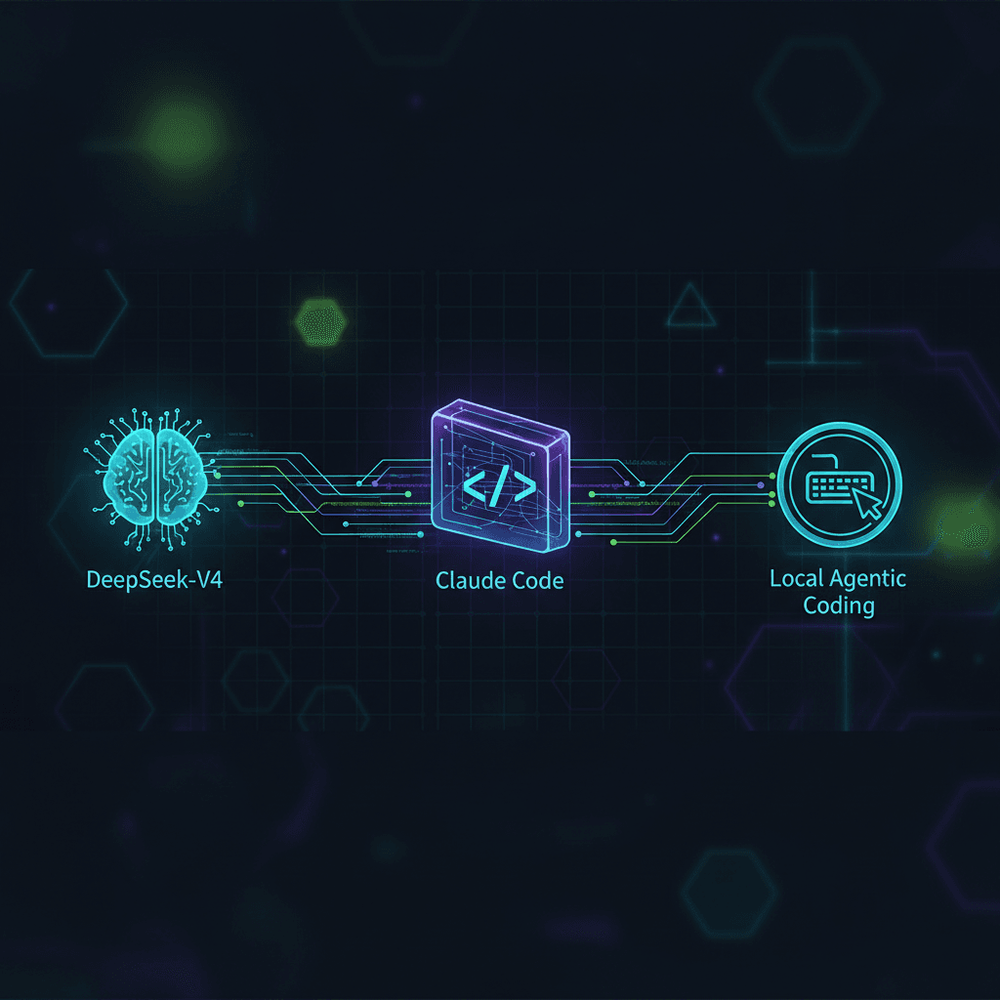
How to Route DeepSeek-V4 Through Claude Code for Local Agentic Coding

Share this article
- Premium Results
- Publish articles on SitePoint
- Daily curated jobs
- Learning Paths
- Discounts to dev tools
7 Day Free Trial. Cancel Anytime.
How to Route DeepSeek-V3 Through Claude Code
- Verify that DeepSeek's API endpoint supports Anthropic Messages API schema (or plan to use a translation proxy like LiteLLM).
- Install Node.js v18+ and the Claude Code CLI globally via
npm install -g @anthropic-ai/claude-code. - Generate a DeepSeek API key from
platform.deepseek.comand store it securely. - Set three environment variables:
ANTHROPIC_BASE_URL,ANTHROPIC_API_KEY, andANTHROPIC_MODELto point at DeepSeek's endpoint. - Source your shell profile or restart the terminal to apply the new variables.
- Validate the connection by running
claude "What model are you?"and confirming a DeepSeek response. - Test with a multi-file agentic coding task to confirm full tool-use functionality.
Claude Code is Anthropic's agentic CLI tool that reads, writes, and refactors code across entire repositories with minimal human intervention. By routing it through DeepSeek-V3, you can leverage the same agentic capabilities at a fraction of the cost.
Table of Contents
- Why Route DeepSeek-V3 Through Claude Code?
- Prerequisites and What You'll Need
- How the Routing Works -- Architecture Overview
- Step 1 -- Get Your DeepSeek API Key
- Step 2 -- Configure Environment Variables for Claude Code
- Step 3 -- Configure Claude Code Settings (Optional Overrides)
- Step 4 -- Validate the Connection
- Step 5 -- Test with a Real Agentic Coding Task (React + Node.js)
- Performance and Cost Comparison
- Tips, Limitations, and Practices Worth Adopting
- Complete Implementation Checklist
- What This Enables Going Forward
Why Route DeepSeek-V3 Through Claude Code?
Claude Code is Anthropic's agentic CLI tool that reads, writes, and refactors code across entire repositories with minimal human intervention. Developers have adopted it rapidly for its ability to handle multi-file edits, run shell commands, and iterate on complex tasks autonomously. But using it against Anthropic's native API comes with friction: Claude 3.5 Sonnet and Claude 3 Opus pricing, per-token costs that compound quickly during long agentic sessions (a multi-file refactor can easily consume 200K-500K tokens), and rate limits that can stall workflows during peak usage.
DeepSeek-V3 changes the equation. The model exposes an OpenAI-compatible API endpoint, and with the appropriate configuration, Claude Code can point at DeepSeek's backend using environment variables. The key requirement is that DeepSeek's endpoint must accept Anthropic Messages API request and response schema for this direct routing to work without a proxy.
Important: Before following this tutorial, verify in DeepSeek's current API documentation whether an Anthropic-compatible endpoint is available. As of publication, DeepSeek documents an OpenAI-compatible endpoint. If Anthropic-schema compatibility is not confirmed, you will need an OpenAI-to-Anthropic translation proxy such as LiteLLM between Claude Code and DeepSeek's API.
By the end of this tutorial, you will have Claude Code configured to route requests to DeepSeek-V3, validated with a real React and Node.js coding task. A complete implementation checklist is included at the bottom for quick reference.
Prerequisites and What You'll Need
Software Requirements
Install the following and confirm each is accessible from the command line:
- Node.js v18 or later and npm (used both for installing Claude Code and for the sample project)
- Claude Code CLI, installed globally via
npm install -g @anthropic-ai/claude-code-- this tutorial assumes a specific version; pin it withnpm install -g @anthropic-ai/claude-code@<version>for reproducibility, and check your installed version withclaude --version - A DeepSeek API account with an active, funded API key (obtained from
platform.deepseek.com) - Terminal or shell access on macOS, Linux, or WSL on Windows (Bash or Zsh required; native Windows cmd.exe or PowerShell is not supported by the shell commands below)
- (Optional)
direnvfor project-scoped environment variable management
Knowledge Assumptions
This tutorial assumes comfort with the command line, basic familiarity with environment variables and API key management, and working knowledge of JavaScript, React, and Node.js. No prior experience with Claude Code's internals is required, though having used it against Anthropic's default endpoint will help contextualize behavioral differences.
How the Routing Works -- Architecture Overview
Claude Code communicates with its backend via the Anthropic Messages API format. Every prompt, tool-use invocation, and streamed response follows a defined request/response schema. The CLI reads a base URL and API key from its configuration to determine where to send these requests.
The routing path is:
Claude Code CLI → DeepSeek API endpoint → DeepSeek-V3 model
Three environment variables control the routing. ANTHROPIC_BASE_URL tells Claude Code where to send API requests, overriding the default https://api.anthropic.com endpoint. ANTHROPIC_API_KEY supplies the authentication credential -- in this case a DeepSeek API key rather than an Anthropic key. ANTHROPIC_MODEL specifies which model identifier to request, overriding the default Claude model.
Compatibility requirement: This direct routing requires DeepSeek's endpoint to accept the Anthropic Messages API schema. Verify this in DeepSeek's documentation before proceeding. If DeepSeek only exposes an OpenAI-compatible endpoint, you will need a translation proxy (such as LiteLLM) between Claude Code and DeepSeek.
Step 1 -- Get Your DeepSeek API Key
Navigate to platform.deepseek.com and create an account if one does not already exist. Once logged in, locate the API Keys section in the dashboard. Generate a new key and copy it immediately; DeepSeek typically displays the full key only once.
DeepSeek charges roughly 10-30x less per token than Anthropic as of mid-2025 (verify current rates at DeepSeek's pricing page). For long agentic sessions where Claude Code may consume hundreds of thousands of tokens reading files, planning edits, and iterating on tool calls, this difference compounds meaningfully.
Security reminder: Never commit API keys to version control. Use environment variables, secrets managers, or .env files excluded via .gitignore. If using .env files, add the entry explicitly:
grep -qxF '.env' .gitignore 2>/dev/null || echo '.env' >> .gitignoreStep 2 -- Configure Environment Variables for Claude Code
Setting Variables in Your Shell Profile
For persistent configuration that survives terminal restarts, add the following to the shell profile file (~/.bashrc for Bash, ~/.zshrc for Zsh):
# ~/.zshrc or ~/.bashrc — Route Claude Code to DeepSeek-V3
# Replace <your-deepseek-api-key> with the actual key from platform.deepseek.com
export ANTHROPIC_BASE_URL="https://api.deepseek.com/v1"
export ANTHROPIC_API_KEY="${ANTHROPIC_API_KEY:?Set ANTHROPIC_API_KEY to your DeepSeek key}"
export ANTHROPIC_MODEL="deepseek-chat"
The ${ANTHROPIC_API_KEY:?...} syntax causes the shell to error with a descriptive message if the variable is unset or empty, preventing silent use of a placeholder. Set your actual key with export ANTHROPIC_API_KEY="sk-your-actual-key" above these lines, or export it separately before sourcing your profile.
Verify that https://api.deepseek.com/v1 supports Anthropic Messages API schema in DeepSeek's current documentation. If it only supports OpenAI-format requests, you will need a proxy.
After saving the file, source it to apply the changes in the current session:
source ~/.zshrc
# or
source ~/.bashrc
These three variables work together: ANTHROPIC_BASE_URL redirects requests to DeepSeek's endpoint, ANTHROPIC_API_KEY authenticates with your DeepSeek key (not an Anthropic key), and ANTHROPIC_MODEL requests deepseek-chat, the correct identifier for DeepSeek-V3.
Per-Session Configuration (Temporary)
For quick testing without modifying shell profiles, export the variables inline:
export ANTHROPIC_BASE_URL="https://api.deepseek.com/v1"
export ANTHROPIC_API_KEY="sk-your-actual-deepseek-key" # Replace with your real key
export ANTHROPIC_MODEL="deepseek-chat"
claude "Hello, confirm you are responding."
These variables last only until you close the terminal, which makes this approach useful for one-off validation.
Using a .env File with direnv (Optional)
To scope the DeepSeek routing to a specific project directory while leaving other projects on the default Anthropic endpoint, use direnv:
# Install direnv if not already present
# macOS: brew install direnv
# Ubuntu/Debian: sudo apt install direnv
# Add the direnv hook to your shell profile (if not already done)
# For Zsh, add to ~/.zshrc:
# eval "$(direnv hook zsh)"
# For Bash, add to ~/.bashrc:
# eval "$(direnv hook bash)"
# In your project directory, create an .envrc file:
cd ~/projects/my-deepseek-project
if [ -f .envrc ]; then
 echo ".envrc already exists. Edit it manually or remove it first."
else
 cat > .envrc << 'EOF'
export ANTHROPIC_BASE_URL="https://api.deepseek.com/v1"
export ANTHROPIC_API_KEY="sk-your-actual-deepseek-key"
export ANTHROPIC_MODEL="deepseek-chat"
EOF
fi
# Authorize the directory
direnv allow
Replace sk-your-actual-deepseek-key with your real DeepSeek API key. The heredoc syntax above requires Bash or Zsh. Fish shell users should use echo 'export ...' >> .envrc instead.
Now, entering ~/projects/my-deepseek-project automatically sets the DeepSeek routing. Leaving the directory unsets the variables, reverting Claude Code to its default behavior.
Security warning: The .envrc file contains your literal API key. Add it to .gitignore explicitly to avoid leaking credentials:
grep -qxF '.envrc' .gitignore 2>/dev/null || echo '.envrc' >> .gitignoreNever commit this file to version control.
Step 3 -- Configure Claude Code Settings (Optional Overrides)
The Claude Code Settings File
Claude Code supports a JSON settings file at ~/.claude/settings.json (global) or .claude/settings.json (project-level). This provides an alternative to environment variables for users who prefer file-based configuration:
{
 "model": "deepseek-chat"
}
Verify additional field names against your Claude Code version's settings schema using claude settings --help or the official documentation. Field names and available options vary across versions.
The API key is still read from the ANTHROPIC_API_KEY environment variable; do not place it in the settings JSON file for security reasons.
Recommendation: Environment variables (
ANTHROPIC_BASE_URL,ANTHROPIC_API_KEY,ANTHROPIC_MODEL) are the most reliable configuration method for this routing setup. The settings file schema is version-dependent and field names may change. When in doubt, use environment variables.
To enable autonomous tool-use without per-action prompts (allowing Claude Code to execute file writes and shell commands without asking for approval each time), use the --dangerously-skip-permissions CLI flag. As the name implies, this grants broad permissions -- review all changes made by Claude Code afterward, and do not use this flag on sensitive or production codebases without understanding the risks.
Precedence Order
When multiple configuration sources conflict, Claude Code resolves them in a priority order: CLI flags generally take highest priority, followed by environment variables, then the settings file, and finally built-in defaults. Verify current precedence behavior in Claude Code's official documentation, as this may change across versions.
Step 4 -- Validate the Connection
Run a simple prompt to confirm that Claude Code is communicating with DeepSeek-V3:
claude "What model are you? Respond with your exact model identifier."A successful response should reference DeepSeek or the deepseek-chat model identifier rather than a Claude model name. This confirms the base URL, API key, and model routing are all correct.
Troubleshooting Common Errors
401 Unauthorized
The API key is invalid, expired, or not correctly set. Verify with echo $ANTHROPIC_API_KEY that the variable is populated and matches the key from DeepSeek's dashboard.
404 Not Found
The base URL is incorrect, or DeepSeek's endpoint does not support Anthropic Messages API schema at this path. Confirm the endpoint path in DeepSeek's documentation. If a 404 persists after verifying the path, you likely need an OpenAI-to-Anthropic proxy such as LiteLLM.
Model not found
The model identifier string does not match what DeepSeek's API expects. Retrieve valid identifiers with:
curl --fail --show-error \
 "https://api.deepseek.com/v1/models" \
 -H "Authorization: Bearer ${ANTHROPIC_API_KEY}"
The standard chat model identifier is deepseek-chat.
Timeout errors
Network connectivity, firewall rules, or VPN configurations may block outbound HTTPS requests to api.deepseek.com. Check DeepSeek's status page for any ongoing outages.
Step 5 -- Test with a Real Agentic Coding Task (React + Node.js)
Setting Up a Sample Project
Scaffold a minimal full-stack project to give Claude Code a realistic workspace:
mkdir deepseek-claude-test && cd deepseek-claude-test
# Initialize and scaffold the Express backend
mkdir server && cd server
npm init -y
npm install --save-exact express cors
if [ -f index.js ]; then
 echo "server/index.js already exists. Remove it first or skip this step."
 exit 1
fi
cat > index.js << 'EOF'
const express = require('express');
const cors = require('cors');
const app = express();
const ALLOWED_ORIGIN = process.env.ALLOWED_ORIGIN || 'http://localhost:5173';
app.use(cors({ origin: ALLOWED_ORIGIN }));
app.use(express.json());
app.get('/', (req, res) => res.json({ message: 'Server running' }));
const PORT = process.env.PORT ?? 3001;
const server = app.listen(PORT, (err) => {
 if (err) {
 console.error('Failed to bind:', err);
 process.exit(1);
 }
 console.log(`Backend on http://localhost:${PORT}`);
});
server.setTimeout(10_000);
EOF
cd ..
# Scaffold the React frontend with Vite
# Pin create-vite to a specific version for reproducibility
# Replace 5.5.5 with the version verified at https://www.npmjs.com/package/create-vite
npx --yes create-vite@5.5.5 client -- --template react
cd client && npm install && cd ..
This creates a two-directory project with an Express backend and a Vite-powered React frontend, providing enough structure for Claude Code to demonstrate multi-file agentic behavior.
Running an Agentic Task
From the project root, launch Claude Code with a multi-step prompt:
cd deepseek-claude-test
claude "Add a /api/status health-check endpoint to the Express server in ./server/index.js that returns { status: 'ok', uptime: process.uptime() }. Then create a new React component in ./client/src/StatusCheck.jsx that fetches this endpoint on mount and displays the status and uptime. Import and render this component in App.jsx."
Claude Code will prompt for approval before each file write and shell command by default. If you want it to proceed without per-action approval for this demonstration, add the --dangerously-skip-permissions flag. Review all changes afterward.
This task requires Claude Code to read existing files, modify server/index.js, create a new StatusCheck.jsx component, and edit App.jsx to wire everything together. It exercises the full agentic loop: the model reads files, plans changes, generates code, and writes updates across multiple files.
Reviewing the Output
After execution, Claude Code should have written three changes: the /api/status route added to the Express server, StatusCheck.jsx created with a useEffect fetch call and state rendering, and the new component imported in App.jsx. Verify each file to confirm correctness.
Expect some behavioral differences compared to native Anthropic Claude. DeepSeek-V3 responses tend to differ in verbosity and formatting. The model may sequence file reads and writes in a different order than Claude would. We did not benchmark latency, but expect it to vary with DeepSeek's infrastructure load. The core agentic loop should complete successfully, provided DeepSeek-V3's endpoint supports the tool-use schema that Claude Code relies on.
Performance and Cost Comparison
| Metric | Claude Code + Anthropic API | Claude Code + DeepSeek-V3 |
|---|---|---|
| Cost per 1M input tokens | ~$3.00 (Claude 3.5 Sonnet) | Verify current rates at platform.deepseek.com/docs/pricing |
| Cost per 1M output tokens | ~$15.00 (Claude 3.5 Sonnet) | Verify current rates at platform.deepseek.com/docs/pricing |
| Typical response latency | Low (Anthropic infrastructure) | Not benchmarked |
| Rate limits | Tier-dependent | Tier-dependent |
| Agentic tool-use support | Full | Full (if Anthropic-schema endpoint is confirmed) |
Pricing is directional and should be verified against current published rates. Check Anthropic's pricing page and DeepSeek's pricing page for up-to-date figures. Both providers adjust pricing periodically. As of mid-2025, DeepSeek-V3 costs roughly 10-30x less per token than Claude 3.5 Sonnet. The cost differential matters most during long agentic sessions where Claude Code consumes large volumes of tokens reading codebases and iterating on edits. Consider setting a budget cap or monitoring spending closely during extended sessions.
Tips, Limitations, and Practices Worth Adopting
What Works Well
Standard code generation, multi-file editing, and multi-step agentic tasks work reliably through this routing setup when endpoint compatibility is confirmed. For high-volume usage like large refactors or iterative feature development across a codebase, DeepSeek-V3 costs roughly 10-30x less per token than Anthropic's API (see the cost comparison above).
Known Limitations
Some Claude Code features that depend on Anthropic-specific model capabilities behave differently under DeepSeek-V3. Extended thinking is a Claude 3.7+ capability; DeepSeek-V3 does not support it, and Claude Code will not offer this feature when routed to DeepSeek. System prompt behaviors tuned to Claude's architecture produce different results because DeepSeek-V3 was trained on a different base.
DeepSeek handles all token counting and billing. Anthropic's usage dashboard will not reflect any activity when routing through DeepSeek.
Claude Code version updates can change environment variable names, settings file schema, or internal API behavior. Pin the CLI to a specific version (npm install -g @anthropic-ai/claude-code@<version>) if you use this routing in production.
Practices Worth Adopting
Maintain the ability to switch back to Anthropic for tasks where Claude's native model quality is preferred, particularly for complex architectural decisions or nuanced refactors. Use project-scoped .env or direnv to mix and match backends per project. Monitor DeepSeek's API changelog for breaking changes to endpoint paths or model identifiers.
Complete Implementation Checklist
1. ☐ Install Node.js v18+ and Claude Code CLI (npm install -g @anthropic-ai/claude-code)
2. ☐ Verify DeepSeek's API supports Anthropic Messages API schema (check platform.deepseek.com/docs)
3. ☐ Create DeepSeek account at platform.deepseek.com and generate API key
4. ☐ Set ANTHROPIC_BASE_URL to https://api.deepseek.com/v1
5. ☐ Set ANTHROPIC_API_KEY to your DeepSeek API key
6. ☐ Set ANTHROPIC_MODEL to deepseek-chat
7. ☐ Source shell profile (source ~/.zshrc) or restart terminal
8. ☐ Run validation prompt: claude "What model are you?"
9. ☐ Test with a multi-file agentic coding task
10. ☐ Compare output quality and latency against Anthropic baseline
11. ☐ (Optional) Configure project-scoped .envrc with direnv for per-project routing
12. ☐ (Optional) Pin Claude Code CLI version for reproducibility
What This Enables Going Forward
Claude Code's agentic capabilities -- file reading, multi-file editing, shell command execution, and iterative task completion -- can now route to DeepSeek-V3 at roughly 10-30x lower token cost (verify current rates). The setup requires only three environment variables.
The trade-off is straightforward: lower cost and potentially different rate-limit behavior in exchange for model-level differences in reasoning quality, response style, and feature support for Anthropic-specific capabilities like extended thinking. For many day-to-day coding tasks, that trade-off is favorable. Confirm endpoint compatibility before committing to this setup for production workflows.
- Premium Results
- Publish articles on SitePoint
- Daily curated jobs
- Learning Paths
- Discounts to dev tools
7 Day Free Trial. Cancel Anytime.