
- The Problem with Terminal-Based Agent Workflows
- What Is Nimbalyst?
- Files Mode: Visual Editors Powered by AI
- Agent Mode: Session Management at Scale
- Developer Features: Git, Worktrees, and Code Review
- Task Mode: Planning and Tracking Built In
- Mobile App: Monitor Sessions on the Go
- Open, Local, and Secure
- Supported Platforms and Pricing
- Getting Started
- The Problem with Terminal-Based Agent Workflows
- What Is Nimbalyst?
- Files Mode: Visual Editors Powered by AI
- Agent Mode: Session Management at Scale
- Developer Features: Git, Worktrees, and Code Review
- Task Mode: Planning and Tracking Built In
- Mobile App: Monitor Sessions on the Go
- Open, Local, and Secure
- Supported Platforms and Pricing
- Getting Started
Nimbalyst: The Visual Workspace for Building with Claude Code and Codex

Share this article
- Premium Results
- Publish articles on SitePoint
- Daily curated jobs
- Learning Paths
- Discounts to dev tools
7 Day Free Trial. Cancel Anytime.
If you're working with Claude Code or Codex, you already know the power of coding agents. But managing multiple sessions and reviewing AI changes in a terminal is like eating through a straw - while simultaneously juggling your markdown editor, code editor, and diagram editor.
Nimbalyst is a free, local, visual workspace purpose-built for agentic development. It brings session management, visual file editing, task tracking, and git workflows into a single interface designed around how coding agents actually work.
In this article, we will walk through what Nimbalyst does, how its three core modes work, and why it matters for developers building with AI agents in 2026.
The Problem with Terminal-Based Agent Workflows
Coding agents like Claude Code and Codex are powerful. They can write code, refactor entire modules, generate documentation, and reason through complex architectural decisions. But the tooling around them has not caught up.
In a typical terminal workflow, running a single agent session is manageable. Running three or four in parallel - one doing research, another writing code, a third generating tests - quickly becomes chaotic. There is no visual overview of what each session has done. There is no easy way to see which files were modified, review diffs inline, or track the status of multiple workstreams at once.
Beyond session management, the context problem is real. When planning a feature, you might need a markdown spec, a Mermaid diagram of the architecture, a UI mockup, and the actual code - all at once. In a terminal workflow, that means switching between four different tools, losing context each time you alt-tab.
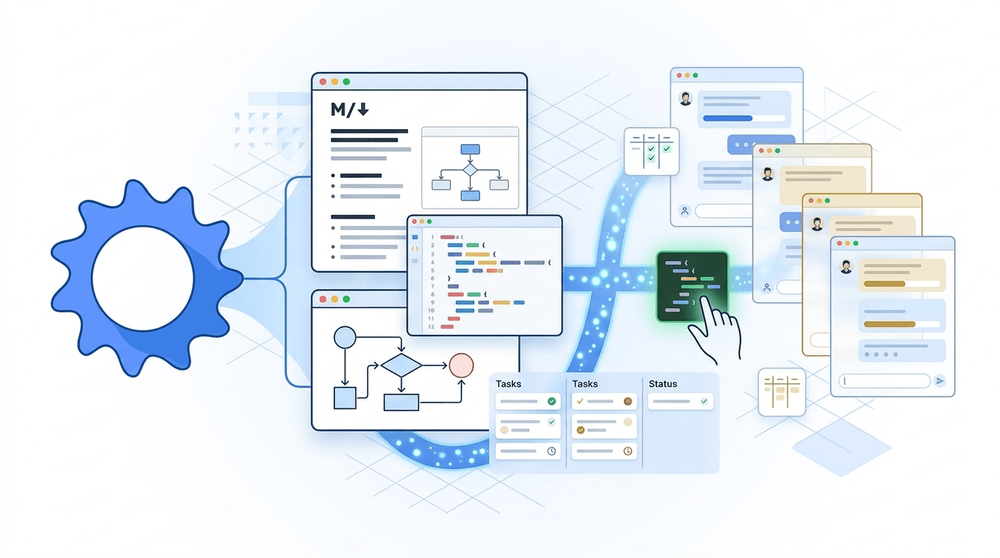
Nimbalyst addresses this by combining visual editors, session management, and task tracking in a single workspace that is built around the agent-first workflow.
What Is Nimbalyst?
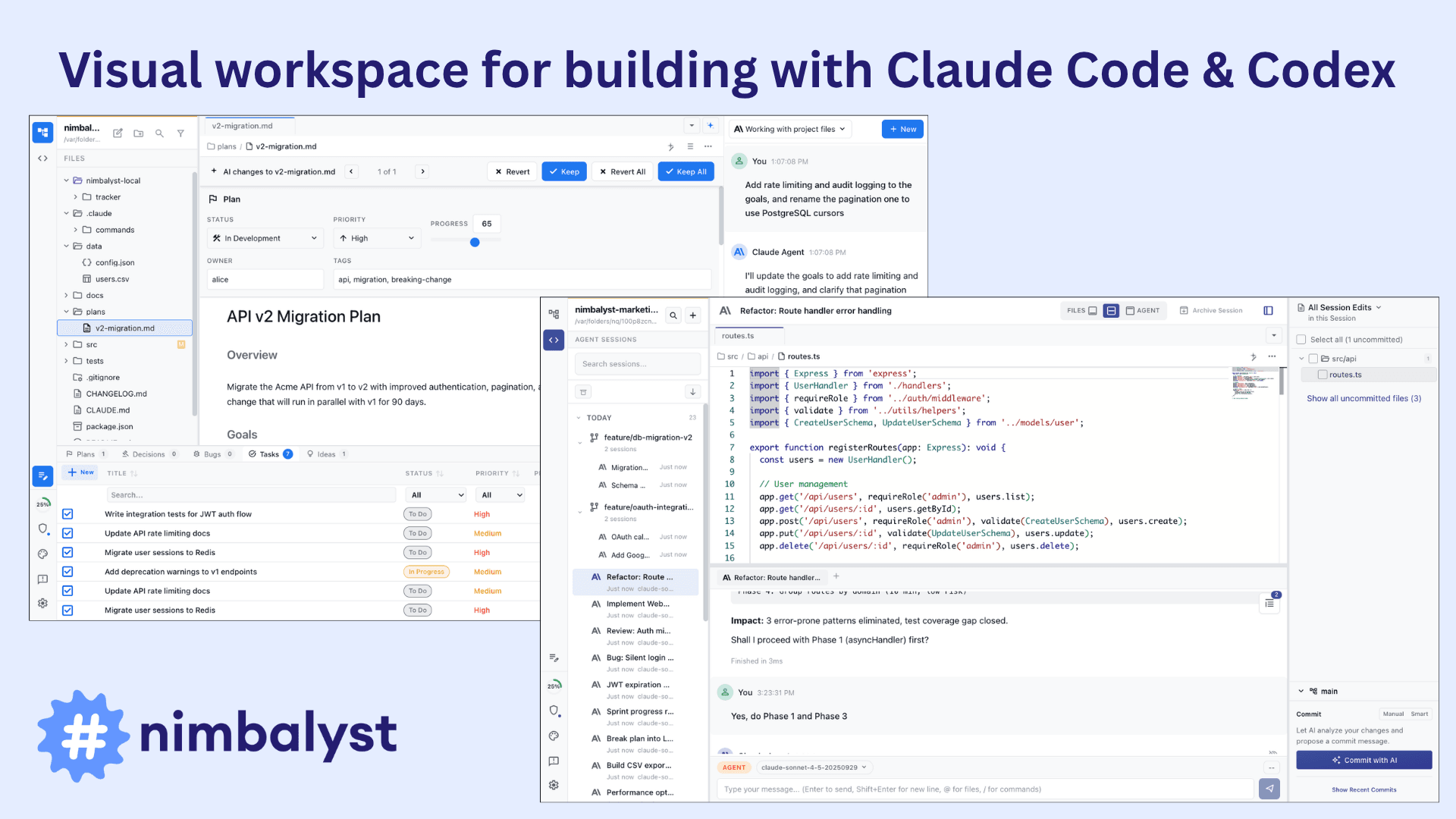
Nimbalyst is a desktop application available for macOS (Apple Silicon and Intel), Windows, and Linux. It operates in three core modes: Files, Agent, and Tasks.
In Files mode, you work in visual editors for markdown, code, mockups, diagrams, CSV data, data models, and Excalidraw drawings - all with your coding agent running alongside in a side panel. When the agent makes changes, you see red/green diffs inline and can accept, reject, or edit each change before it lands.
In Agent mode, you manage your coding agent sessions. You can run multiple sessions in parallel, organize them on a kanban board, search and resume past sessions, and see exactly which files each session read or modified.
In Task mode, you track plans, bugs, ideas, and to-dos using inline tags and kanban views. Status metadata is stored as markdown frontmatter, so both humans and agents can read and update it.
All data is stored locally in standard file formats - markdown, code files, HTML, Excalidraw JSON — on your own filesystem. There are no proprietary formats and no lock-in.
Files Mode: Visual Editors Powered by AI
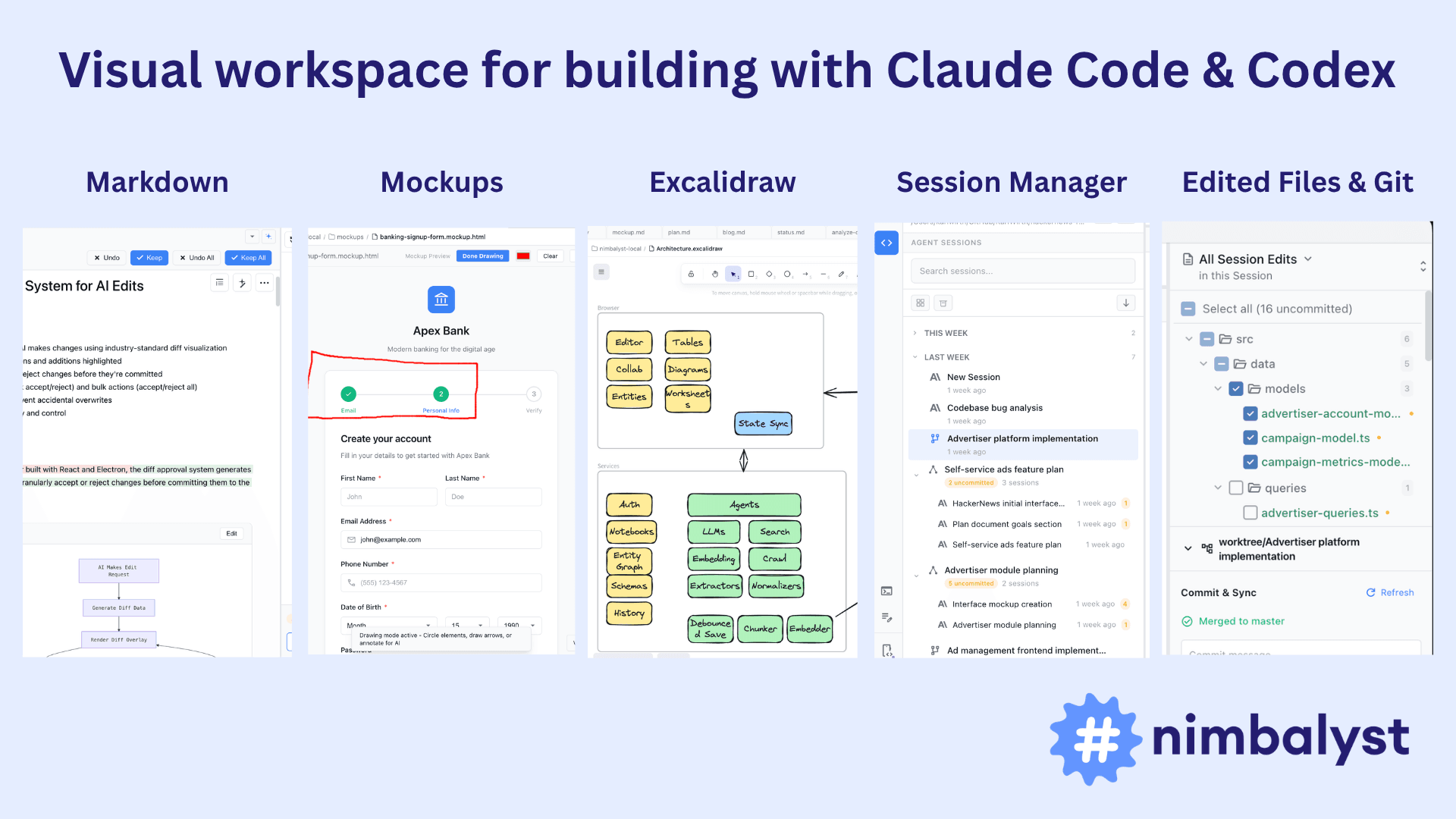
Nimbalyst includes seven visual editors, each integrated with Claude Code and Codex:
Markdown (WYSIWYG): A fast, local markdown editor where you can write specs, plans, and documentation. The agent runs in a side panel and can edit the document. Changes appear as inline diffs for your review. The editor supports text, lists, tables, code blocks, and embedded images. Every version of a document is saved with full file history and restore capability.
Code Editor: Built on Monaco (the same editor engine behind VS Code), with syntax highlighting and full project awareness. The agent can generate, refactor, and debug code while you review diffs before any changes are applied.
UI Mockups: Design wireframes and mockups visually, iterate on them with your agent, annotate them, and then use them as context when asking the agent to generate frontend code.
Mermaid Diagrams: Describe a flowchart, sequence diagram, or class diagram in plain language and the agent generates the Mermaid code. Diagrams render inline in your markdown files with a live preview.
Excalidraw: Sketch architecture diagrams, user flows, and system maps on an infinite canvas. You can draw by hand or describe what you want and let the agent place, connect, and style elements.
Data Models: Design database schemas and entity relationships visually. The agent can generate a complete, normalized schema from a description, and you can export it as Prisma schema files.
CSV Spreadsheet: Edit CSV data in a familiar spreadsheet view while the agent can filter, sort, reshape, or enrich the data.
The key workflow across all editors is the same: you work in the center panel, the agent runs in the right panel, and the file tree lives in the left panel. When the agent modifies a file, diffs are surfaced for review. You stay in control.
Agent Mode: Session Management at Scale
This is where Nimbalyst differentiates itself most clearly from working in a terminal.
You can run multiple agent sessions in parallel and get notified when each one completes. Sessions are persistent - they are saved and searchable, so you can pick up any conversation exactly where you left off. You can also branch sessions and archive old ones.
The session kanban lets you organize sessions by phase: backlog, planning, implementing, complete. This gives you a visual overview of your workstream at a glance instead of a list of terminal tabs.
Every session is linked to the files it read and wrote through the file edits sidebar. When a session finishes, you can step through each modified file and review changes before committing. This connection between sessions and files is bidirectional - you can also start from a file and see which sessions have touched it.
Workstreams act as folders for sessions. If you are working on multiple features or projects at once, you can group related sessions together so they do not get lost in a flat list.
For developers, sessions can run in worktrees - separate git working directories for each branch. This means multiple agents can work on different branches simultaneously without interfering with each other.
Developer Features: Git, Worktrees, and Code Review
Nimbalyst includes a set of developer-focused features beyond the editors:
Visual git management: View diffs, stage changes, and manage branches from a visual interface built into the workspace. No need to switch to a separate git GUI or the terminal.
AI-assisted git commits: The agent reviews your staged changes and drafts a commit message. You review, edit, and commit in one step.
Worktree support: Work on multiple branches simultaneously. Each worktree gets its own editor context and agent sessions, keeping feature work isolated.
Integrated terminal: A full terminal is available within Nimbalyst for running commands, scripts, and build tools without leaving the workspace.
/ commands and skills: Extend your agent with custom slash commands and skills. These can be project-specific or personal, versioned with your repo, and shareable with your team.
MCP support: Connect your agents to external tools and services via Model Context Protocol. Linear, GitHub, Slack, databases, and more are all accessible from within sessions.
CLAUDE.md / Agents.md: Configure agent behavior with project-level instruction files that set context, constraints, and conventions your agents follow automatically.
Task Mode: Planning and Tracking Built In
Agents make work faster, but they also make it harder to track. When you can spin up a session that writes an entire feature in minutes, keeping track of what has been done, what is pending, and what needs review becomes its own problem.
Nimbalyst's task mode stores status, priorities, tags, and ownership as markdown frontmatter - the same files you are already editing. You can tag items inline as @task, @idea, @bug, or @decision, and they surface in your sidebar and plans automatically.
The kanban board view lets you see status across all your plans in one dashboard. Agents can create tasks, edit them, move them between statuses, and mark them complete as part of their normal workflow. You can also drag, reorder, and organize tasks manually.
Because everything is stored in markdown, task data is readable in any text editor, works with git version control, and is accessible to any AI agent - not just the one running in Nimbalyst.
Mobile App: Monitor Sessions on the Go
Nimbalyst has an iOS app that pairs with your desktop installation. You can start new sessions, monitor running ones, review agent work, and chat with Claude Code and Codex from your phone.
The mobile app is available on the App Store.
Open, Local, and Secure
Nimbalyst takes a firm stance on data ownership:
Local storage: All content and metadata lives in plain files on your filesystem. Nothing is stored on Nimbalyst's servers.
Open formats: Markdown, code, HTML, Excalidraw JSON, CSV. No proprietary formats. Your files are readable in any text editor and portable to any tool.
Your own API keys: Nimbalyst connects to your own Claude Code or Codex subscription. You bring your own API access.
Privacy: Nimbalyst collects usage data only, and you can opt out. Your content data stays on your machine.
Permission system: Fine-grained control over what agents can do: trust levels, permission modes, allowed tools, and filesystem access, configurable per project.
SOC 2 Type 2 certified: Enterprise-ready security for teams that need compliance assurance.
Supported Platforms and Pricing
Nimbalyst is available for:
- macOS (Apple Silicon and Intel)
- Windows
- Linux
The individual plan is free with no feature limits and no trial period. It includes the full workspace, all seven editors, session management, Claude Code and Codex integration, MCP support, file link sharing, git management, and worktrees.
A Team plan with collaboration features is coming soon, with pricing to be announced.
Getting Started
Getting started with Nimbalyst takes a few minutes:
- Download the desktop app from nimbalyst.com for your platform.
- Open a project folder or create a new one.
- Configure your AI provider (Claude Code or Codex) with your own API key.
- Start a session and begin working.
If you are building with coding agents and want a workspace that matches the pace of agentic development, Nimbalyst is worth a look.
SitePoint Sponsors
Sponsored posts are provided by our content partners. Thank you for supporting the partners who make SitePoint possible.
- Premium Results
- Publish articles on SitePoint
- Daily curated jobs
- Learning Paths
- Discounts to dev tools
7 Day Free Trial. Cancel Anytime.