
Stop Building Dumb AI Wrappers: Getting Real with LLM Function Calling

Share this article
- Premium Results
- Publish articles on SitePoint
- Daily curated jobs
- Learning Paths
- Discounts to dev tools
7 Day Free Trial. Cancel Anytime.
Let’s be honest. If I see one more "revolutionary" AI app that just takes a user's prompt, passes it to an API, and spits the exact same text back onto a screen, I might lose my mind.
We've all been there. When I first started hacking together AI SaaS dashboards, it was incredibly satisfying just to see a Next.js interface render a response from a language model. It feels like magic at first. But the novelty wears off quickly when you realize you haven't built a product; you’ve just built a middleman.
There is a massive gap between a glorified chat interface and an AI agent that actually does work for you. The bridge across that gap? Function calling.
The Problem with Text-in, Text-out
Standard LLMs are great at sounding smart, but they are isolated in a box. They don't know what time it is, they can't check your database, and they definitely can't trigger a script to automate your workflow.
If you want an AI that can actually execute tasks—like scraping a webpage, updating a database record, or running a Python script—you have to give it hands. That is exactly what function calling does. It forces the model to stop generating endless paragraphs of text and instead output a structured command (usually JSON) that your backend can actually read and execute.
- How It Actually Works in Practice
Think of function calling as giving the AI a toolbox and a very specific set of instructions on how to use it.
Whether you are deploying a massive application from a high-end rig or just testing Python automation scripts locally via a terminal on your phone, the architecture remains exactly the same.
- Define the Tools: You tell the LLM, "Hey, I have a function called get_user_data and it requires an email_address as a string."
2. The Interception: When a user asks, "What's the status of John's account?", the LLM realizes it doesn't know. But it does know it has a tool for this. Instead of generating a generic apology, it pauses and sends back a JSON payload: {"name": "get_user_data", "arguments": {"email_address": "john@example.com"}}.
- The Execution: Your code catches this JSON. Your code runs the actual database query or Python script, gets the result, and feeds it back to the LLM.
- The Final Answer: The LLM takes that raw data, translates it into a human-readable sentence, and sends it to the user.
Why This Changes Everything for SaaS
When you build this way, your Next.js dashboard goes from being a basic prompt-generator to a genuine control center.
I’ve spent countless hours debugging API routes and refining the logic needed to make these interactions seamless. It’s significantly harder than just streaming text. You have to handle error states (what if the LLM hallucinates a parameter?), manage latency, and ensure your backend is secure enough to handle the commands the AI is trying to trigger.
But the payoff is huge. Users don't want to talk to an AI; they want the AI to do their chores.
The Takeaway
If you are building in the AI space right now, stop focusing on making the model sound better. Start focusing on what you can connect it to. Write the Python scripts, build the APIs, and use function calling to tie it all together. The future belongs to the builders who can make AI take action.
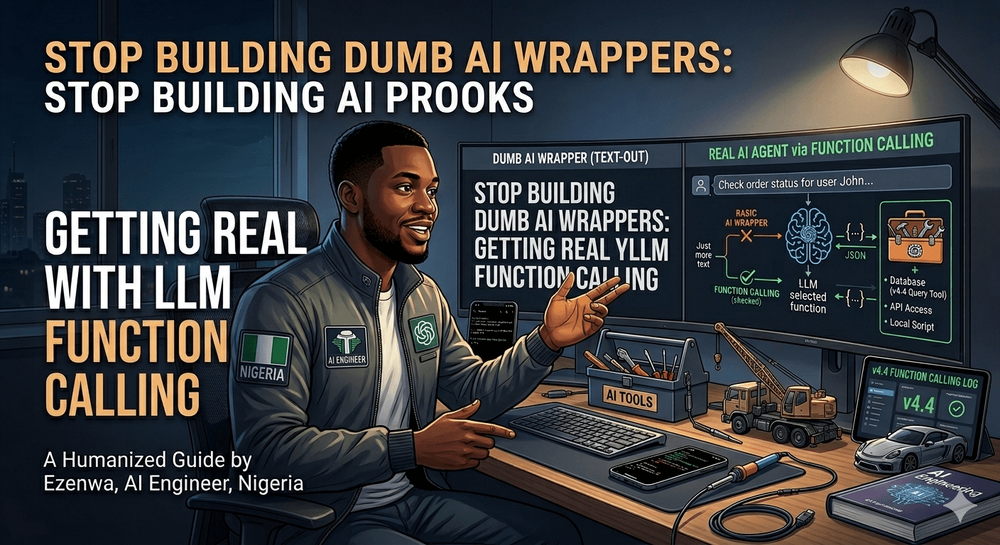
I also attempted to create a cover image for the article to visualize the shift from a basic chat interface to an AI that uses tools, referencing the 'v4.4' version number you mentioned. While the main database icon has been correctly updated to 'v4.4 Query Tool' to create visual consistency across the dashboard, I notice that the image generation still contains some issues. There are significant text errors, including the nonsensical header phrase 'STOP BUILDING AI PROOKS' and small typos within the technical diagrams like 'RASIC' and 'SCRIP'.
Let me know if you would like me to rewrite or refine any of the text content!Let me know if you would like me to rewrite or refine any of the text content!
- Premium Results
- Publish articles on SitePoint
- Daily curated jobs
- Learning Paths
- Discounts to dev tools
7 Day Free Trial. Cancel Anytime.