
Summary
- Mac apps have great alternatives on Windows, like DaVinci Resolve for video editing and Cakewalk for music creation.
- Windows users can use apps like WinDirStat and CCleaner for disk management, offering features similar to Mac's tools.
- Explore alternative Windows apps like Obsidian and OneNote for note-taking similar to Mac's Notability.
It's no secret that Mac users have some great software to choose from, and that software is well-optimized thanks to the lower pool of hardware that developers have to support. Add that to the Mac's reputation for being used by creative professionals, and it's not hard to see why some of the best Mac apps don't show up on any other system. If you're deep into the Windows 11 ecosystem so you can play games, you can still use alternatives to the best Mac apps and get most of the same experience. Here are our favorite Windows apps to use instead of some of the most downloaded Mac apps.

24 of the best free alternatives to the most popular paid software
You don't have to pay for professional software to complete simple tasks. Here are our favorite free software programs for getting work done.
10 Best Final Cut Pro alternatives
Final Cut Pro is one of the best video editing apps for the Mac, partly because it's specifically optimized for macOS, so things like scrubbing the timeline go faster than any other app. While Windows users can't use Final Cut Pro, they still have access to a wide variety of video editing apps, ranging from easy-to-use to industry-standard.

Best video editing apps on Windows in 2023
Making good videos requires skill and a lot of practice, but the right tools can also help.
One of the most popular video editors for Windows users is DaVinci Resolve. Not only does this multi-track, non-linear editor have powerful color grading tools and audio editing, but it's also free to use. Only a few features are locked behind a perpetual license fee, which is around $300. This is a pro-level editor used by many Hollywood production houses, so to be able to use it for home use for free is amazing. You could also opt for Adobe Premiere Pro, which has tons of AI features that make light work of editing tasks, although the subscription model gets expensive over time. MAGIX Vegas Pro is also another great option, with powerful editing tools and in-app tips and tricks to help you learn.
-
Editor's choice
DaVinci Resolve
DaVinci Resolve is a fully-featured non-linear editing program that's used by hobbyists all the way to Hollywood productions. The best thing is that most of its features are free, and you can get used to the editor while deciding if the $300 license fee is worth it for your needs.
-
Premium pick
Adobe Premiere Pro
Premiere Pro is one of the most recognized names in video editing. It has powerful features, including AI replacement tools, but the move to a subscription-based fee structure makes it more expensive than its rivals.
-
Perpetual license
Magix Vegas Pro
Magix Vegas Pro is a pro-level video editor with AI-powered compositing for editing, post-production, and adding effects to your videos. It also has powerful color grading and correction tools, tips and tricks to enhance your final product, and tons of online tutorials so you can master your craft.
9 Best alternatives to GarageBand
GarageBand has long been a macOS stalwart, with a hugely powerful free music creation studio. It's got a huge sound library filled with instruments, session drummers, and percussionists, everything you'd need to make your own tracks stand out. It's also Mac-only, but you can still get your groove on (and record) if you're a Windows user with the right software alternatives.
The closest alternative for Windows users is Cakewalk, a fully featured music creation tool that can guide users through the entire creative process, from composing to publishing. It's also got built-in instruments and tons of effects, everything you need to put together music tracks. For those with podcasts, Audacity is a great, open-source tool for audio recording and editing that has everything you need to polish up your episodes. For those EDM producers out there, the MAGIX ACID range of loop-based audio editors is fantastic, with Music Studio being the most accessible option.
-
Editor's choice
Cakewalk
Cakewalk has been around for ages and is almost as fully featured as GarageBand. You can compose, record, edit, mix, master, and even publish your tracks without going into another program, and it has industry-level tools like effects, instruments, and vocal alignment. And it's free, making it pretty much GarageBand for Windows.
-
Best for podcasts
Audacity
Audacity is one of the most popular audio recording and editing tools on the market, with everything you need to make your podcast shine. It has extensive plug-in support and many pro-level tools to enhance your audio.
-
Best for beginners
MAGIX ACID Music Studio 11
MAGIX ACID Music Studio is a loop-based music creation tool with everything you need to put out a finished track. It comes with 8 virtual instruments and 6 effect plug-ins, over 2,500 loops to chop, change, and arrange, and some powerful remixing tools. That's everything an EDM artist could want, in one program.
8 Best CleanMyMac X alternatives
Macs don't always remove every trace of programs when they're uninstalled, especially if they are installed outside the App Store. That's why CleanMyMac exists: to clean out any junk files. Nowadays, it does even more, like searching for malware and tuning cache and other optimizations. Windows users have more options, but they might need to install several programs as most of the optimizer apps don't search for malware.

How to clean and speed up your Windows PC
If your Windows PC is starting to feel slow over time, these tips can help you get some performance back.
While Windows has gotten better at clearing up its own junk files, sometimes a helping hand is great. CCleaner has been helping Windows users delete junk files, remove registry fragments, and more for years and has added more features, like a handy tool to keep drivers updated. Other good options for reducing clutter on your Windows PC include WinExt Free, and Eusing Cleaner, which are both good for finding junk files that are taking up precious disk space.
-
Editor's choice
CCleaner
CCLeaner has long been the gold standard for system optimization tools on Windows. While it's less necessary with modern Windows versions, it still does a great job of cleaning out junk files and keeping your Windows installation optimized. It even helps keep drivers updated, which is handy for less technical users.
-
Powerful tools
WinExt Free
WinExt is a powerful collection of tools to keep your Windows computer humming along, with the ability to fix Registry issues, clear out system junk files and other places that take up precious disk space. It also has a powerful tool for finding duplicate files, and another for finding the files and folders taking up the most space on your PC.
-
Free to use
Eusing Cleaner
Eusing Cleaner might look dated, but it's got the tools you need to clear temporary files, cookies, log files, and more from clogging up your hard disk. It's freeware, and can also clear out remnants of your Registry to keep it more performant.
7 Best alternatives to Fantastical
Fantastical might be the best calendar management app for Mac users, but that doesn't mean there aren't great options on the Windows side. Just don't expect any of them to have deep integration into every device you own, because we all know Apple users have things better on that score.

How I made a smart Google Calendar management system with Python
I don't like using Google Calendar directly, but I like Calendar notifications. I wrote a Python script to manage my calendar for me.
One of the most powerful calendar apps for Windows users is Notion Calendar. It's got all the notifications and other management tools you'd expect from a calendar, and a deep integration into Notion for organizing your work as well. Other good options include VueMinder, which links together your calendar, contacts, notes, to-do lists, and more for a strong organizational tool, and Rainlendar, which is free for most features, but you'll have to pay a one-time fee for Pro if you want to sync with Google Calendar or other cloud-based calendars.
-
Editor's choice
Notion Calendar
Notion Calendar is developed by one of the best companies in knowledge management, putting their skills to personal time management. Connect all your other calendars, download the desktop app, and even link your Notion workspace so you can keep on top of all your tasks.
-
Premium pick
VueMinder Calendar
VueMinder isn't just a calendar app—well, it is, but it's also for organizing your to-do list, notes, contacts, and more. And you can link those entries together, so every piece of data you need is immediately visible when dealing with the calendar event. That's a great way to stay more organized, and there's a free Lite version to play with and decide if you want to pay for more features.
-
Best value
Rainlendar
Rainlendar is a great Windows calendar app that hovers over your desktop, replacing it with a calming rain-splattered window. Sync multiple calendars, get alarms and notifications, and customize the views to your liking so you can organize in the way that makes most sense.
6 Best Ulysses alternatives
It's no secret that Ulysses is one of the best apps for writers, but you do need an Apple device to use it. Windows writers aren't out in the cold, however, with a good selection of apps that have the same promise of distraction-free writing.

7 reasons Ulysses is every writer's dream tool to work with
Unleash your inner wordsmith with Ulysses
These include the markdown-based Typora, which has a completely distraction-free canvas to type onto, as all formatting and linking are handled with Markdown. If you need something a little more fully featured, Scrivener will keep your notes and source materials handy, and Zettlr can help you with every stage of the process, from ideation to publishing.
-
Editor's choice
Zettlr
Zettlr isn't just a great writing tool; it's a fully featured digital publishing powerhouse that can take your ideas from inception to publication. It's also open-source, with no forced cloud sync, no telemetry, and no other exporting of your data unless you hit publish.
-
Premium pick
Scrivener
Scrivener is one of the best ways to get words out of your brain and onto a page, and once digitized they can be used in any way you want. Working on a manuscript? How about a legal brief? Or maybe some research for your next term paper. This app can handle all of these and more, with an uncluttered UI that focuses on your writing.
-
Best value
Typora
Typora is another markdown-based editor that lets you write without any distractions. That's because every formatting, linking, and inserting tool that would normally sit in a cluttered ribbon is all handled by markdown, so you can keep typing. Even advanced features like math or tables can be typed in easily, and it's well worth the $15 cost.
5 Best alternatives to Pixelmator Pro
Pixelmator Pro is one of the best Mac apps for editing images simply because it takes professional-level tools and makes them easier to use. The good news is that every operating system has tons of powerful editing apps, and Windows has its fair share.
Best apps for photo editing on Windows in 2024
Want to make your photos look even better? Here are some of the best photo editing apps you can find for your Windows PC.
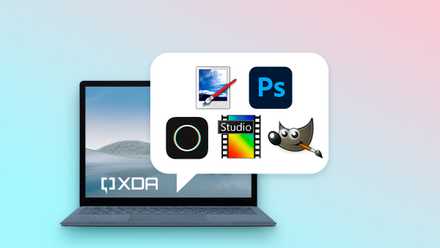
Affinity Photo is one of our favorite photo editors for Windows and the one I personally use every day. It doesn't have the fancy AI-powered tools of Pixelmator Pro, but what it does have is a solid set of editing tools and support for a wide variety of file formats. If you really need the AI tools, Adobe Photoshop has those, but since the move to a subscription model for Adobe products, the cost mounts up pretty quickly. And if all you need is the occasional edit, Paint.NET is completely free, and covers the basic tasks you'd use a photo editor for.
-
Editor's choice
Affinity Photo
$35 $70 Save $35Affinity Photo is a powerful image editor that covers 90% of the feature set of more expensive photo editing tools. It might not have a wide selection of AI features, but once you learn your way around you can easily create professionally-edited images.
-
Premium pick
Adobe Photoshop
Adobe Photoshop is the premium photo editor of choice for many creative professionals, with AI-powered replacement and fill tools that are unmatched by any other software.
-
Free and powerful
Paint.NET
Paint.NET has morphed into a professional-level image editing app in the years its been around, able to do most of the tasks you'd use Pixelmator for. It might not have as many assisted tools, but the power of this free app is truly impressive.
4 Best replacements for Unarchiver
For working with archive files on Macs, look no further than Unarchiver. It's got a great UI for macOS users, and wide archive file type compatibility. Windows users might actually have the better options, though, with some of the best archive file tools around.
Windows 11 version 23H2 added support for most file archive types, so you don't actually need to install a third-party tool if you don't want to. That said, purpose-built archive tools bring more features that make things easier, and 7-Zip is one of the best around. It's super-powerful and can handle any file format you can think of, compresses and extracts files very quickly, and integrates into the context menu, so it's never far away. WinZip and PowerArchiver are also good options, but they require a licensing fee, whereas 7-Zip does not.
-
Editor's choice
7-Zip
The open-source 7-Zip is probably the best and most powerful replacement for paid archiving software for Windows users. It integrates to the shell menu, handles almost every archive file format, and is lightning-fast.
-
Premium pick
WinZip
WinZip is one of the best-recognized names in software, having helped millions of users with their archive files over the years. It can archive, unzip, and encrypt your precious files and documents, shrink email attachments, and more. It can even rearrange PDF files, which is a pretty handy tool.
-
Also great
PowerArchiver
PowerArchiver is fairly inexpensive archiving software that can handle over 60 file formats. It's fast and can also shrink your DOC, PDF, and PNG files by up to 70%, saving you tons of disk space in the process. It can even shrink Outlook databases while they're in use, something most archiving software is unable to do.
3 Best Things alternatives
No matter which operating system you run, there is always a need for a good to-do app for managing your time. On Macs, one of the best is Things, which helps you plan the day ahead, and also further goals that might not have a definite timeline. Windows users aren't bereft of great management tools, which range from simple to much more powerful.

10 optimizations for Windows 11 to improve your productivity
You can get things done much faster in Windows 11 thanks to these productivity-boosting tips.
For those who love Kanban-style boards, Trello is the best way to organize your to-do list into a manageable graphical interface. It's also free for the features you'll use most for personal use, which is great. TickTick is also free to get started, and with a low $35 a-year subscription for the premium features, it is a fairly cost-effective way to stay on top of your tasks. And since you're already using Windows, Microsoft To Do is a fairly basic but useful list maker that might be all you need.
-
Editor's choice
Trello
Trello is a digital kanban board that organizes your to-do list in a card-based format. That makes it easy to see competing priorities and adjust accordingly, so you can stay on top of the most pressing tasks, while still keeping a view of everything else so nothing slips through the cracks.
-
Premium pick
TickTick
This to-do and task-management app makes organizing your daily tasks easy. Whether you want simple to-do lists, or more advanced location-specific reminders, it's got what you need. There's also an inbuilt focus timer to get you locked into productivity, and has options for a Kanban board, Eisenhower matrix, or Timeline view for visual representations of tasks.
-
Best value
Microsoft To Do
Sometimes the best apps are the ones that come with your operating system, and Microsoft's To Do fits that bill. It's the default task management tool on Windows PCs, and while it's pretty basic, sometimes that's all you need. It also has mobile apps so you can keep track of your tasks on your other devices.
2 Best alternatives to DaisyDisk
Ever wonder just where your disk space has gone? Mac users might already be familiar with DaisyDisk, the prettiest disk space manager around. It shows your drive space as a nice pie chart, helping you reclaim space from large applications and files. It might only work on Mac, but it's paid, while Windows users have a variety of free utilities to handle the same task.

How to monitor disk usage in Windows 11
If you want to take a peek at Windows 11's disk operations and performance, simply open the Task Manager app
For easily finding what's using up your disk space on Windows, look no further than WinDirStat. This free utility maps out your files and folders with an easy-to-read graphical representation of what's using the most space so you know where to look to reduce usage. Some other great utilities include TreeSize and WizTree, which are also free to use and will help you figure out where your usable space went.
-
Editor's choice
WinDirStat
WinDirStat is a fantastic disk usage viewer for Windows computers, with a graphical representation that shows files and folders as differing sizes of squares, based on how much space they take up. Once you know what's hogging all the space, you can easily remove it from your drive.
-
Also good
TreeSize
TreeSize is another tool for visually representing the used space on Windows hard drives, using a 2D hierarchical treemap as well as the 3D treemap that WinDirStat employs. It's free to use for scanning, but the paid versions add features like a duplicate file finder and powerful automation tools.
-
Free for personal use
WizTree
WizTree is one of the fastest drive visualization tools for Windows. It uses the Master File Table instead of walking the trees to determine where things are stored. That's great for physical drives, but it is slower at reading network shares as a result.
1 Best Notability replacements
If you've been used to the simplicity of Notability for notetaking, you might be wondering if you can get a comparable experience on a Windows computer. Well, you can, but without the ease of using the Apple Pencil for annotating or other tasks. Still, getting the ideas down and saved before you forget them is the important thing, and these Windows apps do that well enough.

How to use the most advanced OneNote features to supercharge your note taking
OneNote is more capable than you may think
Any list of Windows note-taking apps wouldn't be complete without OneNote, which can be as basic or as advanced as you want to make it. If you have a touchscreen laptop, you can scribble over your documents for annotations and save almost everything from notes to websites for future reference. If you prefer an uncluttered view, Obsidian is a great option for saving your notes and connecting relevant entries together, and it has a wide range of core and community plugins available with a low-cost subscription. Butterfly is another good option for taking notes, annotations, and images, especially if you don't need any of the premium features of other apps.
-
Editor's choice
Obsidian
- OS
- Windows, macOS, Linux, iOS, iPadOS, Android
- Individual pricing
- Free normally; $4/month for Obsidian Sync
Obsidian is a great alternative for note taking, with a powerful, uncluttered UI for organizing your thoughts. It also has a wide range of plugins, if you subscribe to one of the subscription plans.
-
Not just for notes
Microsoft OneNote
Microsoft OneNote is the closest replacement for Notability, with the ability to sketch, annotate, or highlight with a touchscreen-enabled Windows laptop. It's also got Copilot, with a wealth of AI-powered tools to help you stay organized.
-
Free and powerful
Butterfly
If all you need is a simple notetaking app that works on Windows or anywhere else with a web browser, Butterfly is worth looking at. Scribble down notes, annotate documents, and import photographs to keep everything organized as you envisioned.
Macs do have some killer apps, but you don't have to miss out if you use Windows
While the Mac is home to plenty of creative tools and useful programs, so is every other operating system. If you see a Mac app that you like the look of but doesn't have a Windows version, try looking on sites like AlternativeTo, which will give you options for Windows and other operating systems. Even if the apps don't look quite the same, you can often find one with the functionality you are looking for.

These are the best Mail app alternatives for your Windows PC
From AI responses to high email volume capacity, explore the best solutions to replace the Mail app on your PC