
NotebookLM is Google's wildly underrated AI-powered note-taking app, currently powered by Gemini 2.0. While it started as a mere experiment, the research assistant truly took off after introducing AI-generated podcasts (known as Audio Overviews) based on user sources.
It then went a step further with "Interactive Mode," allowing users to jump into the podcast and ask the hosts questions related to their content. Most recently, NotebookLM introduced Mind Maps, making it easier to visualize relationships between multiple ideas and concepts.
It's clear that developers have been working tirelessly to turn NotebookLM into the next big productivity hit. As someone who uses it every day and has been here since the beginning, here are four features I'm hoping Google adds next.

5 ways AI can help boost your productivity
To help manage your busy day, you should consider turning to the wealth of available AI tools to help boost your productivity.
4 Better organization features
Notebooks, notebooks, and… more notebooks
Whether you want to generate an Audio Overview or a simple summary of your 200-page reading, everything in NotebookLM requires creating a notebook. Notebooks serve as the primary way to organize projects, similar to folders, but each one exists independently. The problem is, if you use NotebookLM as much as I do, the number of notebooks you create can quickly spiral out of control.
For example, as a college student, I rely on NotebookLM to study for nearly all my courses. Each semester, I take about six courses, meaning I create at least six notebooks. But since some chapters aren’t connected at all, I often need to make separate notebooks for them too. By the end of the semester, I can easily have over 20 notebooks. And while it would be satisfying to wipe out an entire semester’s worth of notes once I’m done, that’s just not an option, since I know I’ll need to refer back to them later.
Unfortunately, NotebookLM’s current organization system is complete chaos. There’s no way to group notebooks into folders, let alone subfolders. Ideally, I’d love to organize my notes by grouping all my notebooks for a specific course into a folder, and then bundling those course folders into another for each semester.
While NotebookLM does let you sort notebooks by Most Recent, Title, and Shared With Me, that hasn’t been particularly useful for me. Worst of all, there’s no search function, making it even harder to find specific notebooks. One of the first things I look for in a note-taking tool is strong organizational features, and while I’ve stuck with NotebookLM because of everything else it offers, I’m worried that as my collection of notebooks keeps growing, so will the time I spend scrolling through them. Even just adding labels and tags like Google Keep would be a huge improvement!
4 features in NotebookLM that changed how I study
At this point, I might just owe NotebookLM my degree.
3 The option to view the original document within a notebook
Google, why do I need a second app for this?
Once you create a notebook in NotebookLM, the next step is to upload the reference material you want the tool to summarize, analyze, or generate Audio Overviews from. Right now, you can add PDFs, URLs (including public YouTube videos), Google Slides and Docs, or even copy-pasted text. I almost always upload PDFs or my lecture slides (which I have to convert from PowerPoint to PDF since NotebookLM doesn’t support .pptx files—another feature I'd love to see).
Now, here’s the problem: my lecture slides often include important diagrams and code snippets, but once I upload them, I can’t actually view them in their original format within NotebookLM. Clicking on a PDF source only displays extracted text, which is useless when the visual elements matter just as much as the words. This forces me to keep my sources open in a separate PDF viewer or on another device like my iPad just to follow along properly.
2 A standalone NotebookLM app
Gemini got an app, but NotebookLM is still stuck in a tab?
Google NotebookLM was released in July 2023, meaning it has been nearly two years since the tool launched as an experimental product. Google dropped its "experimental" status in October 2024 and even introduced a paid tier, NotebookLM for Business, aimed at professionals and teams. Despite how quickly the app has been developing, it still doesn't have a standalone app! Since its launch, NotebookLM has only been accessible via a web browser, with no dedicated mobile or desktop version.
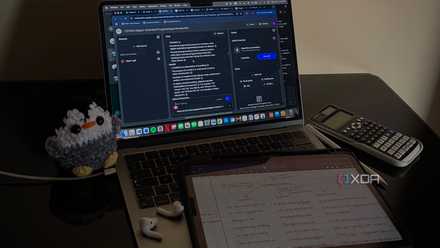
As someone who primarily uses an iPad for all my college-related work, including note-taking and studying, having to open a new browser tab every time I need NotebookLM (which is basically the entire time I'm studying) is incredibly inconvenient. No web app offers the same seamless experience as a dedicated app, and iPad browsers can be especially clunky, which only makes matters worse. Since it's only accessible through its website, it also means it's entirely dependent on an internet connection.
For instance, generating an Audio Overview on an iPad is a hassle. I have to keep my browser open while it processes, and there have been countless times when I’ve waited minutes for it to generate, only to get an error. Strangely, I’ve never ran into this issue when using NotebookLM on my Mac. That’s why I usually generate a podcast on my Mac, download it, and AirDrop it to my iPad in advance, so I can listen to it on the go, which is far from ideal!

10 best productivity apps every PC should have
Supercharge your workflow with these must-have productivity apps.
1 Transcript for Audio Overviews
This should've been there from the start
I'm someone who can't watch a movie or TV show without subtitles, so it's no surprise that I feel the same way about NotebookLM's Audio Overviews. While it's the feature I use the most, I'm surprised they added the ability to jump into a podcast and ask hosts questions before introducing transcripts for Audio Overviews.
This simple yet useful addition would make it easier to skim through content, read along as the Audio Overview plays, and quickly revisit specific details without having to re-listen to the entire thing. It would also save me from scrubbing through hour-long podcasts just to find one key point!
Almost there, NotebookLM
Google has truly done a great job with NotebookLM. It's practical, useful, doesn't hallucinate information, and is one of the best AI tools available for students and researchers. However, at the end of the day, it's still in its development phase. So, I’m sure Google will add a few of these features sooner or later—but hopefully, sooner rather than later!

These are the best AI tools that I use to boost my productivity
Maybe you'll get some use out of them, too.