
Whether your internet service provider (ISP) is Verizon FiOS, CenturyLink, Xfinity, or any of the other providers worldwide, you're missing out if you use the router supplied when you signed up for access. You might be limiting your Wi-Fi speeds or losing out on other benefits of more feature-packed routers. You might be being tracked for marketing purposes, or possibly even sharing your Wi-Fi as a hotspot for other subscribers, such as is the case with Xfinity Wi-Fi. You might not even get the full speed you're paying for, especially if you upgraded your speed at some point but kept the same equipment. Don't let the ISP's aging hardware keep you from browsing nirvana.

4 reasons you should upgrade your router before your internet plan
If you want faster speeds and better performance, a new router might be all you need.
4 You might have slower Wi-Fi speed
Few ISP routers offer a good Wi-Fi experience
Many ISPs use older router hardware or don't upgrade their offerings as quickly as the market. While some ISPs have upgraded to Wi-Fi 6E in their gateways, many still use Wi-Fi 6 or Wi-Fi 5, or may be even slower than that depending on how long ago you got your router. It's probably true that you don't need Wi-Fi 7 right now, but it never hurts to think ahead, and current devices will use the fastest available Wi-Fi version. It's also true that Wi-Fi is only as good as the signal from the router, and the ones that ISPs rent out are usually sub-par.
If you're looking to improve your Wi-Fi experience, a mesh router setup can provide a much better Wi-Fi signal throughout your home. Instead of using one router and some extenders, each mesh router is a fully-featured router with the same hardware as the one connected to your internet. That helps remove any Wi-Fi dead zones your home might have, and often, it means being able to plug in wired Ethernet devices across your home without running cables. While some ISPs have an option for mesh routers, they're often overpriced or use older tech, so you can get a better experience bringing your own to the party.

5 reasons why your Wi-Fi might be slow
One wrong setting could kill your Wi-Fi speed
3 Generally, ISP routers are basic at best
Almost any third-party router will have better hardware👁 Eero Max 7 front and side angle
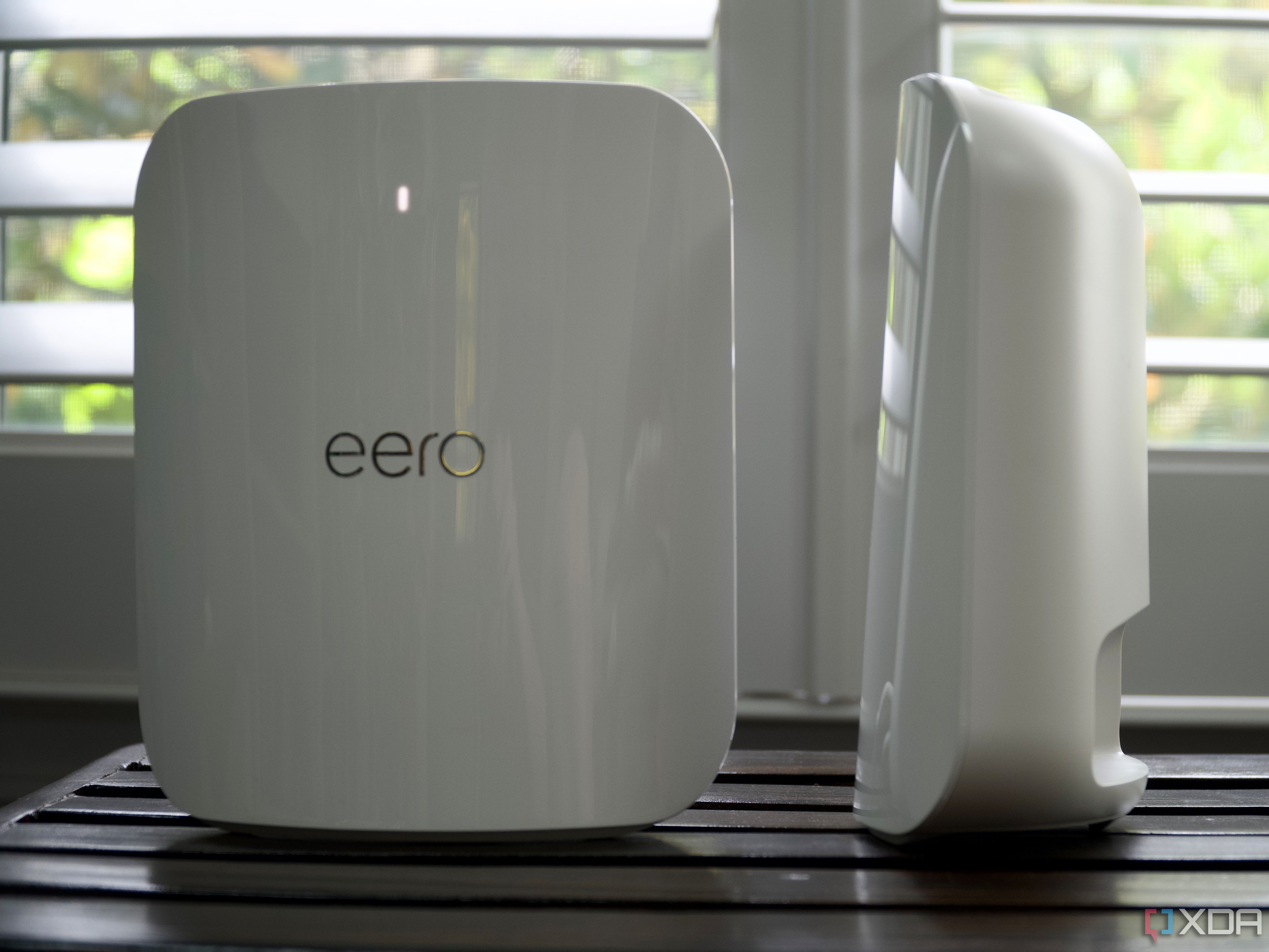
Modern routers come with many useful features, including things you might not have considered before. These include companion apps for your smartphone that can manage passwords, Wi-Fi settings, parental controls, and more, all from wherever your smartphone is. That app can also let you know when new devices connect to your network, potentially letting you know if anyone has breached your security.
But it's not just convenience features that newer routers come with. You will likely get faster Ethernet ports, with many new routers coming with 2.5GbE and even 10GbE ports, not just the 1GbE ports on older devices. You might not have that many devices that can use the fastest standards, but that could change over time, and you'll appreciate the option when it does. And the CPU and RAM inside modern routers will be more powerful and more plentiful, which is important when you consider how many devices may be connected to your Wi-Fi at one time. The more devices, the bigger the load on the router's resources, and having faster hardware inside makes a big difference to everyone's experience.

Eero Max 7 review: Eero's simplicity elevates Wi-Fi 7's appeal
Eero Max 7 is a powerful Wi-fi 7 mesh system with more speed than most people can use and multi-gig network support.
2 They might be charging a monthly rental fee
Router-as-a-service is not a good option
With most ISPs, the router they supply is often an additional monthly fee. It could be a line item in your bill, included as part of a more expensive package, or part of a promotion. But the promotional period will end, and having it attached to a specific package locks you in without allowing you to switch packages. With most router rentals costing $10 or more monthly, that soon adds up. Then they ask for the router back at the end of your service contract, regardless of how long you've rented it, and threaten high penalty fees if you forget.
With the best budget routers often costing less than $100, you could save money within a year and actually own your hardware. That's a double-win, and it can often get you features that the basic router supplied by the ISP doesn't provide, like faster Wi-Fi versions or more Ethernet ports for wired connections. The ISPs know this and try to say they won't support the connection speeds if you use anything but their hardware, but that's becoming less common. The last time I signed up for internet with FiOS, they set up my connection with Ethernet, so I could use my own router from day one, which is how it should be. Modern routers are much more user-friendly to set up, too, with Eero and a few others having an app-based setup that's easy and does most of the work for you.

Asus RT-AX57 review: A value router for gigabit connections
The Asus RT-AX57 is a compact AX3000 Wi-Fi 6 router with enough speed for a small family with up to gigabit internet speeds.
1 You want to be in control, not them
ISP firmware is often limited, or worse
While having an app to manage your router is one perk of having a modern router, the features and level of control inside the firmware can be even more important. Many, if not most, ISPs lock down router firmware so customers can't access advanced features, sometimes even charging a fee for those to be unlocked. Things like antivirus or firewall features, or parental controls, are often a subscription on top of any fee the ISP charges for renting its router. To be fair to the network providers, these are often subscription features on many modern routers as well, because we live in the age of subscriptions. But not every modern router needs a subscription to set up advanced security features. For example, Asus routers come with AiProtection for free, which guards against malware and other things.
The other meaningful aspect of having your own hardware is that the ISP isn't in charge of updates, or able to change any features or settings inside it. This isn't an everyday issue, but it's been known to happen, and it's happened to me a few times with one of the bigger cable internet providers. You don't want hackers or other threats on your home network, so why would you want the ISP to be able to change things? Locking them out by using your own router hardware is the way to keep safe. That's possible even if you need a router-modem combo for cable internet and the ISP can't change your network options.

5 reasons why you should set up QoS prioritization on your router for better internet
How to get better internet with no new hardware
Whoever your ISP is, your home network deserves a router that you control
If you're relatively tech-savvy, using your own router will provide a better internet experience. Not only will you have control over the hardware and the settings on it, but you'll likely have better Wi-Fi. If you decide to go with a mesh router, you can extend your home network with relative ease. Plus, you'll know that the ISP isn't locking you out of anything, or even worse, looking at your website traffic, selling the data, and serving up ads.