
Summary
- Safari's Tab Groups feature allows users to create separate windows for different tasks, making it easier to organize and access tabs across devices.
- Safari's deep integration with other Apple services, such as the "Shared with You" tab, enhances the browsing experience by compiling links shared in messages and emails in one place.
- Safari's visually appealing and clutter-free user interface, along with its seamless integration into macOS, sets it apart from other browsers and provides a simple yet elegant browsing experience.
There are plenty of great web browsers available in 2023, and the most popular one is Google Chrome. I use Chrome anytime I'm using a Windows PC or Android phone, and it's a generally fine experience. However, every time I find myself using Chrome, I start wishing I was using Safari on macOS Sonoma or iOS 17. It's only available on Apple platforms, but for Mac users, it's the best desktop browser available. From fantastic privacy features to useful continuity tools, Safari is a must-use application, and here are four reasons why.
1 Shared tab groups across devices
It's like having separate browsers for certain tasks, all in one package
There are a lot of features that make Safari great, but the biggest one has to be Tab Groups. With this tool, you can essentially create multiple windows that are saved in iCloud and can be accessible across devices. Sharing tabs across devices isn't exactly new, and other browsers have this feature. What makes Safari different from these other options is having the ability to sort these saved tabes into certain groups. Normally, you'd have to close out tabs to clean up space, or store them in hidden windows on your operating system. I've used different Tab Groups for work, school, and personal use with Safari, and it's been an invaluable tool.
This functionality would be incredibly useful on its own, but it is better because these Tabs Groups are shared across devices. I can start working in my work tab group, and then switch to the personal group when I'm done for the day. But I can also check up on my work straight from my iPhone with the same Tab Group, just as I left it on my Mac. It's this level of continuity that makes Mac computers so useful for people in the Apple ecosystem.
2 Deep integration with other Apple services
"Shared with You" is a great example of how Safari shines in the Apple ecosystem👁 The Shared with You page on Safari for Mac.
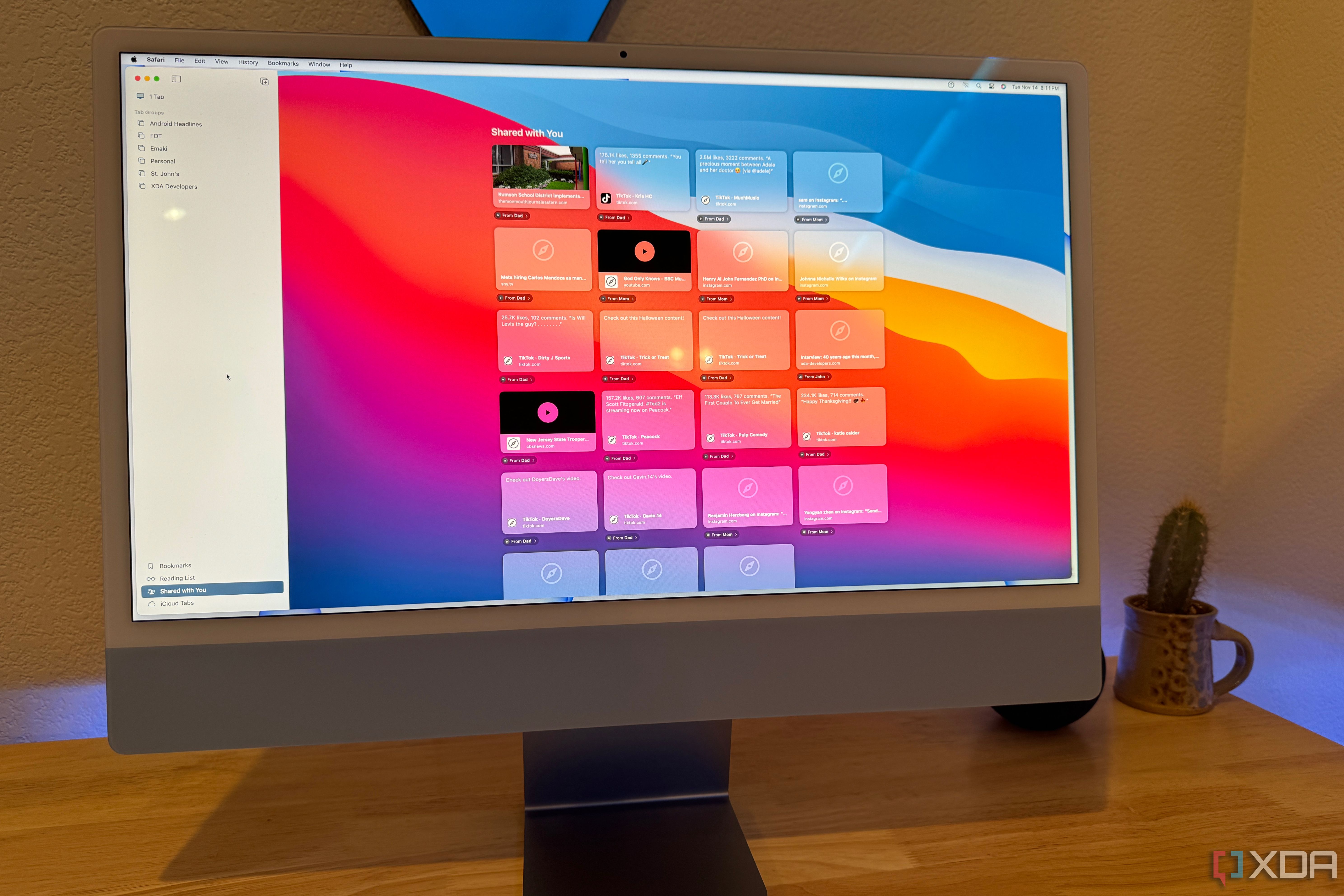
Shared Tab Groups aren't the only way Apple's continuity prowess creates an excellent browsing experience in Safari. It also appears in other ways, like the Shared with You tab. This view compiles all the links shared with you in other applications, like iMessage, and makes them available in the Safari app. So, if you're looking for a specific link that was sent in a text message or email a while back, you won't have to comb through your message history. Instead, you can scroll through a list of every link you've been sent — on any Apple device — right in Safari.
3 Easily the most appealing UI of any desktop browser
It looks simple, has great functionality, and features transparency in all the right places
An underrated part of Safari is its great design, which is both visually appealing and functional. There's something to be said about Apple's consistent design language, which is seen throughout macOS. Whether you're referencing the app icon or the toolbars, Safari seems to blend into macOS well. You can customize the Start Page to meet your needs with macOS wallpapers and other custom elements, like favorite sites, reading lists, and Shared with You. Plus, the toolbar is incredibly simple and clutter-free, providing all the essentials without adding heft.
From left to right, you'll only find a handful of things in the toolbar in Safari. There are window management buttons, a tab group menu, back and forward buttons, an address bar, a share button, and tab management buttons. This is presented in a clean way, and it's far superior to Chrome. That's because Chrome has unnecessary information in the toolbar, like Google account settings and extensions. Safari has similar settings, but they are hidden until right when you need them. In the meantime, the general user-interface for Safari stays simple and elegant.
4 Built-in security and privacy features
Safari automatically blocks certain trackers from across the web
👁 Privacy features in Safari for Mac.
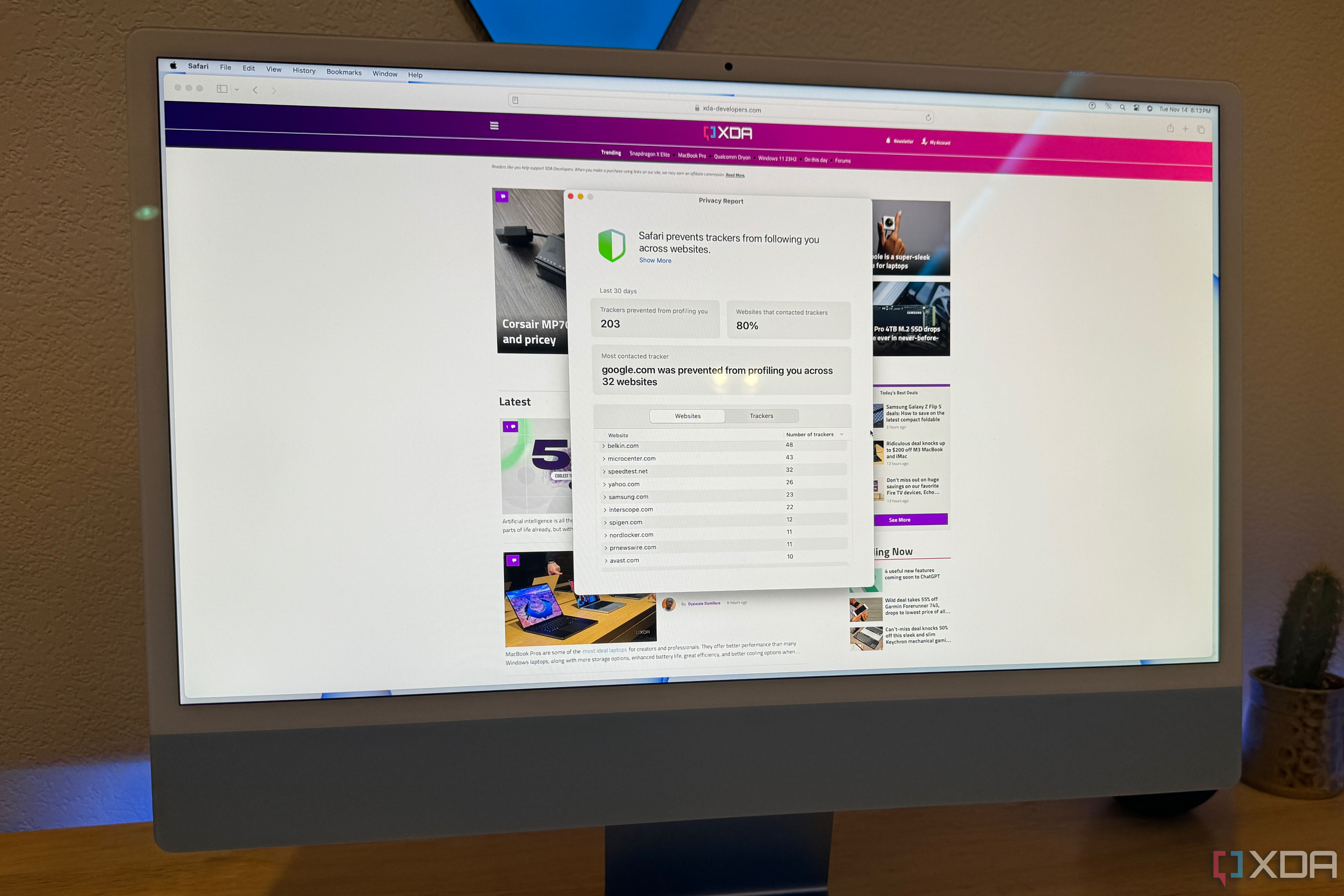
Most web browsers have private browsing modes, and Safari has one too. But Apple goes a step further to protect users' privacy even when they aren't using private browsing mode. Apple introduced a new privacy feature a few years ago called Intelligent Tracking Prevention (ITP), and this identifies and blocks cross-site trackers. These trackers are used, among other things, to create a user profile for personalized ads by advertising companies. Using Safari automatically provides a layer of defense against these trackers, and it consistently blocks a few hundred trackers each month. Unsurprisingly, the most frequent attempted profiler was none other than Google.
Should you use Safari as your primary desktop web browser?
Some web browsers are better for certain tasks than others, so keeping a few in your rotation is a good idea. For example, I use Chrome for video conferencing with Google Meet. Other web browsers can also be great for use with certain extensions that may not work with Safari. But anytime I try using an alternative web browser, there's something that I miss from Safari. From its elegant design to its continuity with the Apple ecosystem, Safari is handily the best browser for my use case. If you also have a few products in the Apple ecosystem, it might make sense for you as well.