
We're all pretty dependent on cloud services nowadays, with everything from our email inboxes to game streaming services storing our data somewhere other than on our physical computers. But with that ever-increasing dependency comes inherent risk. Your cloud provider could be using unsafe practices, like not encrypting data, or they could be a smaller provider that might disappear one day. Or it could be both of those and a whole host of other issues you might not think of. To keep your cloud storage private and secure, you need to choose a provider that uses end-to-end encryption (E2EE) in their design, and preferably one that also uses a zero-knowledge model so that your data is encrypted everywhere it goes unless it's on your personal devices where the decryption keys are stored.

3 reasons why you should build a personal cloud using CasaOS instead of Nextcloud
Having spent weeks with CasaOS and Nextcloud, here are three reasons why I always pick the former for my private cloud needs
4 Protects data in transit
Your data is never more vulnerable than when traveling to your computer
Most cloud providers encrypt your data while it's on their servers, and only decrypt it when you need to sync it to your local devices or access it. The question here is at which stage of the chain the decryption is handled. The nature of the hardware that underpins the internet is such that your data could travel through many different paths or physical devices between the cloud provider's servers and your device, and every stage of the way could be a potential attack vector.
Now, before you panic, this is less of an issue now that HTTPS is in wider use, as these websites encrypt data in transit. But the data could still get captured in transit if your router is compromised, or if you use a public Wi-Fi hotspot that's compromised or any number of other ways dedicated attackers can hijack internet traffic. It's better to ensure your data is already encrypted before transmission so that even if it gets grabbed in transit, without your decryption keys, it's effectively useless to cybercriminals.
-
Proton Drive
- Individual pricing
- $4.99/month
- Key highlights
- No file size limits, end-to-end encryption
- Platforms
- Windows, macOS, Android, iOS, iPadOS
Proton Drive gives you E2EE and zero knowledge storage, plus you get the rest of the Proton suite for private email, a VPN, and more.
-
Mega
Keep your files safe from anyone's eyes but yours with zero-knowledge and encrypted storage.
-
pCloud
pCloud offers lifetime subscriptions so you're not stuck paying every month, but the client-side encryption feature is an additional fee.
3 Protects data in rest
Zero-knowledge architecture and encryption protects everyone
The amount of data held by cloud storage companies means they're instantly a target for cybercriminals and other attackers. That's true no matter what size your cloud provider is, so you can't let your guard down even if you think you're either one of millions of accounts or at a lesser known provider. It's essential that your data is stored encrypted while in the cloud, which most cloud storage providers do nowadays. But not every cloud provider is equal, and plenty of them keep the decryption keys on another server in case they get requests from law enforcement or other edge cases where they might be compelled to look at your data. Some providers might even use your data for training LLMs or ML models, and you might not notice or be able to opt out.
The only way to stop your cloud provider from decrypting your data is if they have both an E2EE implementation and a zero-knowledge architecture, where the data is encrypted before it leaves your device, stays encrypted in transit, and stays encrypted while it's on the provider's storage servers. If nobody but you can decrypt the data, it's safer for everyone, and that's the model you should look for when vetting a new cloud service for use. While you could encrypt your data before sending it to your provider, it's more seamless when your provider is set up to keep the whole chain of events encrypted in the first place.
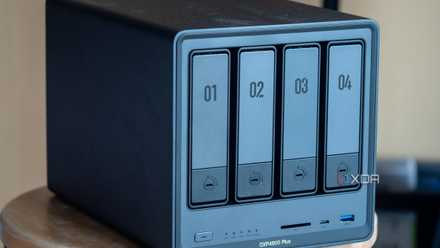
Do you need to encrypt your NAS?
Encrypting your NAS can provide enhanced security, but do you really need to do it?
2 Gives users the control back
Only you should be able to read your data
Whether your cloud data enables your remote work arrangement with your employer or holds your personal information, nobody other than you should be able to share it in readable form. By using E2EE, your cloud provider ensures that the user has the power over their data, whether that's simply to access it for use or for sharing with trusted contacts. And the shared data is still kept safe as it is only decrypted on the trusted contact's device. Your data is still your data, whoever is storing it. That means you should be the only person able to decide who can read it, and E2EE provides the methods for doing just that.

Apple going up against the UK government could be enough to thwart data encryption threats
In response to the U.K. government's proposed IPA changes, Apple is threatening to pull out from the market, along with WhatsApp and Signal.
1 Reduces data breach risks
Know your cloud provider is protecting your PII
Without using a cloud storage provider that has end-to-end encryption and zero-knowledge architecture, your data is only as safe as your password. Think about the huge news stories about iCloud hacks or other breached cloud providers. If your data was encrypted while it was stored, only having the decryption key would unlock it to usable data, so attackers wouldn't have the chance to use your photos or other documents for nefarious means. Nowadays, iCloud has an advanced data protection feature that only lets your trusted devices decrypt data, which keeps your account safer by keeping your encryption keys on your iPhone, Mac, or other trusted device.
The other part of this is that not just the data you upload should be encrypted in all its forms. Every piece of personally identifiable information (PII) also needs to be encrypted end-to-end as a technical control to mitigate data privacy risks and comply with various data protection laws around the world. The cloud provider should do this, and also have methods to verify users and devices that aren't simply password-based, as password breaches are sadly a part of life now, and password-stuffing and other types of attacks will get into accounts eventually if the attacker is persistent enough.

Can your password manager provider see your passwords?
Cloud password managers can seem like a bad idea, but some clever cryptography can help keep your data safe
Without end-to-end encryption, your cloud provider isn't keeping you safe
Whether you pick one of the commercial cloud providers with end-to-end encryption or build your own service with a NAS device, it's important that your data stays private and secure. Nobody other than you should be able to read, change, or download that data, and the sad fact is that many cloud storage providers are failing in this regard. Unless you're the only person with the decryption keys, your cloud data is always at risk.

Is free cloud storage really safe?
If you've been using cloud storage providers for free, you might be worried about how safe they really are.