
Summary
- Stay on top of your finances with top expense tracker apps like Goodbudget, YNAB, Toshl, Wallet, and Spendee for Windows users.
- Use Goodbudget and the envelope method to plan spending in advance. YNAB offers categories, goals, and free trials for organized money management.
- Toshl, Wallet, and Spendee offer unique features like river flow concept, speedometer-like widgets, and real-time collaboration to empower you financially.
Managing your money is crucial these days. Thanks to many capable software solutions, you don’t need to rely on the age-old pen-and-paper combo or complex Excel sheets to analyze your finances. Whether you are a busy professional, small business owner, entrepreneur, student, or freelancer, there are ample cross-platform options for seamless money management. Among them, we have hand-picked the top five apps for Windows users to stay on top of the financial game.
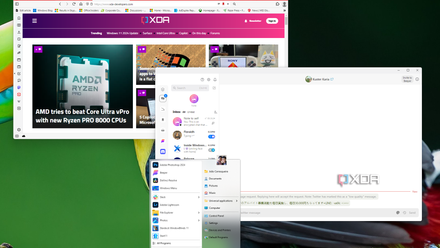
10 essential apps you should install on your new PC
Just got a new Windows PC? Here are 10 apps you should install to help you make the most of it.
5 Goodbudget
Let’s start the list with Goodbudget, which comes with all the essential tools for a modern-age expense tracker. It uses a traditional envelope method to keep your budget in check. You can create envelopes for different categories like rent, movies, groceries, and subscriptions, and set aside a specific amount for each envelope. The idea is to plan your spending in advance, within your means, to avoid any excess or imbalance.
By default, it creates three envelopes and uses your default account to create new entries. You can always create new envelopes and accounts based on your needs and goals. When you create a transaction, you can add relevant details like date, payee, amount, envelope, account, add notes, and more.
It can generate multiple reports to give more insight into your spending, income, debt, and overall money management. Goodbudget only has native apps on iPhone and Android; the web UI looks slightly outdated though. Windows users can pin the PWA on the taskbar or start menu for each access.
Goodbudget Premium starts at $10 per month, and it unlocks automatic bank sync (for US banks only), unlimited envelopes, accounts, support for five devices, debt tracking, and more.
Goodbudget
4 YNAB
YNAB (pronounced as why-nab) is another solid expense manager for desktop users. The onboarding experience is quite lengthy, but bear with it and share relevant details so that YNAB can create different categories for your Bills, Needs, and Wants.
You can set goals, track your progress, assign your dollars to expenses, import transactions from an existing Excel sheet, and remain stress-free knowing you have a plan for your money. You need to assign money to all your categories in order to spend it later. As soon as it reaches the 50% limit, it will appear yellow to keep you more watchful.
You can also auto-assign money to different categories, and as is the trend with all the finance apps, you have the option to connect your bank account to easily import your transactions. YNAB’s website is thoughtfully designed, and you won’t have a hard time tracking your expenses on the go.
YNAB offers a generous 34-day free trial, after which the pricing starts at $15 per month.
YNAB
3 Toshl
Speaking of the top expense tracker apps, how could we leave Toshl out of the list? It’s one of the best software solutions for personal use. You can track all your cash, cards, and bank accounts in one place. Toshl uses a unique river flow concept to glance over your income, budget, and expenses. There is also a handy monthly overview menu to view your overall spending per day.
Toshl also supports location-based spending to check the sum of your expenses per store, hotel, or bar. The entire web UI is quite minimal, with giant buttons and large menus for better accessibility.
As for pricing, Toshl Pro starts at $3 per month. It includes all the features except for bank connections. That functionality is a part of Toshl Medici though, which starts at $5 per month. Before you opt for Toshl Medici, make sure to check if your local bank is supported.
Toshl
2 Wallet by Budgetbackers
Whether you want a finance app for budgeting, planning, or expense control, you can’t go wrong with Wallet. The company offers robust mobile apps and a capable web version for desktop users. Unlike other apps, Wallet offers a thoughtful web dashboard with all the relevant cards (widgets).
You can track your balance, cash flow, and spending with neat speedometer-like widgets, as well as glance over balance trends, cash flow, expense structure, and more, right from the home menu. As always, you can customize them and even add new cards as per your preferences.
Wallet Premium unlocks unlimited accounts, bank account syncs, multi-user collaboration, advanced charts, widgets, and more. The pricing starts at $6.50 per month. Wallet also offers lifetime premium access for only $33, which is a bargain compared to other solutions on the list.
Wallet
1 Spendee
Spendee tops our best expense trackers list for several reasons. It has feature-rich native apps on Android and iOS. The web version is quite robust and has all the necessary features to manage your expenses. You can create different wallets, connect a bank account, track your expenses and income via detailed graph views, glance over account balances, changes, and more.
The ‘Add transaction’ menu is quite minimal on the web, and unlike other solutions, it doesn’t take up the entire screen. You can select categories and dates, add a note, label, amount, and even insert a purchase receipt. You can also create budgets for different categories and track your spending for a specific month.
Spendee has nailed the real-time collaboration. You can always invite your better half and track your household expenses together. Spendee has two plans to choose from – Spendee Plus and Spendee Premium. The former starts at $2 per month, while the latter is priced at $3 per month. The only difference is that Premium supports categorization and bank account sync.
Spendee

Track every dollar
From home or business budgeting, to investment tracking, these apps empower you to take charge of your financial journey. What are you waiting for? Explore these apps, create budgets, track expenses, and manage your finances like a pro. They offer much-needed convenience, insights, and most importantly, complete peace of mind.
If you prefer to track your expenses via traditional database software, give Microsoft Lists a try. It’s Microsoft’s all-in-one smart information tracking solution.
Apart from these expense tracker apps, the Windows ecosystem is packed with dozens of productivity apps to improve your workflow. For more ideas, check out our separate post to find the top productivity apps.