
It would've been lights out for the Steam Deck the moment the ROG Ally was released. It would've been, but it wasn't, and that's largely due to Windows. As capable and comfortable as the ROG Ally is, the handheld has always been held back by its software. Today, you don't need to settle for what the device ships with.
SteamOS is here, and although the ROG Ally is technically unsupported, it works awfully well. Updates are flying out of Valve HQ, and day by day, it's becoming clear that SteamOS beats Windows. Here's why.

5 reasons you shouldn't install Windows on the Steam Deck
The Steam Deck can install Windows and has drivers for its hardware, but it's not a great experience.
5 It's way easier to use
Hard to overstate the importance of that on a handheld
Show me someone who thinks tap dancing around Windows is easier than SteamOS, and I'll show you a liar. Although Windows has some benefits on a handheld, such as giving you access to storefronts that aren't available on Linux, it takes a clear backseat to Valve's handheld OS when it comes to usability. That's because SteamOS uses Steam's Big Picture mode as the shell. Steam itself is the graphical interface from which you interact with your PC. On Windows, they're just applications running on top of the operating system.
You can just use Steam's full-screen view on Windows, or resort to a third-party launcher like Playnite. But they don't work as the shell of the OS. You still need to log into your account to unlock your handheld, deal with notifications, and resort to pulling up tools like Task Manager when an app won't behave. SteamOS has all of this functionality built into the interface, which is designed first and foremost with handhelds in mind. And based on Microsoft's recent attempts to fix up the Xbox app on Windows, I don't suspect Microsoft will offer an alternative that's as easy to use as SteamOS any time soon.

4 Sleep and suspend are a non-issue
Still a major hurdle for Windows
By far, my biggest issue with using Windows handhelds is the suspend feature. Or, rather, the complete lack of one. Even from the original ROG Ally, it was clear that the big hurdle for Windows-based handhelds was putting the device to sleep. With SteamOS, you can press the power button, suspend your game, and pick right back up where you left off. On Windows, you can try to suspend your game, but there's no guarantee it'll work. Maybe you'll be able to resume without issue, or maybe you'll pick your game back up only to find that it crashed. Windows isn't designed to handle this kind of sudden sleep state, where it has to suspend applications.
There are third-party applications that help with the suspend issue on Windows, but I don't want to fuss with any of that. I use a handheld for a bit of gaming when I'm away from my PC, and that usually involves periodically putting it down to do something else. Closing down and rebooting my Balatro session, or spending an extra 10 minutes killing a boss in Elden Ring — I'd rather just be able to set the handheld down when I need to. SteamOS and non-PC handhelds like the Switch, for that matter, understand how important this type of suspend feature is. Windows doesn't.
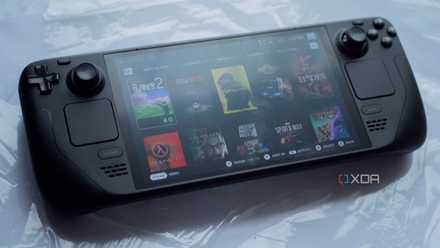
Valve's SteamOS has already won the war on Windows
It's getting too late for Microsoft to fight back
3 I can use Decky Loader
All the utilities you need for a handheld
One of the best features of the Steam Deck wasn't made by Valve. I'm talking about Decky Loader, which is a framework that's opened the floodgates for software mods on the Steam Deck. You can do everything from completely upending the UI to tweaking the power settings of the APU with Decky Loader, and it's something you can easily set up on the ROG Ally with SteamOS installed.
There are plenty of utilities you can download on Windows, and I'd argue that the majority of them are more powerful than what you'll find with Decky Loader. However, Decky Loader is easy. After installing, you can manage Decky Loader directly from the SteamOS interface. You might have access to more powerful utilities on Windows, but that's for a PC using a keyboard and mouse. For a handheld, you have just about everything you need in Decky Loader, and it's much easier to actually manage those utilities.
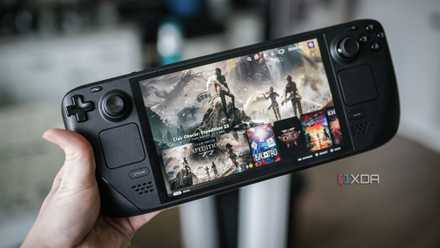
I just don't care about the Steam Deck 2 anymore
The Steam Deck's sequel won't revolutionize the industry in the same way the original did.
2 I can willfully ignore using my handheld as a PC
It's not a relevant use case for everyone
One of the best aspects of owning a handheld gaming PC is that you can use it as a PC. If you don't have a laptop or desktop, all you need is a cheap USB-C hub and a few peripherals to turn your handheld into a desktop. That's a great use case, but I have another PC, and I suspect the majority of handheld PC owners do, too. For me, my handheld is a handheld. I don't need to use it as a PC. In fact, I actively avoid going to the desktop with SteamOS. I'm using the ROG Ally as a handheld where I play PC games, not as a PC that I have to navigate with a controller.
SteamOS allows you to separate the two, and Windows doesn't. There are applications like Armoury Crate and even the Xbox app that attempt to separate the desktop and handheld experiences on Windows, but you can't escape the desktop with Windows. With SteamOS, the desktop and handheld modes are kept separate, so I'm able to properly ignore the desktop and focus on how I want to use my device.

5 reasons Bazzite will still be better than SteamOS (at least at first)
Bazzite is still the better option
1 SteamOS is just faster than Windows
And sometimes by huge margins
Handhelds already have a narrow performance window. Why would you want to make that worse by running an inefficient operating system? Since the introduction of the Steam Deck, there's been speculation that games run worse on Windows than they do on SteamOS due to "bloat," but it was more of a hunch than concrete fact. More recently, however, it's become clear that, yes, SteamOS is faster than Windows. Based on my testing, SteamOS is sometimes as much as 75% faster than Windows, and can often deliver identical performance with far lower power demands, improving battery life.
Although Linux can sometimes come out faster than Windows, depending on the game you look at, Windows doesn't give up a ton on the desktop. Handhelds are a completely different game, though. Allowing the APU to free up even a few resources can represent massive improvements in performance because the performance margins on a handheld are so slim. SteamOS is optimized to allow the APU to use as many of its resources as possible for rendering your game. Windows isn't optimized for much. That's what makes it so powerful as a desktop OS, and also what makes it so horrible as a handheld OS.
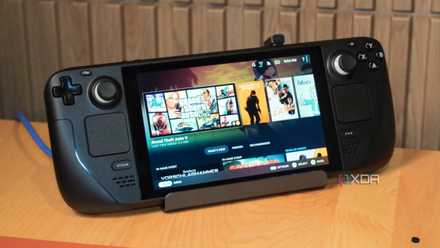
4 reasons Valve's full SteamOS release will change PC gaming again
Valve's full SteamOS release will change PC gaming again, and here are some of the most important ways.
Still not officially supported
Although SteamOS works well on the ROG Ally, it's not technically supported, at least not yet. Valve is still in the early days of the SteamOS rollout, so although you can install SteamOS proper on the ROG Ally, you shouldn't expect everything to work flawlessly. It's held up well for me, short of features that aren't available on SteamOS like AMD Fluid Motion Frames. However, if you're looking for something a little more official before Valve lets SteamOS loose, consider Bazzite or an Arch-based Linux distro built around Steam Big Picture.
Asus ROG Ally
- Dimensions
- 11.02 x 4.37 x 0.83-1.28 inches (280 x 111 x 21.2-32.4mm)
- Weight
- 1.34 pounds (608 grams)
- Chipset
- Up to AMD Ryzen Z1 Extreme (8 cores, 16 threads)
- RAM
- 16GB LPDDR5
- Storage
- Up to 512GB SSD
- Wireless Connectivity
- Wi-Fi 6E, Bluetooth 5.2