
Summary
- An SSD will have faster loading times in games and quicker boot times, even with a basic SATA drive.
- SSDs are essential for productivity apps like Photoshop and Premiere Pro, offering faster speed for workflow tasks.
- SSDs provide better efficiency, near-silent operation, improved reliability, and longer battery life in laptops.
When it comes to upgrading your PC, switching from a hard drive to an SSD is the biggest performance jump you'll get from just one change of hardware. Those old spinning hard drives are great for mass storage, but if you're using them to boot Windows, launch games, or edit videos, you know how annoyingly slow they can be.
The best part is that you don't have to go all out and buy the latest and greatest PCIe Gen 5 SSD to notice a difference. Even a basic SATA drive will be faster than a traditional hard drive, and you can easily get a 1TB SATA drive for under $60 these days. If you are still on the fence about SSDs, here's a reminder of why they are worth it.
To check whether your PC has an SSD or hard drive, search for defrag in the Start Menu and click the first result. The defrag tool will list all your drives and tell you whether they are SSDs or hard drives under Media Type.

How to choose an SSD: What is NAND, TLC, PCIe, and SATA?
Find out everything there is to know about your SSD.
1 Faster loading times
No more staring at loading screens
A while back, I had a hard drive that I used as storage for bigger games. Waiting a good couple of minutes for Red Dead Redemption 2 to launch was never fun. After switching over to an SSD, the load time was around 35 to 40 seconds. This difference isn't exclusive to just one game either — the bigger the file size, the longer the load times, the greater the impact of making the switch.
This becomes even more annoying if you play multiplayer games with friends. Your friends are all waiting for you in the lobby, and you're just sitting there waiting for the hard drive to do its thing. Because of the physical moving parts inside a hard drive, they are evidently slower than SSDs when it comes to booting up almost any game. After all, SSD literally means Solid State Drive, and there's so much to gain by having this newer drive type.
2 Boot times are faster with SSDs
Quicker access to Windows
Most of our discussion here revolves around one idea: speed. SSDs are faster at everything compared to hard drives, and this also includes computer boot times. In addition to faster loading time for games, the boot time is another significant improvement that you'll immediately notice after switching to an SSD. This is why a lot of people use an SSD as their boot drive and a hard drive for storing mass data.
For reference, a PCIe NVMe SSD will boot Windows 11 in under 30 seconds, a SATA SSD will take around 40 to 45 seconds, and a hard drive can take anywhere from >45 seconds to several minutes in some cases. The more you fill up the hard drive, the slower it's going to boot. It's important to note that boot times also depend on other factors, such as your hardware configuration, the OS itself, and which startup programs are configured to launch at boot-up. Regardless of all these factors, an SSD will always be faster than an HDD to boot.

How to clean and speed up your Windows PC
If your Windows PC is starting to feel slow over time, these tips can help you get some performance back.
3 SSDs are better for productivity apps
Enjoy faster ease with Photoshop, Premiere Pro, Blender, and others
If you're a photo/video editor, photographer, graphic designer, or even a 3D artist, you're going to benefit from an SSD. In fact, anyone whose workflow involves large file transfers will benefit from the faster transfer speeds seen on SSDs. For example, if you're a developer, compiling code, running tests, and deploying applications can all be accelerated with an SSD.
If you're a working professional and relying on a hard drive for transferring large files, you're doing yourself a disservice. Sure, you can still use a hard drive for mass storage, but an SSD is clearly the better choice for all of your work-related tasks. On top of that, your PC will feel snappier with an SSD. Switching between multiple apps and copying/pasting several files is going to be faster on an SSD.
4 Near-silent operation
Reliability can also be better with an SSD
If reliability is a concern, SSDs are the better choice, but there are some caveats. For example, there are a finite number of writes an SSD can handle before the storage cells wear out. Fortunately, modern SSDs from reputable brands have a high number of write cycles, which is usually measured in TBW (Terabytes Written).
On the other hand, hard drives are prone to mechanical failure, as is the case with any device that consists of moving parts. Because of those mechanical moving parts, there's a lot of friction inside the drive. This makes hard drives noisier and more prone to wear & tear than SSDs. The short summary is that SSDs are generally more reliable and less noisy because of the lack of moving parts.
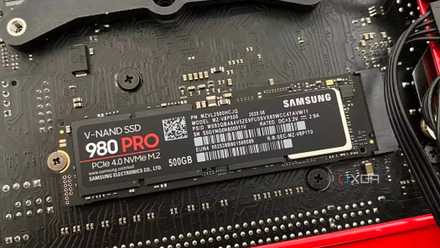
How to know if an M.2 SSD is compatible with your motherboard
Buying a compatible M.2 SSD for your brand new PC can confuse even the most experienced PC builders
5 SSDs are more efficient
Better battery life for laptops
Since SSDs can get more work done at a faster pace, they're way more efficient than a traditional hard drive. While the power consumption for both might be negligible overall, it's the time-saving aspect that translates to better efficiency. Since you'll be wasting less time on boot, loading screens, and file transfers, you'll be wasting less battery life waiting around.
There's an excellent Tweaktown article written by Chris Ramseyer that details how different drives affect laptop battery life. The controller and type of NAND used impact battery life significantly, and so does the idle to active state latency. Hard drives have higher latency going from an idle to active state, and battery life is reportedly worse on laptops that use an HDD as a result.
Of course, this won't matter much for desktop PC users. But if you're shopping around for a laptop, don't settle for one that uses a hard drive as its only storage drive. This is exactly why a lot of the best laptops use SSDs.
Get an SSD and thank yourself later
To summarize everything so far, SSDs are faster, more efficient, and generally more reliable because of the lack of moving parts. Hard drives still certainly have their place, as they are best for mass storage if you need high capacity for a cheap price. They're also quite useful for NAS servers. However, for gaming, productivity, and even just as an OS drive, an SSD is the superior choice.

Best SSDs in 2025
From 2.5-inch SATA drives to more advanced M.2 NVMe drives, these are the best solid-state drives you can buy right now.