
If you're like most people, you probably buy one graphics card and use it for a few years at a time. As of recent times, NVIDIA has commanded a very large portion of the consumer GPU market, so chances are, you probably own an NVIDIA GPU. But what if you wanted to switch manufacturers? There are many reasons one might make the switch to AMD, whether that is perceived value, features, or otherwise. Once you've purchased your shiny new GPU from the Red Team, you should consider these 5 things when installing and using your new graphics card.

AMD doesn't want to repeat past mistakes with FSR 4
AMD's AI-assisted FSR 4 releases in a matter of days, and it already has a ton of support.
5 Power connectors may be different
Especially if you're coming from an RTX 40 series card
If you're coming over from an RTX 20 or 30 series card, you might not have to worry about power connections, although it's still worth taking a look at the TDP along with how much wattage your system is capable of. The 40 series cards required a 12VHP connector instead of the normal PCIe 8-pin auxilliary power cables we're used to seeing. Double-check which ones are in your system currently and grab the spares that came with your power supply if necessary.

Why doesn’t Nvidia stick to 8-pin PCIe cables?
Nvidia's 12VHPWR woes still exist, making everyone think why not use 8-pin cables like before?
4 Your drivers require a clean install
One of the most important parts of swapping manufacturers
Graphics card drivers are not created equal, and this is especially true across the major manufacturers. NVIDIA GPU drivers will not work on an AMD card. Your system may boot, and you might get a display output, but you really want all remnants of those Green Team drivers gone before you put in your new card.
The easiest way to do so is by using a program called DDU, or Display Driver Uninstaller. The program will uninstall the drivers and all related configuration files, allowing you to do a clean installation. The reason why you wouldn't use NVIDIA's (or AMD's for that matter) built-in uninstallers is that they leave stuff behind that can mess with your new driver installation.

How to uninstall drivers for an AMD GPU
You'll have to let your old GPU drivers go to make room for new ones, and this guide will teach you how to do that
3 Resizable BAR = SAM (Smart Access Memory)
A must-check setting
Resizable BAR, or Base Address Register is, in short, something that allows PCIe devices to negotiate for control over resources, namely, the CPU. It gives quite a significant boost to performance, and some games won't even launch without it enabled. For AMD graphics cards, there's a small, extra step to making sure this is enabled, and it's found in the Adrenalin software. After you enable Resize BAR in your BIOS, you must ensure SAM is also enabled in the Adrenalin software.
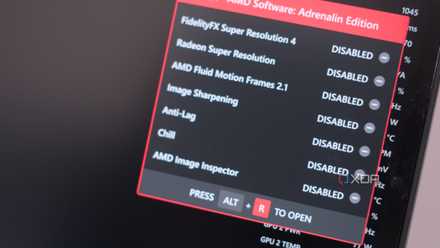
5 settings to change to get the most out of your AMD RDNA 4 GPU
Ready to unlock the full potential of your new AMD GPU?
2 Ray tracing performance might suffer in some titles
Compared to NVIDIA, AMD is still behind in RT
NVIDIA brought ray tracing to the mainstream with the launch of RTX 20 series GPUs, and since then, they've maintained a healthy performance lead over Radeon GPUs in RT workloads. That trend has continued for the last few generations of GPU releases, and even with the gap beginning to close, chances are there will be some games that will always favor RTX GPUs.
One of the most glaring examples of this is Black Myth: Wukong, where Radeon GPUs of recent generations can't even match that of the RTX 3080. Fully rasterized workloads are another story entirely, but for ray tracing, it's important to take stock of what's valuable to you in terms of your experience. Many prefer higher framerates, so they turn RT off completely in favor of a smoother experience. Others like to crank the settings as high as possible, including RT.

3 reasons why ray tracing is here to stay
Get used to it, because it's not going anywhere.
1 Adrenalin is slightly different to the NVIDIA App
Get familiar with your command center
NVIDIA canning its previous version of its app was a welcome sight for sure, but if you're not on an RTX GPU any longer, it's certainly worthwhile to familiarize yourself with AMD's equivalent: Adrenalin. The Adrenalin software is where you're going to have access to all the settings you could want for your graphics card, including overclocking ones.
A couple settings of note here are Hypr-RX, which is a turnkey solution for enabling FidelityFX Super Resolution (FSR) and Frame Generation (FG). This is also where you can enable FreeSync, which is AMD's equivalent to the proprietary G-Sync. G-Sync works with proprietary hardware inside your monitor to deliver a smooth visual experience, while FreeSync does so through your GPU with very minimal overhead. They accomplish essentially the same thing, which is eliminating screen tearing to deliver smooth visuals.
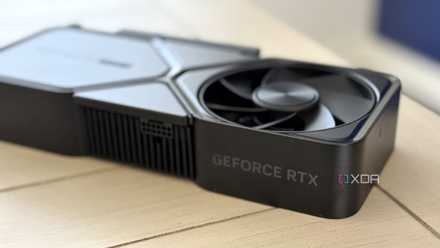
4 Ways AMD's Adrenalin Software Falls Short of the NVIDIA App
AMD's Adrenalin app falls short of NVIDIA's new consolidated app in a few key areas in this matchup of GPU software ecosystems.
Congratulations on your new GPU!
There's no better feeling than slotting in a shiny new GPU, getting the drivers configured, and unlocking a whole new level of performance. Whether you're swapping from NVIDIA to AMD or vice versa, making sure you're getting the most out of your hardware means doing some prep work. There may be a learning curve with some of the new software, but other than that, the process is very seamless!