
A bottleneck is a term that you may often hear thrown around when it comes to gaming PCs. However, the term is also relevant to any PC, and it is caused when one component isn't quite up to the task at hand. This generally results in said component running close to or at 100%, causing other components to not run at their full potential. The end result of this is a loss of performance, which in most cases can be avoided.
There are several ways to avoid a bottleneck, but first, you need to determine what could be causing the bottleneck. While most of the issues can be chalked up to hardware limitations, there could be other reasons your PC isn't running to its full potential.
7 Viruses and malware
While not normally one of the main issues brought up when it comes to bottlenecks, viruses surely can play their part. The symptoms will depend on what type of virus it is. Some viruses will use up all of your CPU's focus, while others might try and mine cryptocurrencies on your GPU without you knowing. The more performance a virus is using from a single component, the more likely you are to notice a bottleneck of some sort. Running a virus scan periodically (or symptomatically) is an important part of maintaining smooth computer operation.
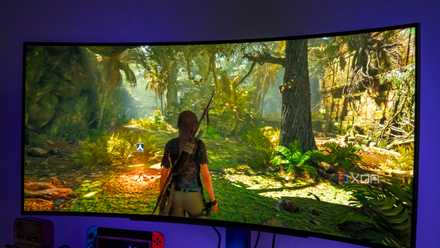
7 things that might be secretly tanking your gaming FPS
All sorts of hardware and software elements can have an impact on your gaming performance. Here's what to look out for.
6 Software and updates
Similar to viruses, software and updates can hog your resources and essentially create bottlenecks as well. A lot of the time, updates will download and run in the background. This can cause high network usage and, in a lot of cases, max out your storage drive's write performance. Windows updates and Dropbox are two massive culprits when it comes to this, hence, why it is always important to make sure your PC is fully up-to-date. You'll also want to make sure that there aren't unnecessary software programs running in the background which you are not actively using.

5 things people won't tell you about PC building (which they should)
Some things go without saying, but when it comes to PC building, it's better to hear them sooner than later
5 Monitor
Now this is where the real fun begins. If you are using a standard monitor that runs at 1080P with a 60Hz refresh rate and a 3ms response time, you may not be making the most of your other hardware. While this bottleneck can essentially go unknown as you don't feel the performance dip per se, it is one of the easier ones to combat. If your hardware is able to play games at 1440P 240Hz, then you need a monitor that can handle it as well, otherwise you won't be fully utilizing your other components.
4 GPU
GPUs can frequently be part of the cause of a bottleneck in a PC. However, it is also not unusual for a GPU to run at nearly 100% if the rest of your hardware is up for it and the game you are playing demands it. The biggest thing to note here is whether your GPU is powerful enough to play games or render videos on the monitor you are using. If you are using a 4K monitor, you are going to need a pretty powerful GPU to power it, so keep this in mind.
3 CPU
CPUs can be the bane of gamers experiencing bottlenecks. Sometimes the CPU is just not powerful enough to allow the GPU to do its job. If you are playing a game and notice the CPU usage percentage is near 100%, but the GPU is only being utilized about 40-50%, then you have a CPU bottleneck. Some programs may even use close to 100% of your CPU if you are editing or rendering photos and videos, so make sure to keep an eye on this to help avoid frustration.

CPUs, bottlenecks, and games: the problem with CPU benchmarking
Benchmarking a CPU in games isn't as simple as you think.
2 RAM
This is one of the less annoying causes of bottlenecks in my opinion. RAM is generally quite easy to upgrade and is, most of the time, cheaper than most of the other components in your PC, making it a more viable upgrade option. Your RAM speed is important, and if it's lower than you need can cause a lot of headaches, especially if you like to multitask. RAM bottlenecks normally prevail when there is more than one program running at a time, or when rendering big files and videos.
1 Storage
Everyone who has ever used a PC has probably come across this bottleneck at one time or another. While some of the best SSDs can offer amazing read and write speeds, not everyone is on top-of-the-line hardware. People still using standard hard drives (HDDs) or the slower SATA SSDs will see this bottleneck more commonly. This can be caused by downloading or installing programs, where the write speed of the storage drive is maxed out. When this happens, the PC can become almost unusable until things settle down.

Why you should never use PC bottleneck calculators
PC bottleneck calculators give you tons of info - here's why you should trust none of it
The bottom line
Avoiding bottlenecks is doable, with a bit of research and time. The great thing about most modern PCs is that they are upgradeable, and it usually isn't hard to do. So, if you do face a bottleneck, get to the root of what is causing it, and a simple part upgrade could be an easy way to fix things. Of course, perhaps an upgrade won't even be required, and one of the non-hardware related causes will be solvable instead!
While bottlenecks can be annoying, they generally aren't anything to overly worry about. Losing a bit of performance from a component or two in your PC isn't going to hurt anything, perhaps just cause a bit of frustration. Try not to worry too much and plan a course of action for how you are going to overcome it.