
I know this is stating the obvious for anyone experienced with hosting, and yet, you'd be surprised just how many people put it off, and that's not even counting those who simply don't know better. Dedicated boot drives are universally recommended, but in a home server, there's almost nothing more important, even though they're still surprisingly uncommon.
That's usually because people are just starting out. Maybe it's one or two drives at best, maybe it's an old HDD lying around, or maybe the intention was just to build a simple Plex box before getting into "the big stuff." Sometimes the case has limited slots, and more often, it's because you haven't tasted the uniquely hellish pain of drive failure... yet.
Slowly but surely, your server will become more important than you originally planned. It will expand, it will start hosting your media, phone backups, sync services, photo libraries, and general backups. It will run 24/7. Drive wear and flash degradation will take their toll, and I'm not saying failure is guaranteed, but it's never implausible, either. And when that day comes, you don't want everything you've built sitting in the same blast radius.

4 reasons why I ditched Jellyfin for Plex and haven’t looked back
I'm paying money for a lot of soft comforts I've come to love.
A dedicated boot drive will ensure consistent behavior under load
Background activity stacks up before you know it
A dedicated boot drive dramatically reduces crosstalk — the constant competition between the operating system and everything else running on your server. Even the lightest home server workloads generate background activity: logs, indexing, metadata updates, database writes, cache churn, and housekeeping tasks that never truly stop. When your OS shares a drive with your data, all of that activity stacks up.
Separating the boot drive ensures the OS is never fighting storage workloads for I/O access. This doesn't promise miracles or sudden performance gains. However, what it will deliver instead is consistency — fewer random stalls, fewer unexplained slowdowns, and a system that behaves the same way at 3 a.m. as it does during peak use.
I'm deliberately not naming a single OS here. Home servers vary wildly depending on use case, and different setups call for different platforms. However, there's still the unspoken elephant in the room, and the default OS choice for most serious deployments — Linux in one of its many forms. Regardless of distro or platform, keeping the OS isolated allows it to do its job without unnecessary interference.
Troubleshooting stops feeling like defusing a bomb
You have to be prepared for when something breaks
When something breaks in your home server (and eventually, something always does), a dedicated boot drive turns recovery into a routine task instead of a high-stress event. If the OS becomes unstable, corrupted, or misconfigured, you can reinstall or rebuild the boot drive without ever touching your media, backups, or storage pools.
Fixing an OS shouldn't feel like defusing a bomb. And yet, that's exactly what it becomes when everything lives on a single drive. One wrong command, one failed repair, and suddenly, you'll find yourself worrying about terabytes of irreplaceable data instead of just the system itself.
This principle isn't exclusive to home servers, either. It applies just as cleanly to desktops, laptops, and workstations. Separation of concerns is basic operational hygiene. On a server, though, it's non-negotiable. By isolating the boot volume and installing a dedicated boot drive, you gain the freedom to troubleshoot aggressively. You can wipe, reinstall, roll back, or experiment without fear. When recovery is easy, maintenance actually gets done, and that alone improves long-term reliability more than most performance upgrades ever will.
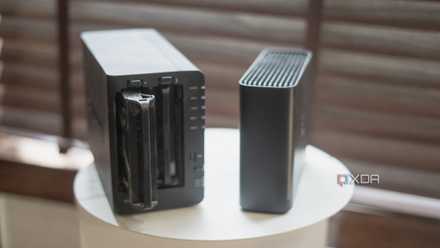
9 common NAS mistakes beginners make and how to avoid them
Put together a robust setup from the get-go
A dedicated boot drive makes updates stop feeling scary
Updates are inevitable, but downtime shouldn't be
Updates are one of the most common causes of downtime in home servers and NAS setups. Kernel changes, dependency issues, interrupted updates, or power loss at the wrong moment can all leave a system unbootable. When the OS and data live together, even a routine update suddenly feels risky.
A dedicated boot drive will remove that anxiety. If an update goes sideways, recovery is straightforward: rebuild the OS and move on. Your data isn't held hostage by a bad patch or a failed transaction. Your storage won't ever become collateral damage.
This changes how you treat updates entirely. Instead of delaying them out of fear, you can apply them confidently, knowing that rollback or reinstallation won't threaten your entire setup. That's a big deal for a machine that's meant to run unattended. Servers aren't about peak performance, after all. They're about predictability instead. Updates are inevitable, but downtime doesn't have to be. A separate boot drive turns updates back into maintenance instead of a gamble, which is exactly how they should feel.

4 reasons why you might want to roll back to a previous Windows update
Rolling back is a reliable, relatively painless way to fix a bad update.
The isolated boot drive also simplifies storage expansion
Expansion means swapping drives, not migrating data
Home servers rarely stay static. Storage needs growth, drive layouts evolve, and what started as "good enough" eventually needs to scale. Without a dedicated boot drive, expansion often means migration — copying terabytes of data over a weekend and hoping nothing goes wrong. Separating the OS from your storage changes that entirely. When your boot drive is independent, storage expansion becomes as simple as swapping drives, rebuilding pools, or adding capacity without touching the system itself. The OS doesn't care how your storage is arranged, and your data doesn't care what drive the OS boots from.
This flexibility matters more than people realize. It lets your server evolve naturally instead of forcing you into disruptive rebuilds. You can change hardware, upgrade capacity, or rethink your layout without tearing everything down. Servers are long-term projects, whether you intend them to be or not. A dedicated boot drive acknowledges that reality and gives you room to grow without turning every upgrade into a full-scale operation.
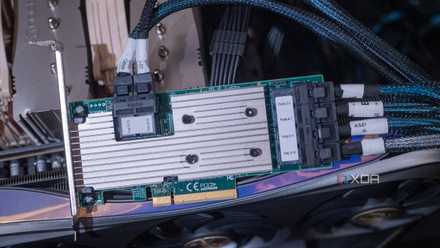
If you don't already have one, an HBA card is a great addition to your home server
A reliable way to add more storage
You don't need to splurge for a dedicated boot drive
Nothing more than $50 and change
The good news here is that a dedicated boot drive doesn't need to be fancy at all. A cheap, reliable SSD is more than enough for most home servers. Capacity requirements are modest, and raw speed simply isn't critical for a boot volume. NVMe is nice to have, sure, but it's absolutely not necessary. Don't stress about burning an M.2 slot or chasing peak throughput. SATA SSDs work perfectly well, and they often run cooler and more predictably in 24/7 systems. What matters most is reliability, not benchmark numbers.
Avoid booting from the same HDD pool as your data, and be cautious with USB flash drives, which aren't designed for constant writes. Treat the boot drive as infrastructure that's stable, replaceable, and unremarkable.
Your OS should be disposable, after all. Your data, however, shouldn't be. Once you frame it that way, the buying decision becomes simple. Spend as little as you reasonably can, prioritize consistency, and let your storage drives handle the heavy lifting.
ORICO SATA SSD
- Storage capacity
- 256GB
- Hardware Interface
- SATA 6.0 Gb/s

A cheap upgrade that will immediately enhance your server and its future
You want your home server to act like an appliance instead of a project.
A dedicated boot drive is a cheap upgrade for your home server, but it's one you will feel immediately, and keep feeling it over time. It won't make your server more exciting, and it won't be the part you brag about. What it will do is make everything calmer, cleaner, and easier to manage.
If you want your home server to act like an appliance instead of a project or a fragile environment, this is one of the smartest foundational choices you can make.