
I’ve spent much of this year testing out new productivity and note-taking tools. And I’d say about half of them lived up to my expectations, such as AFFiNE. But with so many notes apps on my computer, things can get cluttered and scrambled very fast. It’s just not realistic to hop from app to app; you end up losing track of where all your files live, and in my case, also confuse some apps with others. So having one basic little stack of tools that I can rely on became essential for maintaining a consistent note-taking system. That’s why I settled on this plain text stack.
However, some tools are just too good to leave out of my daily workflow, even if they don’t fit perfectly in my plain text setup. For me, that ended up being Perplexity. The more I used it the more I realized it goes beyond being an AI search engine. It produces research, summaries, comparisons, and quick explanations - and I needed a way to get these threads out of the app and store them somewhere instead of letting them pile up unused. This one Perplexity feature made it way easier than I anticipated it would be…
What Perplexity feature am I talking about?
This dead-simple feature made it a perfect fit for my note-taking stack
When it comes to research and studying, Perplexity has pretty much become my default search engine at this point. It goes beyond results and actually gives me plain-language answers along with its sources, depending on my prompts. I also love being able to customize the way it responds with these templates. But one area where I felt restricted was being able to get my Perplexity threads outside of the app. At first, I just copy-pasted everything into whatever notes app I was using at the time, but it’s a bit messy and time-consuming.
What I needed was a way to keep the threads intact without having to clean the formatting or manually reorganize the content afterward. Just a while ago, I discovered a simple feature that’s been under my nose all along - Export as Markdown. I can kick myself in the foot for not noticing it was there before, but this is pretty much all I needed to get the prompts and responses outside of the app while retaining the formatting, and add it to the rest of my notes.
You’ll find it by opening any Perplexity thread, going to the three-dot icon in the top-right, and Export as Markdown will be in the dropdown.

How I use my Perplexity Markdown exports
And how I had to adjust the setup
The most useful aspect about Perplexity also became the most annoying thing when I first included it in my notes stack. Perplexity threads are usually packed with web links - it’s a search engine after all. So if you export those threads as Markdown and open them in a plain text editor, you lose all the clickable links. That was the case for me, at least, since Windows Notepad is my go-to plain text note-taker.
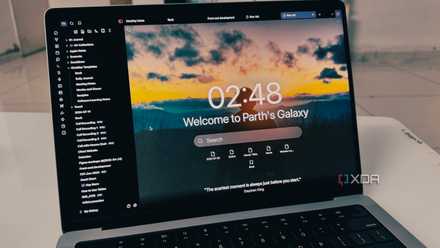
So unfortunately, I had to kick Notepad to the curb for a bit and bring something into the mix that does render Markdown and therefore keeps those links clickable - Obsidian. I’m already using Obsidian on a regular basis so it wasn’t a major adjustment. I created a dedicated folder in my Obsidian vault called “Perplexity Threads”, and that’s now the destination I select whenever exporting Perplexity threads as Markdown files.
Obsidian instantly recognizes the files, keeps the formatting of the threads, and gives me clickable links in case I want to revisit them. This is just way more practical for active studying than struggling with Notepad.

Perplexity Browser turned my random Google searches into structured learning sessions
What used to be scattered Googling now feels like guided exploration—and Perplexity Browser is the reason why
How it fits into the rest of the stack
I’m still keeping it simple
Something I’ve learned in trying to navigate the abundance of apps on my PC is to be a little more flexible. Sticking to only a specific set of apps indefinitely does reduce overwhelm, but it will also keep me cornered, so it’s important to have some wiggle room as my toolkit and workflow change throughout the year.
I went from using only Notepad with a local PARA folder structure. Then I brought AFFiNE and NotebookLM into the mix for some project management and research abilities. And now I added the Perplexity + Obsidian combo for longer, in-depth notes for studying. I can still open those files in Notepad, as well as NotebookLM and AFFiNE, but Obsidian is best for keeping the integrity of the threads.
Plus, I have all of Obsidian’s other goodies at my disposal for elaborating on the Markdown docs, such as building out mind maps in the Canvas. And I still keep everything synced with the local folder path synced to Google Drive for Desktop, and Syncthing for accessing everything from my Chromebook.
4 game-changing Obsidian workflows I wish I tried earlier
Obsidian workflows I tried late, but you don’t have to
One feature improved my note-taking system
Export-as-Markdown is hardly the most groundbreaking thing about Perplexity, and it took me way too long to notice it's there, but it definitely switched up the way I store and interact with my notes. It’s just so easy to get more use out of my Perplexity threads now that I can interact with them in my local text stack.