
Games were previously stored on hard drives before SSDs came along, but since then, we've slowly moved across to solid-state storage. I recall when SSDs were first released onto the market, and manufacturers all urged everyone to upgrade from HDDs. After SATA SSDs, which shared the same interface as the drives they replaced, we introduced NVMe PCI SSDs, which are still relied on today to run the OS and other frequently used applications and games.
But as well as the latest and greatest SSDs, we also had some form of middle ground where hard drives and solid-state drives would be used together. The HDD would store all the data, and an SSD cache would act as a speedy in-between to handle loading data for games, software, and other tasks. It sounds excellent on paper, but after trying it out with an old hard drive and SSD, I didn't notice much difference. Instead of caching, just buy an SSD.
The cost of solid-state storage has fallen over the decades, and until recently, it was possible to pick up a "fast enough" drive at a reasonable price. Still, I recommend against buying an SSD for caching with an HDD.
The jump from HDD to SSD is huge
It's the best upgrade for any gaming PC
If you're still using an HDD for storing all your games, I understand why. Steam has so many deals that it's easy to fill up terabytes of storage without spending too much. But that 4TB HDD is doing you a disservice, as while it's holding all your games (and then some), it doesn't have the bandwidth to load everything at higher resolutions. Even though 2.5-inch SSDs share the same SATA III interface, they are notably faster, often double.
This is simply due to how the two storage types work. Mechanical drives have spinning platters and read heads that both need to move at high speed. This introduces latency with each byte of data accessed. Throw in tasks where data is constantly read from storage, like gaming, and you can see how this could cause issues. Then there's the fact that HDDs have moving parts, which all experience wear and tear under heavier loads.
SSDs, both SATA and NVMe, use flash memory and electricity to store data. These drives all offer near-instant load times and can dramatically reduce the time waiting for Windows or Linux to boot. Higher random read performance is vital for gaming, and these drives offer it in buckets. Let's take a look at the move from HDDs to SSDs with a few tests:
|
Game |
HDD |
SSD |
|---|---|---|
|
Cyberpunk 2077 |
00:51 |
00:21 |
|
Elden Ring |
00:59 |
00:28 |
|
Forza Horizon 5 |
01:01 |
00:27 |
|
Red Dead Redemption 2 |
01:14 |
00:30 |
|
X4: Foundations |
00:52 |
0052 |
We're looking at almost a 50% reduction in load times as an average across the board, especially with X4: Foundations, where even moving between systems would be immediate on the SSD but have a slight second or two with the HDD. These results are with a SATA SSD, mind you. This shows how unnecessary NVMe SSDs are for gaming. They're great at loading a lot of data rapidly, but that's sequential and not random.
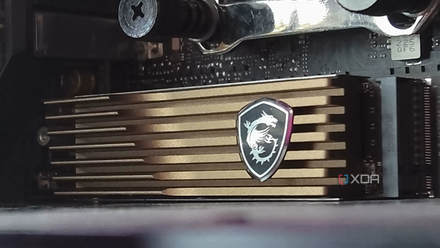
3 reasons you should have a dedicated SSD just for games
Keeping your OS and games on separate SSDs might actually make sense
Gaming PCs don't need SSD caching
It was designed for a very specific use case
For gaming, SSD caching just doesn't really fit in anywhere. If you have a hard drive with all your data (and games) stored on it, a small SSD alongside it, and frequently accessed data, SSD caching could make sense for your workflow. It's a good way to make use of what SSDs have to offer without outright replacing the HDD and potentially losing capacity. But caching is incredibly inconsistent, and this isn't something that's apparent until you try it.
It was designed for a different time when SSDs were small, expensive, and out of reach for most. We've progressed greatly since the massive 8TB options became available for consumers. Now, I'm not oblivious to what's happening with the storage market. The cost of drives has skyrocketed, especially SSDs. The PC building (and upgrading) landscape has adjusted over recent months, and not for the better.
The upgrade from the HDD to even a SATA SSD guarantees great and reliable performance.
But gaming is still not a great candidate for SSD caching with HDDs, as your favorite PC titles, notably modern and more demanding games, stream huge amounts of data and access assets unpredictably. A cache won't be able to determine what needs to be presently available for the game, as the requests are always going to be changing. What makes things worse is when cache misses, you're falling back to HDD speeds.
This can result in inconsistent performance, which makes the upgrade from the HDD to even a SATA SSD guarantee great and reliable performance. Much like a stable Ethernet connection for file transfers over the network, games require stable read bandwidth for loading all their assets, and SSDs provide that. So, I tried adding a small NVMe SSD I had lying in storage from an old mini PC to a test system with a HDD for game storage.

5 mistakes to avoid before you decide to buy a new SSD
Choosing the right SSD isn’t just about speed. Avoid these 5 costly mistakes to ensure performance, longevity, and value for money.
I used it with my gaming PC as a test
It did almost nothing compared to an actual SSD
I'll be honest, I expected at least some performance improvement on load times with the SSD cache available for the system running games from the mechanical drive. But comparing it to running games from a SATA SSD, I saw almost no improvement, which effectively rendered it unnecessary. The issue is that SSD caching only helps when the data to be requested is already cached.
It's like RAM, where the system needs to load the data into the memory for it to be ready with super-fast performance. The same goes for CPU cache for instructions. SSD caching didn't really help with loading new areas within a game, streaming new assets, and using large datasets that exceeded the cache size. The latter isn't an issue if you have a large enough SSD, but it's still worth considering.
But like RAM, where if you run out of memory, it falls back to slower storage, your cache will leave the system working with the HDD directly, with misses. Configuring an SSD for caching can also be quite complex, depending on what system you're using and what you wish to achieve with it. And when it did actually work and provide SSD speeds for a system with games on the slower HDD, but even then, it's more of a compromise than a solution.

SATA SSDs are the smartest budget upgrade nobody talks about anymore
They are fast enough for most workloads, and more affordable at high capacities
Just move all your games to an SSD
I came away with the same recommendation I had before running the test. Move all your games to an SSD. Even a SATA SSD will make a world of difference. SSD caching may help, but it's a band-aid instead of working on a complete solution that will provide many years of gloriously smooth entertainment. Leave the NVMe drives for running your OS and everything else.