
I'm sure you know many PC users who retain their old CPU and motherboard for years while they go through multiple graphics cards during the same period. This strategy has mostly worked well, but in some cases, your aging motherboard can actually prevent your new GPU from performing at its best. Beyond a point, you need a relatively recent platform to make use of all the modern tech that helps maximize GPU performance. This includes support for PCIe 4.0/5.0, Resizable BAR, and DDR5 RAM. Individually, a lack of support in these areas might not amount to much, but together, they can measurably affect your GPU performance.

5 signs that upgrading your old motherboard is not a choice anymore
Sometimes, upgrading your motherboard is out of your hands
PCIe 3.0 limitations
It can severely limit performance in certain scenarios
Your graphics card communicates with the CPU through the PCIe bus, and the PCIe standard determines the amount of bandwidth available to your GPU. While the latest graphics cards don't yet saturate the bandwidth of even a PCIe 4.0 slot, using a modern GPU in a PCIe 3.0 slot can have an adverse performance impact. Most of the time, this isn't a huge concern for gaming workloads, where a PCIe 5.0 GPU running in a PCIe 3.0 slot might only see a 3–4% loss of performance. However, if your GPU runs out of VRAM when running in a PCIe 3.0 slot, especially in an x8 configuration, gaming performance could fall by a huge margin.
However, professional workloads like video editing can see render times tank significantly when switching from PCIe 5.0 x16 or PCIe 4.0 x16 to PCIe 3.0 x16 or PCIe 3.0 x8. The number of lanes matters more than the PCIe standard, but in any case, upgrading your GPU without moving to a modern platform could severely hold your GPU back, depending on the workload.
This PCIe limitation can also rear its head indirectly by limiting how fast your SSD runs in a PCIe 3.0 slot. Again, most games will only see a minor drop in performance on a PCIe 4.0 or PCIe 5.0 SSD running in a PCIe 3.0 slot. Video editing and rendering workloads, however, will suffer due to the reduced bandwidth. It can be tempting to upgrade only your GPU without spending money on a new motherboard and CPU, but you should ideally make the switch before your platform becomes obsolete to the point that it starts affecting performance in significant ways.

Your GPU's PCIe generation doesn't matter — except when it does
PCIe 3.0 doesn't affect your GPU performance, unless you run out of VRAM
Lack of official ReBAR support
You might be missing out
Resizable BAR, or ReBAR, allows your CPU to access your GPU's entire VRAM in one go instead of small chunks, helping boost performance in both gaming and professional workloads. The thing is, ReBAR, or Smart Access Memory (SAM) on AMD GPUs, is only officially supported on Ryzen 3000, Intel Core 10th Gen, and newer CPUs, and RTX 3000, RX 6000, and newer GPUs. However, your motherboard should also have support for the technology; otherwise, you won't find the option to enable ReBAR in the BIOS. AMD's 400 series and Intel's 400 series motherboards and newer models support ReBAR, but older chipsets don't enjoy universal support. It depends on your motherboard manufacturer, and whether it released a BIOS update to enable the feature on older models.
Without ReBAR, you could see 10–15% lower performance in games and an even greater difference in professional workloads. ReBAR or SAM might be a common feature on modern motherboards, but users still on older chipsets need to assess whether the cost of not upgrading is worth the performance hit they're signing up for.
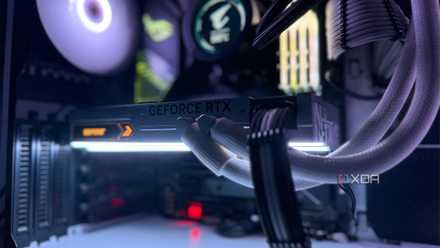
5 reasons Resizable BAR is vital for getting the most out of your GPU
Resizable BAR can provide you with an instant boost in gaming performance
DDR4 vs. DDR5 RAM performance
DDR5 is not optional anymore
There are tons of users still on DDR4 gaming PCs (including yours truly), and upgrading to DDR5 RAM might have a significant performance boost in store. DDR5 RAM and motherboards, when they first launched, weren't worth the performance benefits since they were also prohibitively pricey, but today, things have changed a lot. In gaming, you're looking at anywhere from a 10% to 35% extra performance on DDR5 RAM compared to DDR4 RAM on a CPU like the Intel Core i5-12400F, according to Hardware Unboxed. This isn't a minor difference that you can ignore anymore. RAM prices might be in the stratosphere right now, but once the market stabilizes, you'll need to consider whether your GPU upgrade needs a motherboard upgrade as well to truly shine.

It might be time to finally upgrade your motherboard (and CPU)
A platform upgrade involves a new CPU, motherboard, and RAM, so it isn't exactly cheap. However, in some scenarios, your old motherboard might be severely limiting your PC's potential performance, despite upgrades in other departments, such as the graphics card. Owing to DDR5 RAM, Resizable BAR, and PCIe 4.0/PCIe 5.0 benefits, you might want to consider moving to a modern platform when considering a new graphics card.