
While we recommend having a solid backup plan — and even have a step-by-step guide for it — it’s easy to get lost in the jargon and the many tools that seem to do the same thing. It’s common to assume your job is done once a backup system is in place, but in reality, that’s just where the journey begins. Data is constantly changing, moving and growing every day, and your backup strategy needs to keep up without falling behind. Remember that the data on your NAS is as secure as your backup strategy.
Here are a few misconceptions around data backup on your NAS and the things you should pay attention to when creating your strategy.
6 Thinking RAID is backup
It is anything but
A redundant array of independent disks (RAID), as the name suggests, is designed for redundancy. Depending on the RAID configuration, it keeps an exact copy of your data on the NAS itself to protect against drive failures. For instance, if one of your four drives fails, you can swap it out for a new one, and the NAS will restore the missing data using its RAID algorithms. However, this does nothing to prevent data loss if the entire NAS is affected, whether by theft, corruption, or a ransomware attack.
While RAID is an essential part of data protection, thinking of it as a backup leaves your data vulnerable to external threats or catastrophic events like fire or flooding. For all-round protection, you need both RAID and a proper backup strategy that ensures business continuity even in the worst-case scenario.

What is RAID (and how to set it up in a NAS)
RAID is worth checking out if you desire fast transfer speeds or want to protect your data against drive corruption (or even both, at the same time)
5 Not having off-site backups
‘Off-site' is the key here
We often store copies of data on hard drives and USB thumb drives because it’s convenient, but this kind of backup leaves data just as vulnerable to corruption or physical damage. While any form of backup is better than none, it’s always recommended to keep an off-site backup — one that exists away from your primary NAS location. This becomes especially critical for businesses relying on NAS units for storing and managing essential work data.
Off-site backup is the most robust form of data security, protecting against ransomware attacks and disasters that could compromise your primary NAS. In the event of a breach or failure, it allows you to restore data quickly, minimizing downtime and preventing significant losses. A second NAS at a different location is a solid option, but cloud storage is another reliable solution that keeps your data continuously in sync.
4 Improper backup scheduling
The buffer time could make or break the arrangement
A well-balanced backup schedule is important to maintaining data security without affecting performance. If backups aren’t frequent enough, you risk losing significant amounts of data between an event and the last backup, leading to unnecessary disruptions or even permanent data loss. On the other hand, constant real-time backups can overload your NAS, reducing its efficiency and slowing down operations during peak usage hours.
Home users may get by with weekly backups, but businesses benefit from a daily backup schedule. The best approach is to schedule backups during off-peak hours so they don’t interfere with business operations. Striking the right balance between frequency and performance ensures your backup strategy remains effective without causing slowdowns.
3 Not using version history for backups
File versioning can save your day someday
Not all data loss happens because of catastrophic failures. Sometimes, a simple mistake, like accidentally deleting or overwriting a file, can be just as damaging. Without version history, restoring a deleted file may mean losing all progress, leaving you with nothing but an empty document or outdated data. Versioning allows you to roll back to previous file states easily and quickly, making recovery far more forgiving.
Just like Google Docs and Microsoft Word offer file version history, most of the top NAS models come with backup tools that include an option to enable file versioning. Turning this on adds an extra layer of protection, letting you restore files from different points in time rather than just reverting to its original version. It’s a small step that can make a huge difference in your workflow.
2 Ignoring backup integrity checks
Now you know why they are important
Even with a well-thought-out backup strategy, your efforts could go to waste if you find that your backups are corrupted or incomplete when you need them most. During events like ransomware attacks, being able to restore data quickly is critical — but that’s only possible if your backups are intact, making it important to keep a close eye on your backups, too.
Routine monitoring ensures your backup files remain healthy and usable. Many modern systems provide automatic warnings for corruption or incomplete backups, but some issues may still go undetected without manual verification. Performing test restores at regular intervals helps confirm that your backups are functioning correctly and that everything will work as expected when disaster strikes.
1 Not taking security seriously
That’s valid for your backup too
Basic password hygiene goes a long way in protecting your data from external attacks, yet security is often overlooked when it comes to backups. If you haven’t set up two-factor authentication — or worse, if you’re reusing passwords — you’re leaving your backups vulnerable. In case of an attack, bad actors could not only access your primary NAS but also erase your backups, leaving you with no way to recover your data.
Strong, unique passwords and two-factor authentication should be non-negotiable for both your backup NAS and any cloud accounts you use as backup. If you need your NAS to be accessible over the internet, following strict security best practices is essential to keeping your backups safe.
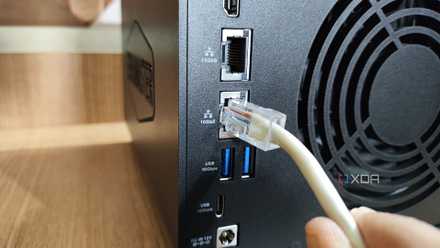
6 ways to access your NAS remotely without exposing it to the internet
It’s easier than you think to keep your data safe
Backup, backup, backup!
We cannot stress enough how critical data backups are and how important it is to keep them running smoothly like a well-oiled machine. There are plenty of ways to protect your NAS and data upfront, but preparation is key for minimizing downtime and avoiding irreversible data loss when disaster strikes. A solid backup strategy ensures that no matter what happens, your data remains secure and recoverable.
Synology DiskStation DS224+
- Brand
- Synology
- CPU
- Intel Celeron J4125
- Memory
- 2 GB DDR4
- Drive Bays
- 2
The Synology DiskStation DS224+ is the direct successor to the popular DS220+, which was praised for the value it offered to consumers looking to buy their first enclosure. The DS224+ has an Intel Celeron processor, 2GB of DDR4 RAM, and support for Synology's excellent DSM operating system and catalog of apps.