
Summary
- Obsidian offers free robust features and customization to replicate Evernote with additional functionality for note-takers.
- Notion provides a modern alternative to Evernote with real-time collaboration and a variety of templates for various use cases.
- OneNote, a classic rival to Evernote, boasts user-friendly organization, integration with Microsoft services, and math and drawing tools.
Evernote, once a darling of digital note-takers, has been through tough times due to growing criticism from the community. The company replaced its native apps with below-average Electron solutions, hiked subscription prices, and crippled the free plan with a number of limitations, the latest of which permits connection to only a single device. If you are fed up with Evernote’s subpar experience and looking to jump ship, you have come to the right place.
In this article, we explore several top Evernote alternatives, highlighting their unique features and benefits to help you find the ideal digital tool for your notes, ideas, and projects.

5 best tools for creating an effective Personal Knowledge Management (PKM) system
Meet your brain’s new best friends
5 Obsidian
Obsidian’s popularity has skyrocketed in recent years. The Markdown-based solution can replicate your Evernote setup and even unlock more functionality for your ultimate digital cabinet. Obsidian allows you to create connections between relevant notes and view their relationships through a specialized graph view.
Obsidian also supports Canvas to enable brainstorming thoughts and ideas on an infinite board with ample tools. Customization is where Obsidian truly shines over its rivals. A specific theme menu allows you to modify the app's appearance, while a separate plugin store lets you find relevant add-ons to enhance its functionality.
You can even use Obsidian to create a Personal Knowledge Management (PKM) system. The best part is its pricing model. All the Obsidian features are free to use. To synchronize your notes across different devices, you only need to purchase the Sync add-on. Alternatively, you can avoid this cost by keeping your Obsidian vaults in Google Drive or OneDrive.
Obsidian
- OS
- Windows, macOS, Linux, iOS, iPadOS, Android
- Individual pricing
- Free normally; $4/month for Obsidian Sync

11 Obsidian tips and tricks for boosting productivity
Tame your thoughts and craft yourself a digital mind palace with Obsidian
4 Notion
Notion is a modern Evernote alternative to capture and organize your thoughts and notes. It uses an intuitive block editor, columns, and ‘/’ command to create ideal pages in no time. Notion is more than just a note-taking app, though.
You can use Notion to manage projects, keep a list of your favorite books, create a habit tracker, manage your calendar events, or even plan your college semester like a pro. The possibilities are endless here. Plus, thanks to a rich Notion library, you don’t even need to start from scratch. There is a template for practically any use case.
Notion also scores high on real-time collaboration. You can invite anyone to your page to manage projects and brainstorm ideas. The company has an optional ($10 per month) AI add-on to write a summary or table, ask a question about a specific page, and create a flowchart based on your text prompts.
Unlike Evernote, Notion offers a solid free plan with a 7-day page history, page analytics, and more. The Plus plan starts at $10 per month.
Notion

10 power tricks every Notion user should know
Complete your ideal Notion setup by following these tips
3 OneNote
Speaking of the top Evernote alternatives, how can we leave OneNote out of the list? Evernote vs. OneNote rivalry goes back decades, and Microsoft’s solution can be an ideal pick for a number of reasons.
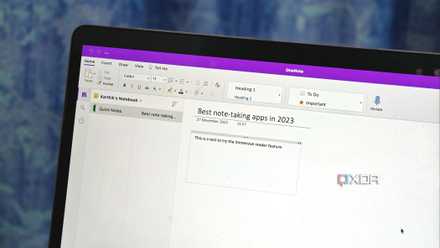
OneNote is a feature-rich note-taking app that gets the basics right. Unlike Notion, Craft, and others, it isn’t confusing for new users and comes with a standard notes organization (Notebooks > Sections > Pages), plus an easy-to-use toolbar to help you capture ideas effectively.
OneNote easily beats its rivals with a couple of unique add-ons. First, it has close integration with other Microsoft services like Outlook, Sticky Notes, OneDrive, and Loop. Second, it supports math calculations and drawing tools so that you'll be able to jot down your class notes like a pro.
OneNote offers native applications across all platforms and is free to download and use. You only need to pay for OneDrive storage after you utilize the 5GB of free space.
Microsoft OneNote
5 reasons I keep coming back to OneNote
Its wide coverage and efficiencies are second to none
2 Joplin
Like Evernote, if you prefer to manage your notes and tasks from a single interface, look no further and get Joplin. It’s a versatile, free, and open-source solution with a user-friendly interface, end-to-end encryption, and other goodies to replace your dated Evernote setup.
The list of features includes Markdown support, an offline-first approach for privacy-minded folks, reminders with a to-do list, a web clipper, and more. You also have the flexibility to use the cloud storage of your choice to save and sync data. Joplin also offers a range of import options to import your Evernote (ENEX) files with a single click.
Although Joplin offers a paid plan at $5.20 per month, most users should be completely fine with its free offering. The paid version unlocks niche features like real-time collaboration and customized note publishing on the web.
Joplin

OneNote vs. Joplin: Which note-taking app is better?
The ultimate face-off between OneNote and Joplin to see which app reigns supreme
1 UpNote
UpNote is easily the top alternative to Evernote. Unlike other note-taking apps, it doesn’t feel bloated with unnecessary AI add-ons, block editor, web publishing, or others. UpNote is laser-focused on taking notes and does the job without breaking a sweat.
In many ways, it’s quite similar to Evernote. You can create multiple notebooks with eye-catching banners, pin your favorite ones for easy access, use tags to organize your notes smartly, and password-protect personal notes from prying eyes.
UpNote lets you connect related notes, offers a sticky window to take notes during online conferences, a focus mode to eliminate distractions, and a web clipper for popular desktop browsers. You can create different spaces to keep your personal notes away from work ones. There is also support for templates and the ability to share your notes on the web.
UpNote has native apps on all the platforms, including Linux. The company's pricing is impressive, at just $2 per month or a $40 lifetime plan. It seems like a steal compared to Evernote and other costly productivity tools.
UpNote
Create a seamless organization
While there is no shortage of Evernote alternatives, you can’t go wrong with any of our shortlisted picks here. Obsidian and OneNote provide robust, free functionality, while Joplin offers an open-source alternative. Notion caters to various needs for building an optimal personal knowledge management system, and UpNote excels in delivering a reliable and enjoyable note-taking experience.
Check out our separate comparison guide if you want to learn more about the differences between OneNote and Notion.