
Summary
- Procreate alternatives offer a variety of features, price points, and platform availability.
- Affinity for iPad offers great creative options similar to Procreate, with the option for a universal license.
- Adobe Fresco serves as a free and versatile alternative to Procreate with both raster and vector drawing capabilities.
Procreate is the go-to iPad drawing app for many digital artists and illustrators, including tattoo artists and pattern designers.
While there aren’t too many open-source alternatives to Procreate like there are open-source creative software for desktop use, there are a significant number of Procreate alternatives. The alternative apps come at different price points, platform availability, and tool and feature offerings to give you a true variety of choices for your digital illustrating desires.

iPad Pro (M4, 2024) vs Samsung Galaxy Tab S9 Ultra: Which premium tablet is best for you?
The iPad Pro has an OLED display for the first time, while Samsung has used AMOLED for years. Will that early advantage come in handy here?
9 Affinity for iPad
Affinity suite tools are great creative options
The Affinity suite is one of the best Adobe alternatives, but with flagship apps for the iPad, you can also quite easily replace Procreate using Affinity Designer for iPad.
There are two license types for Affinity software: one that allows you to use the app on either desktop or iPad, and the other, the universal license, which lets you access all Affinity apps from all available platforms. If you purchase the universal license, you can access your files between both the iPad and your desktop. Purchasing the iPad-only license because you’ll be limited to using the iPad app for your Affinity projects.

Affinity Photo vs. Photoshop: Which is the better iPad editing tool?
There's lots of competition between Affinity Photo and Adobe Photoshop, and that holds true when comparing their iPad editing tools
Affinity Designer
8 Illustrator and Photoshop for iPad
Parred down versions of the Adobe desktop apps
Although two separate apps, I’ve lumped these Adobe iPad apps together as one since they offer the same level of features for iPad users. Adobe’s Photoshop and Illustrator for the iPad apps are both extremely pared-down versions of the full desktop software.
While neither of these is my go-to alternative to Procreate, sometimes it’s nice having the option, especially when my project can benefit from being in the Creative Cloud sphere.
These are not Adobe’s best iPad apps for digital drawing; Adobe Fresco is much better. The UX/UI for both Illustrator and Photoshop on the iPad is very different from that on a desktop — not so similar and not entirely intuitive to how to use the app.
-
Adobe Photoshop
-
Adobe Illustrator
7 IbisPaint X
High-performance digital illustration tool
IbisPaint X is a drawing app available for both iPads and Android tablets, giving it a little more flexibility compared to Procreate, which is only available for iOS devices. With over 47,000 brushes available, IbisPaint X offers high-performance versatility compared to Procreate’s more humble brush library.
IbisPaint X shares many other features with Procreate, including blending modes, screen and progress recording, stroke stabilization, layers, and font libraries. Unlike Procreate, however, it is free to install, and some premium features are available for $3 per month to $28 per year.
IbisPaint X
6 Sketchbook
Versatile comparative Procreate tool
Sketchbook by Autodesk is a raster-based graphics app for iPad and Android tablets, as well as macOS and Windows desktop systems. Its raster-based drawing features make it similar to Procreate, a raster-only drawing application.
Sketchbook features a simple interface, including the ability to hide or reveal tools and brushes to keep them out of the way when not in use. It has layers, a large brush library in many textures, and even symmetry tools, much like Procreate.
This free app is instantly more affordable than Procreate, and with the ability to use it on multiple platforms, it is also more versatile from that perspective.
Sketchbook
5 Infinite Painter
Free digital painting tool made for artists
This completely free drawing and painting app is developed with Android and Windows tablets in mind, but it’s also available on the iPad for closer compatibility to Procreate. It’s also available as a Chromebook feature for something a little different from most creative tools.
Infinite Painter offers all the features and tools you’d expect to find in a digital painting or drawing app, such as brushes, shape tools, fill tools, perspective lines, and pattern creation tools. There are also plenty of more unique features available, such as gradient and pattern fill, liquify, and 3D camera angles, elevating it from Procreate’s basic features.
Infinite Painter
4 iArtbook
Unlimited layers for iPad and Android tablets
One negative feature of using Procreate is that you are sometimes limited in how many layers your project can have. The larger your project is, in terms of file size, the fewer layers you are afforded to create it. This usually isn’t a problem since the layers are limited from around 200 down to 50 in most of these instances, but for some projects, the limit comes down to below 10 — making it problematic.
When using iArtbook, you have unlimited layers to complete your digital drawing project. Accessible on both iPad and Android tablets, you can use beautiful calligraphic brushes to draw and paint digitally across a myriad of layers.
iArtbook
3 Krita
Open-source drawing alternative
Krita is a popular open-source alternative to creative software like Photoshop, and it’s typically used from a desktop.
Strictly speaking, Krita isn’t available as an iPad app, so it isn’t entirely a Procreate alternative; however, it is available for Android tablets (unlike Procreate). You could also use screen mirroring from a Windows, Linux, or macOS system to your iPad for similar results to Procreate.
You can use a drawing tablet or drawing display to get a similar experience using Krita with a digital stylus and screen. Whether it’s a Wacom, Xencelabs, or XP Pen display or tablet — or you mirror using AstroPad — you can still use Krita from a tablet even if it’s not officially available as an iPad app.
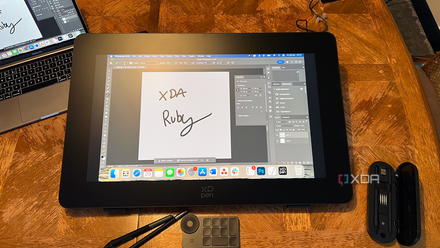
XPPen Artist Pro 24 (Gen 2) 4K Drawing Display review: Affordable tablet, questionable calibration
XPPen Artist Pro 24 (Gen 2) 4K Drawing Display offers affordable digital drawing technology but comes with some calibration issues
Krita
2 Linearity (formally Vectornator)
Best for tablet-based vector creation
Despite Procreate’s lack of vector abilities, many people use Procreate initially to draw illustrations which they'll later send to other software to turn into vectors. You can cut out the middleman quickly by using Linerarity — which was previously known as Vectornator — instead.
In Linearity, you have similar tools and functions to Procreate, but the app is 100% vector-based, allowing you to create shapes and images with clean lines and color, as well as full scalability to any size. There is a limited free plan, and beyond that plans start at $7 per month.
I personally use Linearity as a way to quickly create vector SVG graphics for use with my Cricut plotting machine. Creating SVGs from scratch saves so much time compared to saving a raster in Procreate and uploading it to other software to overwrite it as a vector file. While its features are less complex, Linearity gets the job done for vector creation away from my laptop.
Linearity
1 Adobe Fresco
Free for all users since 2024
Adobe Fresco has been an iPad drawing app for years, but in mid-2024, Adobe decided to remove the premium subscription plan and open Fresco to be entirely free for all users. Previously, it was a free app with a small monthly surcharge to use premium features, but now, every aspect of the Fresco app is cost-free for anyone to access.
Fresco makes the best alternative to Procreate for many reasons, largely in price compared to Procreate’s one-off $20 payment to install the iPad app. Secondly, Fresco offers raster, vector drawing, and other texture brushes. In Procreate, you can only create raster files — meaning your drawings are difficult to resize or change the scale without pixelation.
The layout and UI of Fresco are similar enough to Procreate to make for an easy transition to the tool. Fresco is available on iPad, iOS, and Windows 10 and 11 — whereas Procreate is only available for the iPad, with Procreate Pocket being a pared-down app available on iPhones with no Windows or Android support.
Adobe Fresco
Adobe's native iPad app for drawing vector and raster illustrations
Many Procreate alternatives for all your needs
While Procreate is an affordable and easy-to-learn drawing app, it might not meet all your needs for all types of digital drawing and illustration. Our list of alternatives offers similar tools and features to Procreate—such as raster-based drawing, layers, blending modes, and large brush libraries—as well as alternatives that offer more or different features, such as vector-based drawing or the ability to switch platforms. Adobe Fresco is my favorite Procreate alternative, but it’s great to have options.