
One of those motherboard features that never really mattered much is the onboard audio circuitry. Let's not forget that it wasn't really a thing until the AC'97 audio standard became widespread in the late 1990s, pushing stalwarts like Creative Labs and Turtle Beach out of the market through sheer affordability.
While audio codec chips beat out plug-in sound cards, they've never been that great. Between driver issues, cheap hardware, and electrical interference, almost any external audio interface will outperform the onboard sound chip. And you don't have to pay hundreds of dollars for desktop DACs and Amps to get great sound from your PC. All you need is $10, because the best cheap audio interface you can get is under that price, and it's from a brand anyone will recognize.
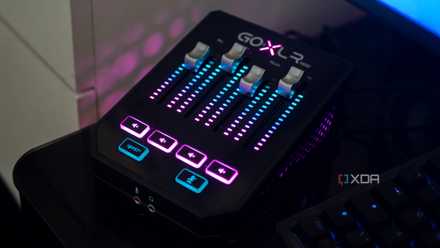
5 reasons an audio interface is the best upgrade I made to my PC
I upgraded my PC's audio with an audio interface, and it's the best upgrade I could have made.
For $9, the Apple USB-C to Headphone Jack can't be beat
This little dongle will lay the beat down on your onboard sound card
I know, I know, look, I have the same reaction every time I tell anyone about this. The Apple USB-C audio adapter is one of the best things Apple makes, and it's the cheapest. It's been a decade since Apple removed the headphone jack from the iPhone and put the circuitry inside an external dongle, and it's been $9 ever since.
It outputs the same 1V RMS that iOS devices used to output from the internal 3.5mm headphone jack, has almost no discernible distortion, and is one of the cleanest-sounding DACs I've ever used. Let's put it another way, the only external USB DAC that I've used that was cleaner is the RME ADI-2 DAC, a device that cost $1,149 the last time I had one on my desk.
To be close to that performance for $9 is nothing short of staggering, and I've never used onboard sound that could match it. Yes, it's not the most powerful audio interface in the world, but it's $9. Give me (and it) a break.
Apple USB-C to 3.5mm headphone jack adapter
The problem with onboard audio
Manufacturer specifications are rarely that accurate
I'm sure you've all come across high-end motherboards boasting ESS DAC chips, the same ones used in audiophile external DACs. The problem is that the audio circuit isn't just the DAC chip, and motherboards never quite match their promised specifications.
The wonderful Amir at Audio Science Review has measured many of his motherboards' onboard sound capabilities over the years, like from this Gigabyte Z390 Aorus Master. He found on this occasion that the circuit was only outputting 1.1V, short of the 2V that any DAC should provide, and that it suffered from distortion.
I do wonder whether he was measuring from the back panel or the front panel, because the front-panel audio connector on many motherboards has a higher-quality amplification circuit that can provide more power to your headphones. Manufacturers know that the front panel 3.5mm jack is more convenient to reach, so that's the one designed for, while the rear panel is often for line-out use with external speakers.
The problem with onboard audio is rarely the quality of the digital decoding, but instead with the analog amplification path and/or electrical interference.
The good news is that most of the distortion was in the upper ranges, which are not audible, but any well-constructed DAC should have filtered these out before they became an issue. The other problem is low power output for headphone use, and possibly high output impedance, which contributed to it. Even with the relatively good DAC performance, the verdict was to get an external headphone amp to go with it, and if you're going to use one external audio product, you might as well bring the DAC out as well.

On-board motherboard audio is better than you think, but here's how to make it better
Motherboard audio doesn't have to be terrible, but it demands effort
You'll want an interface for using better microphones
Whatever your feelings about the Apple USB-C audio dongle, there is one area that nobody can deny that an inexpensive audio interface will outperform onboard audio in, and that's when recording the input of a microphone. It just won't happen because of the physics of sound capture, and because almost any XLR microphone will be leagues better than the best 3.5mm microphone.
One of my favorites is the Audient EVO 4 because it has a one-touch system that prevents clipping while recording. Audio recording is tricky enough without having to worry about making too much noise and clipping the signal, and it's a skill that takes time to master. With the EVO 4, that headache is taken away from you and handled without effort.
Audient EVO4
Motherboard audio has gotten better, but a dedicated audio interface will almost always outperform it
I've used a lot of motherboards in my time, and nearly as many sound cards and USB DACs, and the external solutions almost always win. Only a handful of motherboards provide enough amplification for onboard audio to work reliably with headphones, and the high output impedance (used to protect the motherboard) means most headphones and IEMs will sound muddy on the onboard solution.
It's a simple matter of the amplification circuit losing control of the headphone's drivers, and it never sounds good. Anyway, the Apple USB-C dongle is $9, so you're not losing much by trying it out and you might find you gain a vast enjoyment.