
Summary
- Building a cheap PC for $100-$250 is possible using a mix of older-generation and used components.
- Consider previous-gen components that are still available new or used parts that offer greater performance at the same price.
- Shop on sites like eBay, Craigslist, and Facebook Marketplace, or explore local thrift stores and computer shops for discounts.
The cost of building a gaming PC has been on a steady rise over the last 5 to 7 years. With mid-range graphics cards now costing as much as entire PCs, and all other components also rising in price, the definition of a "budget" PC has changed a lot. Even if you're not building a gaming PC and just want an office PC for regular use, building something cheap with only brand-new, current-gen components is getting harder every year.
Fortunately, there's another way to build a cheap PC — you can use older and used parts. If you make it a point to use a mix of older-generation and used components, you can put together a killer PC (gaming or otherwise) for whatever budget you desire — people have even done it for $100. You just need to keep your expectations in check. Let's unpack the entire process and how you can embark on this DIY project yourself.

It's hard to build a console-killer gaming PC, but you can come pretty close for $600
Consoles are great at what they do but I tried to build a gaming PC that beats it for the same price. Here's how it went
Decide your budget
Define a "cheap" PC
When you're building a PC on the cheap, you need to carefully assess what's available on the market brand new. Considering that you can build a gaming PC with all new parts with a Ryzen 5 5500 and RX 580 8GB for just around $550, your target budget for a PC with some or all used parts needs to be significantly lower.
If a gaming PC is more your scene, you should be able to get something decent for around $200-$250.
If you're only after a home/office PC that's good enough for browsing the web, working on documents or spreadsheets, and watching or buying stuff online, you can go as low as $100 for the entire PC! On the other hand, if a gaming PC is more your scene, you should be able to get something decent for around $200-$250. Even at this price, you'll be able to play most titles at 1080p medium settings with 60 FPS-ish performance.
Finalizing your budget beforehand makes your research much faster, as you have a mental checklist of what to look for and what to ignore.

5 PC components that are safe to buy used to save you money
Tread carefully while chasing deals in the used PC components market.
Consider older components
Previous-gen parts that are still available new
If you want a completely risk-free experience and don't want to get into the used market, then you can consider components that came out a few generations back but are still good enough for modern use. These could be parts like the Intel Core i3-12100F or Ryzen 5 3600 for the processor and RX 580 or RX 550 for the graphics card. These components, combined with some smart picks for the motherboard, 16GB DDR4 RAM, 1TB NVMe storage, and other parts, can easily come together in a $500 gaming PC.
However, if you're not after gaming, and want to reduce the cost further by building a home/office PC, you can skip the graphics altogether by going for a CPU with onboard graphics. An APU like the Ryzen 5 4600G will be a great fit for such a build if you want some occasional gaming at 1080p low or medium settings. When you price it out, you'll find that $350 will be enough for this home/office build without a discrete graphics card.
You can also eliminate the cost of a CPU cooler by getting a CPU that comes with a cooler in the box.

8 older CPUs that are still going strong (and worth buying) in 2024
These CPUs are still worth buying today.
Look for great deals on used components
This is where the best bargains are
With a little research and risk appetite, you can safely dabble in used components to truly build the best bang-for-the-buck PC possible. The great thing about used parts is that you can access a greater level of performance compared to all-new parts in the same price range. And since many online marketplaces have strong buyer protection policies, even the risk factor isn't as much of a concern.
You can begin your research on sites like eBay, Craigslist, and Facebook Marketplace to discover the best deals in your area. Whether it's graphics cards, CPUs, or complete towers, there are always a lot of great deals available if you have the patience to hunt for them. You can also explore your local thrift stores, computer retail shops, schools, and IT offices to check if they want to offload used or open-box products at deep discounts.
For the best prices, you'll have to limit yourself to local users and shops in your area, or find good deals on Reddit or other forums.
Speaking of open-box items, sites like Amazon and Newegg also stock open-box and refurbished products that are often significantly cheaper compared to new sealed items. Or, you can even browse used products on Amazon, Newegg, and other similar marketplaces. But, it's good to remember that for the best prices, you'll have to limit yourself to local users and shops in your area, or find good deals on Reddit or other forums.
Buying a used Dell Optiplex workstation tower from Craigslist or eBay is a great starting point as you can often find these for around $80-$100. You can then upgrade them with a powerful used GPU like the RX 580, GTX 1070, or GTX 1060, and build yourself an impressive gaming rig for less than a total of $150. If you want a relatively recent CPU in your build, workstations with 8th Gen Core i5 CPUs go for around $150, taking your total to around $200.
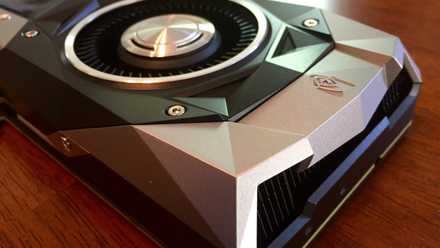
10 older GPUs that are still going strong in 2024
It's a tough world out there for old graphics cards, but these 10 champs are still kicking it
Check compatibility and working condition
Do your due diligence
Once you finalize your budget, decide whether you want to include used components, and find the best deals on the market, it's time to cross your t's and dot your i's. Make sure that the parts you've chosen are compatible with each other — matching your CPU and motherboard with the RAM and SSD is crucial. Use PCPartPicker for a quick compatibility check.
When buying used parts, it's always ideal to visit the seller's location and see the computer in action.
You also want to make sure that the graphics card is physically compatible with the case (size) and that the power supply has enough wattage and a good enough efficiency rating to support all the components. When buying used parts, it's always ideal to visit the seller's location and see the computer in action. If you're only buying individual components, you can still request them to test them in their system in front of you.
You can run some benchmarks to rule out any faults in the PC or component you're about to buy. If you're buying online, you can rely on sites like eBay, due to their seller ratings and robust buyer protection policies.

Best GPU benchmarks: 5 options to test your graphics card performance
Trust these programs to tell you how well your GPU performs
Build your killer PC
Bring it home, champ
So, you finally have all your components with you. It's now time to assemble the PC and take it for a spin. If you've built PCs before, this step shouldn't take long. If not, you can refer to our PC building guide linked above or check one of the many great tutorials available on YouTube. In case you've bought a pre-assembled rig or only need to install a new graphics card, the process becomes that much simpler.
If you're building a PC for the first time, take care to avoid the common PC building mistakes that first-time builders often commit. You should also ensure that you remember the things to do after building your PC to complete the setup process and make it fully ready for daily use. For the first few hours, it's best to run some stress tests to unearth any glaring faults with any of the components.
Depending on where you sourced them from, you can claim your manufacturer's warranty, seller's warranty, or buyer protection for any faulty components.

7 annoying things when building a PC
You might have PC building pet peeves of your own. These are the worst ones from my own list.
Building a decent PC for cheap isn't impossible
I hope you now have the confidence to build your very own gaming or home/office PC with old and used parts. Buying a new PC isn't always viable, and considering that you can put together a great PC with parts that are only a few years old, you should definitely consider it as an option. As long as you are doing your due diligence and have a budget that's significantly lower than buying everything new, you'll find this DIY project thoroughly rewarding.