
Reading is a dying habit, with digital media replacing it rapidly, and that seems to contribute disproportionately to my unwillingness to read anymore. I was a voracious reader just five years ago, decimating and assimilating the average 200-pager over a weekend of sipping coffee and sitting in parks. However, I've recently found less time and willingness to read, but NotebookLM never left my AI tool repository since it simply refuses to hallucinate.
I've found this academician-oriented flavor of Google AI brilliant for processing user manuals and teaching myself new skills, and the thought of using it to get over my aversion to physical print media. I've been ever-curious about the self-help section, and believe it's typically rooted enough in science and logic that NotebookLM shouldn't struggle with interpreting it. In an all-out effort, I threw every popular title disseminated as an .epub file related to this topic, and made my own self-help notebook on NotebookLM, and the results were nothing short of phenomenal.
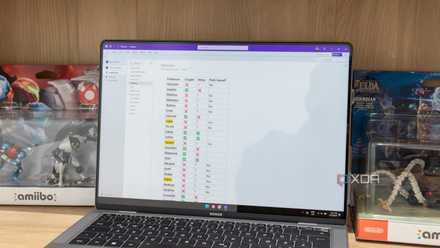
I started using NotebookLM with OneNote and here’s how it went
NotebookLM meets OneNote
The setup and justification took mere minutes
Feeding a brain enslaved by engagement metrics
I'll admit that reading has become harder due to the constant interruptions from my digital life, and my general scatterbrained state of doing things. Sitting down consistently for hours on end feels borderline sinful, but I refuse to download yet another app for repetitive push notifications containing quotes pulled from books on my reading list, yet totally out of context. Eventually, these alerts will only contribute to the digital noise when I intend to go the other way and resume reading.
NotebookLM is the perfect AI tool to help me crack on, because it relies only on the sources I upload. The AI's answers and generated media are typically hallucination-free, and I'd like to research who's authoring the books I plan to read. You can never be too careful these days, even if the AI presents a condensed version of the books. Moreover, epub support in NotebookLM is rather recent, rolled out alongside support for PPTX export format, per-slide revision for slide decks, and per-user conversation retention for continuity in long-term projects.
This means I don't need to convert my ebooks into a PDF, stripping it of the glorious trickery that helps the content scale across pages and display form factors, even though NotebookLM won't use them when accessing the content. What matters to me is the effort saved. You'd expect a tool for researchers and academics to pack epub support from the get-go, given how many journals use it each month, but it just arrived. And I took it as a sign to throw my self-help reading list into one fat Notebook, and finally start reading through them with some guidance and brevity for assistance.
Getting the most out of your Notebook of books
Quizzing epubs is akin to chatting up the average textbook
With the sources prepped and ready, I shifted my attention to how I'd maximize the benefits of AI involvement in my experiment. Since all my books were about the same central topic of self-help, I first prompted the AI to outline the purpose and theme of each title, in descending order of potential immediate impact on the reader's life. Here's the exact prompt I used, in line with Google's self-professed efficient prompting strategies. Simply put, specificity is key.
Act as an expert life coach and behavioral analyst. Review all the self-help books provided in the sources of this notebook.
Your task is to outline the core purpose and overarching theme of each title, and then rank them in descending order of potential immediate impact on a reader's life (from #1 most immediate impact, to the least).
Define "Immediate Impact" as: Books that offer actionable, highly practical steps, frameworks, or mindset shifts that a reader can implement today to see noticeable changes in their daily routine, well-being, or productivity. Books that are highly theoretical, or focused on long-term gradual change should be ranked lower.
For each book, please provide:
Title & Rank: (e.g., #1: [Book Title])
Core Purpose: A concise 1-2 sentence summary of what the book is trying to help the reader achieve.
Overarching Theme: The main philosophical or psychological focus (e.g., Habit Formation, Cognitive Reframing, Time Management).
Impact Justification: A brief explanation of exactly why it earned this rank, highlighting the specific actionable takeaways that make its impact so immediate.
Please present the final output as a clearly structured list
I can further refine this prompt by adding in how I'd define impact on my life, as a focus on mindfulness would help me more than financial regulation and productivity tricks, for instance. The results should give me a clear idea of which book I should break down first.
Diving into individual titles
Studio tools are invaluable here
With the book identified, I use the customization options and generate a Mind Map and Briefing Docs under the Report using the Studio tool sidebar. I use the following prompt to break a book down into its chapters, get a quick overview, and jump ahead to the section I would like to read. The mind map is usually not comprehensive, so a simple prompt fishing for details works if there's any ambiguity about the contents, or close similarity to other sections of the book in the corresponding report.
Act as an expert analyst and executive summarizer. Review the source document(s) for the book provided in this notebook and create a comprehensive, chapter-by-chapter briefing document.
Your goal is to map out the progression of the book so a reader can grasp the entire structure and content in under 5 minutes.
For every chapter in the book, please provide:
Chapter Number & Title: (e.g., Chapter 1: [Title])
The Core Premise: A tight, 1-2 sentence overview of the chapter's main argument, purpose, or narrative focus.
Key Takeaways: 2-3 bullet points highlighting the most crucial concepts, frameworks, or actionable advice introduced in this specific chapter. Keep these brief and punchy.
Please ensure the output flows logically in chronological order from the first chapter to the last. Format the response cleanly using bolding for headings so it is easy to skim.
Before I read that chapter, do two things. One, I set up similar briefing docs for background generation, and they're usually done before I finish. This approach affords me the freedom to jump to another chapter in a different epub I uploaded, because it contains the closest tangentially related info I could use. Two, I ask for that chapter's context from the same book using another simple prompt, just to set the stage, so I'm not taking the author's words out of context and instead interpreting them as they intended.
Make the most of every tool on hand
Sure, NotebookLM doesn't read books for you, and all the reactions based on information between those hardbound covers must come from you. However, there's no harm in using AI to pinpoint the perfect jumping-off point to make the most of your time, even if that means hopping between chapters and skipping to the important bits with the context in mind.
NotebookLM is Google’s AI-powered research assistant that turns your uploaded documents, notes, and sources into an intelligent, conversational workspace that helps you connect ideas, summarize insights, and generate new ones.
