
For some strange reason, I have a bunch of old Chromebooks lying around. Gathering dust on a shelf, they haven't been touched for years. I don't know why I never got rid of them, but I am sure glad I didn't.
A while back, I became aware of MrChromebox, a way to dual-boot Linux on a Chromebook or even overwrite ChromeOS entirely. While I have played around with Linux on an external USB drive on one of my newer Chromebooks, the old devices remained untouched. However, after running into some roadblocks on my external USB setup, I decided to take a break from that approach and shift my focus to the dusty, old Chromebooks sitting on my shelf. I decided to give one of these Chromebooks a new life.
I decided to do something I had never done before. Instead of dual-booting, I decided to experiment and wipe ChromeOS entirely. Since I picked a Chromebook I never planned on using again, I knew I wouldn't be that upset if I messed up and bricked the computer.
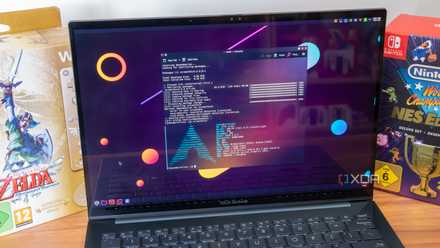
It seems scary, but Arch is my favorite Linux distro coming from Windows
Intimidating? Maybe, but it's worth the adjustment period
Installing Linux and a desktop environment
I use Arch, by the way
Luckily for me, it turns out I had already installed MrChrombox on my device a few years ago, so that advanced me to the next step: choosing a Linux distribution. Because the Chromebook I chose to revive had very little internal storage, I decided to use Arch Linux since I thought it was the most lightweight Linux distro for my needs (after researching again on Reddit, I now realize I was wrong, but it is too late to turn back). For the desktop environment, I decided to go with XFCE. While I have used the ultra-customizable KDE Plasma in the past and really enjoyed it, I was working with limited space and had to make some sacrifices.
Arch Linux wasn't that difficult to install. Nowadays, you can use the included Arch Installer for a simpler, more intuitiveway to set up and install Arch. While I know people who refuse to use this included installer for bragging rights, I just wanted to get Linux set up and opted to use the installer.
After configuring Arch and installing it, ChromeOS was officially wiped from my Chromebook. Luckily for me, everything went smoothly, and my device wasn't bricked.
Be very careful when working with MrChromebox and Linux. If you don't want to wipe ChromeOS from your Chromebook, you can always dual-boot using an external drive. Even when dual-booting, you still need to be very careful when choosing the installation location, as one wrong move could mean wiping your device.
Time to make it look like Windows 95
I wasn't even born yet
Once I booted into my desktop environment, I realized that my touchpad wasn't working. After attaching a wired mouse (I soon switched to a Bluetooth one), I realized how clunky my setup looked. In my opinion, it would look very weird to have a slick-looking desktop environment on an old, broken piece of hardware. I thought having a modern-looking desktop environment on this deteriorating Chromebook would emphasize how broken the computer was.
So I decided to make my desktop environment retro. And after a few hours of searching for a good theme, I struck gold — Chicago95. Developed by grassmunk on GitHub, Chicago95 is a Windows 95-inspired theme that (at least in my opinion) looks incredible. I wasn't even born yet to enjoy Windows 95, yet I was still floored by how cool the theme looked.
The installation was very simple. The theme came with a completely automated installer, and it didn't take long to set up. Every inch of the desktop environment was customized. From the file manager to the terminal, everything was made to look like Windows. The terminal even used the same "C:\" file path as Windows.
Doing this is not for everyone
Since most people move to Linux to escape Windows, customizing their Linux to look like an older version of Windows is something that some people will never want to do. However, since I use Windows on my everyday PC, doing all this on my Chromebook made it feel familiar yet like something I had never seen before.
Score Deals on Refurb Chromebooks and Laptop Gear
If you have an old, clunky device that you never plan on touching again, whether it's a Chromebook or another computer that can run Linux, I definitely recommend giving it a second chance at life by installing Linux and applying a retro theme to your desktop environment of choice.
A great Linux distribution if you want to breath new life into your old computers.