
Claude Code is quite good on its own, but there are a lot of modifications you can add to take the tool to another level. More than just boosting its capabilities, these mods let you make Claude Code more personal and align it with the way you work and the kind of workflow you prefer.
The obvious modifications most people start with are MCP servers and a CLAUDE.md file, but those are just the tip of the iceberg. There's an entire ecosystem of mods that can supercharge your coding workflow, and they've done exactly that for mine.
For example, I'm spending far less time reviewing and rereading output and far more time actually building. To give you an idea, I've found a mod that makes Claude revisit the same task repeatedly until it meets a defined completion signal. That alone saves me a significant amount of time that I would otherwise spend manually reviewing its work.
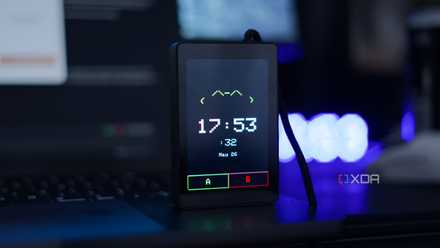
I tried Anthropic's open-source desk pet on an ESP32, and it fixes the most annoying thing about Claude
Anthropic open-sourced a cool desk pet project, so I ported it to the WT32-SC01 Plus.
Ralph Loop
It makes sure Claude Code keeps correcting itself
Ralph Loop is an Anthropic-developed plugin that introduces an iterative execution workflow to Claude Code. The plugin allows Claude to repeatedly revisit the same objective until it reaches a predefined completion signal instead of treating a task as a single request-response cycle.
The plugin is based on the Ralph technique, which some describe as "a Bash loop." Under the hood, Ralph Loop uses Claude Code hooks to intercept the model's normal exit path and feed the task back into the workflow. This creates a continuous loop where Claude can review its own output, identify issues, make improvements, and try again.
To use Ralph Loop, you provide a task, define what successful completion looks like, and specify a maximum number of iterations. Claude then works through the task repeatedly, using the results of previous attempts to guide future ones. It can edit code, run checks, analyze failures, and apply fixes while retaining context from the current session, project files, and git history. I've found Ralph Loop particularly useful for tasks with clear success criteria, such as bug fixes, test coverage improvements, code refactoring, and feature implementation.
Ultracode Workflow Mode
Enable automatic workflow orchestration.
Ultracode is a built-in Claude Code mode that changes how the tool approaches complex tasks. By default, Claude responds to a request and executes the steps needed to complete it. Ultracode combines Claude's highest reasoning level with automatic workflow orchestration, allowing the model to break a task into multiple stages and execute them independently.
Claude can decide that it first needs to understand the codebase, then investigate the relevant files, implement changes, validate the results, and perform additional checks before presenting the final output. These workflows are created automatically, without requiring you to explicitly tell Claude how to structure the work.
It reduces the amount of manual guidance needed for larger development tasks. Rather than prompting Claude step by step, you can hand over a broader objective and let it determine the process required to complete it. The tradeoff is increased token usage and slower execution times since Claude spends more time planning, researching, and validating its work before responding.
Commit Commands plugin
Eliminate one of the most repetitive parts of working with Git
The Commit Commands plugin automates some of the most repetitive parts of working with git. While none of these tasks are particularly difficult, they add up over the course of a day and constantly pull you away from writing code. The plugin adds three commands: /commit, /commit-push-pr, and /clean_gone.
The most useful of the three is /commit. It analyzes both staged and unstaged changes, reviews recent commit history to understand the repository's commit style, generates an appropriate commit message, stages the relevant files, and creates the commit.
/commit-push-pr takes the process even further. It can create a branch if one doesn't already exist, commit the changes, push them to the remote repository, and open a pull request automatically using GitHub CLI. The plugin also includes /clean_gone, which removes local branches that no longer exist on the remote. The plugin follows conventional commit practices and avoids committing common secret files such as .env and credentials.json.
Context7
It helps Claude access the most accurate documentation
If there's one Claude Code mod that I would recommend installing immediately, it's Context7. One of the biggest limitations of any coding assistant is that its training data eventually becomes outdated. That becomes a problem when you're working with fast-moving frameworks and expecting accurate, production-ready code.
Score software & AI deals: discounts on dev tools
Context7 solves this by giving Claude access to current, version-specific documentation directly from the source. Claude can pull the latest documentation and code examples and use them as part of its reasoning process.
Context7 can be used either through its CLI or as an MCP server. The CLI generates skills that teach Claude how to retrieve and use documentation during development, while the MCP implementation allows Claude Code to query documentation sources directly. The project also includes tools such as resolve-library-id and query-docs, making it easier for Claude to locate the correct documentation for a library and retrieve relevant information on demand.
I've found Context7 particularly useful when working with frameworks and services that ship updates frequently. Projects built on Next.js, Supabase, Cloudflare, and similar platforms benefit the most because documentation changes can quickly make older examples irrelevant.
Claude Code supports endless mods
Anthropic has built a very modular tool in the form of Claude Code. You can expand its capabilities using plugins, mods, skills, MCPs, and a wide range of other tools. While you're officially limited to Anthropic's own models, there are still plenty of ways to customize and extend the overall experience. For example, I've connected Claude Code to Perplexity, and it has made a noticeable difference in my workflow.

I set up Claude Code the way its creator does, and the difference is night and day
Who better to learn from than the person who made it?