
I went into Claude Code expecting the usual AI coding assistant pitch. Faster boilerplate, fewer dead ends, and a lot of promises about how it could speed up the parts of development that feel repetitive. That use case is there, and I’m not pretending otherwise. What surprised me was that the workflow I liked most had very little to do with asking it to write code for me. The real value showed up when I used it to make sense of everything around the code instead.
Most technical work doesn’t fall apart because I can’t write code fast enough.
That shift mattered because most technical work doesn’t actually stall at the moment you need to type a function. It stalls when you’re trying to remember why a repo is structured a certain way, what changed since your last session, or where a problem is really coming from. Those are the moments that quietly eat time. They also tend to happen before any meaningful coding starts. Once I started using Claude Code to reduce that friction, it felt much more useful and much less gimmicky.
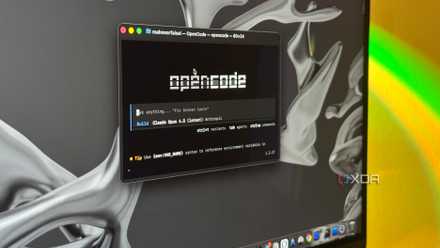
I tested Claude Code against 3 open-source alternatives, and one came surprisingly close
Claude might not be the only coding agent worth using.
Claude Code made more sense when I stopped treating it like a code machine
The best use case started with project understanding
The first workflow that genuinely clicked for me was using Claude Code to understand a project before touching anything. Instead of opening a repo and immediately chasing files around, I could ask for a summary of the architecture, likely entry points, and the parts most relevant to the task at hand. That gave me a quicker way into the work. More importantly, it helped me start with context instead of guesses.
Want to stay in the loop with the latest in AI? The XDA AI Insider newsletter drops weekly with deep dives, tool recommendations, and hands-on coverage you won't find anywhere else on the site. Subscribe by modifying your newsletter preferences!
That’s a much bigger deal than it sounds. A lot of project friction comes from reorienting yourself every time you come back to something, especially if it isn’t your full-time focus or if the repo has a lot of moving parts. Even well-organized projects can be hard to re-enter after a few days away. The code may be fine, but your mental map of it has faded. Having a tool that helps rebuild that map quickly is more valuable than another shortcut for writing syntax faster.

Claude Code and its alternate uses
Trivia challenge
Think Claude Code is just for developers? Test how well you know its surprising range of real-world applications.
Which of the following writing tasks can Claude Code assist with, despite not being a traditional word processor?
How can Claude Code be used as a research tool when working with large volumes of text documents?
Which productivity task can Claude Code perform that would typically require a dedicated automation tool like Zapier or Make?
A journalist wants to analyze a leaked set of CSV financial records for patterns and anomalies. Which capability makes Claude Code useful for this task?
Which creative project could Claude Code assist with by combining its file-manipulation and language capabilities?
How might a teacher or instructional designer use Claude Code outside of a coding context?
What makes Claude Code particularly useful for non-technical professionals who need to work with messy, unstructured data?
Which of the following best describes why Claude Code can be more effective than a standard AI chatbot for complex, multi-step non-coding projects?
Your Score
Thanks for playing!
It also felt like a more honest use of AI. When a tool writes code, I still have to check that it didn’t misunderstand the assignment or create a subtle new problem. When it explains how a repo hangs together, summarizes changes, or highlights what deserves attention first, the payoff is clearer, and the risk is lower. I’m still making the decisions. I’m just not spending so much time untangling the basics before the real work begins.
The workflow I liked most was really about terminal triage
It worked best as an interpreter for technical mess
The other part that stood out was how useful Claude Code became when I used it to interpret terminal output. That’s where a lot of technical work gets noisy fast. Logs, errors, warnings, dependency complaints, failed builds, weird environment issues, and mismatched configs all tend to pile into the same stream. Some of it matters a lot, and some of it is just distraction. Separating those two categories is often the real job.
That’s where Claude Code felt genuinely helpful. I could feed it the messiest parts of a session and have it turn that into a clean explanation of what was happening, what was probably noise, and what I should check next. That didn’t magically solve the issue for me, but it did save me from wasting energy on false leads. It also made long terminal sessions feel less like a pile of clues and more like a coherent trail. That’s not glamorous, but it is extremely useful.
Claude Code becomes much more useful when you give it messy, real-world context rather than pristine toy prompts. Repo structure, terminal output, config files, and recent changes are often more valuable than asking it to spit out a fresh block of code from scratch.
I ended up liking that more than straight code generation because it better matched the rhythm of real work. Most days are not made up of elegant little coding sprints. They’re made up of interruptions, debugging, context switching, and trying to keep track of what the machine is actually telling you. In that environment, a tool that can translate technical clutter into usable next steps earns its keep pretty quickly. That felt like a better workflow than asking it to crank out code and hoping the result held up.
It’s fair to expect a tool called Claude Code to focus on coding first
The obvious criticism of this approach still holds up
There is a very reasonable counterpoint here. If a tool is built and marketed around coding, people will judge it first by how well it helps them write code. That’s the headline feature, whether anyone says it out loud or not. If my biggest praise is that it helps summarize repos and interpret logs, I can understand why that might sound like I’m grading on a curve. Plenty of people want an AI tool that saves time by producing implementation work directly.
That expectation exists for a reason. Repetitive coding tasks are real, and nobody enjoys spending extra time on them just to prove some point about craftsmanship. A lot of developers want a tool that accelerates the boring parts, handles the obvious stuff, and lets them move through tickets faster. If Claude Code doesn’t consistently feel strongest in that role, then some readers are going to wonder whether this whole angle is just a workaround. That’s not an unfair reaction.
There’s also the risk that this softer workflow sounds less exciting than what people were promised. “It helps me understand what’s going on” doesn’t have the same instant appeal as “it writes the code for me.” One sounds practical, while the other sounds futuristic. Marketing tends to reward the second one. Real workflows, unfortunately for marketing departments everywhere, often reward the first.
Why this still felt like the better workflow by far
Better context usually leads to better technical decisions
The reason I still think this is the strongest angle is that poor technical outcomes usually start with poor context, not slow typing. Bad fixes happen because someone misunderstood the project, missed a dependency, ignored a prior decision, or chased the wrong signal. Speed doesn’t solve that. In some cases, it just helps you make the wrong move faster. A workflow that improves understanding before action is often more valuable than one that only helps once you’ve already committed to a path.
That’s why Claude Code felt more useful when I treated it like a project-side operator rather than a code generator with a terminal attached. It could help me get oriented, make sense of noise, and close a session with a clearer understanding of what had actually happened. That has a ripple effect on the rest of the work. I write better code when I understand the problem better, and I debug faster when I’m not drowning in raw output. Those gains are less flashy, but they’re much more durable.
So no, I don’t think this is a consolation prize. I think it’s the first workflow that made the tool feel grounded in the kind of work people actually do every day. Coding matters, obviously, but so does everything around it. The best Claude Code workflow I found wasn’t the one where it took over the keyboard. It was the one where it helped reduce the chaos enough for me to do the important parts better.
Where Claude Code actually earned a place in my routine
What matters to me is that it solves a real problem rather than a marketed one. Most technical work doesn’t fall apart because I can’t write code fast enough. It falls apart when I lose the thread, miss context, or waste time digging through output that should’ve been easier to understand. Claude Code started to feel valuable when it helped with that part of the job. That may be less flashy than AI-generated code, but it’s also the kind of usefulness that sticks.
And here’s why I think that should matter to other people, too. A tool that helps you understand your work better will usually help you do your work better, whether you’re debugging a project, picking apart logs, or just trying to get back up to speed without burning half your afternoon. That’s where Claude Code earned its place for me. It didn’t replace the important thinking. It made that thinking easier to apply in the moments where technical work usually gets bogged down.
Claude offers a ton of features, but some of the best ones might not be what you assume.