
Summary
- The Raspberry Pi display enhances cooking with real-time recipe displays and seamless ingredient adjustments for hassle-free meal preparation.
- The display transforms into a digital photo gallery, showcasing personalized memories with rotating photos that add color and life to any room.
- Access real-time weather updates and entertainment options conveniently from the Raspberry Pi display, optimizing daily routines with clear information.
Adding a Raspberry Pi display to everyday tasks has offered me plenty of flexibility and fun. It lets me set up diverse applications without wasting too much space or breaking the bank. I’ve been able to customize how information appears, which makes it a handy companion in nearly every corner of my living space. Whether I need a quick recipe reference or an interactive gaming setup, this small screen has found its place in many creative ways.

I turned my HomePod into a Spotify Connect device with Raspberry Pi
Overcome HomePod's AirPlay-only limitation
5 Turning your kitchen into a smart station
Enhance your cooking routines with real-time recipe displays
I use a Raspberry Pi display in my kitchen to keep all my recipes handy while cooking. It’s simple to switch between meals or adjust ingredients based on the number of people I’m cooking for. The display is conveniently placed, so my hands stay free for chopping and stirring. This setup has organized meal prep and boosted my confidence when trying new dishes.
I also use the display to stream quick tutorial videos when I feel stuck. The screen shows step-by-step instructions, making it easier to experiment with unfamiliar cuisines. It reduces guesswork and inspires me to diversify my cooking.
A calendar on the same display helps me plan meals for the week. I can quickly scan upcoming dinner events or grocery shopping reminders without disrupting my cooking flow. This means I spend less time on my phone and more time perfecting my food. Integrating these features into one screen has given my kitchen a modern touch.
4 Transforming memories into a digital showcase
Display your favorite snapshots in creative, rotating galleries
I love taking pictures, and the Raspberry Pi display is a natural fit for showing them off. Once the screen is set up, it cycles through my vacation photos, family events, and candid shots of everyday life. The rotating gallery means I’m always greeted with a fresh memory whenever I pass by. Having these personal moments on display rather than hidden away on a hard drive is uplifting.
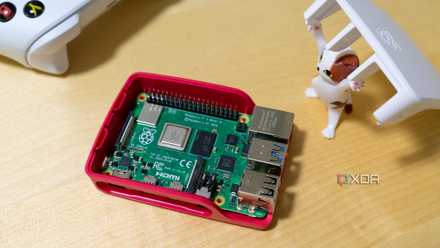
Rather than letting pictures pile up on social media, I get to enjoy them at home. This approach brings color and life into my living room, hallway, or home office. I appreciate being able to share photos with visitors in a more engaging way. Plus, the slideshow can be set to show certain themes during specific hours, like holiday photos around festive seasons.
I also enjoy the freedom to tweak transitions or photo layouts to suit my tastes. If I’m feeling creative, I’ll experiment with different styles or speeds of rotation. Watching those experiments take shape on the display never fails to put a smile on my face. It’s a simple enhancement that turns captured moments into an integral part of daily life.
3 Keeping an eye on daily weather updates
Stay prepared for changing conditions with accurate forecasts
A Raspberry Pi display near my doorway delivers real-time weather data to help me plan my day. It cycles through temperature, humidity, and wind speeds, ensuring I grab the right jacket or umbrella before heading out. This arrangement saves me from surprises like sudden rainfall or unexpected temperature drops. I appreciate starting my day informed rather than guessing the conditions.
I use an open-source application that gathers data from a trusted weather service. This keeps me well-informed of hour-by-hour forecasts, which is especially helpful when deciding if I can squeeze in a quick run. The convenience of a clear and concise weather readout fits my busy lifestyle. Having it at eye level reminds me to check conditions regularly instead of relying on guesswork.
Sometimes, I customize the display with extra tidbits like pollen levels or air quality readings. This is handy for those days when allergies might flare up or when I plan an outdoor adventure. The flexible interface of the Raspberry Pi allows me to fine-tune the information according to my needs. It’s a simple addition that makes a meaningful difference in my daily routine.
2 Enhancing your entertainment experience with convenient controls
Access music, movies, and streaming services from one screen
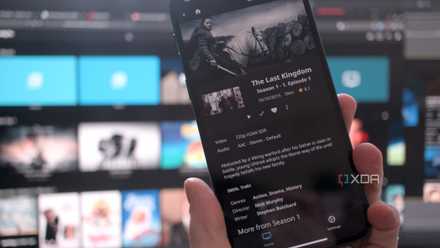
Another fantastic use of a Raspberry Pi display is turning it into a compact media hub. Instead of juggling multiple remote controls, I can launch my favorite streaming services with just a few taps on the screen. It’s straightforward to queue up playlists or view movie trailers before settling on the perfect film. This has kept my living room tidy and reduced the clutter that used to collect on the coffee table.
The responsive touchscreen interface allows me to browse different categories with ease. Seeing all my entertainment options gathered in one spot is convenient. There’s a particular joy in discovering a new show or album when it’s presented so neatly. Since I spend less time hunting through menus, I get to dive right into enjoying my chosen content.
I self-host Jellyfin on my Proxmox server - here's how
Thanks to LXC containers and SMB shares, your Proxmox rig can double as a media server
I also appreciate how the compact design fits seamlessly alongside my TV or stereo equipment. It doesn’t require much space yet adds significant functionality. Whether I’m streaming music during a casual gathering or watching a late-night movie, I like knowing everything is at my fingertips. The experience feels both modern and hassle-free.
1 Reliving old favorites with modern gaming setups
Experience retro titles through a sleek, portable display system
For nostalgic gaming enthusiasts, a Raspberry Pi display makes a perfect companion. I’ve set up classic games that remind me of the early days of arcade fun. With a small, portable screen, I can move the system to different rooms or bring it along when I visit friends. It’s an easy conversation starter; everyone enjoys taking turns at their favorite childhood titles.
I love that the system allows me to organize my game library by genre or era. Switching between older 8-bit games and more modern indie titles is a breeze. The Raspberry Pi display’s compact size doesn’t compromise on brightness or clarity, so gameplay still looks sharp. It’s like having a mini arcade station wherever I want it.
Over time, I’ve added custom overlays and menu themes for a personalized feel. These small touches show off my style while keeping everything user-friendly. This setup covers all the bases if you’ve ever wanted a simple way to revisit retro favorites. Seeing how a modern microcomputer can seamlessly revive old-school gaming experiences is satisfying.
Bringing all of these home ideas into harmony
The ideas I’ve shared have each brought a new level of convenience and creativity to my living space. From cooking dinner with a recipe guide to revisiting childhood games, the Raspberry Pi display proves its versatility. Every setup has emerged from a small, unassuming screen into a feature-rich system designed to simplify daily life. I’ve turned a single display into a powerful home companion through thoughtful planning and technical exploration.
Raspberry Pi 5
- CPU
- Arm Cortex-A76 (quad-core, 2.4GHz)
- Memory
- Up to 8GB LPDDR4X SDRAM