
Corsair is a massive brand in the PC industry and makes just about everything from PC cases and keyboards to power supplies and CPU coolers. The company's range of coolers offers good performance at a reasonable price and is among the most popular choices for PC builds. Enter the Corsair iCUE Link Titan 360 RX RGB, Corsair's latest entry for 2024. Unsurprisingly, this is an all-in-one (AIO) liquid cooler with a 360mm radiator. Although I cannot attest to its performance improvements compared to prior kits, we ran the AIO through our test suite to see how it fares with AMD and Intel CPUs.
Installing the AIO cooler is painless, though you must check the manual to ensure everything is correctly assembled. Though Corsair preinstalls the three fans, the cabling between the fans, pump, and hub can be initially confusing. Once everything is set up, you're good to go with even the more powerful AMD and Intel processors. Performance is excellent and fewer cables allow anyone to create a clean-looking system. The only issue I have with this AIO is the price. It's double the cost of the excellent Arctic Liquid Freezer III 360 and its more advanced features may not warrant the bump.
About this review: Corsair provided XDA with an iCUE Link Titan 360 RX RGB sample but had no input before publication.
Corsair iCUE Link Titan 360 RX RGB
- Brand
- Corsair
- Cooling Method
- Liquid
- Integrated Lighting
- Yes
- Fan Speed
- ~2100 RPM
The Corsair iCUE Link Titan 360 RX RGB is a great AIO cooler and one that can handle the most powerful AMD and Intel processors. It's slightly on the pricey side, especially compared to the competition but may be worth purchasing for the hot-swap caps and integration with other Corsair hardware.
- Gorgeous LCD on the CPU block
- Impressive thermal performance
- Preinstalled linked fans
- Expensive
- PCIe power requirement
Price, specs, and availability
Costing $200, the Corsair iCUE Link Titan 360 RX RGB is one of the more expensive AIO liquid coolers. To help soften the blow of this increased cost, Corsair made sure to include some more premium features not found on many other AIO kits. Firstly, there are the magnetically-linked three fans pre-installed on the radiator. Next up is the premium design and gorgeous RGB lighting. Finally, there's the hot-swap block cap system for switching out the preinstalled cap. It helps that the performance of this cooler is among the best in the business, but it's still a high price to pay to cool your CPU.
Specifications
- Brand
- Corsair
- Cooling Method
- Liquid
- Integrated Lighting
- Yes
- Fan Speed
- ~2100 RPM
Design and features
Unboxing the Corsair iCUE Link Titan 360 RX RGB is similar to most other AIO liquid cooling kits. The entire kit comes in a familiar Corsair branded box with ample packaging. Inside the box is an interesting omission. There are no fans. There are fans, but they're hidden within the radiator cardboard as Corsair pre-attaches all three blowers to the main unit. This is handy since most installations will use the AIO as configured, but if you prefer to switch things up a little and use the fans in a pull setup, you'll need to reinstall them on the opposite side of the radiator.
All three fans are linked together without cabling, creating a clean look ahead of installation inside a chassis.
A few bags of goodies are included with the preassembled AIO loop. It's nice to see Corsair use paper here for securing screws and brackets instead of the usual plastic bags. AMD and Intel support is included for the most recent sockets, as well as a few generations prior. The small black box is the Corsair iCUE Link Hub, which is required for the entire thing to function — it's not a simple fan and RGB controller. Interestingly, you'll notice the lack of a Molex or SATA power adapter and that's because Corsair opted to use PCIe. Yes, the same PCIe your GPU utilizes.
This is a positive since almost everyone will have PCIe cables which means you don't need to dig out a SATA/Molex cable just for the AIO. But if you're using an SFX PSU or one with a limited number of PCIe connections, you may encounter an issue with supplying power to the GPU and AIO simultaneously. This won't be a problem for most PC builds, but it's something to consider. All three fans are linked together without cabling, creating a clean look ahead of installation inside a chassis. Speaking of looks, there's plenty of RGB lighting throughout the iCUE Link Titan 360 RX RGB.
The CPU block has a top plate, which can be removed to reveal a hot-swap connector. Corsair sells a few optional cover caps that can be swapped out, depending on the application and PC theme. We were provided three for this review, though I recommend the VRM fan cap. AIO liquid coolers are known to cause VRMs to heat up considerably compared to active air cooling, so any additional blowers around the CPU area will help. Arctic even built a VRM fan into the CPU block of its Liquid Freezer III range. The thermal paste application method is also a nice touch.
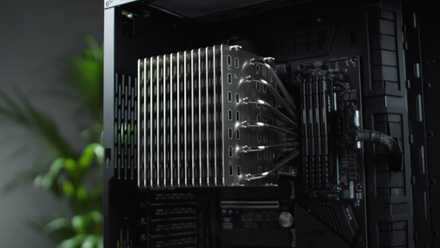
Best CPU coolers in 2025
Buying the best CPU cooler is just as important as buying any other core component. Here are some of the best CPU coolers on the market.
Cooling performance
Being a 360mm radiator-touting AIO kit, we can expect high levels of cooling performance and that's what I saw with our extensive tests. Installing the AIO is a breeze on Intel and AMD using the Corsair brackets provided. Although Corsair provides a decent helping of its thermal paste, we only noted numbers for this review using the same paste on both test benches for consistency. I did perform the same suite of tests using the preinstalled paste and found no issues with performance.
To test the Corsair iCUE Link Titan 360 RX RGB, we used two test benches, one with an Intel CPU and the other with AMD. This ensures the AIO performs well across the board without any notable anomalies. Thermal Hero Quantum was used on both platforms.
|
AMD |
Intel |
|
|---|---|---|
|
CPU |
||
|
RAM |
2x 16GB ADATA XPG DDR5-6400 |
2x 16GB G.Skill Trident Z5 Neo DDR5-6400 |
|
Motherboard |
Gigabyte X670E Aorus Master |
Asus Maximus Hero Z690 |
|
Thermal paste |
Thermal Hero Quantum |
Thermal Hero Quantum |
Playing games was perfectly normal using this 360 AIO kit. Both CPUs had low temperatures with reasonable loads and the numbers in the charts were stress tests firing up all cores to maximum speed. Temperature readings were taken with the fans and pump running at maximum, as well as configuring them to achieve a specified noise reading of 40 dBA at 1 meter. The latter is more likely to be the setup used in a live environment and should represent real-world usage.
The Corsair iCUE Link Titan 360 RX RGB performed very well, but so did our other 360 kit review samples, which puts another marker on the asking price for this CPU Cooler. Now, it's clear that Corsair worked on some QoL improvements and premium features like the hot-swap caps, but if all you care for is raw cooling performance, there are better value options available, such as the iBUYPOWER AW4 360. Regardless, you won't have any trouble cooling even an AMD Ryzen 9 or Intel Core Ultra 9 with this Corsair AIO.
Should you buy the Corsair iCUE Link Titan 360 RX RGB?
You should buy the Corsair iCUE Link Titan 360 RX RGB if:
- You have a powerful CPU to keep cool under heavy loads.
- You have a PC case with support for a 360mm radiator.
You shouldn't buy the Corsair iCUE Link Titan 360 RX RGB if:
- You don't have a high-power processor.
- You don't care about RGB cooling or the LCD.
- You don't want to spend $200 on a CPU cooler.
You should consider buying the Corsair iCUE Link Titan 360 RX RGB if you have an AMD or Intel system and require beefy cooling. There are some more affordable (and better value) AIO kits out there, even with a 360mm radiator but Corsair does offer a premium build with hot-swap caps, preinstalled fans, synchronized lighting effects, and minimal cabling. So long as you find these improvements to be worth the additional cost, this AIO is worth buying. For everyone else, I'd steer you toward the Arctic Liquid Freezer III 360. It's half the price yet still manages to pack a punch for cooling.
Corsair offers a premium build with hot-swap caps, preinstalled fans, synchronized lighting effects, and minimal cabling.
Trying the cooler with an Intel Core i5-12600K and AMD Ryzen 8 9700X, I was able to obtain decent results, putting this CPU cooler right up there with the best I've tested using our new methodology. Both processors settled at under 60C under load (delta measured at a 21 Celcius room temperature). That's more than good enough for gaming and heavier workloads, showing just how much more headroom is available with the Corsair iCUE Link Titan 360 RX RGB. The only problem you'll encounter is when deciding to try your luck with a 14th-gen Intel Core i9 CPU. Outside of the ridiculous, this is one awesome AIO cooler.
Corsair iCUE Link Titan 360 RX RGB
- Brand
- Corsair
- Cooling Method
- Liquid
- Integrated Lighting
- Yes
- Fan Speed
- ~2100 RPM
The Corsair iCUE Link Titan 360 RX RGB is an impressive AIO liquid cooler with fancy RGB lighting, swappable CPU blocks, and a massive 360mm radiator for getting rid as much heat from the CPU as possible. With full support for numerous Intel and AMD CPUs, you can build an impressive PC with this stunning cooler.