
Summary
- There is no such thing as a universal "good" or "safe" CPU temperature to maintain while gaming.
- The cooler your CPU runs, the better, but you should try to keep it under 80°C.
- Monitor the temperature, and take necessary actions to avoid overheating.
A CPU is just as crucial as a GPU for a smooth and enjoyable gaming experience. It's essentially the brains behind all the operations, responsible for processing and executing game logic and physics calculations, among other critical tasks. As such, the CPU generates a lot of heat while gaming, and it needs to be dissipated properly to maintain optimal gaming performance. There's nothing scarier than an overheating CPU as it can throttle and significantly affect your gaming performance. But what exactly is a "good" CPU temperature while gaming?
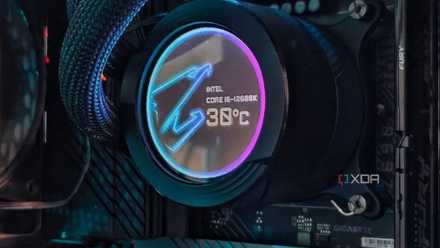
How hot is too hot for a CPU: Understanding the operating temperature of your processor
CPUs tend to run hot, especially the modern ones with higher power limits. But just how hot is too hot to handle?
There is no magic number to hit
The cooler your CPU runs, the better
The first thing you need to know is that there is no such thing as a universal "good" or a "safe" CPU temperature while gaming. The reason there is no set number for this is because of how the operating temperature and even the maximum temperature range differ based on the make and model of different processors. The max operating temperature (Tjmax) of an AMD Ryzen 7 7800X3D, for instance, is 89°C whereas the max temperature an Intel Core i5-14600K can hit before it throttles is 100°C. They may operate at vastly different temperatures even while running the game and being cooled by the same CPU cooler.
However, a general rule of thumb is to keep the temperature below 80°C, leaving plenty of room for its occasional spikes towards the Tjmax value. You may notice your CPU going well beyond 80°C quite frequently, especially if you're playing a CPU-intensive title or playing at a high resolution, but anything beyond that is too hot, in my opinion, and that's when you should start looking at possible ways to lower your CPU temperature.
Other factors affecting CPU temperature
Closely monitor and take actions to lower it
It is true that running a game or some other resource-intensive task pushes the CPU to generate a lot of heat, but it's often not the only culprit causing it to overheat. Even things like running a lot of applications in the background, or not having proper airlfow within the case could negatively affect the CPU, causing it to run at a higher temperature than it should. Long story short, it's important to monitor your CPU's operating temperature, and ensure that it's not constantly running at temperatures higher than 80°C. It may not affect your gaming performance, but it's also not good for your CPU in the long run.

How to stop your computer from overheating
An overheating computer can really dampen performance. Luckily, it's easy to fix with this simple guide.
It's important to monitor your CPU temperature and ensure it's not exceeding the acceptable limits. There are plenty of utilities out there that let you monitor the CPU temperature, and I highly recommend spending some time to set them up. HWiNFO is a free utility that's not only easy to use, but also very useful as it lets you monitor the temperature of each CPU core. Alternatively, you can also use Nvidia's GeForce Experience — or the new Nvidia App (beta) — and AMD's Adrenaline software based on the GPU you have to enable in-game overlays with vital information like CPU temperature.